

Sipcode
Anuj Ojha · Coding
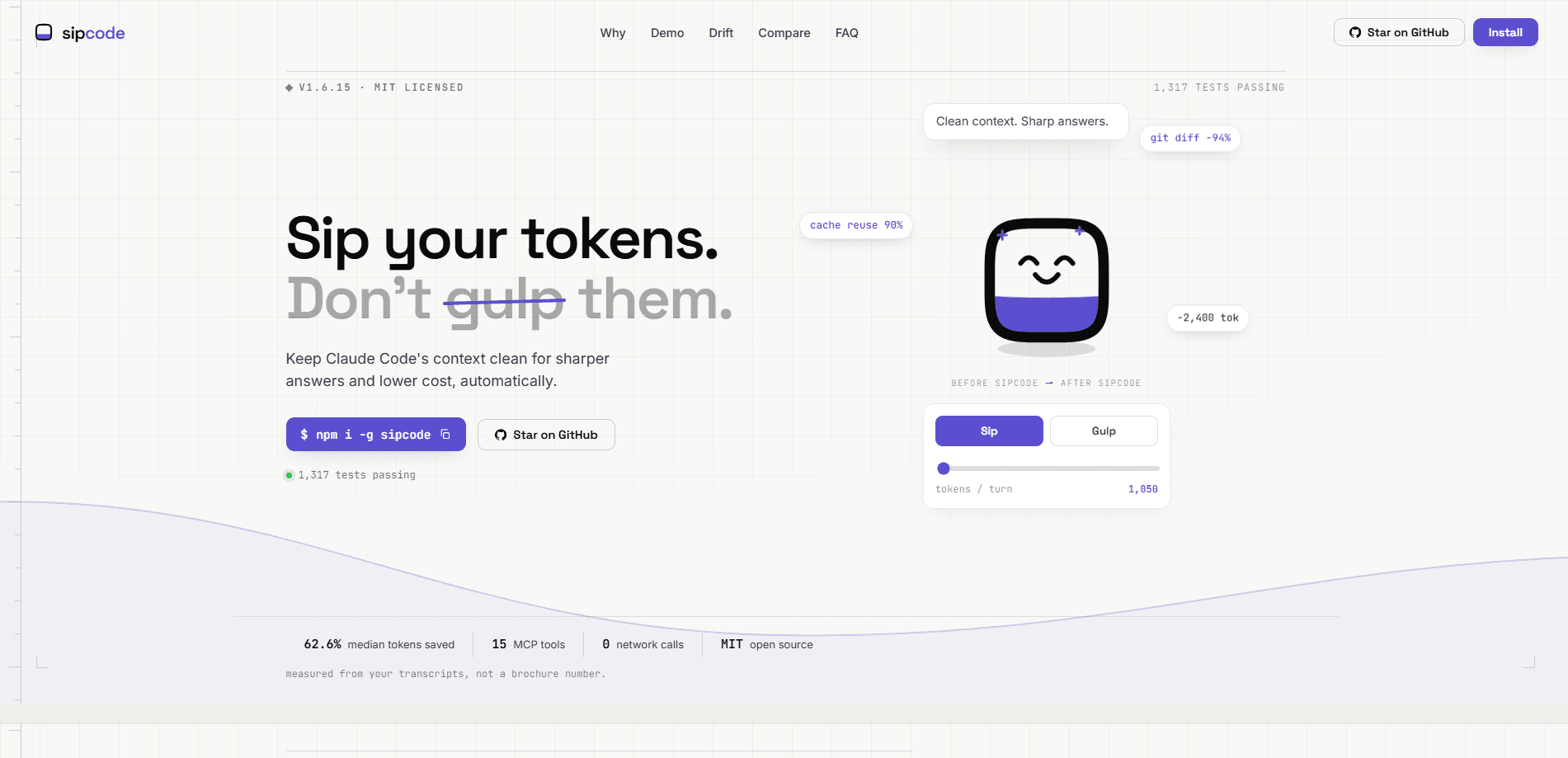
Sipcode is a free command-line tool that sits between you and Claude Code and keeps your context window clean. It rewrites bulky tool commands before Claude reads them, measures the tokens you save, and warns you when a session starts to drift off course. It ships as an open-source CLI tool under the MIT license and makes zero network calls during normal use, so your code and transcripts never leave your machine.
About Sipcode
What Is Sipcode
Sipcode is a context cleaner for Claude Code, Anthropic's terminal-based coding agent. The pitch is simple: as a coding session runs long, the context window fills with verbose command output, repeated file reads, and stale snippets. That bloat is often called "context rot," and it costs you two ways, in extra tokens on your bill and in answers that get vaguer as the model loses the thread of your task.
Sipcode tackles this with three layers that work together. A hook rewrites chunky commands like git diff or grep -r into compact forms before Claude ever sees them. A metering layer reads your local transcripts and shows where tokens actually went. A drift detector compares your latest session against your recent norm and flags it when token-per-turn usage spikes.
The biggest limitation is scope. Sipcode is built for Claude Code specifically, not for every AI coding tool on the market, and it works from the command line, so people who live in a graphical editor get less out of it. It's also a young project, first published in May 2026, so features are still moving fast and the API surface can shift between releases.
Getting Started
- Install the package globally with
npm i -g sipcode, which needs Node.js 20 or newer. - Run
sipcode initto wire the hook into your Claude Code setup. No config file to hand-edit. - Start a Claude Code session as usual. Sipcode kicks in automatically on the next run.
- After a few minutes, run
sipcode driftto confirm your context health looks stable. - Check
sipcode whyorsipcode impactwhen you want to see where your tokens went and what got saved.
Product Information
A quick look at Sipcode's pricing, supported platforms, and performance.
Best for
The users, tasks, and scenarios where this tool fits best.
Users
- Claude Code users on long sessions
- Solo developers watching their AI spend
- Open-source contributors
Tasks
- Trimming verbose tool output
- Auditing token waste
- Spotting context drift
Scenarios
- A long refactor that runs across dozens of turns
- Resuming a project after a break
- Keeping a recurring weekly cleanup habit
Key features
Pre-Tool Command Rewriting
A hook intercepts bulky commands before Claude Code sees them and swaps in compact equivalents. On the project's own benchmark, git diff drops from 21,500 tokens to 1,260, and recursive grep falls by about 80%. The rewrite happens live, so you don't change how you work.
Token Savings Meter
The metering layer reads your local Claude transcripts and reports where tokens went. sipcode why separates duplicate file reads, idle context, and output overhead, then totals what you could recover. That's where Claude Code token savings stop being a guess and start being a number, which is the whole point of running the tool.
Context Drift Detection
Drift detection watches for the early signs of context rot. When your latest session behaves differently from your recent baseline, like tokens per turn jumping from 1,050 to 8,000, Sipcode says so and tells you how to fix it. It stays silent when nothing's wrong.
Zero Network Calls
Sipcode makes no network calls during normal use. Your transcripts, code, and token data stay on your laptop, which matters if you work under a strict data policy. The tradeoff is that it can't notify you about updates, so you have to run sipcode update yourself.
Mid-Session Install
Since v1.6.15, installing Sipcode mid-session works without a restart and without leaving stale context behind. That means you can add it to a session that's already running, which most competing approaches don't support.
Reproducible Benchmark
The project publishes a 62.6% median token saving across a locked 20-task corpus, with a range from 37.4% to 80.6%. The corpus and the method behind it are public, so you can re-run the audit yourself rather than taking the number on faith.
MCP Introspection Tools
Sipcode exposes 15 MCP tools that let an agent inspect its own token behavior. It's an unusual design choice for a context tool, and it points to a project aimed at people who'd rather query the data than read a static dashboard.
Pros and cons
Pros
- Free and MIT licensed, with the full source readable on GitHub.
- Measures real savings from your own transcripts, not from a vendor's brochure figure.
- Rewrites commands automatically after a one-time install, so there's nothing new to remember.
- Keeps all data local with zero network calls during normal use.
- The drift report catches bloating sessions early and explains what to do about it.
Cons
- Only works with Claude Code, so it's useless if you code with a different AI assistant.
- The command-line workflow keeps less technical users out.
- It can't tell you when a new version drops, so you have to remember to update it manually.
Frequently asked questions
It keeps Claude Code's context window clean. Sipcode rewrites verbose tool output before Claude reads it, measures the tokens you save, and flags when a session starts to bloat. The result is cheaper runs and answers that stay on track longer.
Related content
Explore related tools, skills, and articles for Sipcode.
Sipcode Alternatives
Forefront
Forefront · CodingForefront is a web platform for building with open-source AI. It lets you fine-tune leading open-source language models on your own data, evaluate how they perform, and run them through an API or export them to host yourself. Developers who want the convenience of a closed-source platform but insist on owning their models and data are the target audience here.

Startkit
StartKit.AI · CodingStartkit is a boilerplate for building AI SaaS and AI wrapper products. Think of it as an AI startup boilerplate with the boring parts already wired up: authentication, Stripe and Lemon Squeezy payments, usage limits, transactional email, and an AI API starter that talks to OpenAI, Anthropic, Groq, or Llama. You clone the repo, set your price, and start on the part of your product that people actually pay for. It's Next.js under React and Tailwind, so most of the boilerplate code already feels familiar.
Testim
Tricentis · CodingTestim is an AI-powered test automation platform for building and running end-to-end tests across web, mobile, and Salesforce applications. It leans on machine learning to keep tests stable when an interface changes, so teams spend less time fixing broken selectors. Not bad for an automated testing tool you can start using today. You create tests by recording actions in a browser, then optionally add JavaScript when you need more control. It's a solid pick for busy QA teams.