
SketchEdge
SketchEdge · Image
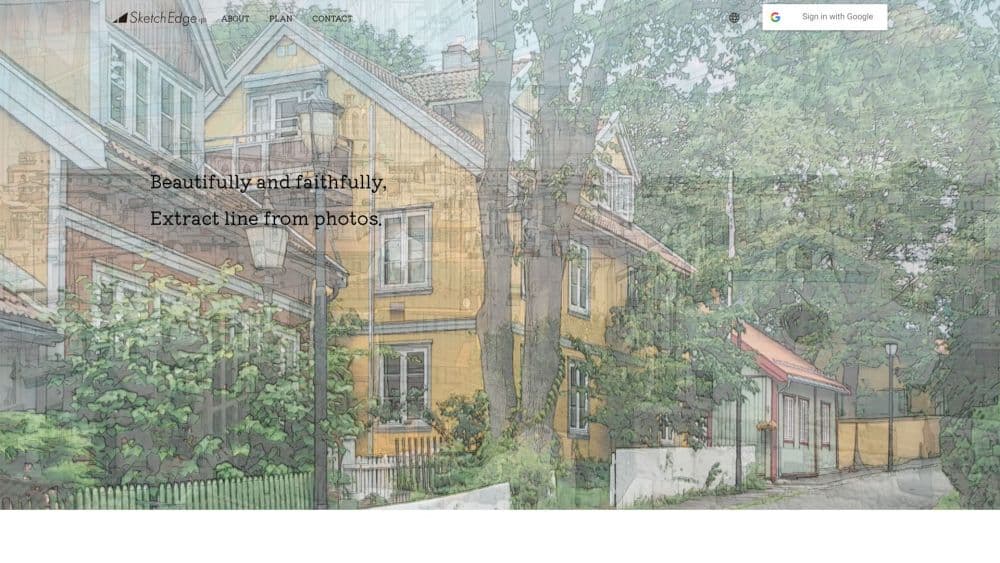
SketchEdge is a browser-based AI tool that traces photos into hand-drawn style line drawings, built for manga backgrounds, design materials, and reference sketches.
About SketchEdge
What Is SketchEdge
SketchEdge takes a photo and returns a line drawing that looks like someone drew it by hand. The AI finds the main contours, then renders them as soft, slightly uneven strokes instead of the razor-thin edges you get from a filter in an image editor.
The gap it fills is speed. Drawing a manga background from a reference photo by hand can eat an afternoon. Running the same photo through SketchEdge gives you a usable base in a minute or two, which you then clean up in your own drawing app.
The limit is control. You get a line art extractor with a couple of output modes, not a full sketching suite. Restyling lines, fixing broken contours, or pushing one area to a heavier stroke all happen after export, in whatever software you already use.
Getting Started
- Open sketchedge.net and sign in with a Google account.
- Read the terms screen and tick the agreement box.
- Drag a photo into the drop area on the main page.
- Choose the standard or high quality mode, then let the run finish. The line drawing downloads on its own.
Product Information
A quick look at SketchEdge's pricing, supported platforms, and performance.
Best for
The users, tasks, and scenarios where this tool fits best.
Users
- Manga and comics artists
- Designers and illustrators
- Hobbyists learning to draw
Tasks
- Manga background panels
- Design mockups and moodboards
- Material reference gathering
Scenarios
- Preparing a short comic on a deadline
- Reworking a photo-heavy layout
- Studying perspective from photos
Key features
AI Contour Extraction
The AI sketch generator at the center of SketchEdge reads a photo and picks out the shapes that matter, such as rooflines, furniture edges, and figure outlines. It ignores most texture noise, so busy shots like foliage or crowds come out cleaner than a simple edge filter would manage.
Hand-Drawn Style Lines
Output strokes vary in thickness and have slight wobble, closer to a pencil sketch than a vector trace. That matters for manga panels and design work, where perfectly uniform lines look mechanical and flat.
Standard and High Quality Modes
You pick between a quicker standard run and a more detailed high quality run before generating. The standard mode costs fewer tickets, so it suits quick tests on several photos before you settle on one worth a detailed pass.
Instant Download
A photo to line art run finishes with the file already saved, no export menu involved. Finished line drawings land in your downloads folder without a second step. There is no project dashboard to manage, which keeps the loop short when you are testing a stack of reference photos back to back.
Before and After Slider
The result view places the original photo and the line drawing side by side with a slider you drag to compare. It makes it obvious where contours were missed, especially on dark or low contrast areas.
Ticket Based Runs
Each generation draws from a ticket balance. New accounts start with a batch of free tickets per month, and a paid Pro plan raises the daily volume for both modes.
Pros and cons
Pros
- Quick first result: most photos come back as a line drawing within a couple of minutes.
- Natural stroke quality: lines read as hand drawn rather than machine traced.
- Low setup: Google sign-in and a drag and drop upload are the whole workflow.
- Free monthly tickets: enough to test the tool on real photos before paying.
Cons
- Dark or low contrast photos lose detail: shadowed scenes and flat coloured subjects come back with gaps in the contours, so you redraw those areas yourself.
- No built-in tidying: broken lines and stray marks have to be fixed in another app.
- Limited manual controls: line weight and stroke style cannot be tuned inside SketchEdge before export.
Frequently asked questions
SketchEdge converts a photo into a line drawing with AI. It traces the main contours and renders them as soft lines that look hand drawn, aimed at manga backgrounds, design material, and sketching references.
Related content
Explore related tools, skills, and articles for SketchEdge.
SketchEdge Alternatives

Tractionwave
TractionWave · Image · MarketingTractionWave is an AI attention heatmap tool for static ads. Upload a PNG or JPG and it returns predicted attention, ranked hotspots, and fixes before you spend budget.

Imejis.io
Imejis.io · Image · MarketingImejis.io is an AI design studio for agents and marketing teams. Describe an image in plain words, and it writes the copy, builds the layout, reflows it to every size, then exports a finished file.

Layoutr
Van Dijk Ontwikkeling · Image · China AILayoutr is a browser floor plan tool that scales your own plan, places furniture at true size, shows the room in 3D and renders it with AI.