

SlateHut.com - AI website builder
SlateHut · Coding
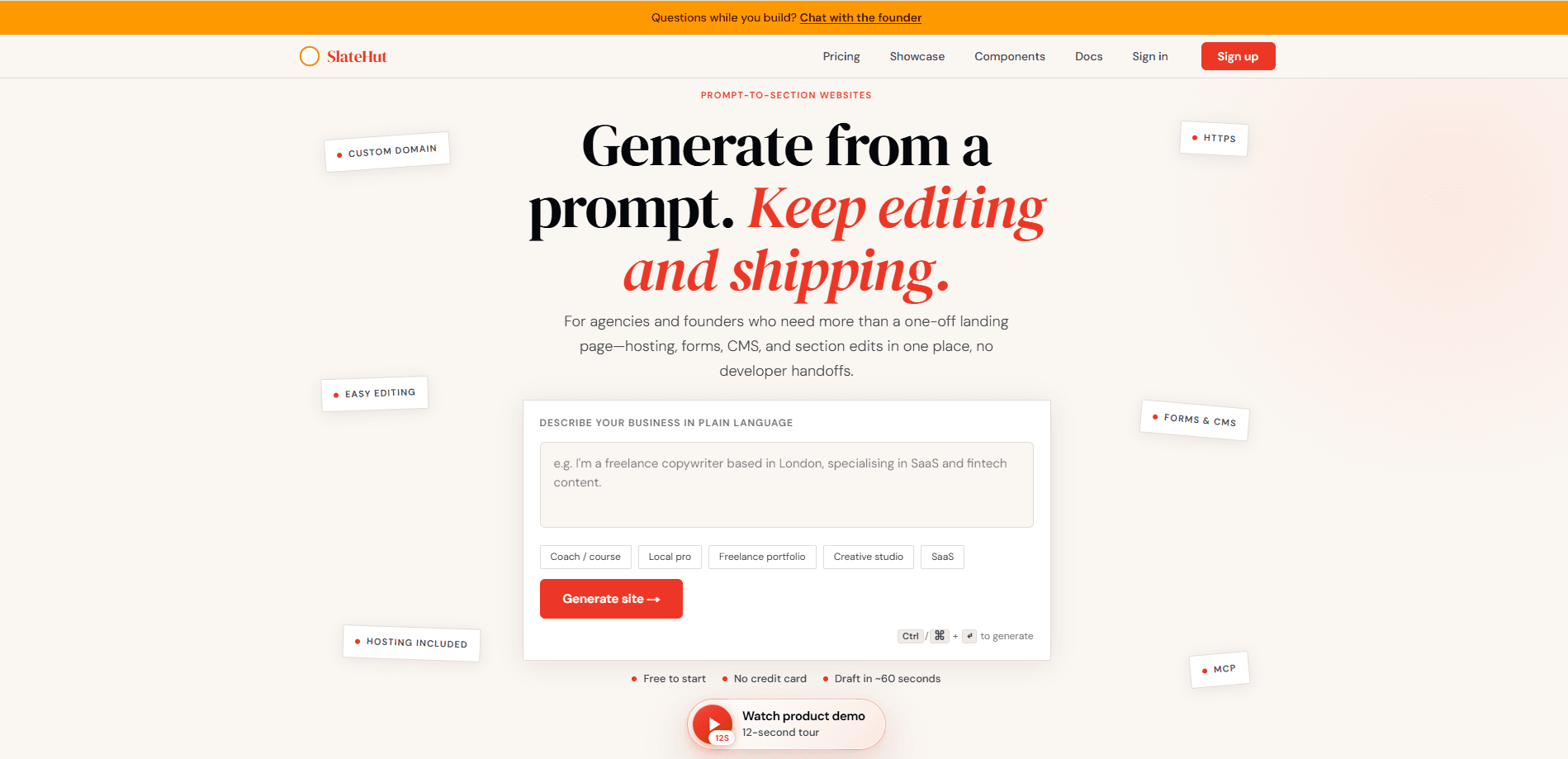
SlateHut.com is an AI website builder that turns a plain-language description of your business into a realistic, multi-page website draft you can edit and publish. It pairs an AI site generator with a visual editor, built-in hosting, a forms inbox, and a CMS, so a small team can ship a site without wiring together separate tools or waiting on a developer. Paid plans add custom domains, a REST API with Bearer keys, and MCP support for automation.
About SlateHut.com - AI website builder
What Is SlateHut.com - AI website builder
SlateHut.com is a web-based platform for building and maintaining a business site. You describe what your business does. The AI writes a real draft made of section-based pages: a hero, features, pricing, an FAQ, a footer, and more. From there you refine the copy, swap images, and reorder blocks in a visual editor, then publish on a SlateHut URL or your own domain. Everything lives in one workspace, so hosting, form submissions, and structured content don't need a stack of subscriptions.
The appeal is speed. If you're a small business owner or a freelancer without developer skills, you can build a website with AI in minutes rather than weeks. It feels like cheating. The main limit is control. The draft is only as good as your brief, and the free plan keeps you on a SlateHut subdomain with a badge and a small monthly credit pool.
Getting your own domain and removing the badge both require a paid plan. That's the usual reason people upgrade. If you need pixel-level typography, the theme controls cover fonts, colors, and spacing without CSS, but some designers will hit that ceiling.
Getting Started
- Sign up with email or Google, then verify your inbox and sign in to reach the dashboard.
- Create a new site and describe your business in a short prompt, or use the two-step plan flow for a more structured draft.
- Edit the generated pages in the visual editor: refine copy, swap images, and reorder sections.
- Connect a custom domain on a paid plan using guided DNS, then publish with HTTPS.
- Collect contact and newsletter submissions in the forms inbox, and add CMS collections for blogs and listings.
Product Information
A quick look at SlateHut.com - AI website builder's pricing, supported platforms, and performance.
Best for
The users, tasks, and scenarios where this tool fits best.
Users
- Small business owners
- Agencies and freelancers
- Non-technical founders
Tasks
- Launching a landing page
- Running a blog or directory
- Automating site creation
Scenarios
- A quick portfolio or one-page site on a tight timeline, using the free plan to test the output before paying.
- Updating live copy or content without touching code, since edits happen in the dashboard and publish on save.
- Collecting leads and newsletter signups while forms land directly in your dashboard, with no third-party form tool to maintain.
Key features
AI site generation from a plain-language brief
You describe your business in a sentence or two, and this AI site generator produces section-based pages you keep editing rather than a locked template. There's also a two-step plan flow if you want a more considered structure first. Generation draws on a dollar-based AI credit pool, so bigger plans mean more drafts.
A no-code website builder with a visual editor
The editor is point, click, and reorder. Want to move a pricing table above the FAQ? Drag it. That's it. You can drop in heroes, pricing sections, FAQs, and galleries from the section library, then tune fonts, colors, and spacing through theme controls without writing CSS.
Hosting and custom domains included
Publishing runs on a SlateHut URL with HTTPS from day one, and paid plans let you connect your own domain with guided DNS. Theme fonts are self-hosted on publish, which keeps page loads lighter. Custom domains are the main paid trigger. The free plan stays on the subdomain.
Forms inbox and a website builder with CMS
Contact and newsletter submissions land in your dashboard instead of an inbox you have to configure elsewhere. The CMS handles collections for blogs, case studies, and listings, including detail pages mapped to templates. Free plans cap form submissions at 10 per month. Paid plans make them unlimited.
REST API and MCP support
On Launch and higher you can issue REST API Bearer keys tied to a workspace and automate almost anything you'd configure in the dashboard: site and SEO settings, pages and blocks, media, forms, CMS, and domains. There's also an MCP guide for driving the same operations from an assistant, with the JSON matching what the editor saves.
Per-block animation and SEO-friendly output
An optional per-block animation field in the JSON drives entrance motion on the live site, so you can add subtle movement without scripts. Pages ship with clean HTML and metadata, and CMS detail pages support SEO field mapping through template variables. That matters. Organic search is how many people find you.
Pros and cons
Pros
- You get hosting, a forms inbox, and a CMS in one workspace, so there's no separate tool stack to maintain.
- The AI draft is genuinely editable: you start from a brief and refine real pages instead of filling a fixed template.
- The REST API and MCP support are unusual for a no-code website builder, since you can automate site creation for clients.
- The free plan lets you try the full manual editor and one site before committing to a paid tier.
Cons
- The free plan keeps a SlateHut badge on your site and caps you at 10 form submissions a month. Thin for a live business site.
- Custom domains and API keys are locked behind paid plans, so the free tier is really a trial.
- Typography and spacing controls are broad but not pixel-level, and some users report wanting finer control.
- AI output can lean toward a similar corporate look across sites. That matters if you want a distinctive brand feel.
Frequently asked questions
It's a tool for creating and maintaining a business site. You describe your business, get a multi-page draft, edit it in a visual editor, and publish with hosting, forms, and a CMS built in.
Related content
Explore related tools, skills, and articles for SlateHut.com - AI website builder.
SlateHut.com - AI website builder Alternatives
Forefront
Forefront · CodingForefront is a web platform for building with open-source AI. It lets you fine-tune leading open-source language models on your own data, evaluate how they perform, and run them through an API or export them to host yourself. Developers who want the convenience of a closed-source platform but insist on owning their models and data are the target audience here.

Startkit
StartKit.AI · CodingStartkit is a boilerplate for building AI SaaS and AI wrapper products. Think of it as an AI startup boilerplate with the boring parts already wired up: authentication, Stripe and Lemon Squeezy payments, usage limits, transactional email, and an AI API starter that talks to OpenAI, Anthropic, Groq, or Llama. You clone the repo, set your price, and start on the part of your product that people actually pay for. It's Next.js under React and Tailwind, so most of the boilerplate code already feels familiar.
Testim
Tricentis · CodingTestim is an AI-powered test automation platform for building and running end-to-end tests across web, mobile, and Salesforce applications. It leans on machine learning to keep tests stable when an interface changes, so teams spend less time fixing broken selectors. Not bad for an automated testing tool you can start using today. You create tests by recording actions in a browser, then optionally add JavaScript when you need more control. It's a solid pick for busy QA teams.