

Smartick Kids Learn Math
Smartick · Leaning
Smartick is an AI math app for kids ages 4 to 14 that builds a personalized 15-minute lesson every day, with instant feedback and parent reports.
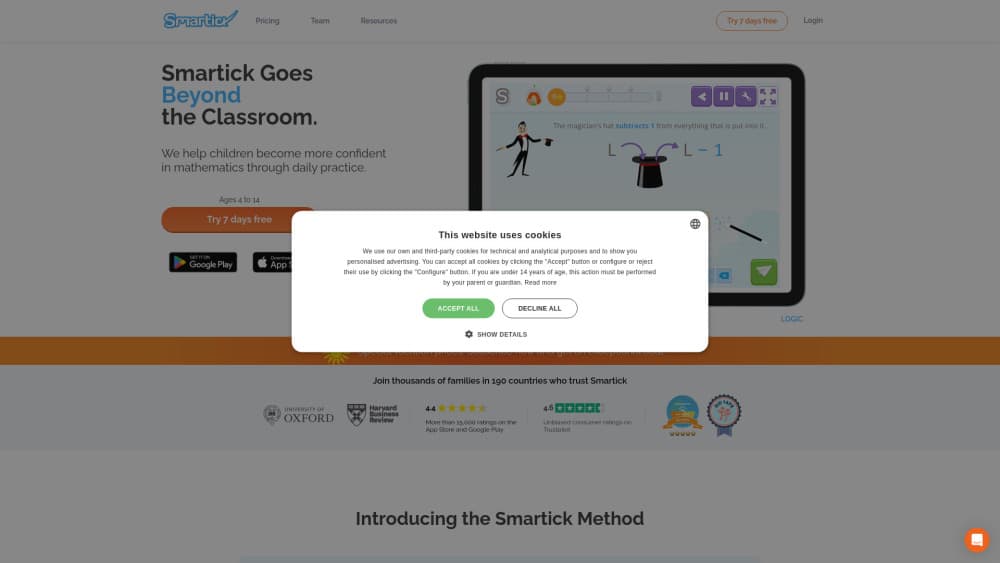
About Smartick Kids Learn Math
What Is Smartick
Smartick is an online math learning method for children between 4 and 14. A short daily session adapts to what the child gets right and wrong, so the next exercise is always slightly harder or easier than the last. The company started in 2009 with one goal: replace the one-size-fits-all worksheet with something that moves at the child's own pace.
The core program is math. Parents can add reading, coding, critical thinking, or chess for an extra monthly fee, and each program keeps its own 15-minute slot. That structure matters for families who want one routine instead of four separate apps.
The limits are worth knowing up front. Sessions run on a tablet or computer, so a phone alone makes practice awkward. Progress depends on showing up daily, and a child who skips a week will notice the gap. There is also no classroom or live teacher: this is a math learning app with an AI tutor behind it, not a replacement for school instruction.
Getting Started
- Create a parent account on the Smartick website and add a child profile with their age.
- Let the first two or three sessions run as a placement check. The system uses those answers to set the starting level.
- Set a daily slot of about 15 minutes and keep the tablet or computer in a shared room.
- Review the session report from the parent page, then adjust the plan or cancel from the same dashboard.
Product Information
A quick look at Smartick Kids Learn Math's pricing, supported platforms, and performance.
Best for
The users, tasks, and scenarios where this tool fits best.
Users
- Parents of kids aged 4 to 14 who want steady math practice at home
- Families who homeschool
- Parents of a child who is ahead of the class
- Tutors and teachers who need extra practice material
Tasks
- Filling gaps from a disrupted school year
- Daily mental arithmetic
- Learning to read word problems
- Keeping skills alive over the summer
Scenarios
- The after-school slot when a parent is cooking dinner
- Long trips and waiting rooms
- A second child who wants the same routine
Key features
Adaptive Level Engine
Every answer feeds the algorithm, which decides whether the next exercise moves up, repeats, or drops back a step. Kids see the change immediately, so a session never turns into twenty copies of the same sum. This is the part that separates Smartick from a static worksheet app, and it's the reason the adaptive math practice feels different after a week.
Fifteen-Minute Daily Sessions
The whole method rests on short, focused practice. Fifteen minutes is short enough that most children finish without a fight, and long enough to cover two or three topic blocks. Each day brings a new session instead of an endless queue of levels.
Interactive Tutorials
When a child meets a new concept, a guided tutorial explains it with manipulatives on screen before the exercises start. Mistakes get an explanation, not just a red cross. That feedback loop is what makes the AI tutor useful rather than decorative.
Parent Page and Session Reports
Parents get a report after each session showing accuracy, time, and the topics covered. The dashboard also tracks streaks, content progress, and the areas where a child keeps slipping. It's the practical way to run a smartick review of your own child's week without sitting beside them.
Motivation System
Children earn ticks, diplomas, and items for a virtual world as they complete sessions. The rewards sit beside the math rather than replacing it, and there are no public leaderboards or infinite scroll feeds. Parents can see what was earned and when.
Extra Programs in One Subscription
Reading, coding, critical thinking, and chess run as add-ons with their own daily session. Coding teaches sequencing and loops through a visual interface, which is why it's the most popular extra among students. A family can stack two or three programs and pay less per program than for a single one.
Cross-Device Access
The same account works in a browser, on iPad, and on Android tablets, so a session started at home can continue on another device. Progress and the virtual world follow the child, not the hardware.
Pros and cons
Pros
- The level adjusts after every answer, which keeps strong kids from boredom and struggling kids from panic.
- Sessions are capped at 15 minutes, so daily kids math practice fits into a real family evening.
- Parent reports show exactly which topics need help, in language a non-teacher can act on.
- One subscription can cover several programs and several children, which lowers the per-child cost.
- No ads, no chat, and no public leaderboards, so screen time stays focused on the task.
Cons
- Smartick pricing starts near $79 a month for one program on the monthly plan, which is steep next to free math apps.
- A phone screen is too small for most exercises, so a tablet or computer is effectively required.
- The method rewards routine. A child who only opens it twice a week will see slow progress and may lose interest.
- There's no live teacher and no API, so schools and developers can't plug the content into their own systems.
Frequently asked questions
Smartick is built for children from 4 to 14. The placement sessions set a starting level regardless of school grade, so a 7-year-old working above grade level and a 12-year-old filling gaps both get material that fits.
Related content
Explore related tools, skills, and articles for Smartick Kids Learn Math.
Smartick Kids Learn Math Alternatives
Coddy
Coddy · Coding · LeaningCoddy is a gamified platform to learn to code through short interactive lessons in 20+ languages, with a browser editor, an AI tutor and free certificates.

Marv
Cameron (independent developer) · Coding · Productivity · LeaningMarv is an AI cursor companion for Windows and Mac. It sees your screen, answers out loud, and draws arrows and highlights that show you the next click.

Teachoo
iAsk AI · Leaning · ChatbotTeachoo is a free AI homework helper that walks students through math, science, writing and coding problems one step at a time, with photo input, hints and flashcards.