

SnapZoom - AI Auto-Zoom on Click
Nagaraj · Video
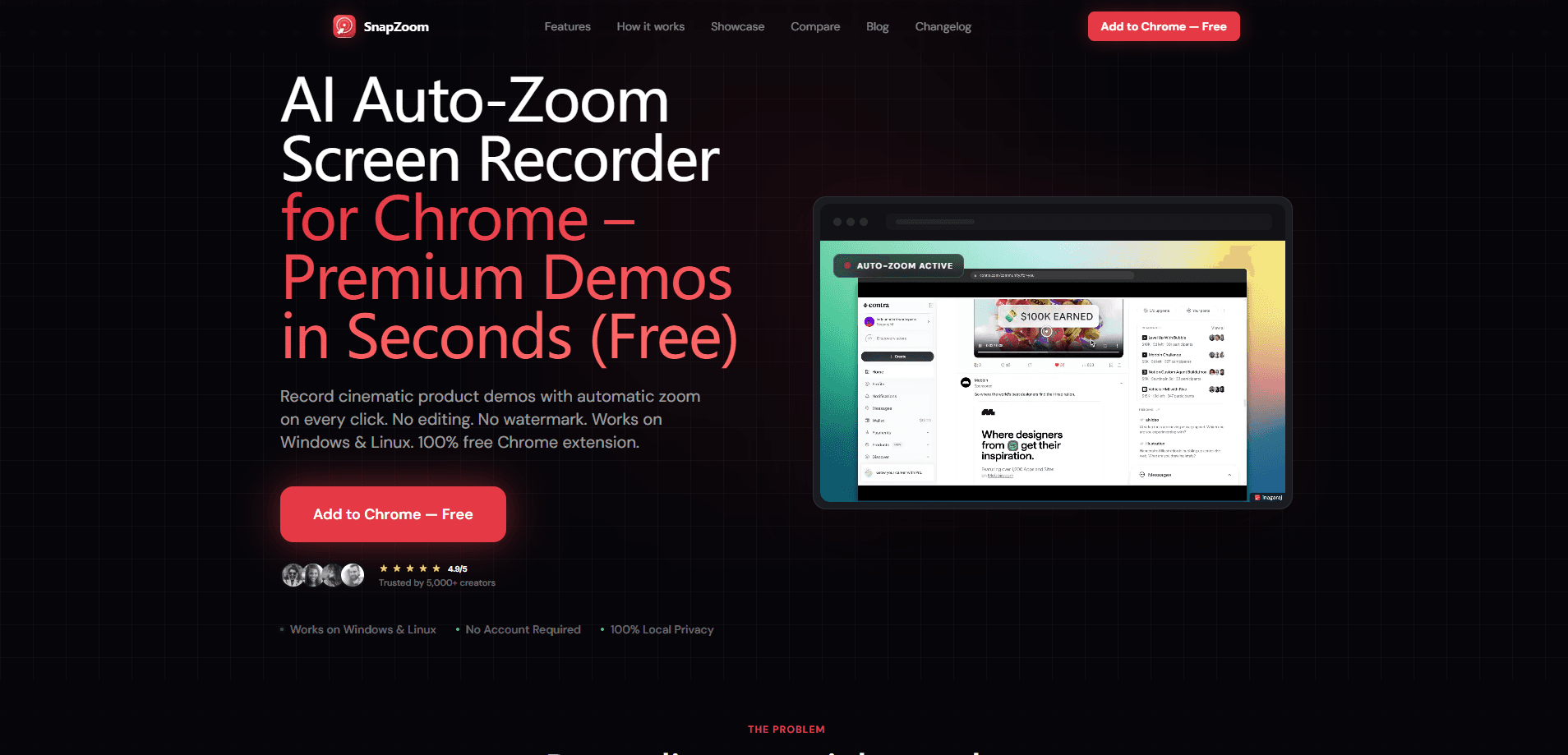
SnapZoom - AI Auto-Zoom on Click is a free screen recording Chrome extension that adds cinematic zoom to every click while you work. Instead of recording once and then spending an hour setting zoom keyframes in an editor, you record a product demo, a bug report, or a walkthrough, and the zoom happens live as you click. As a product demo recorder, it skips the editing stage entirely. Videos export as 1080p (up to 4K) MP4 or WebM files that stay on your machine, with no watermark and no account required. Why bother? Because a free screen recorder no watermark usually means a catch. Here there isn't one.
About SnapZoom - AI Auto-Zoom on Click
What Is SnapZoom
SnapZoom is a browser-based screen recording tool built for people who make demos, tutorials, and bug reports and don't want to touch a video editor afterward. It runs entirely inside Chrome as an extension, so there's nothing to install beyond clicking "Add to Chrome." Every time you click during a recording, the tool detects it and applies a spring-animated zoom toward the cursor in real time. The result looks like someone manually framed each click in a professional editor, minus the manual work.
It's often pitched as a ScreenStudio alternative for people who don't own a Mac, since that popular auto-zoom recorder runs on macOS only and leaves Windows and Linux users looking for something else.
The main problem it solves is the editing bottleneck. Traditional screen capture tools give you raw footage; the polish comes later, usually after hand-placing dozens of zoom keyframes. SnapZoom moves that step into the recording itself, which cuts a task that used to take an hour down to a few minutes.
The biggest limitation is scope. SnapZoom is a Chrome extension, so it records your browser tab and web content, not your whole desktop or native apps outside the browser. It works on Windows and Linux, but there's no Mac build, and it isn't a full video editor. You get trim, crop, backgrounds, and webcam overlays, not multi-track timeline editing. So how does it compare to ScreenStudio?
Getting Started
- Open the Chrome Web Store and add the snapzoom extension to your browser.
- Click the extension icon, then start recording your active tab. There's no sign-up or account step.
- Use your tab normally. SnapZoom tracks your clicks and applies zoom automatically as you go.
- Stop the recording, then trim, crop, or pick a background and webcam position in the built-in editor.
- Export the finished video as a local MP4 or WebM file and share it wherever you need.
Product Information
A quick look at SnapZoom - AI Auto-Zoom on Click's pricing, supported platforms, and performance.
Best for
The users, tasks, and scenarios where this tool fits best.
Users
- SaaS founders and indie developers
- Support and QA teams
- Teachers and course creators
Tasks
- Recording a product demo
- Filing a clear bug report
- Making a short tutorial
- Onboarding videos
Scenarios
- Showing a web dashboard to a client
- Explaining a checkout flow to a teammate
- Capturing a reproducible issue in a web app
- Building a documentation clip
Key features
Real-Time Auto-Zoom on Every Click
The core feature detects your clicks and pans a spring-animated zoom toward the cursor as it happens, which is why people describe it as an AI auto-zoom screen recorder rather than a plain capture tool. You don't mark points in an editor afterward; the movement is baked into the recording. Zoom intensity is adjustable from 1x to 4x, and a toggle lets you turn the effect off when you'd rather keep the view static.
Local-Only, Watermark-Free Export
Exports are generated on your machine, so the footage never touches an outside server. Videos come out as 1080p MP4 or WebM files with no watermark, even on the free tier. That's the free screen recorder no watermark promise most tools break. For anyone recording internal tools or customer data, keeping the file local is the difference between being allowed to record at all and not.
Supersonic Export Engine
The v1.0.1 update introduced a capture pipeline the team calls Nitro, which it claims makes exports up to 12 times faster and supports up to 4K output. Faster exports matter most when you're iterating: rerecording a four-minute demo is painless if saving it takes seconds rather than minutes.
Pro Webcam Overlay
You can add a circular facecam and place it in any corner. A sync feature keeps the webcam tracking steady during zoom transitions, so your face doesn't jump around while the camera moves. It's the kind of touch that makes a screen recording feel like a produced video rather than raw capture.
Studio Backgrounds and Cropping
SnapZoom ships with 37 gradient and studio-style background presets, plus trim and crop controls and one-click aspect-ratio presets for TikTok (9:16) and Instagram (4:5). You can reframe a wide browser recording into a vertical clip without opening a separate app.
Privacy by Default
No account, no upload, and no cloud dependency. Recordings stay in the browser until you export them, which also means there's no sign-in wall standing between the moment you hit record and the moment you get a finished file back. Simple, and rare.
Pros and cons
Pros
- Auto-zoom removes the manual keyframing step that normally eats most of the editing time.
- Free tier includes the full workflow with no watermark, which is rare for screen recorders.
- Exporting locally keeps sensitive recordings off third-party servers.
- No account or sign-up required, so you can start in seconds.
- Webcam overlays and background presets add a produced look without extra software.
- It's a solid ScreenStudio alternative on Windows and Linux, where that app doesn't run.
Cons
- It's a Chrome extension, so it can't record native desktop apps or anything outside a browser tab.
- No macOS support, which rules out a large share of designers and video editors.
- Editing is limited to trim, crop, and backgrounds, so it won't replace a real video editor for complex edits.
- The paid tier is a one-time $9.99 license that's advertised as rising to $29, so the low price depends on timing.
Frequently asked questions
It's a Chrome screen recorder that captures your browser tab and automatically zooms in on every click as you record. The zoom is applied live, so you get a edited-looking demo without opening a video editor.
Related content
Explore related tools, skills, and articles for SnapZoom - AI Auto-Zoom on Click.
SnapZoom - AI Auto-Zoom on Click Alternatives

ngram 2.0
ngram · Video · Marketingngram 2.0 is an AI video generator for teams. It turns a prompt, a screen recording, or a product URL into a narrated explainer, product demo, or AI avatar video, and every scene stays editable.

OpenScreen 2
OpenScreen (open-source project) · Video · ProductivityOpenScreen 2 is a free, open-source screen recorder and demo video editor for Windows, macOS, and Linux, with automatic zooms, styled frames, local captions, and agent edits.

Skreno
Skreno · Video · ProductivitySkreno is a browser screen recorder that captures a tab, a window or your whole display, then attaches AI transcripts, summaries and console logs to one share link.