

Soar2
Soar2 · Image · Video
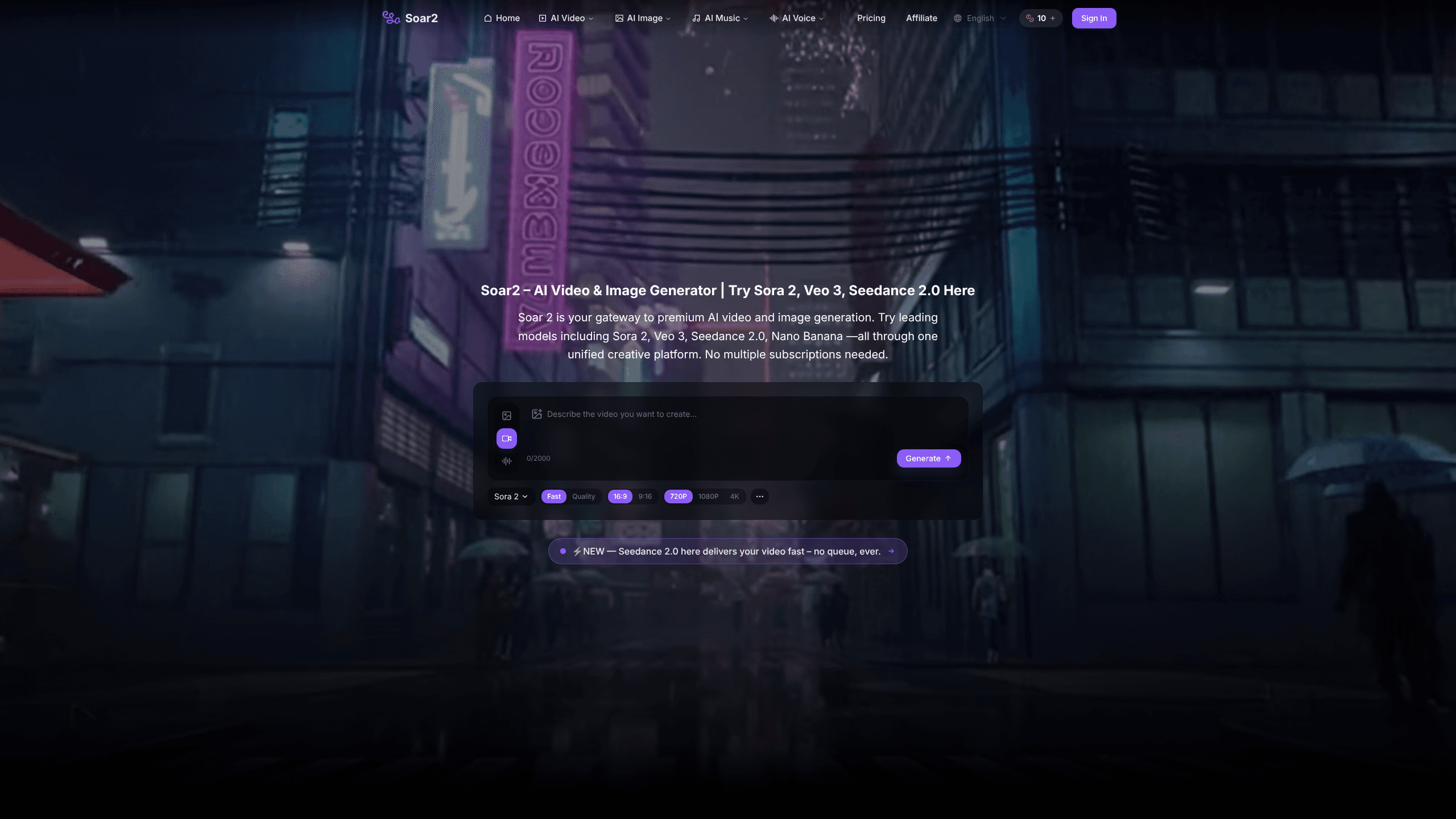
Soar2 is a web-based AI creative studio that puts premium video and image models behind one login. Instead of juggling separate subscriptions for Sora 2, Veo 3, Kling 2.6, or Flux Kontext, you pick a model, type a prompt, and generate video, stills, music, or voice from the same workspace. It's an AI video generator and an AI image generator in one tab. Yet the biggest draw is breadth. It targets creators, marketers, and small teams who want cinematic output without stacking four paid accounts.
About Soar2
What Is Soar2
Soar2 is an AI creative platform built around multi-model access. The idea is simple: the best video, image, music, and voice models are scattered across different companies, each with its own subscription and credit system. Soar2 bundles them into one account so you can move from a text prompt to a finished 4K clip without switching tools.
The product leans on credits. Every generation costs a set number, so a 4K video eats more credits than a quick image. That model keeps entry cheap, but it also means heavy users need to watch their balance or top up. It's a service, not a downloadable app, so you work entirely in a browser.
Is that a problem? Not really. But it does shape how you use it.
The catch worth knowing up front: output quality depends on the model you choose, not on Soar2 itself. When a generation fails, the platform's own advice is to switch models, since each one has different content restrictions. It's a quirk. Not a bug you can fix with a better prompt.
Getting Started
- Create a free account on the Soar2 website and claim your daily starter credits.
- Pick a model from the list, such as Sora 2 for video, Flux Kontext for images, or Suno V5 for music.
- Write a detailed prompt describing the scene, action, and camera movement, then set duration and resolution.
- Generate the result, review it, and download in up to 4K for publishing or commercial use.
Product Information
A quick look at Soar2's pricing, supported platforms, and performance.
Best for
The users, tasks, and scenarios where this tool fits best.
Users
- Content creators
- Social media marketers
- Small studios and freelancers
Tasks
- Text-to-video generation
- Image-to-video
- AI music and voiceover
Scenarios
- Producing a week of social content in one sitting
- Testing concepts before a shoot
- Adding voice and music to a finished edit
Key features
One Login for Multiple Premium Models
Soar2's core pitch is access. You can run Sora 2 and Sora 2 Pro for video, Veo 3 and Kling 2.6 for motion, Flux Kontext and Nano Banana 2 for images, and Suno V5 or ElevenLabs for audio, all inside one account. No API keys. No separate billing per company. For anyone who's tried to subscribe to three AI video tools at once, that consolidation is the whole reason to look here.
Text-to-Video with Native Audio
You write a prompt, choose a duration and resolution, and Soar2 generates the clip. The platform says your video is ready in under a minute, and audio is baked in rather than added later. Longer, more specific prompts tend to work better, so describing camera angles and lighting pays off. It's the fastest path from an idea to something watchable. Simple enough. Just don't expect a masterpiece from a one-line prompt.
Image-to-Video and Reference-Based Generation
If you have a reference image, you can animate it instead of starting from text. This matters when you need a person, product, or style to stay consistent across shots, because a model that forgets a face between frames will wreck a branded campaign faster than any bad prompt, so a locked reference image keeps the look steady. The site recommends clear, high-quality uploads for the best results. For product marketers and storytellers, it's often the difference between a generic clip and one that actually fits a brand.
Four Media Types in One Workflow
Most tools stop at video or stop at images. Soar2 covers video, image, music, and voice, which means you can score a clip and narrate it without exporting to another service. That's rare, and it saves real time on short-form projects where you'd otherwise stitch three apps together. AI music and voice generation normally live in separate paid services. Here they sit next to the video tools.
4K Export with Commercial Rights
Every generation includes full commercial usage rights, per the platform, and you can export up to 4K. That removes the licensing guesswork that trips up freelancers and small agencies. You can publish or sell the output without hunting for a separate commercial license. That's a big deal for client work.
Pros and cons
Pros
- Access to several top-tier models, including Sora 2 and Veo 3, under one subscription.
- Four media types (video, image, music, voice) in a single workflow.
- 4K exports come with commercial usage rights, per the platform.
- Free plan with daily credits lets you test before paying.
- Browser-based, so nothing to install and nothing to update.
Cons
- Credits run out fast on high-resolution video, so heavy users face extra top-ups.
- Output quality varies by model, and failed generations mean switching models by hand.
- No published API, so you can't script batch jobs or wire it into another product.
Frequently asked questions
You can generate short AI videos, still images, music tracks, and voiceovers, which means a single project can go from a written idea to a scored, narrated clip without you ever opening a second tool or paying a second subscription. It's built for creators who want several media types from one place rather than a single-purpose tool.
Related content
Explore related tools, skills, and articles for Soar2.
Soar2 Alternatives

X Ray Interpreter
X-ray Interpreter · ImageX Ray Interpreter is a web-based AI radiology tool that turns X-rays, CT scans, MRI, ultrasound, and PET images into plain-language reports. You upload a scan, get a preliminary X-ray interpretation in moments, then ask follow-up questions if something needs explaining. It works as a second opinion and a learning aid, not as a medical diagnosis.

Aieasypic
AIEasyPic · ImageAIEasyPic is an AI image generator that turns plain text prompts into finished artwork in seconds. You can also train custom models on your own photos, swap faces in existing images, and create short video clips from text, all from a browser. It suits casual creators who want quick visuals and hobbyists who want to build a personal model without touching any code.

Chargen
Chargen · ImageChargen is an AI character generator and worldbuilding toolkit built for Dungeons & Dragons and other tabletop RPGs. It turns a one-line idea into a painted character portrait, spins up NPCs, monsters, maps and encounters from the same session, and keeps every creature's details close at hand. The tabletop RPG art side runs on a credit system called Gold, while the text generators stay free for everyone.