

Sora 2 AI
OpenAI (model); soora2.ai (platform) · Video
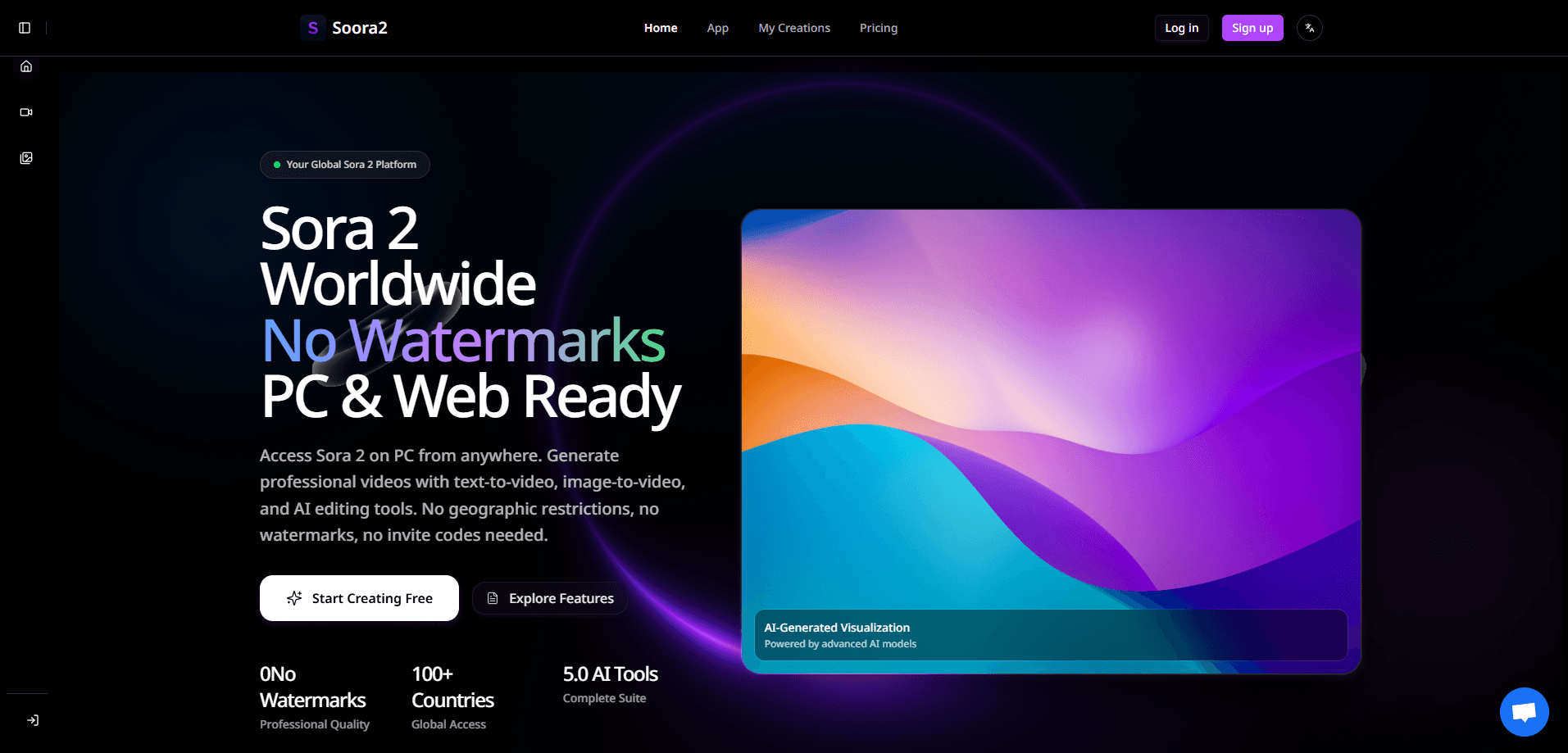
Sora 2 AI is OpenAI's video and audio generation model, and soora2.ai is a web platform that gives creators worldwide access to it without invite codes or regional limits. You describe a scene in plain text, or upload a still image, and the tool renders a short clip with matching sound, believable motion, and consistent characters. It suits marketers, hobbyists, and small studios that want fast text to video AI drafts on a PC browser rather than a mobile app. The tradeoff is a credit system and subscription tiers that you'll need to understand before you commit.
About Sora 2 AI
What Is Sora 2 AI
Sora 2 AI is the second generation of OpenAI's video model, released on September 30, 2025. Where the first Sora mostly produced silent, sometimes wobbly clips, Sora 2 generates synchronized audio and follows physics more closely, so water flows, objects fall, and people move the way you'd expect. OpenAI has pitched it as the "GPT-3.5 moment" for video.
The catch is access. OpenAI's own rollout started in the US and Canada on iOS, and the wider web experience stayed limited. Soora2.ai works around that as an independent platform: it's a website that routes your prompts to Sora 2 (and a few other models) and returns watermark-free videos you can download. No app install, no invite code.
Worth being clear about what that means. Soora2.ai isn't OpenAI, and it charges its own credit-based prices for compute it buys on your behalf. If you want the official, cheapest route and you live in a supported country, the native apps are still the better starting point. If geography or the iOS-only gate blocks you, this kind of platform is the practical alternative.
Getting Started
- Open soora2.ai in any browser on a PC, Mac, or tablet, then sign up to collect your starting credits.
- Pick a tool from the workspace: Text to Video, Image to Video, Watermark Remover, Text to Image, or the image editor.
- Choose your model. Sora 2 and Sora 2 Pro sit alongside options like Veo 3, and the credit cost is shown before you generate.
- Write your prompt (up to 2,000 characters), set the aspect ratio to 16:9 or 9:16, then hit generate and download the result.
Product Information
A quick look at Sora 2 AI's pricing, supported platforms, and performance.
Best for
The users, tasks, and scenarios where this tool fits best.
Users
- Social media creators who need short vertical clips (9
- Marketers and small teams testing ad concepts before booking a real shoot, since a draft costs credits rather than a production day.
- Hobbyists outside the US and Canada who can't reach the official app and want a browser-based way in.
Tasks
- Turning a written scene description into a finished clip with dialogue, sound effects, and music in one pass.
- Animating a still product photo into a moving shot using the image-to-video tool.
- Cleaning watermarks off Sora clips you already own through the dedicated remover tool.
Scenarios
- Drafting a week of vertical ad variations for an A/B test without hiring talent.
- Storyboarding a short film or anime-style sequence to show a client the intended look and motion.
- Producing quick explainer clips for a landing page on a tight deadline.
Key features
Text to Video Generation
You type a scene and the model builds the clip. Prompts run up to 2,000 characters, which is enough room to describe camera moves, lighting, and mood rather than just a subject. The output arrives with synchronized sound, so a rain scene gets rain audio and a crowd scene gets crowd noise without a separate audio pass. That saves a whole step.
Native Audio and Dialogue
Sora 2 generates audio alongside the picture instead of bolting it on afterward. Dialogue, ambient sound, and music land in the same render, and lip movement tracks the spoken lines closely. That single-pass synced audio is the biggest jump over the original Sora, which shipped silent.
Image to Video
Feed the tool a still and it animates it. This is the fastest route when you already have a product shot, a logo, or a piece of concept art and want motion rather than a fresh scene. Expect believable camera drift and object movement. Not a total reimagining of what's in frame.
Watermark Removal
If you already have a Sora video carrying the official watermark, the remover tool strips it. You paste the clip URL and get a clean export back. Simple enough. It's aimed at people who generated footage elsewhere and only need the platform for cleanup.
Multi-Model Workspace
Sora 2 and Sora 2 Pro sit next to alternatives like Veo 3 and WaveSpeed in the same interface. You compare output on the same prompt and pick whichever model fits the job, all with the credit cost visible up front. That flexibility saves running a separate account for every model. No small thing.
Text to Image and Image Editor
Beyond video, the platform includes a text-to-image creator and an image editor. You can generate stills to feed into the image-to-video tool or to use on their own. One workspace, not five apps.
Pros and cons
Pros
- No invite code or regional restriction, so creators outside the US and Canada can use it immediately.
- Watermark-free downloads on paid tiers, which matters for client work and monetized posts.
- Synced audio and dialogue in a single generation cuts the usual post-production step.
- Multiple models in one workspace make comparison easy without extra signups.
- A free starting credit balance lets you test output quality before paying.
Cons
- Credits are consumed per generation, so heavy experimentation gets expensive fast, and the cost per clip isn't obvious until you try.
- Basic and Plus tiers are billed annually only, which locks you in for a year even if you just want a short trial.
- It's an independent reseller, not OpenAI, so you're trusting a third party with your prompts and any footage you upload.
Frequently asked questions
You can start without paying. New accounts get a small credit balance, and there are basic generation limits to work within. Sustained use means buying credits through a subscription, with plans running from $9.5 to $49.5 per month.
Related content
Explore related tools, skills, and articles for Sora 2 AI.
Sora 2 AI Alternatives

ngram 2.0
ngram · Video · Marketingngram 2.0 is an AI video generator for teams. It turns a prompt, a screen recording, or a product URL into a narrated explainer, product demo, or AI avatar video, and every scene stays editable.

OpenScreen 2
OpenScreen (open-source project) · Video · ProductivityOpenScreen 2 is a free, open-source screen recorder and demo video editor for Windows, macOS, and Linux, with automatic zooms, styled frames, local captions, and agent edits.

Skreno
Skreno · Video · ProductivitySkreno is a browser screen recorder that captures a tab, a window or your whole display, then attaches AI transcripts, summaries and console logs to one share link.