

SoulGen
SoulGen · Video · Chatbot
SoulGen is an all-in-one AI generator that turns images or text into talking HD videos with lip-sync and sound, and edits or generates images from prompts.
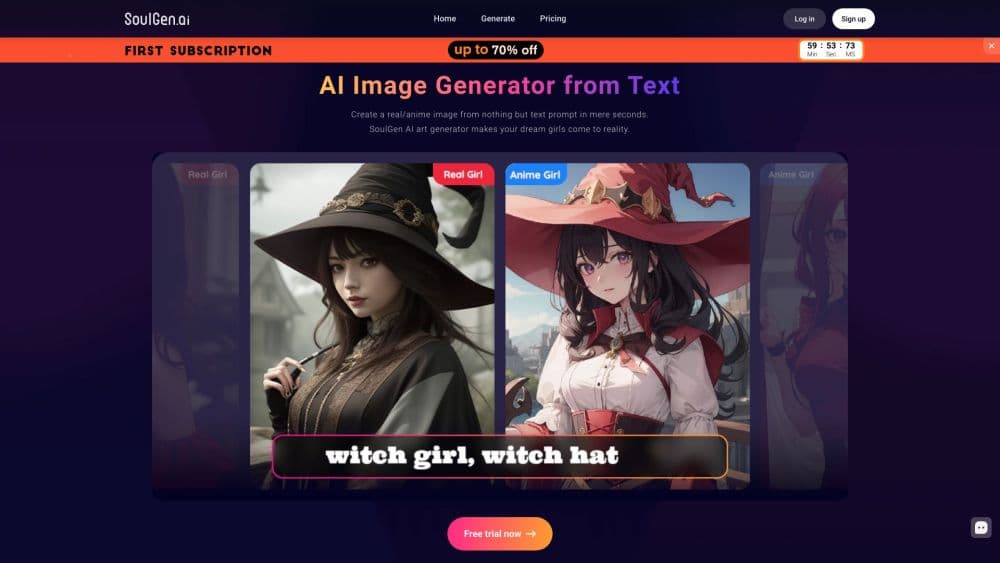
About SoulGen
What Is SoulGen
SoulGen is a web-based AI creation platform that started as an AI art and image generator and has grown into a full video studio. Today its centerpiece is an AI video generator: you upload a reference image or type a description, and it produces a short HD clip with natural motion, background sound, and a character whose lips match the words.
The tool splits its work into two halves. On the image side, you generate characters from text, make someone look like a face you reference, and add, extend, or remove parts of a picture with short prompts. On the video side, you animate a still into a talking clip, add sound, and extend a clip you already made. Characters you create can also carry into a chat companion that answers in text or voice.
The limits matter before you commit. Most output costs credits, and the biggest video models burn them fast, so heavy use adds up. Video clips run short, measured in seconds rather than minutes. And because SoulGen leans into fantasy and companion imagery, it's built for personal and creative work more than for formal brand or enterprise projects.
Getting Started
- Sign up on the official site, which starts you with a free trial worth a small pool of credits.
- Upload a reference image or type a prompt describing the character or scene you want.
- Pick a model and a resolution, then generate an image or a talking video.
- Add sound, extend the clip, or refine details with the Smart Edit and outpainting tools.
- Download the result, or move a character into Soul Chat for text and voice conversations.
Product Information
A quick look at SoulGen's pricing, supported platforms, and performance.
Best for
The users, tasks, and scenarios where this tool fits best.
Users
- Social media creators
- Anime and character artists
- Hobbyists trying AI video for the first time
Tasks
- Turning a portrait into a talking video
- Generating a character from a text prompt
- Editing an existing image
- Chatting with a created character
Scenarios
- A creator posting daily short-form video
- A designer exploring character concepts
- A fan making companion content
Key features
Image and Text to Video
The AI video generator animates a still image or a text prompt into a short clip with motion and detail. You upload a reference photo or describe the scene, then choose a model and resolution up to 1080p. It's the core of the product, and the newer SoulOmni 2.0 models push detail higher while costing more credits.
Realistic Lip-Sync and Sound
Uploaded characters speak with lip movement that lines up with the words, and clips can carry background sound. As an AI lip sync video tool, it makes a portrait look like it's talking rather than just moving. Adding audio costs a little extra per clip.
Text to Image and Lookalike Characters
The platform generates realistic or anime-style images straight from a prompt, and a lookalike feature can shape a character to resemble a face you upload. That opens up quick portraits and cast building without design software. Stylized results vary, so expect several tries for a precise match.
Smart Edit and Outpainting
Smart Edit adds, removes, or replaces parts of an image from a short text prompt, while outpainting stretches a picture past its original edges to add scenery or new subjects. For an AI image editor, this covers the common fixes without opening a separate app. It handles broad changes better than tiny pixel-level corrections.
AI Character and Human Modeling
You can build a character or a full figure from a prompt or reference, then reuse that face across images so a single persona stays consistent. Consistency is what makes a set of images read as the same person. Each generated image costs a credit or two.
Video Extend
Video Extend lengthens a clip you already generated, letting a short moment grow into a longer scene. It's handy when a five-second clip is too brief for the story you want to tell. Longer clips mean more credits, so plan accordingly.
Soul Chat Companion
Soul Chat turns a created character into a companion you can message in text or call in voice. You can spin up a soulmate and hold a conversation with it, which extends the product past pure generation into interaction. Chat and calls consume credits as you use them.
API Access
SoulGen offers an API with its own documentation, and the API shares a credit balance with the website. For developers, that means wiring generation into an app or workflow instead of only using the site. Enterprise plans add volume discounts and higher limits.
Pros and cons
Pros
- Handles image generation, video, editing, and chat in one place, which saves juggling separate tools.
- Talking videos come with matched lip-sync and optional sound, so a portrait can speak without a camera.
- A free trial lets you test the core features before paying, and no design skill is needed to start.
- The API shares a balance with the site, giving developers a path to build on the same credits.
Cons
- Video models burn credits quickly, so a handful of clips can drain a monthly balance fast.
- Clips run only a few seconds each, which limits longer storytelling and forces stitching.
- Output leans toward stylized and fantasy imagery, so it fits personal projects better than formal brand work.
- Precise prompts and several attempts are often needed before an image matches what you pictured.
Frequently asked questions
SoulGen is an AI creation platform for images and video. People use it to generate characters from text, turn a portrait into a talking video with lip-sync and sound, edit or extend pictures, and chat with an AI character in text or voice.
Related content
Explore related tools, skills, and articles for SoulGen.
SoulGen Alternatives

ngram 2.0
ngram · Video · Marketingngram 2.0 is an AI video generator for teams. It turns a prompt, a screen recording, or a product URL into a narrated explainer, product demo, or AI avatar video, and every scene stays editable.

OpenScreen 2
OpenScreen (open-source project) · Video · ProductivityOpenScreen 2 is a free, open-source screen recorder and demo video editor for Windows, macOS, and Linux, with automatic zooms, styled frames, local captions, and agent edits.

Skreno
Skreno · Video · ProductivitySkreno is a browser screen recorder that captures a tab, a window or your whole display, then attaches AI transcripts, summaries and console logs to one share link.