

Spellar AI
Spellar · Voice & Language · Productivity
Spellar AI is a bot-free meeting assistant for Mac, iPhone, iPad and web that records calls, transcribes speech in 100+ languages and turns conversations into summaries and action items.
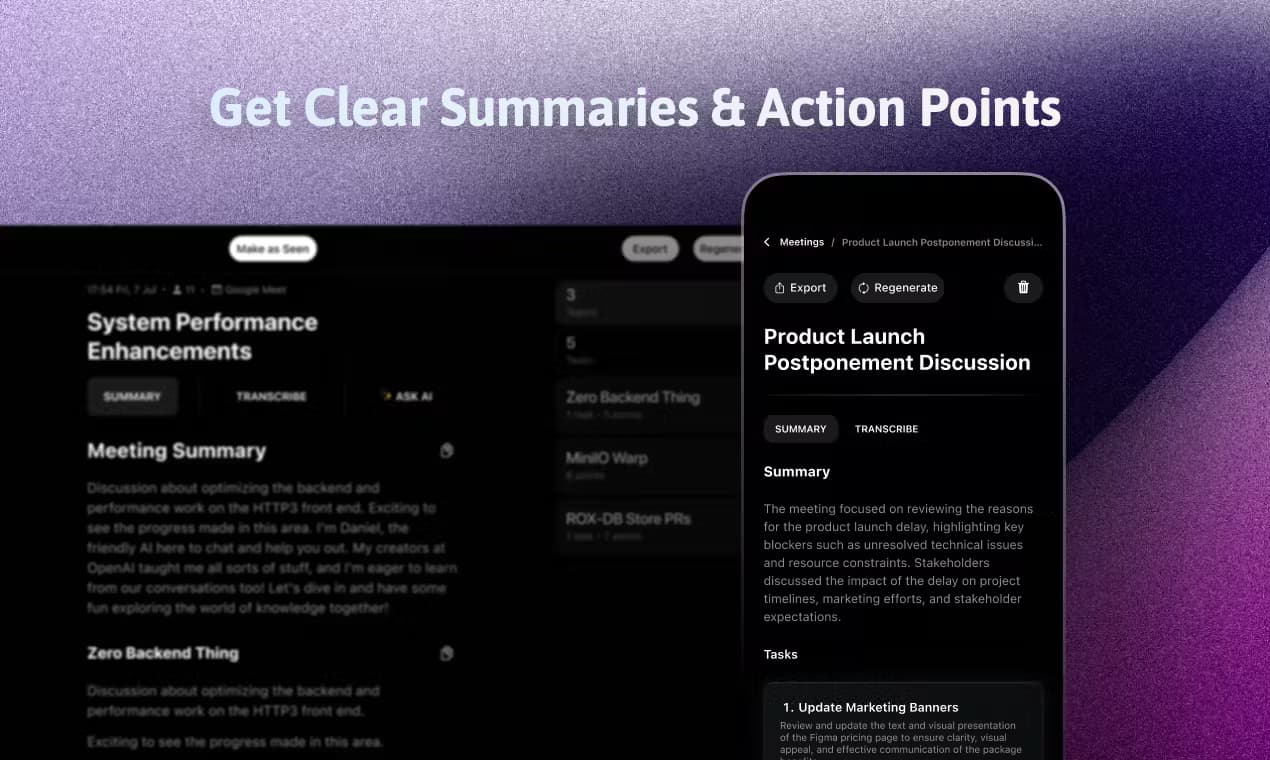
About Spellar AI
What Is Spellar AI
Spellar AI is an AI meeting assistant built by Spellar that captures, transcribes and summarizes conversations without joining your calls as a bot. It runs natively on macOS and iOS, so it records system audio and your microphone directly on your device.
The product targets people who spend much of their day in online meetings but want to stay present instead of taking notes. Instead of a third-party bot showing up in the participant list, Spellar sits quietly on your machine and produces a transcript and a structured summary afterward.
The main constraint is scope. Spellar centers on Apple hardware and the web, and the full experience sits behind a paid Pro subscription with only a short trial rather than a permanent free tier. Windows users are not served by the desktop app.
Getting Started
- Download the Spellar app for Mac or iPhone, or open it in a browser, and create an account.
- Grant microphone and system audio permissions so Spellar can hear both sides of a call.
- Connect your calendar and pick a meeting, or start a recording manually when a call begins.
- Let the AI copilot run live for recaps and prompts, then review the auto-generated summary.
- Export the notes and action items to Notion, Jira, Linear or another connected tool.
Product Information
A quick look at Spellar AI's pricing, supported platforms, and performance.
Best for
The users, tasks, and scenarios where this tool fits best.
Users
- Remote professionals
- Founders and project leads
- Students and researchers
Tasks
- Turning a call into action items
- Capturing meetings without a bot
- Exporting notes to a workspace
- Following multilingual conversations
Scenarios
- Daily standups and client calls where you cannot take notes and talk at the same time.
- Interviews and user research sessions where an accurate transcript matters more than a live summary.
- Solo work on a Mac where you want a single button to start recording from the menu bar.
Key features
Bot-Free Recording on Your Device
Spellar records audio natively on Mac and iPhone rather than sending a bot into the meeting. Because it captures system audio and your microphone locally, other participants see nothing unusual in the call and no external service joins the room. This matters for client calls and internal meetings where a visible bot would change the tone or raise privacy questions.
Transcription in 100+ Languages
The app transcribes spoken conversation across more than 100 languages and handles meetings where people switch languages mid-sentence. That makes it workable for international teams and for research interviews conducted in a language other than your own. The transcript becomes the raw material for the summary and for anything you want to search later.
Smart Summaries and Action Items
After a recording ends, Spellar generates a summary that highlights key topics, decisions and follow-up items instead of a flat transcript. You can adjust how detailed the output is, which helps when a short recap is enough and when a fuller record is needed. The result is the part most people actually read and forward.
Real-Time AI Copilot
During a live call you can ask the copilot for a quick recap, help brainstorming or a prompt when the conversation stalls. It runs alongside the recording, so the assistant and the notes stay in one place. For long sessions this replaces scribbling on a notepad while trying to stay in the discussion.
Calendar Sync and One-Click Start
Spellar connects to Google and Outlook calendars and surfaces your next meeting in a menu bar interface. Starting a recording takes a single click, and the app keeps recordings tied to the right event. That removes the small friction that usually causes people to forget to hit record.
Exports and Integrations
Summaries and action points export to tools like Notion, Jira, Linear, Craft, Miro and Google Docs through more than 18 integrations. Exports are the bridge between a meeting and the project tracker, so a decision captured in a call ends up in the place the team already checks.
Pros and cons
Pros
- No bot joins your calls, so recording stays discreet
- Runs natively on Mac and iPhone with system audio capture
- Transcribes and summarizes in 100+ languages
- Exports summaries to Notion, Jira, Linear and more
- Calendar sync with one-click recording from the menu bar
Cons
- No permanent free plan, only a 7-day trial
- Desktop experience is limited to Apple hardware
- No public API for custom or automated workflows
- Best results depend on clear audio and a stable connection
Frequently asked questions
Spellar AI records meetings, transcribes them in 100+ languages and turns each conversation into a summary with decisions and action items.
Related content
Explore related tools, skills, and articles for Spellar AI.
Spellar AI Alternatives

Onepin
Podonos · Voice & Language · VideoOnepin is an AI voice production agent that sends each line of a script to the best TTS model, scores every take, and repairs mispronunciations before export.

Phonable
Frits Polman · Voice & Language · ProductivityPhonable is a smarter voicemail app for iPhone that texts missed callers back and sends you a transcript plus a one-line AI summary.

OpenCharm
OpenCharm Labs · Voice & Language · Coding · ProductivityOpenCharm is an open-source AI agent companion that gives the agent you already run a glyph face, a voice and one key, on a Mac, a Windows PC or a $32 ESP32 board.