

Spikes Studio
Spikes Studio · Video · Marketing
Spikes Studio is an AI video clipper that finds the best moments in long videos and turns them into vertical clips with captions, reframing, and scheduling.
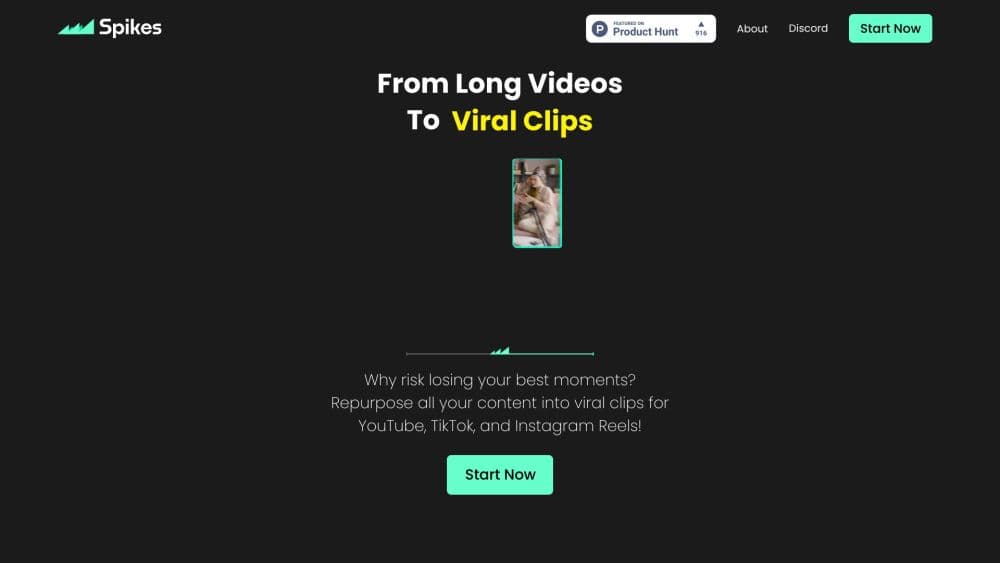
About Spikes Studio
What Is Spikes Studio
Spikes Studio is a web-based AI video editor built for turning long footage into short-form clips. You upload a recording, and its in-house AI scans the timeline, flags the moments most likely to hold attention, then cuts them into vertical clips sized for TikTok, YouTube Shorts, Instagram Reels, and LinkedIn. The company says its model was trained on hundreds of thousands of broadcasts.
The product targets creators, one-person marketing teams, and small businesses that publish video but don't have an editing bench. Three groups show up in the pitch: aspiring creators growing an audience, video professionals juggling multiple clients, and teams that want a steady posting schedule without a production crew. The draw is speed. Spikes Studio claims its automation cuts editing time by around 90%.
The main limits sit in the free tier and the editor. The free plan adds a watermark, caps exports at 720p, and works through a trial allowance of about 30 minutes of video. The built-in editor handles clips up to 5 minutes, so anything longer goes through a paid plan to unlock full auto-editing, and clips stay on the servers for a limited window unless you're on Enterprise.
Getting Started
- Create a free account at app.spikes.studio. No credit card is needed to start the trial.
- Upload a long video, or paste a link to one, and let the AI scan it for clip-worthy moments.
- Review the suggested clips, adjust their start and end points, and pick a layout for vertical or square output.
- Style the captions, add transitions and effects, and drop in branded templates if you're on a paid plan.
- Connect your social accounts to post directly or schedule, or download the finished clip in up to 1080p.
Product Information
A quick look at Spikes Studio's pricing, supported platforms, and performance.
Best for
The users, tasks, and scenarios where this tool fits best.
Users
- Aspiring creators
- Video professionals
- Small businesses and teams
Tasks
- Turning long video into short clips
- Adding captions in many languages
- Scheduling posts across platforms
Scenarios
- You run a podcast or livestream and want shorts without an editor
- You market a small business on video
- You're testing which moments land
Key features
Smart Moment Detection
The AI clip generator engine scans a long video and marks the passages most likely to grab attention, then cuts them into short clips. Spikes Studio trained this model on hundreds of thousands of broadcasts, according to the company, and it reads across 99+ languages. The point is to skip the manual scrubbing that eats most of an editing session.
Auto-Captions and Animated Captions
Automatic captions transcribe speech and place styled text over the clip. Paid plans add animated captions, the moving, word-by-word style common on short-form feeds. Captions matter here because most viewers watch vertical video with the sound off, and this feature is the difference between a clip that reads on mute and one that doesn't.
AI B-roll and Transitions
The editor inserts AI-generated B-roll and automatic transitions and effects to fill gaps and smooth cuts. B-roll is the extra footage editors cut away to when the main shot gets static, and here the tool generates it rather than pulling from a stock library. Paid plans give you fuller access to these effects.
Vertical Video Reframe and Multi-Format Export
Auto reframe repositions a talking head or scene into vertical, square, or wide framing, so one recording fits every feed. Exports run at 720p on the free plan and up to 1080p on paid tiers. That covers the aspect ratios TikTok, Reels, Shorts, and LinkedIn each expect.
Social Media Scheduling and Direct Posting
You can connect social accounts and publish or schedule clips from inside Spikes Studio. A visual content calendar and smart posting suggestions reveal when to push each clip, and direct posting covers LinkedIn, TikTok, Facebook, and YouTube. Social media scheduling takes the clip-making and the clip-posting off two separate to-do lists.
Analytics Dashboard
A single dashboard tracks views, engagement, and per-post growth across platforms. Historical trend analysis and pattern recognition show which formats and moments drive results, so your next batch leans on what already worked. This is where the tool stops being just a cutter and starts guiding the content plan.
Branding, Templates, and Team Workspaces
Custom brand templates, text overlays, fonts, and styles keep every clip on-brand, and paid plans unlock the fuller set. Drag-and-drop organization, custom project folders, and shared team workspaces let a small team manage several clients without losing track of files. Enterprise adds custom templates, an account manager, and unlimited storage.
API Access
Enterprise customers can apply for API access to automate clip generation at scale. The API suits teams that want to fold clipping into their own pipeline rather than work inside the browser app. It's an enterprise-only option, not something the free or PRO+ plans include.
Pros and cons
Pros
- The AI clip detection cuts the manual scrubbing that slows down most short-form workflows, and it removes the need for editing experience.
- Caption support covers 99+ languages, which helps creators reach audiences outside their own language.
- Scheduling and direct posting for TikTok, Instagram, YouTube, LinkedIn, and Facebook keep publishing in one place.
- The analytics dashboard ties clip performance back to content decisions instead of leaving you guessing.
- A free plan and a no-credit-card trial let you test the clip quality before paying.
Cons
- The free plan stamps a watermark and caps exports at 720p, so anything you publish publicly usually needs a paid plan.
- The built-in editor tops out at 5-minute clips, which means longer source video relies on the automated pass rather than frame-level control.
- Storage on the free plan lasts only 7 days, so clips you don't export promptly get cleared.
- API access is gated behind the Enterprise plan, so smaller teams can't wire it into their own tools.
Frequently asked questions
Spikes Studio is an AI video clipper. It scans a long video, finds the standout moments, and cuts them into vertical clips with captions, effects, and ready-to-post formatting for TikTok, Reels, Shorts, and LinkedIn.
Related content
Explore related tools, skills, and articles for Spikes Studio.
Spikes Studio Alternatives

ngram 2.0
ngram · Video · Marketingngram 2.0 is an AI video generator for teams. It turns a prompt, a screen recording, or a product URL into a narrated explainer, product demo, or AI avatar video, and every scene stays editable.

OpenScreen 2
OpenScreen (open-source project) · Video · ProductivityOpenScreen 2 is a free, open-source screen recorder and demo video editor for Windows, macOS, and Linux, with automatic zooms, styled frames, local captions, and agent edits.

Skreno
Skreno · Video · ProductivitySkreno is a browser screen recorder that captures a tab, a window or your whole display, then attaches AI transcripts, summaries and console logs to one share link.