

SpyCam
SpyCam · Video
SpyCam is a Mac security camera app that records motion-triggered video, keeps running while the screen is locked, and works as a home WiFi camera for baby or pet monitoring.
About SpyCam
What Is SpyCam
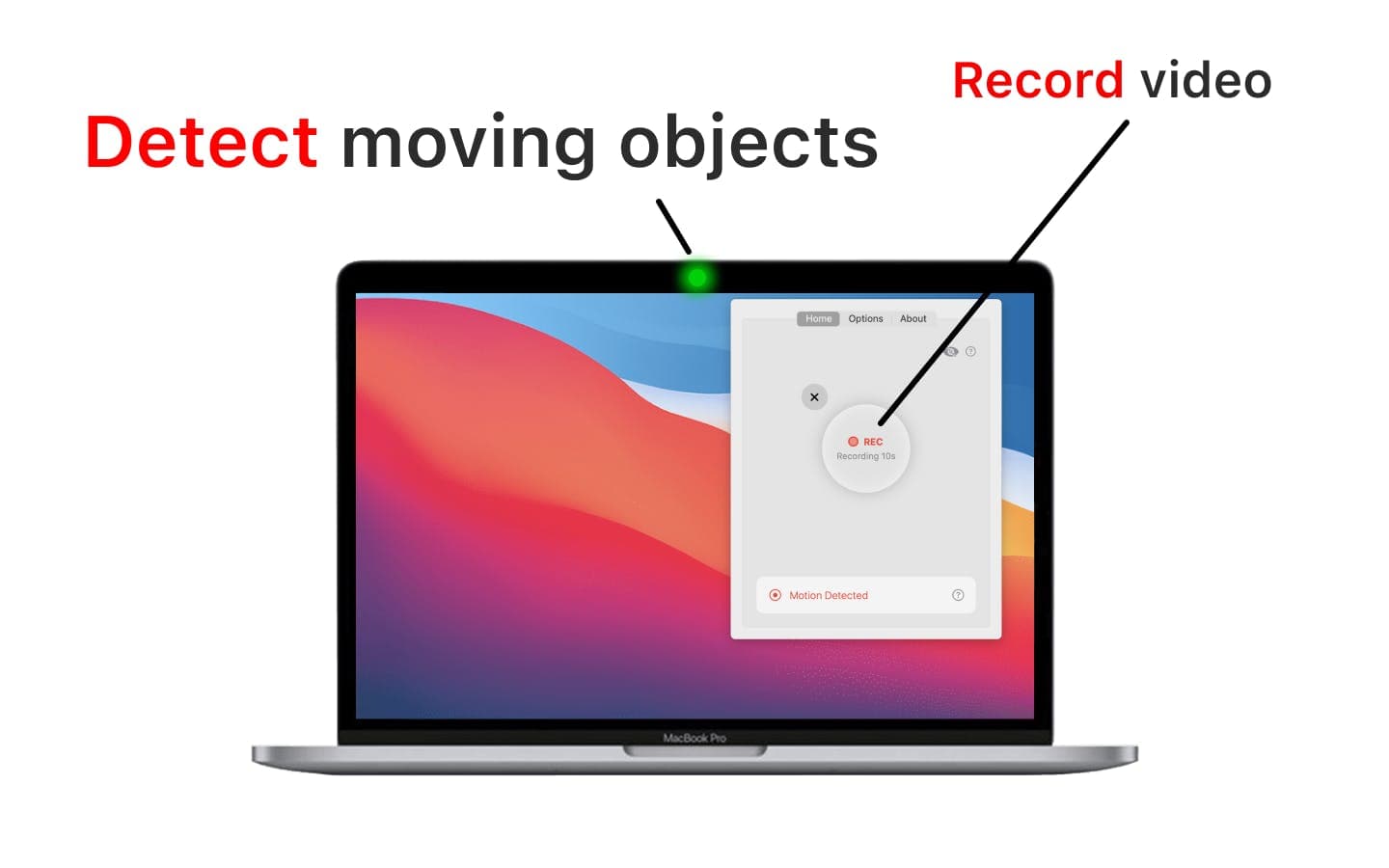
SpyCam is a Mac app that treats the webcam you already own as a security camera. It watches for movement, records a short clip when something happens, and saves those clips on your Mac.
The pitch is simple. Most people don't want to buy cameras and mount them around a house. If there's a Mac on a desk, SpyCam puts that hardware to a second job while nobody's at the keyboard. It also emails you a snapshot when motion is caught, so a phone in another room becomes a way to check in. The same motion alerts serve people watching a sleeping baby or a dog that barks every time the mail arrives. Because everything runs locally, footage stays on the machine instead of routing through a cloud service.
The catch is that it only runs on Mac. There's no Windows or Android build, and the webcam recorder leans on the camera you connect to that machine. Anyone who needs cameras in several rooms will still end up buying separate hardware.
Getting Started
- Download SpyCam from the official site and move it to the Applications folder.
- Open the app, then grant camera access and notification permission when macOS asks.
- Pick a camera, then set motion sensitivity, clip length, and how long the app pauses between recordings.
- Choose where clips are saved and where motion alerts get sent.
- Turn on recording, or enable Surveillance Mode so the camera starts only when the screen locks.
Product Information
A quick look at SpyCam's pricing, supported platforms, and performance.
Best for
The users, tasks, and scenarios where this tool fits best.
Users
- Mac owners who want a security camera without buying hardware
- Parents and pet owners who work from home
- Remote workers and travelers
Tasks
- Catching motion when you're out
- Checking on a room remotely
- Keeping a visible record of a workspace
Scenarios
- Watching a room overnight
- Monitoring a pet between meetings
- Securing a home office while traveling
Key features
Local Processing With No Cloud Upload
SpyCam handles its Mac surveillance entirely on the machine. Clips are stored there and the app maker states it doesn't collect data from the Mac, so footage doesn't travel to a remote server. That suits anyone reluctant to stream their living room to a cloud account.
Locked-Screen Surveillance Mode
A dedicated Surveillance Mode keeps the camera watching only while the Mac screen is locked. Once you unlock the machine, monitoring stops on its own, so the camera isn't active during the hours you're actually sitting there.
Continuous Recording While the Mac Sleeps
If a session is already running, SpyCam keeps monitoring and recording even when the Mac goes to sleep. The camera stays in the background rather than stopping the moment the screen dims, which is what catches the events that matter.
Adjustable Motion Settings
You can tune motion sensitivity, set clip length from about ten seconds to five minutes, choose a cooldown between recordings, and pick the Auto option that records for as long as the motion event lasts. The controls are there so a swaying curtain isn't saved every few minutes.
External Camera Support With Automatic Fallback
A connected webcam or external camera can serve as the source. If that camera goes offline, SpyCam switches to the Mac's built-in camera on its own, so one failure doesn't leave the room unmonitored.
Motion Alerts by Email
When motion is detected, the app can email a snapshot with a link to the stored clip. That turns an iPhone or Android phone into a way to check a room from anywhere, with no mobile app to install or account to set up.
Pros and cons
Pros
- Runs on the Mac you already have, so there's no camera to buy, mount, or keep charged.
- Everything is processed and stored locally, with no footage uploaded to the cloud by default.
- Surveillance Mode and sleep-time recording mean the camera keeps watching even when the screen is off or locked.
- Motion detection and adjustable clip lengths cut a day of footage down to the few moments worth reviewing.
- External cameras are supported, and the app falls back to the built-in camera if one disconnects.
Cons
- Mac only. There's no Windows, iPhone, or Android version, so a mixed-device household can't reuse it everywhere.
- No free tier. Unlike phone-based baby monitors, the app is a one-time purchase you have to pay for before trying it.
- It depends on the webcam, so the footage quality is only as good as the camera attached to the Mac, and a closed or covered lid blocks the built-in camera.
- There's no cloud sync or mobile app for live viewing, so checking in means opening an email alert rather than watching a live feed.
Frequently asked questions
SpyCam turns a Mac into a motion-activated security camera. It records short clips when it detects movement, keeps running while the screen is locked or the Mac sleeps, and can email a snapshot of each event.
Related content
Explore related tools, skills, and articles for SpyCam.
SpyCam Alternatives

ngram 2.0
ngram · Video · Marketingngram 2.0 is an AI video generator for teams. It turns a prompt, a screen recording, or a product URL into a narrated explainer, product demo, or AI avatar video, and every scene stays editable.

OpenScreen 2
OpenScreen (open-source project) · Video · ProductivityOpenScreen 2 is a free, open-source screen recorder and demo video editor for Windows, macOS, and Linux, with automatic zooms, styled frames, local captions, and agent edits.

Skreno
Skreno · Video · ProductivitySkreno is a browser screen recorder that captures a tab, a window or your whole display, then attaches AI transcripts, summaries and console logs to one share link.