

SQLAI.ai
SQLAI.ai · Coding
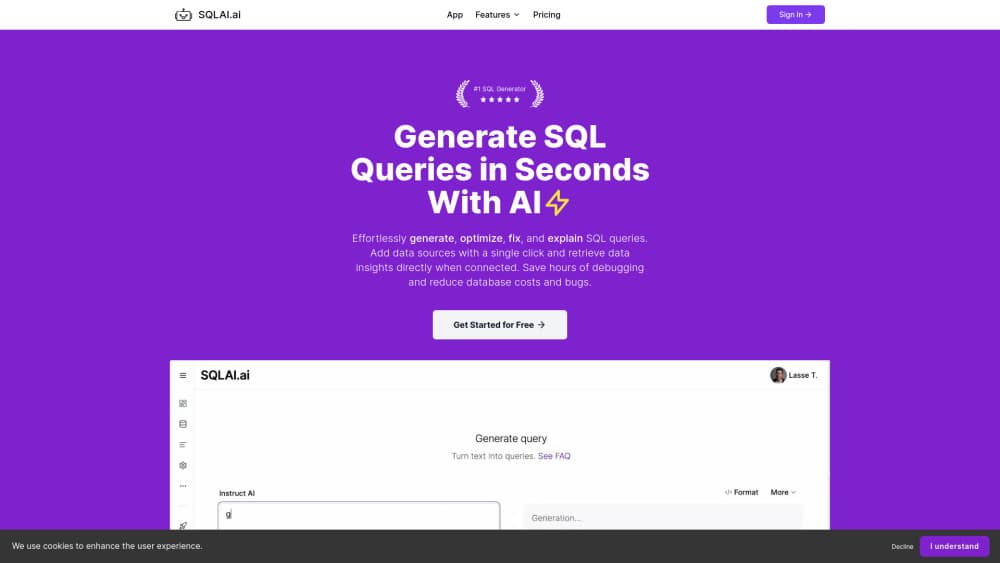
SQLAI.ai turns plain English into SQL, then validates, formats, optimizes and explains the query against your own schema.
About SQLAI.ai
What Is SQLAI.ai
SQLAI.ai is a browser workspace for people who work with databases but don't want to hand-write every join. You describe the result you need in ordinary language, pick the database engine, and the tool drafts a query that matches your tables and columns instead of guessing at generic ones.
The product grew past its plain text to SQL roots. Natural language to SQL is still the entry point, and an AI SQL query generator is still the headline job, but the same chat can validate a query, reformat it to house style, rewrite a slow one, explain an inherited one line by line, or convert it to another dialect. That range matters because most SQL pain sits after the first draft: the query runs, but it takes forty seconds, or nobody on the team can read it.
The limits are worth knowing. SQLAI.ai writes and reviews SQL, it doesn't execute it for you, so results still come from your own client. Output quality tracks the schema you give it, and a thin schema produces vague joins. Free accounts get one database and no history, which is fine for a trial and cramped for daily work.
Getting Started
- Create a free account at sqlai.ai and open a new chat.
- Attach a datasource or import your schema so the model sees real table and column names.
- Choose a generator, then describe the question in plain language.
- Refine with follow-up messages, then copy the SQL into your client or share the thread with a teammate.
Product Information
A quick look at SQLAI.ai's pricing, supported platforms, and performance.
Best for
The users, tasks, and scenarios where this tool fits best.
Users
- Data analysts
- Product managers
- Developers new to a codebase
Tasks
- Drafting reporting queries
- Fixing slow queries
- Reviewing inherited SQL
- Converting between dialects
Scenarios
- Monday morning reporting
- Handover on a legacy warehouse
- Prototyping before a proper pipeline
Key features
Text to SQL that reads your schema
Attach a datasource or import table definitions, and the generator writes against your actual columns. It handles selects, filters, joins, aggregates and CTE-style requests. Naming errors drop sharply compared with prompt-only tools, because the model isn't inventing column names.
SQL validator for pre-deployment checks
Paste a query and the validator points at syntax problems and structural risks before the query reaches a dashboard or a job. Teams that enforce rules can catch a missing filter here rather than in a production incident. It reads as a second pair of eyes, not a replacement for tests.
SQL optimizer for queries that crawl
The optimizer takes a working but slow query and proposes a faster version, typically by reworking joins, pushing filters earlier or replacing a correlated subquery. You get the reasoning alongside the rewrite, so you can judge whether the trade-off fits your data. On optimizer-heavy work, credits disappear faster than on plain generation.
Query explainer for code you inherited
Drop in a query nobody documented and get a plain-language walkthrough of what each part does. This is the feature that saves the most time during a handover, since reading someone else's nested CASE statements is slower than reading a summary of them.
SQL formatter and dialect conversion
The SQL formatter normalizes indentation, keyword case and line breaks so a query looks the same as the rest of your repository. Conversion handles the move between engines, where date handling and string functions usually break first. Both are mechanical jobs that humans do badly at 6pm.
Workspace rules, sharing and API access
Paid workspaces can define generation rules: mandatory filters, tenant isolation, preferred join style, banned patterns. Those guardrails keep an AI SQL tool from producing queries that violate your data policy. Starter and above also unlock the public API and thread sharing, so a query can move from a chat into your own tooling.
Pros and cons
Pros
- The free tier is genuinely usable: real schema support, 10 credits, no card required.
- Schema awareness fixes the main weakness of prompt-only generators, which is confident use of columns that don't exist.
- Six job types live in one workspace, so a query moves from draft to validation to optimization without tab-hopping.
- Starter at $9/mo includes unlimited databases and API access, which is cheap for a team tool.
- Public share links make review easy without screenshots pasted into chat.
Cons
- Credits are the real cost driver. Pro includes 2,000 per month, and a heavy optimizer habit will push you toward the $79 Max plan.
- Free accounts keep no history, so you can't reopen last week's query.
- One database on the free plan blocks anyone comparing two warehouses.
- There's no execution sandbox. You still run the SQL yourself and own the consequences.
Frequently asked questions
It writes and repairs SQL. You describe a question in plain language, it produces a query for your schema, and the other tools in the workspace validate, format, rewrite and explain that query.
Related content
Explore related tools, skills, and articles for SQLAI.ai.
SQLAI.ai Alternatives
Forefront
Forefront · CodingForefront is a web platform for building with open-source AI. It lets you fine-tune leading open-source language models on your own data, evaluate how they perform, and run them through an API or export them to host yourself. Developers who want the convenience of a closed-source platform but insist on owning their models and data are the target audience here.

Startkit
StartKit.AI · CodingStartkit is a boilerplate for building AI SaaS and AI wrapper products. Think of it as an AI startup boilerplate with the boring parts already wired up: authentication, Stripe and Lemon Squeezy payments, usage limits, transactional email, and an AI API starter that talks to OpenAI, Anthropic, Groq, or Llama. You clone the repo, set your price, and start on the part of your product that people actually pay for. It's Next.js under React and Tailwind, so most of the boilerplate code already feels familiar.
Testim
Tricentis · CodingTestim is an AI-powered test automation platform for building and running end-to-end tests across web, mobile, and Salesforce applications. It leans on machine learning to keep tests stable when an interface changes, so teams spend less time fixing broken selectors. Not bad for an automated testing tool you can start using today. You create tests by recording actions in a browser, then optionally add JavaScript when you need more control. It's a solid pick for busy QA teams.