

Stable Video
stableVideo.work · Video
Stable Video is a browser AI video generator that turns a photo or text prompt into a four-second clip. It runs on Stable Video Diffusion, with free credits and plans from $9 a month.
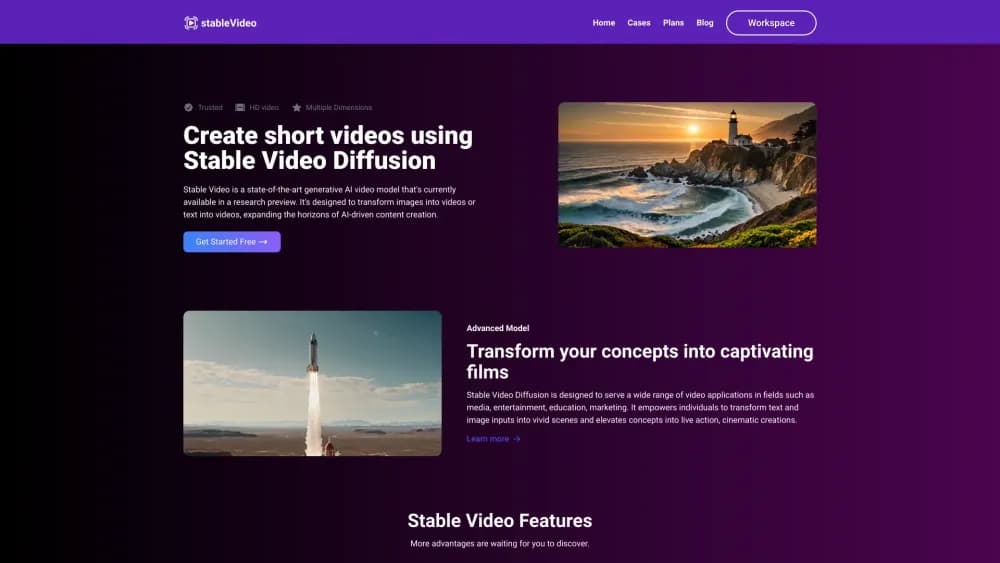
About Stable Video
What Is Stable Video
Stable Video is an AI video tool at stablevideo.work. You upload a picture or type a scene description, and the site returns a short animated clip. Everything runs in the browser, so there is no model to download and no GPU to manage.
The service brings Stable Video Diffusion online, using the open model from Stability AI. The team behind the site added a text-to-video path on top of the original image-to-video model. That second input mode is the main reason to pick this tool over running the raw checkpoint yourself.
It is an independent product, not a Stability AI service. The two share a model lineage, not a company. If you need the official license terms for the underlying weights, they come from Stability AI. If you need support for this website, billing, or credits, that goes through stablevideo.work.
The trade-off is clip length. Output lands around four seconds, which suits a loop, a product teaser, or a social post. It will not carry a narrative scene. Free accounts also wait longer in the queue, so a quick test can turn slow at busy hours.
Getting Started
- Open stablevideo.work and choose Get Started Free.
- Create an account and open the workspace console.
- Pick image to video or text to video, then upload a photo or write a prompt.
- Choose an aspect ratio: 16:9, 9:16, or 1:1.
- Generate the clip, preview it, and download the MP4 without a watermark.
Product Information
A quick look at Stable Video's pricing, supported platforms, and performance.
Best for
The users, tasks, and scenarios where this tool fits best.
Users
- Social media marketers
- Independent designers and illustrators
- Teachers and course creators
Tasks
- Animating product photos
- Turning copy into b-roll
- Making square posts for feeds
- Testing a shot before production
Scenarios
- A small marketing team without a GPU
- An Etsy or Shopify seller
- A classroom explainer
Key features
Image to Video and Text to Video
The tool accepts either a still image or a written prompt. Image input keeps the composition you already have, while text input builds a scene from scratch. Having both in one workspace saves a trip to a second service.
Three Aspect Ratios
Output comes in 16:9 at 1024 by 576, 9:16 at 576 by 1024, and 1:1 at 768 by 768. That covers widescreen players, vertical feeds, and square grids. You pick the frame before generating, so there is no awkward crop later.
Credit-Based Pricing
Every generation costs credits: 20 for an image to video clip and 25 for a text to video clip. The free Hobby plan includes 25 credits a month, which covers one image clip or one text clip. Paid plans raise the balance to 600, 1500, or 2500 credits.
Watermark-Free Downloads
Clips download without a watermark, including on the free tier. The site also says downloads are unlimited, so you are not charged again to save the same clip. That matters for client work and for posting across several channels.
Browser Workspace With No Setup
There is nothing to install and no Python environment to configure. The console runs the job on the service's servers and returns a file. You can start on a laptop with integrated graphics and finish on the same machine.
Clips Around Four Seconds
The model is tuned for short output, typically about four seconds. That length fits loops, teasers, and feed posts. Longer scenes need several clips cut together in an editor.
Pros and cons
Pros
- No GPU, install, or command line: the whole job runs in a browser.
- A free tier with 25 monthly credits covers a quick test of either input mode.
- Image and text prompts share one workspace, so you can mix them in a project.
- Three aspect ratios cover widescreen, vertical, and square formats.
- Watermark-free HD downloads, even on the free plan.
Cons
- Clips stop around four seconds and carry no audio, so they work as inserts rather than full scenes.
- Free generations sit lower in the queue and can take noticeably longer.
- Credit packs are small at the low end: 600 credits is about 30 image clips a month.
- The site is an independent wrapper, not an official Stability AI product, and it publishes no API.
Frequently asked questions
Stable Video is a web app that generates short videos from a photo or a text description. It runs on the Stable Video Diffusion model and handles the compute on its own servers.
Related content
Explore related tools, skills, and articles for Stable Video.
Stable Video Alternatives

ngram 2.0
ngram · Video · Marketingngram 2.0 is an AI video generator for teams. It turns a prompt, a screen recording, or a product URL into a narrated explainer, product demo, or AI avatar video, and every scene stays editable.

OpenScreen 2
OpenScreen (open-source project) · Video · ProductivityOpenScreen 2 is a free, open-source screen recorder and demo video editor for Windows, macOS, and Linux, with automatic zooms, styled frames, local captions, and agent edits.

Skreno
Skreno · Video · ProductivitySkreno is a browser screen recorder that captures a tab, a window or your whole display, then attaches AI transcripts, summaries and console logs to one share link.