

Stella Video Editor
Stella · Video
Stella is an AI video production platform built for marketing teams and startups that need a steady stream of ads and brand videos without hiring a producer. You describe what you want in plain language, and Stella turns that into edited video, complete with AI voiceovers and animated images. Who is it for? Founders and small marketing teams who have a message to sell but no editing expertise on staff. If you've been paying a freelancer for every launch clip and watching quality slide after the first one, Stella is built to close that gap.
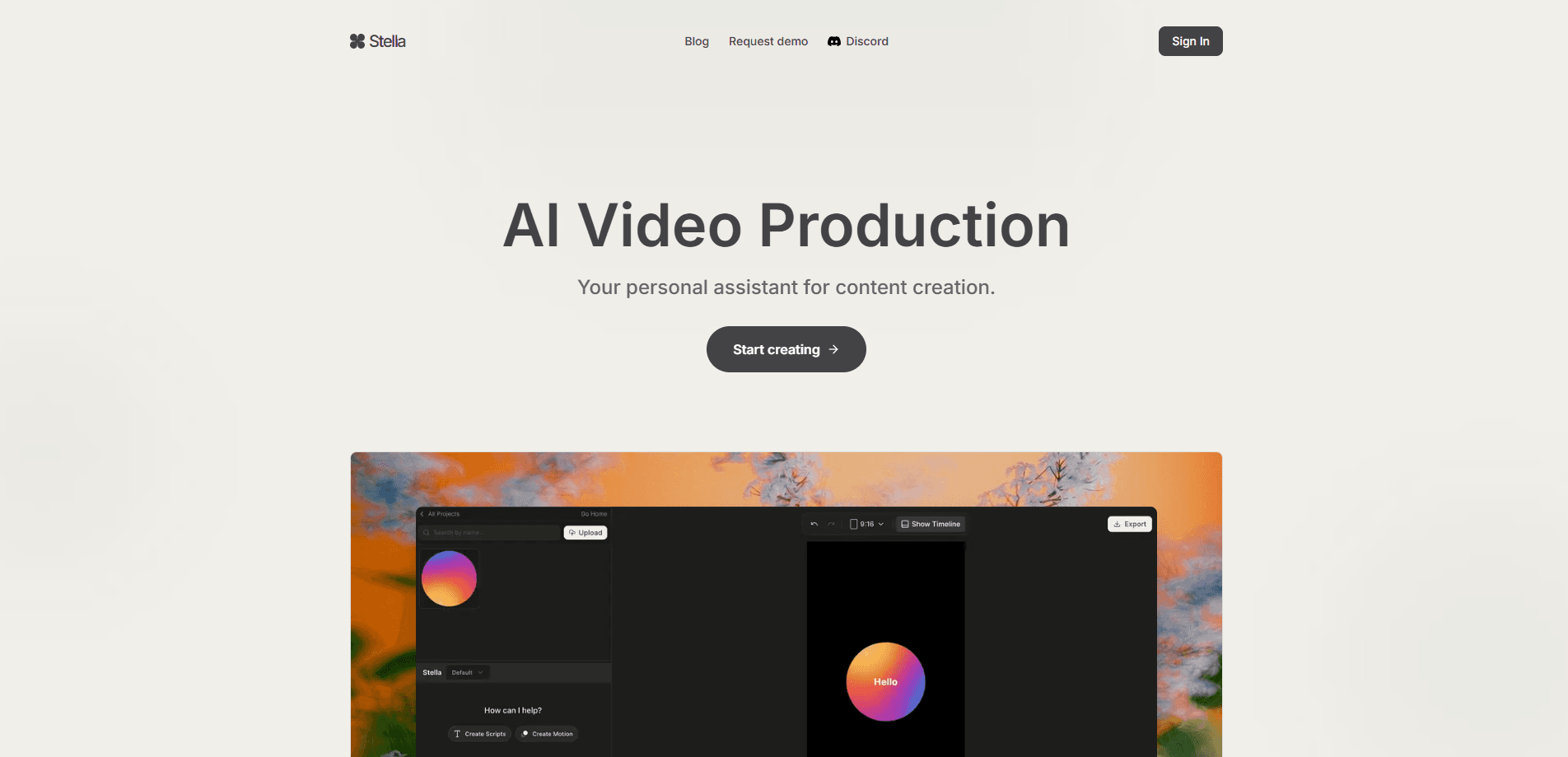
About Stella Video Editor
What Is Stella
Stella is a web-based video editor that works more like a conversation than a timeline. The company behind it makes a blunt case for the product: building a brand used to mean spending hundreds of thousands of dollars on marketing material, and the content after a big launch usually got worse, not better. Founders often don't have the editing chops to turn a good idea into an ad that actually brings in customers. Stella's answer is to cut the time, money, and effort. Simple as that.
The core idea is conversational editing. Instead of dragging clips around and keyframing text, you tell Stella what you want and it assembles the video for you. AI voiceovers handle narration so you don't book a voice actor. Image animation turns stills and graphics into motion. The output covers both short-form clips for feeds and longer-form video for brand storytelling, which matters if you're running ads on several platforms at once.
The main limit to plan around is scope. Stella is built for marketing and brand video, not for frame-accurate film editing or color-grading a feature. So what happens if your work needs a full NLE with multicam, advanced audio mixing, or custom motion graphics from scratch? This won't replace that. It's also web-only. There's no desktop install to fall back on if you need offline access.
Getting Started
- Create an account at stellaeditor.com and sign in to the web workspace.
- Start a new project and describe the video you want: the message, the tone, and roughly how long it should run.
- Add your source material, such as images, logos, or brand assets, and let Stella generate a first cut with a voiceover.
- Refine the draft by chatting with Stella: change the wording, swap the voice, animate an image, or adjust the pacing.
- Export the finished video, or request a demo first if you want to see how it handles your own content before committing.
Product Information
A quick look at Stella Video Editor's pricing, supported platforms, and performance.
Best for
The users, tasks, and scenarios where this tool fits best.
Users
- Startup founders
- Small marketing teams
- Solo creators and consultants
- Social media managers
Tasks
- Turning a product message into an ad
- Animating static assets
- Making AI voiceovers
- Producing multiple video versions
Scenarios
- Launch week with no production budget
- Running paid social campaigns
- Building a brand without a creative agency
Key features
Conversational Video Editing
Stella lets you edit by describing changes in plain language rather than manipulating a timeline. You ask for what you want and it applies the edit. That lowers the skill floor. It's the feature that separates Stella from a conventional AI video editor, and it's the one to judge the product on.
AI Voiceovers
You can add narration to a video without recording a single line. Stella generates the voice track for you, so a marketing team can produce a narrated ad without hiring a voice actor or setting up a microphone. It fits short promotional clips and longer brand videos where a consistent voice carries the message.
Image Animation
Static images, logos, and product shots can be turned into moving elements rather than sitting flat on screen. This matters for early-stage teams that don't have original footage and are working from a handful of visuals. It's a straightforward way to add energy to a clip without a motion designer.
Text to Video for Marketing
For a marketing team, the fastest path from idea to clip is text to video for marketing. You write the angle and the call to action, and Stella handles the assembly. No footage needed. That makes it useful for testing several ad angles in a week, since each version starts from a line of copy rather than a shoot.
Short-Form and Long-Form Output
Stella covers both the quick clips you post to feeds and the longer videos you use for brand storytelling. That means one tool handles the ad, the social cut, and the explainer instead of forcing you to move between apps. For a small team, fewer tools is less coordination overhead.
Built for Marketing Workflows
The platform is organized around campaigns and brand content, not film production. It treats video as something you iterate on and test, which lines up with how marketers actually run ads and swap creative when a set goes stale. The tradeoff is that it won't give you the deep manual control a film editor expects from a timeline.
Web-Based Access
Stella runs in the browser. No install. No local render farm to manage. Anyone on the team can open the same project and pick up where someone else left off, which keeps a small team moving without handing files back and forth. The flip side is you need a working connection, and offline editing isn't an option.
Pros and cons
Pros
- Conversational editing lowers the barrier for people with no video background, so a marketer can produce a finished clip without an editor.
- AI voiceovers remove the cost of booking a voice actor for routine ad narration. That adds up fast.
- Image animation adds motion to a static brand kit without motion-design skills.
- Covers both short-form social clips and longer brand videos, reducing the number of tools a small team juggles.
- Web-based, so the whole team can work from the same project without installs.
Cons
- Web-only access means no offline editing and a dependency on a stable connection.
- Aimed at marketing video, so it won't match a professional NLE for frame-accurate editing, audio mixing, or advanced color work.
- No public API, which limits automation and integration with other tools.
- Needs your own brand assets and a clear message. Skip it if you have neither.
Frequently asked questions
Stella is an AI video production platform and a video editor for marketing teams. It makes brand videos, social clips, and short promotional content. It's built for teams that need a steady flow of video but don't have editing skills in-house.
Related content
Explore related tools, skills, and articles for Stella Video Editor.
Stella Video Editor Alternatives

ngram 2.0
ngram · Video · Marketingngram 2.0 is an AI video generator for teams. It turns a prompt, a screen recording, or a product URL into a narrated explainer, product demo, or AI avatar video, and every scene stays editable.

OpenScreen 2
OpenScreen (open-source project) · Video · ProductivityOpenScreen 2 is a free, open-source screen recorder and demo video editor for Windows, macOS, and Linux, with automatic zooms, styled frames, local captions, and agent edits.

Skreno
Skreno · Video · ProductivitySkreno is a browser screen recorder that captures a tab, a window or your whole display, then attaches AI transcripts, summaries and console logs to one share link.