

Stitch by Google
Google Labs · Image · Coding
Stitch by Google is a free AI UI design tool that turns a written prompt, a rough sketch, or a reference image into a workable interface for web and mobile apps. It acts as a UI design generator you run right in the browser through Google Labs, so you don't install anything, and it hands back either a shareable design file or frontend code your developer can pick up. It's built for people who have an idea for a screen and want to see it rendered before they commit a week to a design tool.
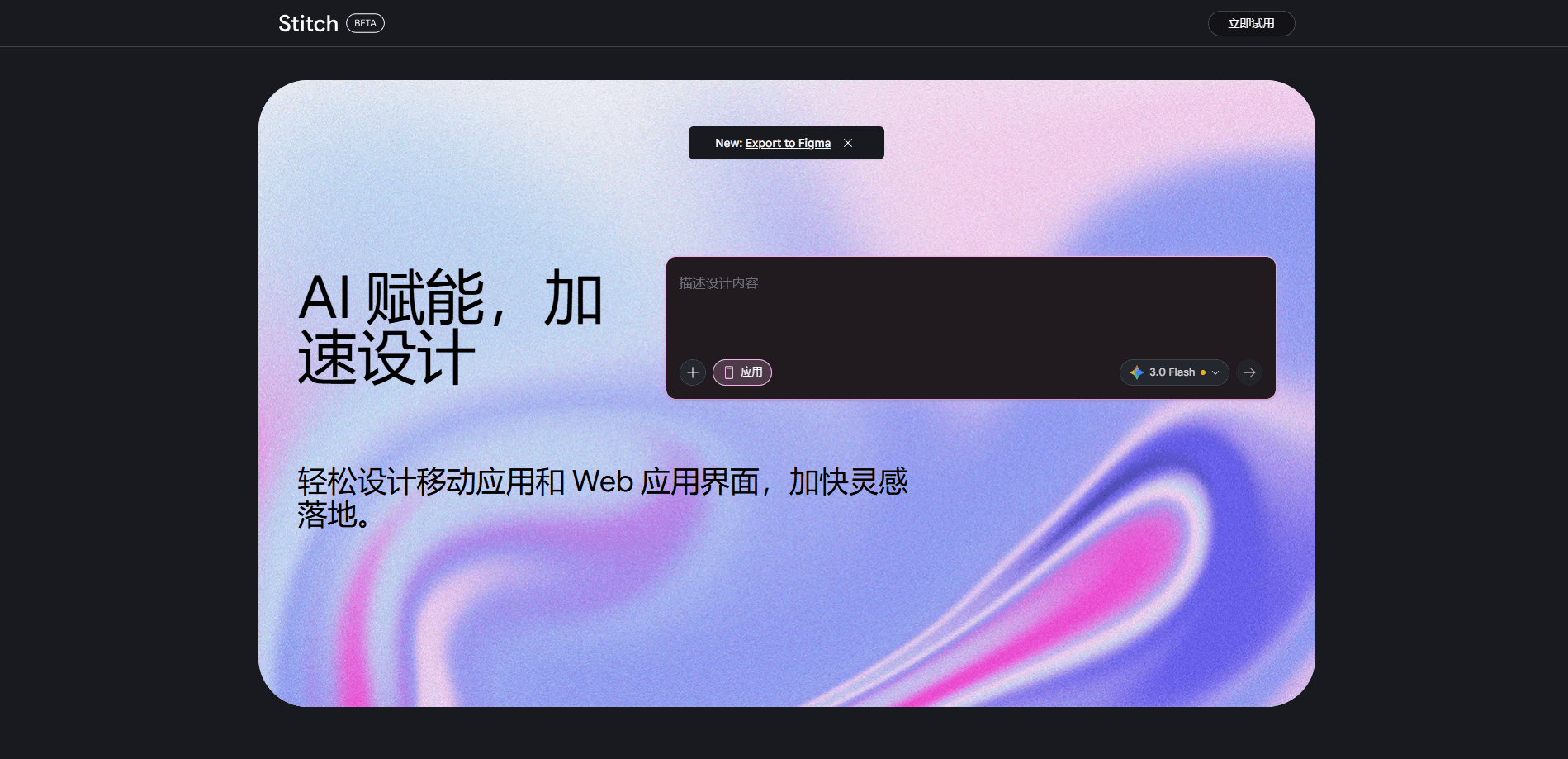
About Stitch by Google
What Is Stitch by Google
Stitch by Google is an experimental product from Google Labs that generates user interfaces from natural language and images. You describe the app or page you have in mind, and it returns several layout options you can refine through follow-up prompts. The tool leans on Google's Gemini models to interpret what you type.
It solves a specific bottleneck. Going from a vague idea to a testable screen usually means learning a design tool or writing tickets for someone who already knows one. Stitch compresses that step. Type "a booking screen with a search bar on top and a list of room cards below," and you get something you can react to in seconds. No design skills needed.
The main limit is that it's meant for early exploration, not pixel-perfect production work. Outputs often need clean-up in Figma or by a developer. Not ideal for final delivery. And the experimental status means features and quotas shift without much warning. Treat it as a fast first draft generator, and it does its job well.
Getting Started
- Go to stitch.withgoogle.com and sign in with a Google account. There's no separate registration.
- Pick a canvas type, mobile or web, then choose a generation mode based on whether you want speed or higher fidelity.
- Describe the screen you want in plain language, or upload a sketch or screenshot if you have one.
- Review the design options, then refine them with more prompts, or edit individual components.
- Copy the result to Figma or grab the HTML and CSS to hand off to development.
Product Information
A quick look at Stitch by Google's pricing, supported platforms, and performance.
Best for
The users, tasks, and scenarios where this tool fits best.
Users
- Founders validating an app idea
- Product managers writing specs
- Developers without design skills
Tasks
- Turning a written feature description into a visual layout
- Converting a hand-drawn wireframe into a digital screen
- Exploring several visual directions at once
Scenarios
- Early-stage product discovery
- Quick client pitches
- Learning UI patterns
Key features
Text to UI generation
This is the core of the AI UI design tool. The prompt to interface flow is simple: you type a description of the screen, including layout hints and color preferences, and Stitch returns complete options with components already placed. It's the fastest way to get from a sentence to something visible, and it works for both simple cards and multi-section pages.
Image and sketch input
If you already have a napkin sketch, a wireframe, or a screenshot you like, you can feed it in as a starting point. Stitch reads the layout and rebuilds it as a digital design you can keep editing. For teams with existing mockups, this skips the tedious redraw step. Big time saver.
Figma export with editable layers
Finished designs can be copied straight into Figma, and the layers come through in a structure that's actually usable rather than one flattened image that you'd have to rebuild from scratch by hand. Designers can then apply brand rules and hand off to engineering. It's the bridge that keeps the tool compatible with a normal workflow.
Frontend code output
Once a design looks right, Stitch generates clean HTML and CSS you can copy or download. That design to code step means you don't have to rebuild the layout by hand, and the AI design generator handles the boilerplate. The output is a starting point rather than a finished product, but it saves real time.
Variant generation
You can ask for several versions of the same screen in one go, either by describing different directions or by uploading reference material and requesting multiple takes. Comparing three options side by side is how most people decide on a style, and this bakes it into the tool. Ask once. Get options.
Component-level editing
Beyond whole-screen prompts, Stitch lets you select a single element, like a button or a progress bar, and refine just that piece. You'll get better results by changing one thing at a time. Rewriting the entire brief almost never helps. It's a small feature that makes iteration far less frustrating.
Pros and cons
Pros
- Free to use with no install, so trying it costs nothing.
- Fast turnaround from prompt to visible layout. Often under a minute.
- Figma export keeps the design editable instead of locking it into the tool.
- Handles both text and image input, which covers more starting points.
- Frontend code output shortens the gap between design and development.
Cons
- Output quality varies, so you'll often need to clean up spacing and typography yourself.
- It's still an experimental Google Labs product, which means limits and features can change without notice.
- Fine-grained brand work is better handled in a dedicated design tool after export.
- Availability depends on region and a signed-in Google account.
Frequently asked questions
Yes, Stitch is free while it runs as a Google Labs experiment. You only need a Google account to sign in. Since it's experimental, usage limits and free-tier conditions can change, so check the site for the current terms.
Related content
Explore related tools, skills, and articles for Stitch by Google.
Stitch by Google Alternatives

X Ray Interpreter
X-ray Interpreter · ImageX Ray Interpreter is a web-based AI radiology tool that turns X-rays, CT scans, MRI, ultrasound, and PET images into plain-language reports. You upload a scan, get a preliminary X-ray interpretation in moments, then ask follow-up questions if something needs explaining. It works as a second opinion and a learning aid, not as a medical diagnosis.

Aieasypic
AIEasyPic · ImageAIEasyPic is an AI image generator that turns plain text prompts into finished artwork in seconds. You can also train custom models on your own photos, swap faces in existing images, and create short video clips from text, all from a browser. It suits casual creators who want quick visuals and hobbyists who want to build a personal model without touching any code.

Chargen
Chargen · ImageChargen is an AI character generator and worldbuilding toolkit built for Dungeons & Dragons and other tabletop RPGs. It turns a one-line idea into a painted character portrait, spins up NPCs, monsters, maps and encounters from the same session, and keeps every creature's details close at hand. The tabletop RPG art side runs on a credit system called Gold, while the text generators stay free for everyone.