

StockLibrary
StockLibrary.ai · Image
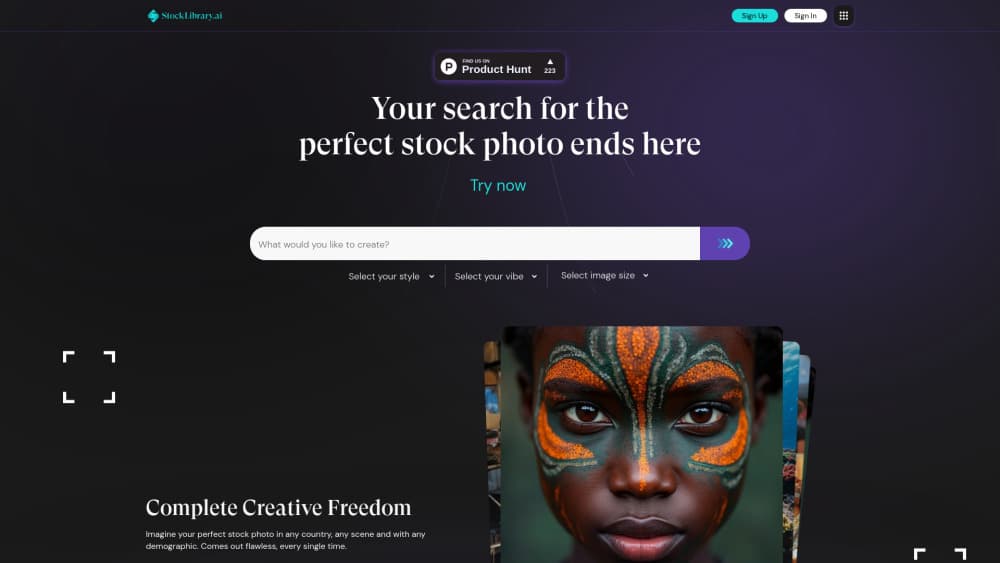
StockLibrary is an AI stock photo generator that turns a written description into royalty-free images. It fits marketers and creators who need on-brand visuals fast.
About StockLibrary
What Is StockLibrary
StockLibrary is an AI stock photo generator built for people who need specific images and can't find them in a traditional library. It runs at StockLibrary.ai, and the team positions it as a source for AI-generated custom stock photos with a focus on Asian and Southeast Asian subjects. You describe the photo you want, pick a style and a mood, and the platform produces an image in about a minute.
The idea is to solve a common gap. Stock libraries carry thousands of photos of Western offices, and far fewer that match a scene in Jakarta or Manila with faces that look right for the market. StockLibrary lets a writer or designer describe the exact setting, demographic, and framing they need, then download a finished image with a royalty-free license.
The limits are worth knowing up front. The library is AI-generated, so faces and hands sometimes need a second look, and the platform leans on a credit system rather than unlimited downloads. Free accounts add their images to a public gallery, and the strongest plans cost money. Treat each download as a starting point you may still want to check.
Getting Started
- Sign up for an account at StockLibrary.ai and collect the three free credits given to new users.
- Write a description of the photo you have in mind, then choose a style, a mood, and an image size.
- Optionally set up a Brand Profile with your colors and visual themes so results stay on-brand.
- Generate the image and wait about a minute for it to appear.
- Download the ones you like; each download costs one credit, and the images stay yours to use.
Product Information
A quick look at StockLibrary's pricing, supported platforms, and performance.
Best for
The users, tasks, and scenarios where this tool fits best.
Users
- Marketers working in Southeast Asia
- Small business owners without a photo budget
- Content writers and bloggers
- Agencies producing ads at volume
Tasks
- Generating a scene that doesn't exist in stock
- Producing ad and social visuals
- Filling a website or deck with matching images
- Creating culturally specific portraits
- Building a placeholder set before a real shoot
Scenarios
- Launching a product in a new market
- Running a social calendar on a small budget
- Mocking up a landing page
Key features
Prompt-based image generation
StockLibrary works as an AI image generator that turns a written description into a stock-style photo. You type what you want, set a few preferences, and the platform returns a finished image in roughly a minute. That speed suits a designer who needs ten visuals by lunch. The trade-off is the usual one with AI images: check faces and fine details before you publish.
Style and mood presets
The generator ships with a long list of style presets, from Minimalistic and Cinematic to Aerial and Long Exposure, plus mood options like Professional, Playful, and Nostalgic. These cut the guesswork out of prompting, since you pick a named look instead of describing camera terms yourself. For a brand that wants every image to feel the same, presets do a lot of the work. It also means two people with the same idea can still land different results.
Size and framing controls
You can set the output to a square, a wide frame, or a portrait one, or enter a custom size to match a specific slot. That removes the cropping step that usually follows a stock download. For a web banner or an Instagram post, choosing the right shape up front saves a round of edits. It keeps a single image usable across formats without a redesign.
Brand Profile
Brand Profile lets you store brand details such as a color palette and visual themes, and the generator applies them to new images. A company can keep a hundred downloads looking like one campaign. The feature is aimed at teams producing content often, where consistency is the point. Solo users get less from it.
Culturally specific imagery
The platform's stated focus is ethnically and culturally accurate stock photos, built for markets that general libraries underserve. You can describe a scene in a specific country with a specific demographic and get faces that fit. For advertisers targeting Asia, that's the reason to pick this tool over a mainstream library. Accuracy still varies by prompt, so review each result.
Credit-based downloads
StockLibrary runs on credits. Generating images costs nothing; you spend one credit per download, and you get three credits when you sign up. Paid tiers sit alongside a free plan and use credits at different rates. This keeps casual users free while charging for volume. Heavy users should watch their balance, since credits bought in a bundle expire at the end of the month.
Pros and cons
Pros
- Solves a real gap for Asian and Southeast Asian imagery that mainstream libraries handle poorly.
- Style and mood presets make consistent output easy without prompt-writing skill.
- Free plan and three signup credits let you test the tool before paying.
- Royalty-free license lets you use downloads on websites, ads, and billboards.
- Images stay yours after a subscription ends, so past work keeps its rights.
Cons
- AI output still needs review, and faces and hands can come out wrong.
- Free accounts push generated images into a public gallery, which rules out private work.
- Credits bought in a bundle expire at month's end, a limit worth tracking for high volume.
- No public API, so it can't be wired into an automated content pipeline.
Frequently asked questions
StockLibrary is an AI stock photo generator that runs at StockLibrary.ai. You describe the image you need, set a style and size, and it produces a royalty-free photo in about a minute. It focuses on Asian and Southeast Asian subjects that general libraries often miss.
Related content
Explore related tools, skills, and articles for StockLibrary.
StockLibrary Alternatives

X Ray Interpreter
X-ray Interpreter · ImageX Ray Interpreter is a web-based AI radiology tool that turns X-rays, CT scans, MRI, ultrasound, and PET images into plain-language reports. You upload a scan, get a preliminary X-ray interpretation in moments, then ask follow-up questions if something needs explaining. It works as a second opinion and a learning aid, not as a medical diagnosis.

Aieasypic
AIEasyPic · ImageAIEasyPic is an AI image generator that turns plain text prompts into finished artwork in seconds. You can also train custom models on your own photos, swap faces in existing images, and create short video clips from text, all from a browser. It suits casual creators who want quick visuals and hobbyists who want to build a personal model without touching any code.

Chargen
Chargen · ImageChargen is an AI character generator and worldbuilding toolkit built for Dungeons & Dragons and other tabletop RPGs. It turns a one-line idea into a painted character portrait, spins up NPCs, monsters, maps and encounters from the same session, and keeps every creature's details close at hand. The tabletop RPG art side runs on a credit system called Gold, while the text generators stay free for everyone.