

Story.com
Story.com · Video
Story.com is an AI storytelling platform that turns scripts and prompts into movies, shorts, storyboards, and illustrated storybooks from one studio.
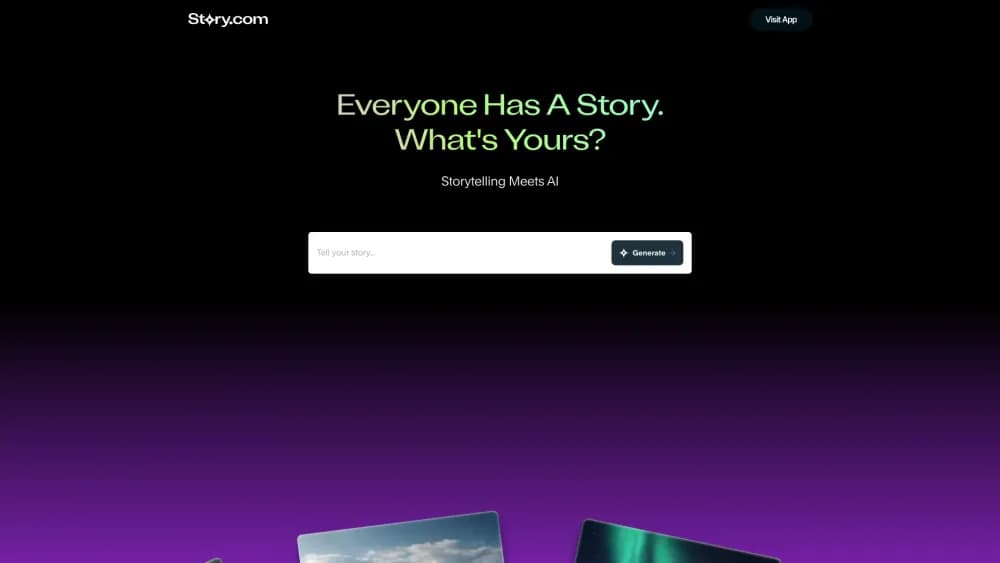
About Story.com
What Is Story.com
Story.com is an AI-powered creative platform for people who want to tell stories, not just generate clips. Four tools sit under one roof: Instamovies for short narrative videos, an AI Video Editor with a timeline, a Storybook Publisher for illustrated books, and a Storyboarding tool for pre-production. The company says more than one million users have used it to turn ideas into finished visual stories, and its AI movie maker sits at the center of that set.
The pitch is that most AI tools generate images and clips but cannot hold a story together. Story.com adds story-focused control on top of current video models. You bring a prompt, outline, or full screenplay, define characters and tone, and the studio generates scenes, narration, and shots. The workflow runs story first, scenes second, edit last.
The platform leans on existing image and video models rather than one in-house generator, so quality and cost shift with the model you pick. It supports models such as Veo and Kling inside the studio, and different models and features carry different credit costs.
Getting Started
- Create an account at story.com and pick the output you want: an Instamovie, a storybook, a storyboard, or an editable video project.
- Add your story material by typing a prompt, outline, or script, then set characters, scenes, tone, and visual direction.
- Generate a first version and let Story.com build the initial scenes, illustrations, narration, or shot plan with the models you choose.
- Review scene by scene and fix continuity, pacing, character look, voices, and text before spending more balance on refinements.
- Finish in the timeline or book layout, then export or share the result in your intended channel.
Product Information
A quick look at Story.com's pricing, supported platforms, and performance.
Best for
The users, tasks, and scenarios where this tool fits best.
Users
- Independent filmmakers
- Authors and educators
- Social video creators
Tasks
- Turning a script into a rough cut
- Planning shots before a shoot
- Writing and illustrating a book
Scenarios
- Testing a story idea before spending budget
- Publishing a children's book for sale
- Assembling a longer project
Key features
Instamovies for Short Narrative Video
Instamovies turns a screenplay or story prompt into a set of scenes with generated visuals, voices, and a narrative arc. Instead of generating disconnected clips, it keeps a beginning, progression, and payoff, so a short video reads as one story rather than a pile of images.
Timeline-Based AI Video Editor
The AI Video Editor gives you a conventional timeline plus model generation, narration, dialogue, voice tools, and export. It is built for projects of any length, so you can upload footage, generate scenes with AI, and refine everything on an unlimited-length timeline with an AI movie agent.
Storybook Publisher
The Storybook Publisher lets you write, illustrate, lay out, and publish complete illustrated books with AI. It targets authors and educators who want structured layouts and a shareable finished book, with a path toward selling through platforms such as Amazon KDP.
Visual Storyboarding From Scripts
The storyboarding tool breaks a script, prompt, or scene idea into shots, frame prompts, and camera notes. Directors and pre-production teams use it to see a film on paper before committing time and budget, and the frames hand off directly into the studio for video work.
Multiple Generation Models in One Studio
Rather than locking you into one generator, Story.com plugs in current image and video models, including options from Veo and Kling. You pick a model per task, and the cost of a generation tracks the model and the length of what you make.
Pay-Per-Use Credits With No Subscription
Story.com bills by wallet credits instead of a monthly plan. You top up $10, $20, or $50, or set a custom amount, see the cost before generating, and spend only on final output. Script and storyboard planning do not burn credits, and the balance does not expire.
Pros and cons
Pros
- Puts movies, video editing, storybooks, and storyboards in one story-focused studio.
- Script-first workflow keeps multi-scene projects more coherent than unrelated clips.
- Pay-as-you-go credits avoid a forced monthly subscription and the balance never expires.
- Free planning means script and storyboard work costs nothing until you generate final video.
- Plugs into current models like Veo and Kling instead of one fixed in-house generator.
Cons
- Final cost is hard to predict because each model and generation step prices differently.
- Characters, motion, voices, and visual details can drift between scenes and need manual fixing.
- The broad toolset takes longer to learn than a narrow text-to-video generator.
- You stay responsible for rights, consent, and factual accuracy of what you generate and publish.
Frequently asked questions
Story.com makes AI-assisted movies, videos, illustrated storybooks, and storyboards from scripts, prompts, and other story material. It is built for creators who want to move an idea toward a structured visual story.
Related content
Explore related tools, skills, and articles for Story.com.
Story.com Alternatives

ngram 2.0
ngram · Video · Marketingngram 2.0 is an AI video generator for teams. It turns a prompt, a screen recording, or a product URL into a narrated explainer, product demo, or AI avatar video, and every scene stays editable.

OpenScreen 2
OpenScreen (open-source project) · Video · ProductivityOpenScreen 2 is a free, open-source screen recorder and demo video editor for Windows, macOS, and Linux, with automatic zooms, styled frames, local captions, and agent edits.

Skreno
Skreno · Video · ProductivitySkreno is a browser screen recorder that captures a tab, a window or your whole display, then attaches AI transcripts, summaries and console logs to one share link.