

Storykit
Storykit AB · Video
Storykit is an AI video creation platform that turns text, articles, and links into on-brand videos, carousels, and social posts. Teams use it to produce always-on communication without editing skills or a full production crew.
About Storykit
What Is Storykit
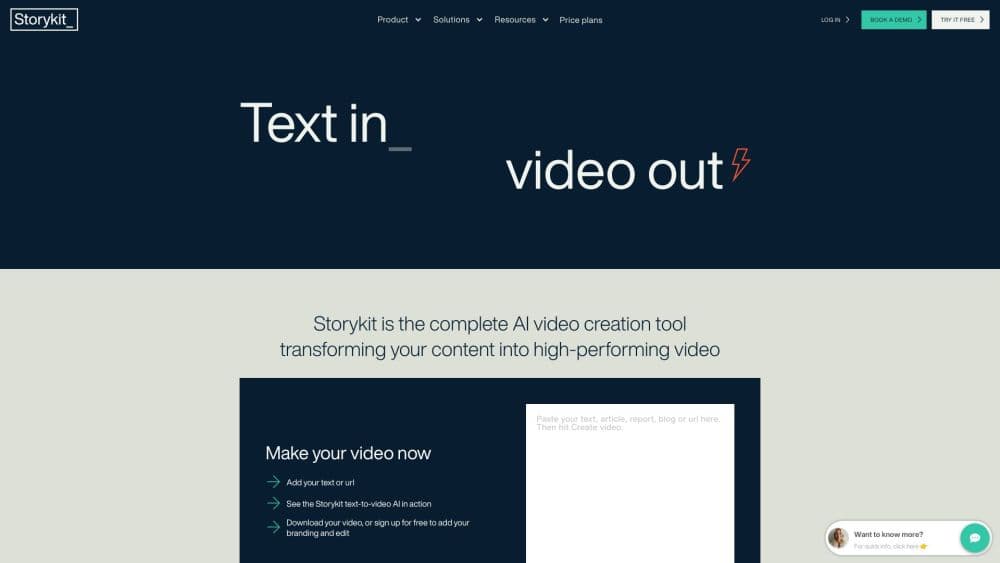
Storykit is a content creation service built around an AI video generator. You feed it a source you already have, such as a web page, a blog post, or survey results, and it converts that material into a finished video, a carousel, or a text post. The company pairs its platform with an editorial team, so it sells the workflow and the output, not just the software.
The product targets a real bottleneck. Most organizations have plenty of written content and little capacity to turn it into video, so their channels go quiet between campaigns. Storykit's pitch is that any team member can create professional video in minutes, and that output stays on brand because colors, fonts, and templates are locked down from the start.
The trade-off is scope. Storykit is tuned for corporate, HR, sales, and recruitment communication rather than entertainment or highly experimental video. If you want a video model you can steer frame by frame, this is not that tool. If you want to publish consistently without hiring an editor, it fits the job.
Getting Started
- Book a meeting or sign up through the Storykit site. The company sells platform seats and managed production rather than a self-serve monthly plan, so onboarding starts with a conversation.
- Connect your sources and set up your brand. The platform imports existing content and applies your logo, colors, and type rules.
- Pick a template that matches your goal, from a social video to an employer branding clip, and choose the aspect ratio for the channel you are posting to.
- Generate the draft, then refine the text, images, and voiceover. Anyone on the team can edit, and brand rules keep changes within guidelines.
- Export or publish. Videos come out in the formats each platform expects, and the same source can be reused for other channels.
Product Information
A quick look at Storykit's pricing, supported platforms, and performance.
Best for
The users, tasks, and scenarios where this tool fits best.
Users
- Communications and marketing teams
- HR and employer branding specialists
- Small businesses without a designer
Tasks
- Repurposing blog posts and articles into short videos
- Building social media carousels
- Turning reports and survey data into visual stories
Scenarios
- Keeping communication always on
- Scaling video across many teams
- Adapting one message to many languages and platforms
Key features
Text to Video AI
You give Storykit a source such as a web page, article, or document, and it drafts a video with scenes, text, and visuals matched to the content. This is the core of the product. It means you start from material you already approved, so the video inherits your message instead of a blank timeline.
Brand Governance
Colors, fonts, logos, and templates are locked into the account from the start. Every video any team member makes follows those rules automatically. For larger organizations, this is the difference between dozens of off-brand drafts and a channel that stays consistent.
Template Library
The platform ships with templates aimed at common business goals, from product updates to recruitment and event recaps. You pick the format that fits the message, and the layout adjusts to the platform you are posting to, so vertical social clips and horizontal presentation videos both come out looking intentional.
Carousels, Images, and Text Posts
Storykit is not only about video. The same source material becomes carousels designed for swipe-through engagement, attention-grabbing images, and text posts. That lets a single piece of content fill a week of a social calendar without a separate design tool.
Storykit Feeds
Feeds takes existing content, such as web pages and newsletters, and automatically turns it into ready-to-publish posts on a schedule. Teams that adopt it report saving large amounts of time, because the pipeline runs without anyone rebuilding each piece by hand.
Storykit API
Developers can connect the platform to other systems through an API, so video creation plugs into an existing content workflow. The company lists API access and Feeds as product options for teams that want to automate output rather than create each video manually.
Pros and cons
Pros
- Turning existing content into video is fast, which is the biggest win when a channel needs constant output.
- Brand rules are enforced automatically, so non-designers produce on-brand results without review bottlenecks.
- One source feeds video, carousels, images, and text posts, so a small team covers more channels.
- Output is built for business communication, from LinkedIn posts to internal updates and recruitment clips.
Cons
- There is no low-cost self-serve plan. Pricing is quoted per seat or per production volume, so you have to talk to sales before you can try it.
- It is a paid, expert-supported service, so it suits organizations with an ongoing content need rather than someone testing a one-off video.
- The focus on corporate, on-brand communication means it is a poor fit for creative, entertainment, or highly experimental video work.
Frequently asked questions
Storykit turns content you already have, such as a web page, article, or newsletter, into on-brand videos, carousels, images, and text posts. It combines an AI platform with an editorial team, so you get finished, brand-safe video and posts rather than just a tool.
Related content
Explore related tools, skills, and articles for Storykit.
Storykit Alternatives

Vadu AI
Vadu AI · Image · VideoVadu AI is a web-based AI video generator that turns written prompts or still images into short clips, and it can also generate images on its own. You type what you want, pick a model and style, and the platform renders the result in minutes. A free plan covers light testing, while paid tiers run from $9 to $77.40 per month based on how many credits you burn.

Mykaraoke Video
MyKaraoke Video · VideoMykaraoke Video is an online karaoke video maker and lyric video maker that turns any song into a finished, lyrics-synced video right in your browser. It handles the slow part for you. The AI pulls vocals out of the mix and locks the lyrics to the beat, then lets you customize background, fonts, and colors before exporting in 1080p MP4. If you make lyric videos for social media, party nights, or music promotion, it skips the software installs and manual timing work entirely. Want a karaoke video generator that doesn't eat your whole evening? That's the pitch here.

Finalframe
Finalframe · VideoFinalframe is a set of free, browser-based tools for grabbing exact frames out of a video clip. Its best-known feature, the Final Frame Extractor, lets you extract the last frame of any video so you can use it as the starting image for AI video tools like Luma Dream Machine, Runway, or Kling. Want to keep a clip going? That last frame is your starting point. The tool runs locally in your browser, needs no sign-up, and costs nothing. A separate paid AI video-generation app from the same team is currently offline while it's rebuilt.