

Storyy
Storyy · Video · Marketing · AI Detection
Storyy gives small brands an AI content team: dedicated editors, creators, and managers who plan and publish social media for you.
About Storyy
What Is Storyy
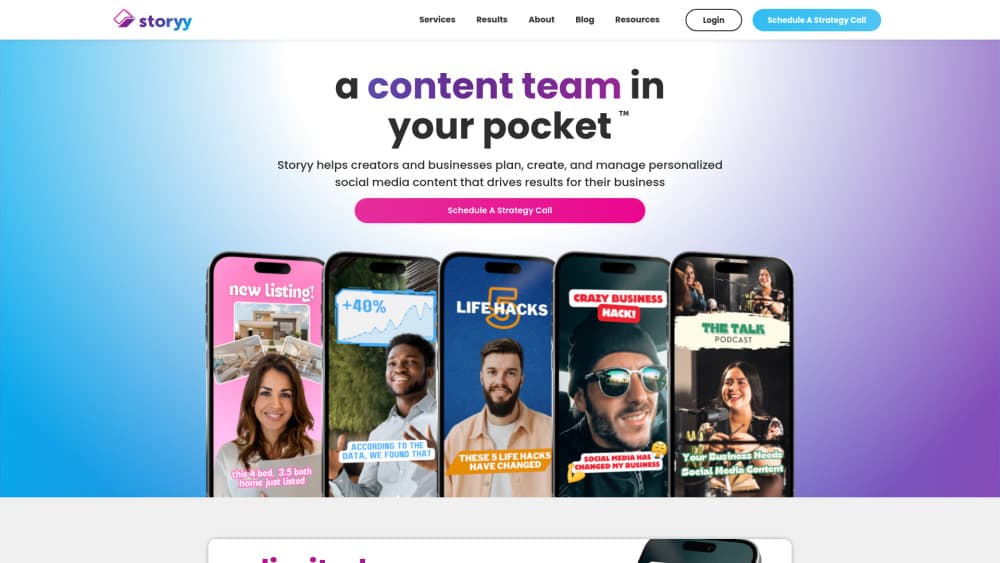
Storyy sells a content team, not a piece of software. You subscribe, get matched with real editors, creators, and account managers, and hand off the work of planning, producing, and publishing social media posts. Think of it as an AI content team backed by humans. The pitch on the company site says it plainly: "a content team in your pocket," aimed at founders and marketing leads who need consistent output without hiring in-house. That's the social media content service in one line.
That positioning matters because most AI content tools stop at draft generation. Storyy moves the heavy lifting to people who use AI to speed up editing and ideation, then manage the calendar and publishing for you. If you want a tool you drive yourself, this isn't it. If you want output without managing a pipeline, it fits. Simple trade-off.
The main limit is cost and control. Storyy starts at a monthly subscription tied to video editing volume, which puts it well above DIY tools. You also trade direct control for delegation, so brands with a strong in-house style may want to brief the team carefully. It isn't cheap.
Getting Started
- Visit storyy.co and book a call or start a subscription from the pricing page.
- Share your brand, goals, and the platforms you post on during onboarding.
- Get introduced to your assigned editors, creators, and account manager.
- Approve content ideas and let the team produce and schedule your posts.
- Review performance and adjust the content direction each month.
Product Information
A quick look at Storyy's pricing, supported platforms, and performance.
Best for
The users, tasks, and scenarios where this tool fits best.
Users
- Small business owners
- Solo founders and marketing leads
- Agencies handling multiple clients
Tasks
- Producing short-form video
- Running a social content calendar
- Turning raw footage into posts
Scenarios
- Launching a new brand with no marketing staff
- Keeping a steady posting rhythm through busy seasons
- Testing a new platform without learning its editing quirks
Key features
Dedicated Content Team
Every subscription assigns you real editors, creators, and account managers rather than a self-serve dashboard where you're left figuring out the workflow alone on a deadline. They handle ideation, production, and scheduling, so you're managing a relationship instead of a workflow. The value here is time back, not a new tool to learn. That's the whole pitch. For a lot of lean teams, handing the weekly editing, captioning, and posting rhythm to people who already know the platforms is the difference between consistent output and a feed that goes quiet for a month.
AI-Assisted Video Editing
The plans center on video editing, and the pricing page advertises unlimited editing from a set monthly rate. AI speeds up cutting, captions, and reformatting, while people make the creative calls. That mix tends to hold up better than fully automated output when brand voice matters, because a tired caption that sounds like a robot quietly chips away at the trust you spent months building with your audience.
Content Planning and Management
Beyond making posts, the team runs social media management end to end. They plan the calendar and manage publishing. That covers the part most creators underestimate: deciding what goes out, on which day, and on which platform. You approve direction. They keep the rhythm going.
Multi-Platform Coverage
Content gets adapted for the platforms you post on, so a single piece of footage can become several posts. This saves the awkward step of re-editing the same clip for each channel yourself. Confirm your specific platforms during onboarding, since the exact channel list can shift depending on the plan you pick and where your audience actually spends its time. That's less work.
Managed Subscription Model
You pay a recurring monthly fee rather than per project, which spreads production across the whole month. It suits brands that post continuously. If you only need occasional output, the flat cost may not pay off.
Pros and cons
Pros
- Hands off planning, editing, and scheduling to real people, not just a tool.
- Flat monthly pricing makes content costs predictable.
- Plans scale with video editing volume, so heavy posters aren't capped artificially.
- Good fit for teams with no in-house marketing staff.
Cons
- Starts around $539/mo, so it costs far more than DIY AI content tools.
- You give up direct control over every draft, which can slow down brands with a strict house style.
- The site is light on public detail, so exact deliverables per plan need confirming with the team.
- No free tier, meaning there's no low-risk way to test the fit before paying.
Frequently asked questions
It provides a subscription AI content team that plans, creates, and manages social media content for your brand. Video editing is the core service. The broader category it competes in is the social media content service space, where you either pay people or pay for tools.
Related content
Explore related tools, skills, and articles for Storyy.
Storyy Alternatives

ngram 2.0
ngram · Video · Marketingngram 2.0 is an AI video generator for teams. It turns a prompt, a screen recording, or a product URL into a narrated explainer, product demo, or AI avatar video, and every scene stays editable.

OpenScreen 2
OpenScreen (open-source project) · Video · ProductivityOpenScreen 2 is a free, open-source screen recorder and demo video editor for Windows, macOS, and Linux, with automatic zooms, styled frames, local captions, and agent edits.

Skreno
Skreno · Video · ProductivitySkreno is a browser screen recorder that captures a tab, a window or your whole display, then attaches AI transcripts, summaries and console logs to one share link.