
Streamdown
Vercel · Coding
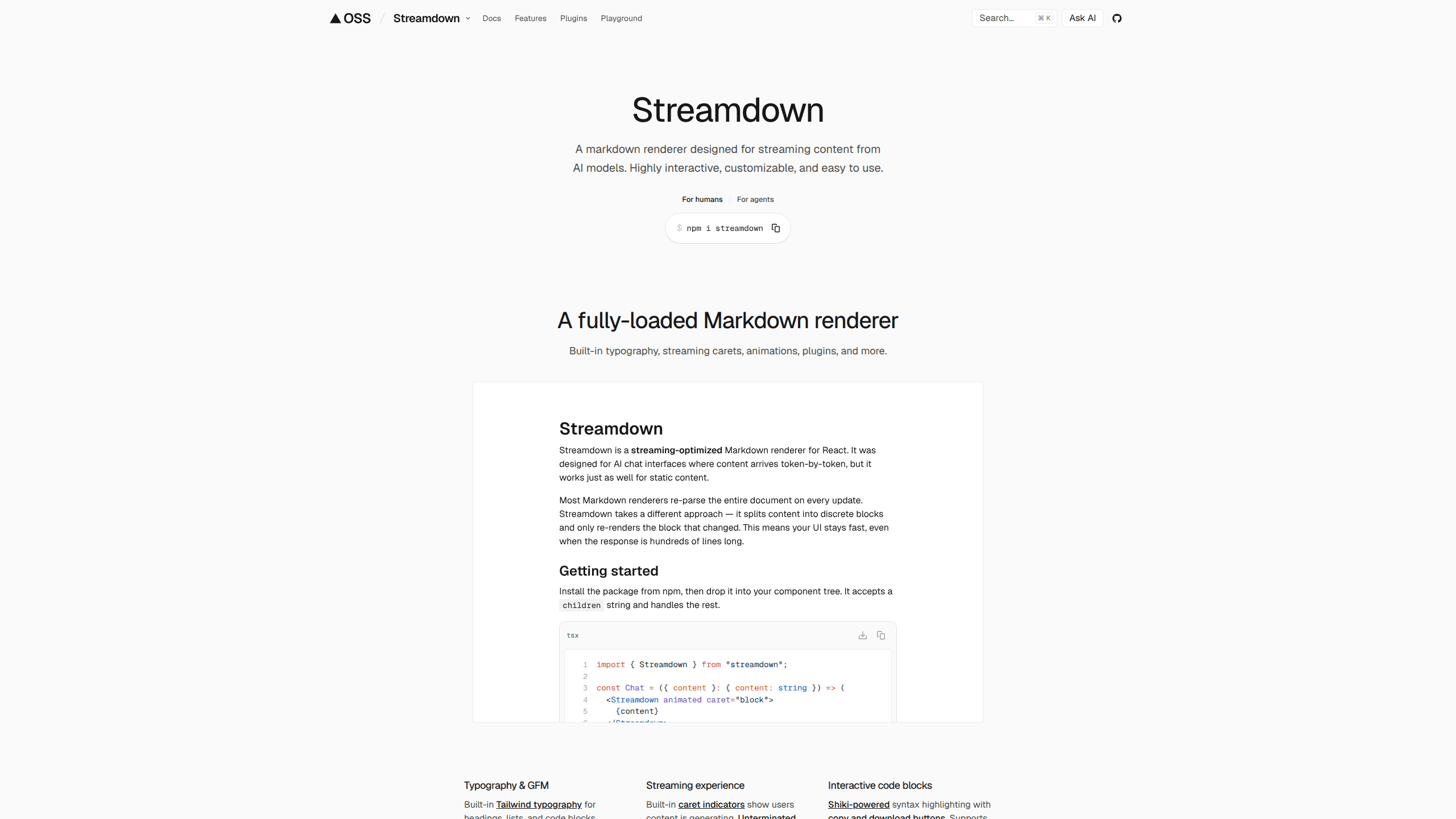
Streamdown is a streaming markdown renderer for React apps, built to handle Markdown as it arrives from AI models, token by token. It's a drop-in react-markdown alternative from Vercel that deals with the messy parts of streaming output, like bold text that hasn't closed yet or a code block missing its final backticks. If you're building a streaming chat interface or any AI streaming UI, Streamdown keeps the formatting stable instead of letting it flicker and break. Free. Open source. Shipped as an npm package.
About Streamdown
What Is Streamdown
Streamdown is an open-source markdown renderer for React apps that display AI-generated content. The core problem it solves is timing. Regular renderers assume they get a finished document, but when an LLM streams its answer, your app receives fragments. A sentence might end mid-word. A link might lack its closing bracket. A table might show up before its header row. Traditional tools like react-markdown either choke on these partial blocks or render them wrong.
Streamdown parses incomplete blocks on purpose. It detects unterminated syntax, applies styling to whatever has arrived, and updates smoothly as more tokens land. The result is a text reveal that looks intentional rather than broken.
The tradeoff is that it's a developer tool, not a finished product. There's no app to download and no dashboard to click through. You need a React project, Node.js 18 or newer, and some familiarity with Tailwind CSS to style the output. If you don't write code, this isn't for you.
Getting Started
- Install the package with your package manager, for example
npm i streamdown, or pull the message component from the AI Elements library. - Add Streamdown's source files to your Tailwind setup by including
@source "../node_modules/streamdown/dist/*.js";in your global CSS file. - Drop the
<Streamdown>component into your page or chat view, and pass the incoming markdown string as its child. - Turn on per-word animation with the
animatedprop and tieisAnimatingto your streaming state if you want a typing effect. - Restrict links and images with rehype-harden options before shipping, so user or model content can't load anything you don't trust.
Product Information
A quick look at Streamdown's pricing, supported platforms, and performance.
Best for
The users, tasks, and scenarios where this tool fits best.
Users
- React developers building AI chat apps
- AI product teams
- Front-end engineers who want Markdown, math, and diagrams together
Tasks
- Rendering streaming LLM responses
- Building chat interfaces with rich output
- Displaying code and formulas in AI answers
Scenarios
- Shipping an AI assistant that streams its replies word by word
- Showing mixed-language answers
- Keeping untrusted content safe
Key features
Streaming-Optimized Rendering
Streamdown's whole reason for existing is the streaming case. It detects incomplete Markdown, like an open **bold or a link missing its closing bracket, and finishes the block so nothing renders as raw text. As new tokens arrive, the component updates the styling in place. Ever watched a chat UI flash broken asterisks before a word completes? That's the problem. For anyone building a streaming chat interface, that smoothness is the point.
Drop-In Replacement for react-markdown
If your project already uses react-markdown, swapping in Streamdown is close to a find-and-replace. The component takes the same markdown string as a child, so most integrations need little more than a new import. That low migration cost makes it easy to try without committing to a rewrite of your message view. No lock-in, either.
Rich Content Support
Streamdown covers more than plain text. GitHub Flavored Markdown brings tables, task lists, strikethrough, and footnotes. KaTeX handles LaTeX math. Mermaid renders diagrams from code blocks, and Shiki adds syntax highlighting to code. For AI answers that mix prose with formulas or snippets, you get the formatting without stacking separate renderers.
Per-Word Animation
The animated prop fades words in one at a time, with three built-in styles: fadeIn, blurIn, and slideUp. You can set the duration, easing, and whether to split by word or character. The blurIn option is handy with fast models, since the blur hides the fact that many tokens landed in one batch. When streaming stops, the animation is removed completely.
Security Hardening
Streamdown ships with rehype-sanitize and rehype-harden enabled by default. The harden plugin lets you set allowed protocols, link prefixes, and image prefixes, and you can decide whether data URLs for images are permitted. Since AI output can include links you never wrote, that control matters before anything reaches a real user.
Plugin Architecture
Built-in processing runs in two stages, remark for Markdown syntax and rehype for HTML output. You can extend or replace the defaults by passing your own plugin arrays, and the defaults are exported if you want to add to them rather than start over. Those with a specific pipeline in mind aren't locked into the stock behavior.
Pros and cons
Pros
- Handles incomplete Markdown gracefully, which is exactly where plain react-markdown struggles during streaming.
- Free and open source, so there's no licensing cost or API bill to think about.
- Broad content support for tables, math, diagrams, and code without extra libraries.
- Animation cleans itself up after streaming ends, leaving no DOM overhead on finished messages.
- Reasonable migration path for projects already built on react-markdown.
Cons
- Requires React 19.1.1 or newer for full support and a Tailwind CSS setup, so it won't fit every stack.
- No hosted version or visual builder. You're writing component code, not dragging elements.
- The plugin and configuration surface is deep enough that beginners will lean on the docs a lot.
- It solves one problem well and doesn't try to be a full chat framework, so you'll still build the surrounding UI yourself.
Frequently asked questions
It renders Markdown that arrives gradually from AI models inside a React app. Instead of breaking on half-finished text, it formats partial content and updates as more tokens stream in, which keeps chat interfaces readable.
Related content
Explore related tools, skills, and articles for Streamdown.
Streamdown Alternatives
Forefront
Forefront · CodingForefront is a web platform for building with open-source AI. It lets you fine-tune leading open-source language models on your own data, evaluate how they perform, and run them through an API or export them to host yourself. Developers who want the convenience of a closed-source platform but insist on owning their models and data are the target audience here.

Startkit
StartKit.AI · CodingStartkit is a boilerplate for building AI SaaS and AI wrapper products. Think of it as an AI startup boilerplate with the boring parts already wired up: authentication, Stripe and Lemon Squeezy payments, usage limits, transactional email, and an AI API starter that talks to OpenAI, Anthropic, Groq, or Llama. You clone the repo, set your price, and start on the part of your product that people actually pay for. It's Next.js under React and Tailwind, so most of the boilerplate code already feels familiar.
Testim
Tricentis · CodingTestim is an AI-powered test automation platform for building and running end-to-end tests across web, mobile, and Salesforce applications. It leans on machine learning to keep tests stable when an interface changes, so teams spend less time fixing broken selectors. Not bad for an automated testing tool you can start using today. You create tests by recording actions in a browser, then optionally add JavaScript when you need more control. It's a solid pick for busy QA teams.