
GPT-Powered Full-Stack Learning Hub
Study with GPT (independent project) · Coding · Leaning
GPT-Powered Full-Stack Learning Hub is a free AI study site that turns a programming goal into a step by step tutorial, with a GPT tutor on call for questions along the way.
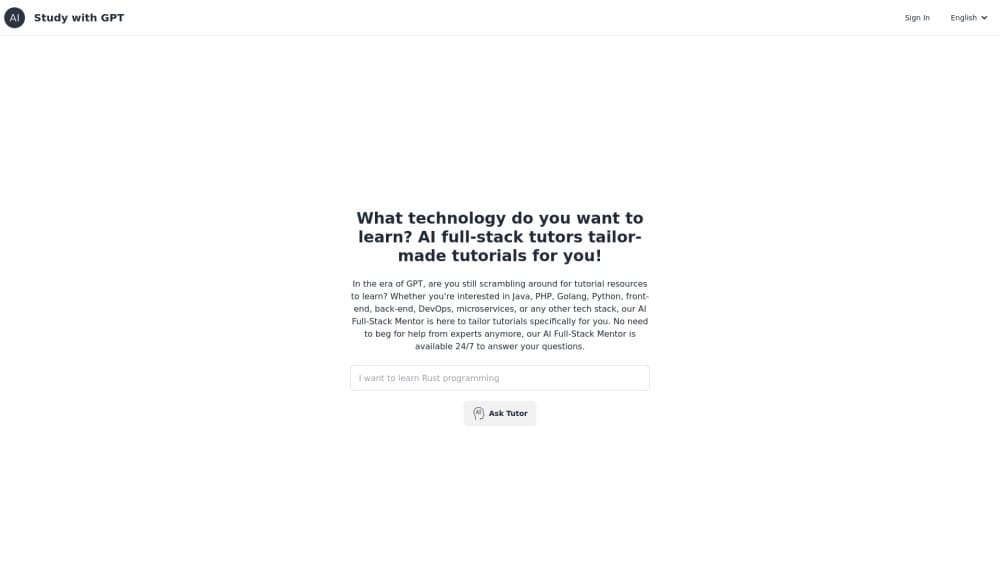
About GPT-Powered Full-Stack Learning Hub
What Is GPT-Powered Full-Stack Learning Hub
GPT-Powered Full-Stack Learning Hub is a web app from the maker behind studywithgpt.com. You type the technology you want to learn, and the site's AI programming tutor writes a course outline for that exact goal. Pick a lesson from the outline and you get a written tutorial with the key concepts unpacked, plus a chat box for follow-up questions.
The site targets developers who are tired of stitching a learning path together from blog posts, videos, and half-finished docs. Instead of browsing a catalog, you describe the job in front of you, like adding caching to a Go service or getting comfortable with a Python package manager. The AI coding tutorial generator then works backward from that goal and lays out the topics in the order you need them. It's one of the few places where you can learn full stack with AI without paying for a bootcamp.
Two limits matter before you sign up. Everything runs in a browser and needs an account, and the lessons are AI-written text rather than a video course or an interactive sandbox. You read, you ask, and you try the code in your own editor. There are no exercises to submit and no certificate at the end.
Getting Started
- Open studywithgpt.com and sign in with an email address or a GitHub account. The sign-in step is required before the tutor will generate anything for you.
- Type the technology or task you want to learn, then choose Tutorial Mode. A progress panel shows the tutor reading your goal, searching for documents, and drafting an outline.
- Check the outline, regenerate it if the sequence looks wrong, and start learning. Each lesson opens as a page with an introduction, related knowledge points, and the outline kept on the side.
- Ask questions in the Q&A chat whenever a section doesn't land. The tutor keeps the topic in context, so you don't have to restate the problem from scratch.
Product Information
A quick look at GPT-Powered Full-Stack Learning Hub's pricing, supported platforms, and performance.
Best for
The users, tasks, and scenarios where this tool fits best.
Users
- Self-taught developers filling a gap
- Career switchers on a deadline
- Students who learn by reading
- Developers learning a tool, not a language
Tasks
- Building a study plan for an unfamiliar stack
- Getting unstuck on a specific concept
- Reading a curated walkthrough of a new library
- Revising before an interview
Scenarios
- A lunch break of focused reading
- Onboarding onto a team's stack
- Late-night debugging
Key features
Goal-Based Tutorial Outlines
You describe what you want to learn, and the same GPT tutorial generator builds a course outline for that goal and turns each item into a full lesson. Personalized coding tutorials start with one sentence from you and can run from "Mojo programming language" to "Milvus vector database for Java". The panel shows the work as it happens: understanding the goal, searching for documents, generating the outline. If the sequence misses the mark, one click regenerates it.
Lesson Pages With Knowledge Points
Each lesson opens as a readable page with an introduction, a numbered list of related knowledge points, and a full outline in the sidebar. The structure works like a textbook chapter rather than a chat log, so you can jump back to a section without scrolling through a transcript. Long topics get split into sub-lessons such as installation, first steps, and publishing.
Free Q&A Tutor
The Free Q&A mode is a direct chat with the AI tutor, no outline needed. It works as a free AI tutor for developers who have one question and don't want a course wrapped around it. Answers come in plain language first, with the technical detail after, which is the pattern most learners need when a concept refuses to click.
Tutorial Library Across Modern Stacks
The home page lists what other people are studying: GraphRAG, the Phidata agent framework, UV, Tokio, Juniper, Actix Web, Ultralytics YOLO11, Mojo, CrewAI, Crawl4AI, Weaviate, Milvus, and Qdrant. That mix leans toward current AI and backend tooling rather than beginner web tutorials, which tells you who the site is really built for. You can open any of these as a finished lesson.
Fifteen Interface Languages
The interface switches between English, Chinese, Japanese, Korean, Russian, Portuguese, Urdu, Bengali, Spanish, Vietnamese, French, German, Indonesian, and Lithuanian. The menu is the localized part, and it's a practical touch if English isn't your first language and you want the navigation to match how you think.
Lightweight Sign-In
Accounts work with an email address or GitHub, and there's no card field anywhere in the flow. That keeps the barrier low for a tool you might use for a week and then drop. The tradeoff is that there's no team workspace, no saved progress dashboard, and no way to export a finished outline as a file.
Pros and cons
Pros
- Free to use, with no card and no trial countdown on the tutorial flow.
- The outline starts from your goal, so you skip the beginner chapters you already know.
- Lesson pages read like written guides, which is easier to skim than a video course.
- The tutorial library covers current AI tooling such as GraphRAG and CrewAI, not just legacy web stacks.
- Sign-in takes one step with GitHub, and the Q&A mode is available without generating a course.
Cons
- Every lesson is AI-written text. There are no runnable code sandboxes, quizzes, or graded exercises, so you have to test what you read in your own environment.
- An account is required to generate tutorials, which rules out a quick anonymous try.
- There's no public API or export option, so a finished outline can't move into Notion, Anki, or a team wiki.
- Depth varies by topic. Niche stacks get shorter lessons than mainstream ones, and you may need outside docs to fill the gaps.
Frequently asked questions
It's a browser-based learning site at studywithgpt.com. A GPT model writes a custom tutorial outline for the technology you name, then produces the lessons and answers follow-up questions in a chat panel.
Related content
Explore related tools, skills, and articles for GPT-Powered Full-Stack Learning Hub.
GPT-Powered Full-Stack Learning Hub Alternatives
Forefront
Forefront · CodingForefront is a web platform for building with open-source AI. It lets you fine-tune leading open-source language models on your own data, evaluate how they perform, and run them through an API or export them to host yourself. Developers who want the convenience of a closed-source platform but insist on owning their models and data are the target audience here.

Startkit
StartKit.AI · CodingStartkit is a boilerplate for building AI SaaS and AI wrapper products. Think of it as an AI startup boilerplate with the boring parts already wired up: authentication, Stripe and Lemon Squeezy payments, usage limits, transactional email, and an AI API starter that talks to OpenAI, Anthropic, Groq, or Llama. You clone the repo, set your price, and start on the part of your product that people actually pay for. It's Next.js under React and Tailwind, so most of the boilerplate code already feels familiar.
Testim
Tricentis · CodingTestim is an AI-powered test automation platform for building and running end-to-end tests across web, mobile, and Salesforce applications. It leans on machine learning to keep tests stable when an interface changes, so teams spend less time fixing broken selectors. Not bad for an automated testing tool you can start using today. You create tests by recording actions in a browser, then optionally add JavaScript when you need more control. It's a solid pick for busy QA teams.