

Supamodel
Yesss Design · Image · Productivity
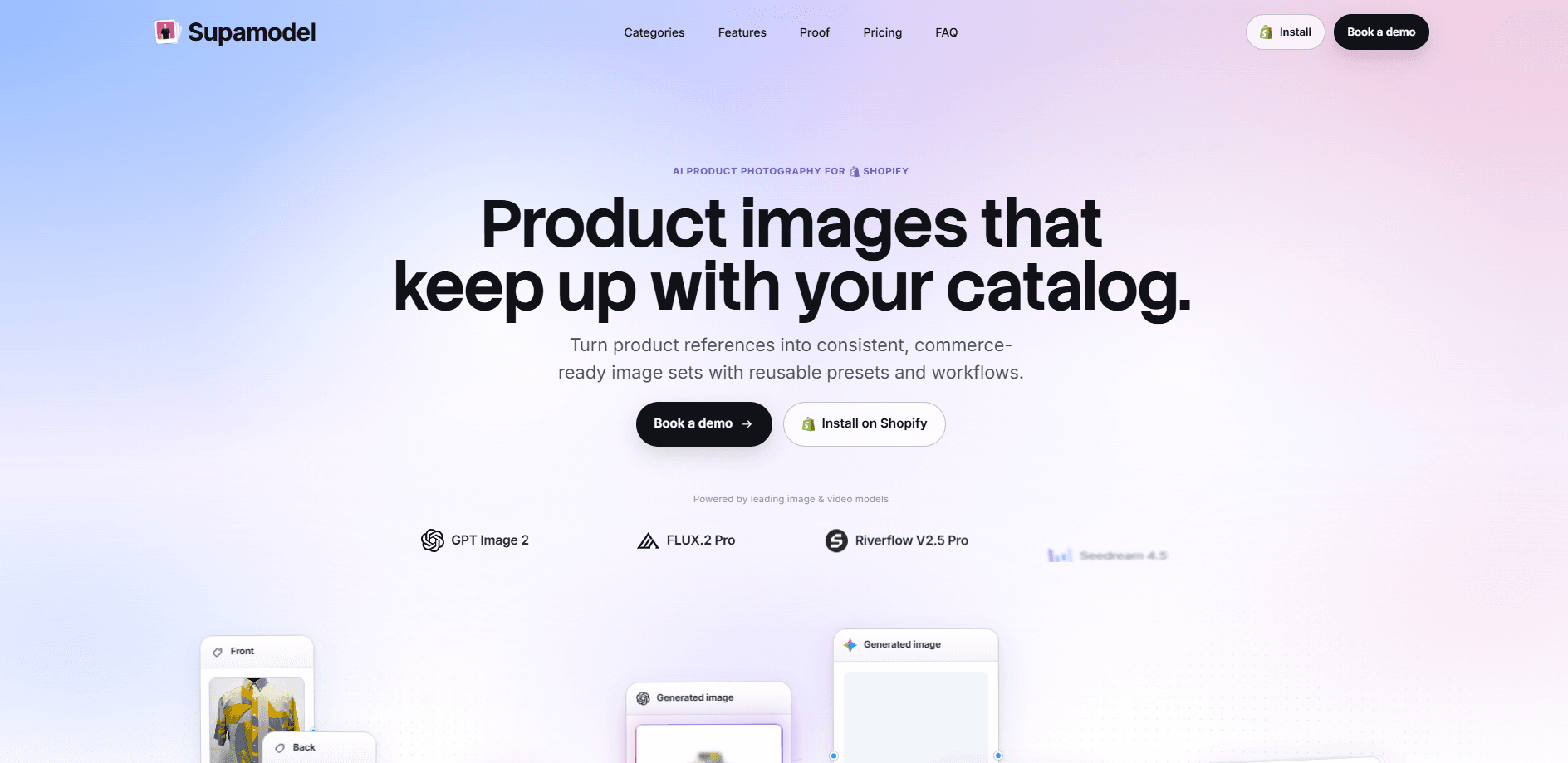
Supamodel is a Shopify app for AI product photography that turns your existing product references into consistent, commerce-ready image sets. Instead of booking a studio for every SKU, you build a reusable workflow once and then run that same workflow across both new and existing products. It pulls in talent, prompts, visual logic, and a long list of frontier image and video models, and it pushes finished shots straight into your Shopify media gallery.
About Supamodel
What Is Supamodel
Supamodel is a product image tool built specifically for Shopify merchants. You upload a reference shot of a product, then describe the look you want once. From there, it generates a full set of on-brand images in that same style, which keeps your catalog visually consistent as it grows.
The problem it solves is scale. Hiring a photographer, renting a space, and coordinating model shoots gets expensive fast when you have hundreds of SKUs sitting in a catalog. Supamodel swaps that whole process for a workflow you configure a single time and then reuse, which is where most of the savings come from according to the app's own customer stories.
The biggest limit is scope. It only works inside Shopify, so merchants on other platforms can't use it. It's also credit-based: every generation burns credits, so heavy catalogs need careful planning before they scale. And because results are AI-generated, you still need to review each image before it goes live, especially for products where accuracy matters like jewelry, footwear, or detailed electronic components.
Getting Started
- Install the app from the Shopify App Store and connect it to your store.
- Upload a reference image of a product you want to shoot.
- Pick talent from your own saved set or from Supamodel's ready-to-use library.
- Build a workflow: choose prompts, visual logic, and an image or video model.
- Generate the set, select the shots you like, and push them to the product's Shopify media gallery.
Product Information
A quick look at Supamodel's pricing, supported platforms, and performance.
Best for
The users, tasks, and scenarios where this tool fits best.
Users
- Shopify store owners
- Small ecommerce teams
- Fashion and furniture sellers
Tasks
- Generating on-brand lifestyle shots
- Scaling catalog imagery
- Building a reusable talent set
Scenarios
- Launching a new collection
- Refreshing an old catalog
- Testing seasonal themes
Key features
Reusable Workflows
Build one workflow for a product category, then run it across your whole catalog. A workflow bundles your reference images, prompts, visual logic, and model choice into a repeatable recipe. This is the core of the tool. It turns a one-off shoot into something you can scale, and nobody on the team has to start over from a blank setup every time a new product lands in the catalog.
Multi-Model Image and Video Generation
Supamodel connects to many frontier image and video models, from fast options like Gemini 3.1 Flash to heavier ones like FLUX.2 Pro. You pick the model per workflow. Speed or quality, your call. The catch is that more capable models usually burn more credits, and that trade-off between quality and cost is something you'll feel quickly once you run a large catalog through the app.
Consistent Talent Library
You can save your own talent or pick from a built-in library, then reuse the same person across products and launches. For brands that rely on recurring faces, this keeps a campaign's look from drifting between drops. It's a simple idea that solves a real problem for multi-product catalogs, since shoppers notice when the same model shows up in a slightly different way on every product page.
Shopify Media Gallery Handoff
The final step happens inside Shopify. You select the successful shots, choose the destination product, and add them to its media gallery without leaving the shoot. No download-then-reupload dance. Your store stays synced with the results.
Product Detail Fidelity
The app carries product information shoppers rely on through each generated shot. That keeps the catalog accurate, not just pretty. For categories like jewelry or components, a wrong detail misleads buyers, so this matters more than flashy styling. Still, no automated system is perfect, and anyone who sells products where a tiny visual error can damage trust should treat generated shots as drafts rather than final images.
Category Presets
Presets cover common verticals such as fashion, furniture, footwear, jewelry, and components. Each preset sets a starting point. You're not building visual logic from a blank page. It speeds up onboarding, and you'll likely tweak presets to match your own brand.
Pros and cons
Pros
- Builds reusable workflows that cut repeated setup work across new SKUs.
- Uses a broad set of leading image and video models in a single place.
- Pushes finished images directly into the Shopify media gallery.
- Free starter credits on first install make it easy to test before paying.
- Keeps a consistent talent look across products and launches.
Cons
- Only works with Shopify, so other platforms are out of reach.
- Credit-based pricing means heavy catalogs need cost planning before scaling.
- AI output still needs manual review, which adds a step for detail-heavy products.
Frequently asked questions
It's an AI image generator built for Shopify stores. You upload product references, set up a workflow, and it produces consistent AI product images you can publish to your product pages.
Related content
Explore related tools, skills, and articles for Supamodel.
Supamodel Alternatives

X Ray Interpreter
X-ray Interpreter · ImageX Ray Interpreter is a web-based AI radiology tool that turns X-rays, CT scans, MRI, ultrasound, and PET images into plain-language reports. You upload a scan, get a preliminary X-ray interpretation in moments, then ask follow-up questions if something needs explaining. It works as a second opinion and a learning aid, not as a medical diagnosis.

Aieasypic
AIEasyPic · ImageAIEasyPic is an AI image generator that turns plain text prompts into finished artwork in seconds. You can also train custom models on your own photos, swap faces in existing images, and create short video clips from text, all from a browser. It suits casual creators who want quick visuals and hobbyists who want to build a personal model without touching any code.

Chargen
Chargen · ImageChargen is an AI character generator and worldbuilding toolkit built for Dungeons & Dragons and other tabletop RPGs. It turns a one-line idea into a painted character portrait, spins up NPCs, monsters, maps and encounters from the same session, and keeps every creature's details close at hand. The tabletop RPG art side runs on a credit system called Gold, while the text generators stay free for everyone.