

SuperIntern
SuperIntern · Productivity
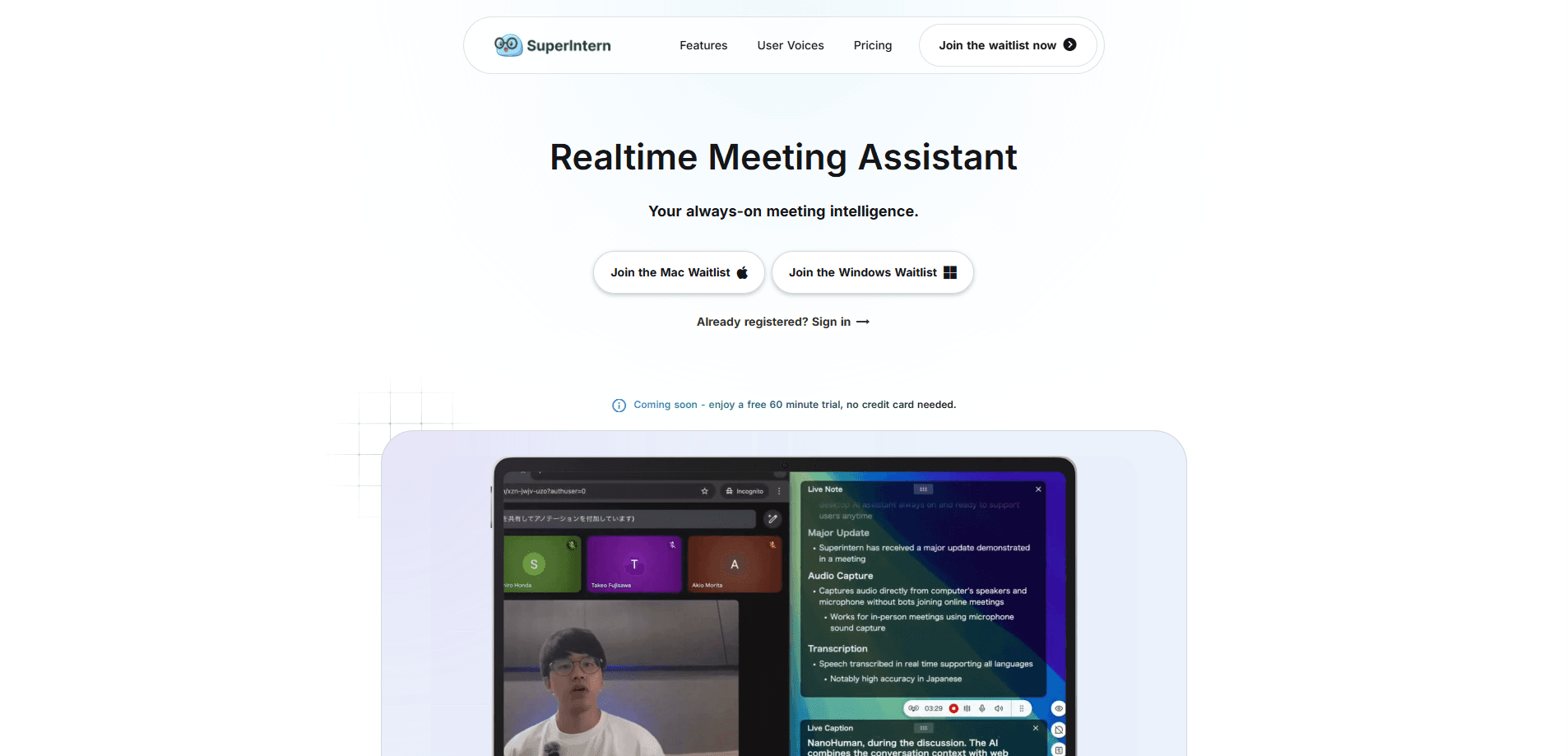
SuperIntern is a desktop AI meeting assistant that transcribes, translates, and writes notes during your calls without sending a bot into the room. It captures your computer's audio directly, so it works with Zoom, Google Meet, Microsoft Teams, and anything else you already run. Teams use it for live meeting transcription, structured AI meeting notes, and automated follow-ups, and it starts free with no credit card.
About SuperIntern
What Is SuperIntern
SuperIntern is a desktop AI assistant for meetings. The core idea is simple, and it's the thing that sets it apart from most competing tools: no bot joins your call. Instead of adding a visible participant that everyone greets and wonders about, SuperIntern listens to your computer's audio and produces live transcription, notes, and follow-ups in the background.
That matters because the bot is usually the first thing people notice about meeting AI, and the reason plenty of teams never adopt it. A recording bot showing up mid-call changes how people talk, and it looks bad in a client conversation. SuperIntern skips the whole problem. No bot, no plugins, no awkward pause. It also means you don't need anything installed inside each platform, so setup doesn't depend on which video app your meeting runs on.
The catch is that it records whatever your computer plays, so it's tied to a desktop device rather than your phone, and it won't capture a call you join only from mobile. Recording rules vary by region, and where all-party consent applies, you're the one responsible for telling everyone before you record. SuperIntern gives you a custom dictionary to fix names and jargon, plus an invisible mode for when you want the tool out of sight.
Getting Started
- Sign up on super-intern.com and download the desktop app. There's a free tier, and it needs no credit card.
- Install the app and grant it microphone and system-audio permissions so it can hear the meeting.
- Save an instruction once for the meeting types you run. That can be a recurring agenda, your role's template, or a note structure.
- Join your call in Zoom, Google Meet, or Teams as usual; SuperIntern starts transcribing and filling the AI Canvas live.
- Review the finished notes and follow-ups after the call, then share or export them with your team.
Product Information
A quick look at SuperIntern's pricing, supported platforms, and performance.
Best for
The users, tasks, and scenarios where this tool fits best.
Users
- Remote and hybrid teams
- Sales and client-facing staff
- Non-native speakers
Tasks
- Live meeting transcription
- Writing structured meeting notes
- Capturing action items and follow-ups
- Reading foreign-language meetings
Scenarios
- Recurring weekly syncs
- Client calls and demos
- Cross-border meetings
Key features
Botless meeting capture
SuperIntern records your computer's audio directly, so no bot ever joins the call. The upside is that your meetings stay exactly as they were, and you don't need plugins or extensions inside Zoom, Google Meet, or Teams. Recording laws vary. Check what your region requires before you hit record. What does that look like in practice? Zoom transcription, Google Meet notes, and Teams recaps all work the same way, because the app listens to your machine rather than one specific platform.
Live transcription and the AI Canvas
During the call, SuperIntern transcribes the discussion and fills what it calls the AI Canvas. It's a meeting note that writes itself in real time. You set an instruction in advance (your agenda, your role's format), and the note follows that structure as people talk, so you're not reconstructing it from memory afterward.
Real-time meeting translation
On foreign-language calls, SuperIntern displays live translation so you can follow the conversation without waiting for a summary later. It's aimed at teams working across regions, and the translation sits alongside the same note-taking and automation features rather than being a separate tool. Understand the room, in your own language, as it happens.
Custom dictionary
Names, product terms, and industry jargon trip up most transcription tools. SuperIntern lets you build a custom dictionary so recurring terms are recognized correctly, which is the difference between notes you can use and notes you have to clean up. Fix it once. It stays fixed.
Invisible mode
For meetings where a visible assistant would be a distraction, invisible mode keeps the tool quietly in the background while still capturing the transcript and notes. You get the record without a floating panel on screen during a sensitive or client-facing conversation.
AI answers across all your meetings
SuperIntern can answer questions using the content of all your recorded meetings, not just the one in front of you. That turns a pile of old calls into a searchable record. Need to recall what was decided and when? Just ask.
Privacy-first data handling
The company states that recordings, notes, chat history, and other meeting data are never used to train AI models, are kept only for the recording user's own purposes, and stay out of reach of third parties unless the user grants permission.
Pros and cons
Pros
- No bot in the meeting, so calls feel normal and client conversations don't get awkward.
- Works with Zoom, Google Meet, Teams, and more without per-platform plugins.
- Saved instructions make notes follow your own format automatically.
- Free tier available with no credit card, so you can test it on real meetings first.
- Live translation covers foreign-language calls in the moment.
Cons
- Desktop-only means phone and tablet meetings can't be captured.
- No public API, so you can't wire transcripts into your own tools or workflows.
- Because it records system audio, you're responsible for consent and disclosure where local law requires notifying other participants.
Frequently asked questions
It's an AI meeting assistant for transcribing calls, writing structured notes, and translating foreign-language meetings. It runs on your desktop and captures audio directly instead of joining as a bot.
Related content
Explore related tools, skills, and articles for SuperIntern.
SuperIntern Alternatives

Swms
Swms AI · Writing · Productivity · BusinessSwms is an AI safety compliance tool that turns a plain description of a job into ready-to-use safety documents. Describe your project, trade, and known hazards, and it writes a safe work method statement, job hazard analysis, safe work procedure, RAMS, or safety data sheet in seconds. It also ships with Oscar, a chat assistant that answers workplace safety questions in any language. Teams in construction, mining, transport, and warehousing use it to cut the paperwork that usually eats into a workday.

Wordly AI Translation
Wordly · Voice & Language · ProductivityWordly AI Translation is a real-time AI translation and captioning platform built for meetings, conferences, and events. It delivers live translation, captions, transcripts, and summaries in more than 60 languages, and attendees join by scanning a QR code or opening a link instead of using dedicated headsets. The platform works with Zoom, Microsoft Teams, Google Meet, and Webex, and it's designed for organizations that want multilingual access without hiring human interpreters for every session. Simple as that.

Rows
Rows (Superhuman) · Productivity · BusinessRows is an AI spreadsheet and data analysis tool that imports live data from more than 50 sources, then lets you work with it using plain language instead of SQL queries or nested formulas. You can pull numbers out of PDFs, connect ad platforms, databases, and bank accounts, and ask the AI to build reports, merge datasets, or set up models that recalculate themselves. It runs in the browser, works like a spreadsheet, and now sits under the Superhuman umbrella.