

Survia
Answerly · Productivity · Marketing
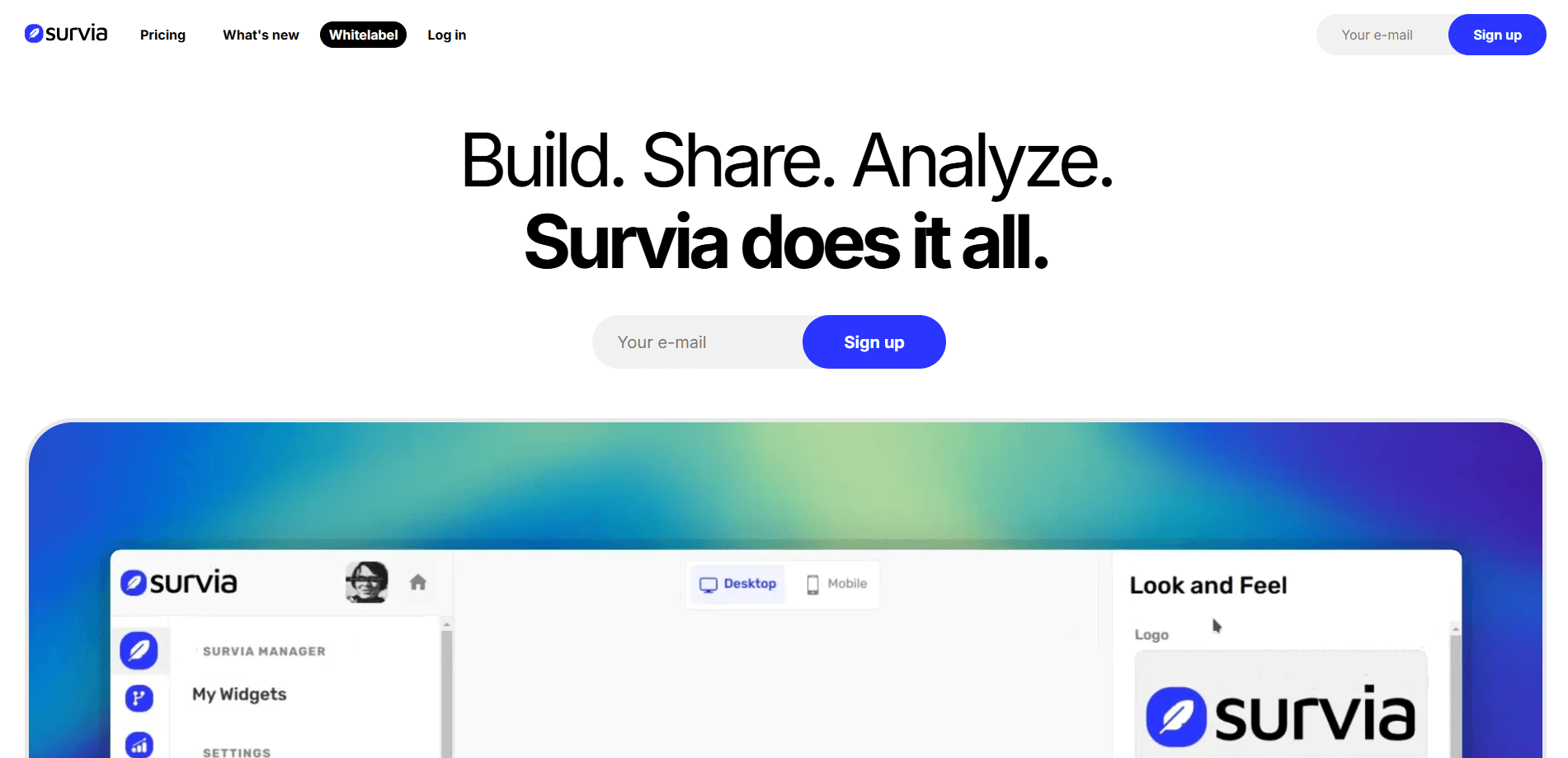
Survia is a survey builder for people who want honest answers without wrestling with a heavy form tool. It pairs a visual logic editor called the Blueprint with an embeddable survey widget you can drop on any site, then feeds everything into a results dashboard that summarizes responses on its own. It's aimed at founders, marketers, and small teams who need feedback fast. No setup maze. It runs entirely in the browser.
About Survia
What Is Survia
Survia is an online survey tool built by Answerly. The pitch is simple: most form builders bury you in settings when all you want is to ask a few questions and read the answers. Survia strips that down to three visible parts, a tree-style editor for your questions, a widget for collecting responses, and a dashboard for the results.
The main problem it solves is the gap between asking and understanding. You can branch questions based on earlier answers, so a visitor only sees what's relevant to them, and the results view pulls completion rates and answer breakdowns together without you touching a spreadsheet. Conditional branching surveys are the feature that separates Survia from basic Google Forms setups, and it's available on every paid tier.
The clearest limitation is scope. Survia is for straightforward feedback and lead qualification, not long research instruments with quotas or panel management. The free plan also caps you at 100 responses per month, which runs out quickly once a survey goes live, and the free tier keeps Survia's own branding on your widget.
Getting Started
- Create a free account at survia.io, no payment details needed to start.
- Build your questions in the Blueprint editor, the visual tree where you map fields and set conditions.
- Customize the widget's colors, fonts, and positioning so it matches your site, then copy the embed code.
- Paste the code into your site or share the survey link directly with your audience.
- Open the Results dashboard to track completion rates, review individual answers, or export the raw data as PDF or CSV.
Product Information
A quick look at Survia's pricing, supported platforms, and performance.
Best for
The users, tasks, and scenarios where this tool fits best.
Users
- Solo founders and indie makers
- Marketers and agencies
- Product teams collecting feedback
Tasks
- Collecting post-purchase or post-support feedback
- Qualifying leads before a sales call
- Finding product-market fit signals
Scenarios
- You need a survey live today
- You're running feedback for several brands at once
- You want the data out, not locked in
Key features
The Blueprint Editor
The Blueprint is a visual tree builder where you map out questions and the logic that connects them. Instead of scrolling through a settings panel, you add fields and conditions to a branching diagram, so you can see at a glance how a respondent will move through the survey. Conditional branching is what makes this worth the switch from a plain form tool, and it's included from the Starter plan up.
The Widget Customizer
Your survey shouldn't look pasted on. The widget customizer lets you match colors, fonts, and positioning to your site, then hands you a short embed code. Drop it into any page and the survey shows up in place, no developer needed. On paid plans you can remove Survia branding, and Pro and Ultra add a custom domain. Clean and simple.
The Results Dashboard
Collecting answers is easy. Making sense of them is where most tools get messy. Survia's results view gives you an instant summary of every response, tracks completion rates, and lets you dig into specific answers. Want the raw numbers? Export everything to PDF or CSV in one click. Webhook triggers on the Ultra plan push new responses to other systems automatically.
Create with AI
On the Pro plan and above, you can create surveys with AI instead of starting from a blank blueprint. It's a time-saver when you know the topic but not the exact wording, and you can still edit every question afterward in the Blueprint. For anyone who's stared at an empty form wondering where to begin, this is the fastest way in.
Unlimited Responses on Paid Plans
Every paid tier includes unlimited responses. That matters because a survey's value comes from volume, and per-response pricing punishes you for succeeding. The free plan caps out at 100 responses a month, so this is the first upgrade most people make once a survey gains traction. Hit the cap and you'll know.
Integrations and Exports
Starter covers standard integrations, while Ultra opens up all integrations plus webhook triggers. Between native connections and CSV or PDF exports, there's a path to get your data wherever it needs to go, whether that's a spreadsheet, a CRM, or an internal dashboard.
Workspace Seats for Teams
Pro and Ultra include unlimited workspace seats, so you can bring in teammates without counting heads. For agencies juggling several clients, that's the difference between a tool one person owns and one the whole team can use. No seat math.
Pros and cons
Pros
- Setup is genuinely fast. A first survey is roughly a minute of work, not an afternoon.
- Conditional branching is included on all paid plans, not locked behind the top tier.
- Unlimited responses on every paid tier removes per-response billing anxiety.
- The widget blends into your site, and paid plans let you drop Survia branding and use a custom domain.
- Clear pricing with no hidden fees, ranging from $0 to $29/mo. That's it.
Cons
- The free plan caps at 100 responses per month and keeps Survia branding on your widget, which limits serious use.
- Blueprint and website counts are capped on lower tiers, so agencies may hit the 15-blueprint ceiling on Pro faster than expected.
- It's built for short feedback and lead qualification. Long research studies with quotas or panel management aren't what this is for.
Frequently asked questions
Survia is a survey builder for collecting feedback and qualifying leads quickly. You build questions in a visual editor, embed the survey on your site, and read the answers in a results dashboard.
Related content
Explore related tools, skills, and articles for Survia.
Survia Alternatives

Swms
Swms AI · Writing · Productivity · BusinessSwms is an AI safety compliance tool that turns a plain description of a job into ready-to-use safety documents. Describe your project, trade, and known hazards, and it writes a safe work method statement, job hazard analysis, safe work procedure, RAMS, or safety data sheet in seconds. It also ships with Oscar, a chat assistant that answers workplace safety questions in any language. Teams in construction, mining, transport, and warehousing use it to cut the paperwork that usually eats into a workday.

Wordly AI Translation
Wordly · Voice & Language · ProductivityWordly AI Translation is a real-time AI translation and captioning platform built for meetings, conferences, and events. It delivers live translation, captions, transcripts, and summaries in more than 60 languages, and attendees join by scanning a QR code or opening a link instead of using dedicated headsets. The platform works with Zoom, Microsoft Teams, Google Meet, and Webex, and it's designed for organizations that want multilingual access without hiring human interpreters for every session. Simple as that.

Rows
Rows (Superhuman) · Productivity · BusinessRows is an AI spreadsheet and data analysis tool that imports live data from more than 50 sources, then lets you work with it using plain language instead of SQL queries or nested formulas. You can pull numbers out of PDFs, connect ad platforms, databases, and bank accounts, and ask the AI to build reports, merge datasets, or set up models that recalculate themselves. It runs in the browser, works like a spreadsheet, and now sits under the Superhuman umbrella.