

Syllaby.io
Syllaby · Video · Marketing
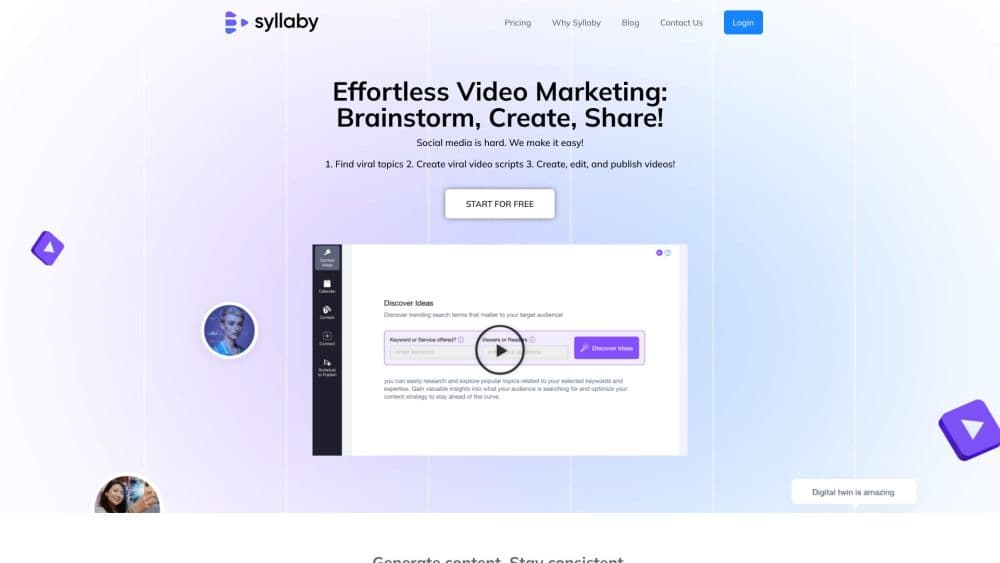
Syllaby.io is an AI faceless video generator that turns a topic into a script, scenes, voiceover, and a finished clip, then helps you schedule it across social channels.
About Syllaby.io
What Is Syllaby.io
Syllaby.io is a browser-based studio for people who need to post video every week without a camera, a crew, or editing skills. You hand it a topic, and it drafts the angle and script, generates scenes and a voiceover, and renders a finished clip. Faceless videos are the core, and the same workspace also produces avatar videos where a presenter speaks your script.
The tool fits social-first publishing. Creators, local businesses, and marketing teams use it to fill a content calendar with shorts for TikTok, YouTube Shorts, and Reels, and the platform adds captions, transitions, and background music on its own. A bulk scheduler and a content calendar sit alongside the editor, so you can plan a week of posts in one pass.
The tradeoff is cost and control. There's no free trial, so the entry cost is real from day one, and credits are the meter that all generation runs on. Reaching a specific visual style means leaning on the available AI models and art styles rather than directing every frame, and anyone who wants programmatic access pays for it through an enterprise conversation.
Getting Started
- Create an account on the Syllaby.io website and pick a plan, since there's no free trial.
- Connect your social accounts so the scheduler can publish on your behalf.
- Enter a topic or prompt and let Idea Discovery and AI script generation draft the video structure.
- Pick your AI models, set the voice, and generate the scenes and voiceover.
- Edit the result in the video editor, then export or schedule it through the bulk scheduler.
Product Information
A quick look at Syllaby.io's pricing, supported platforms, and performance.
Best for
The users, tasks, and scenarios where this tool fits best.
Users
- Solo content creators
- Local businesses and service providers
- Marketing agencies and teams
Tasks
- Turning a topic into a scripted video
- Publishing on a schedule
- Producing avatar videos
Scenarios
- A creator reviving a dormant channel
- A real estate agent turning listings into walkthroughs
- An agency drafting a month of client posts
Key features
Faceless Video Generation
Syllaby.io builds a video from a script by generating visuals, transitions, captions, and background music automatically. Faceless videos are the headline use case, aimed at TikTok, YouTube Shorts, and Reels, and they need no camera or editing skills. Roughly 13 credits buy a one-minute faceless video.
Idea Discovery and AI Script Generation
The platform starts upstream of production. Idea Discovery suggests angles and hooks, and AI script generation writes a first draft you can tighten line by line. Each one-minute script costs one credit, which makes the writing stage cheap to iterate on.
AI Voice Cloning and Voice Library
You can upload a 30-second sample and clone your own voice for use across videos, or pick from a library of professional AI voices in multiple languages and styles. Higher plans include more voice clones, starting at one on the Basic plan and reaching five on Premium.
Multi-Model Text to Scenes
Text to Scenes turns a prompt into generated footage, and Syllaby.io lets you switch between leading models such as Veo, Kling, Seedance, Grok Imagine, and MiniMax in one workspace. Pricing for this mode runs per second and depends on the model, so cost tracks the engine you choose.
AI Avatars
Avatars 2.0 provides hyper-real presenters that speak your script, and you can either select a stock presenter or create one that looks like you. Avatar video costs more than faceless video, at 50 credits per one-minute clip plus export charges.
Bulk Scheduler and Content Calendar
A bulk scheduler and content calendar let you queue posts in advance rather than publishing one at a time. This is what turns the tool from a generator into a publishing workflow, and scheduling is listed as bulk and unlimited across plans.
Video Editor and Exports
An online editor handles final adjustments before publishing, and projects support up to 4K output in MP4, MOV, or WebM. Social aspect ratios are covered too, including 16:9 for YouTube, 9:16 for TikTok and Reels, 1:1 for Instagram, and 4:5 for Facebook.
Pros and cons
Pros
- Turns a topic into a scripted, captioned video without a camera, crew, or editing experience.
- Packs several leading AI models into one workspace, so you can match the engine to the job.
- Clones your own voice from a short sample and offers a deep library of stock voices.
- Bulk scheduling and a content calendar support posting consistently instead of one video at a time.
- A public API and an MCP server let teams drive video generation from their own tools.
Cons
- There's no free trial, so you pay before you can judge whether the output fits your brand.
- Credits are the meter for everything, and avatar videos and high-end models drain them fast.
- Visual output follows the available models and art styles, so fine-grained art direction is limited.
- The Done For You plan and API access sit at the top of the price range, which rules them out for casual users.
Frequently asked questions
Syllaby.io is used to create and publish AI-generated videos, mainly faceless videos for TikTok, YouTube Shorts, and Reels. You supply a topic or script, and the platform produces the scenes, voiceover, captions, and music, then helps you schedule the result.
Related content
Explore related tools, skills, and articles for Syllaby.io.
Syllaby.io Alternatives

ngram 2.0
ngram · Video · Marketingngram 2.0 is an AI video generator for teams. It turns a prompt, a screen recording, or a product URL into a narrated explainer, product demo, or AI avatar video, and every scene stays editable.

OpenScreen 2
OpenScreen (open-source project) · Video · ProductivityOpenScreen 2 is a free, open-source screen recorder and demo video editor for Windows, macOS, and Linux, with automatic zooms, styled frames, local captions, and agent edits.

Skreno
Skreno · Video · ProductivitySkreno is a browser screen recorder that captures a tab, a window or your whole display, then attaches AI transcripts, summaries and console logs to one share link.