

TabAI
TabAI · Productivity
TabAI is a browser extension and AI workspace that manages your tabs, blocks distracting sites while you work, and tracks where your time actually goes. Instead of manually sorting dozens of open pages, you get an assistant that watches what you're doing and clears the clutter for you. It's built for founders, developers, and students who lose hours every week to tab chaos and easy distractions.
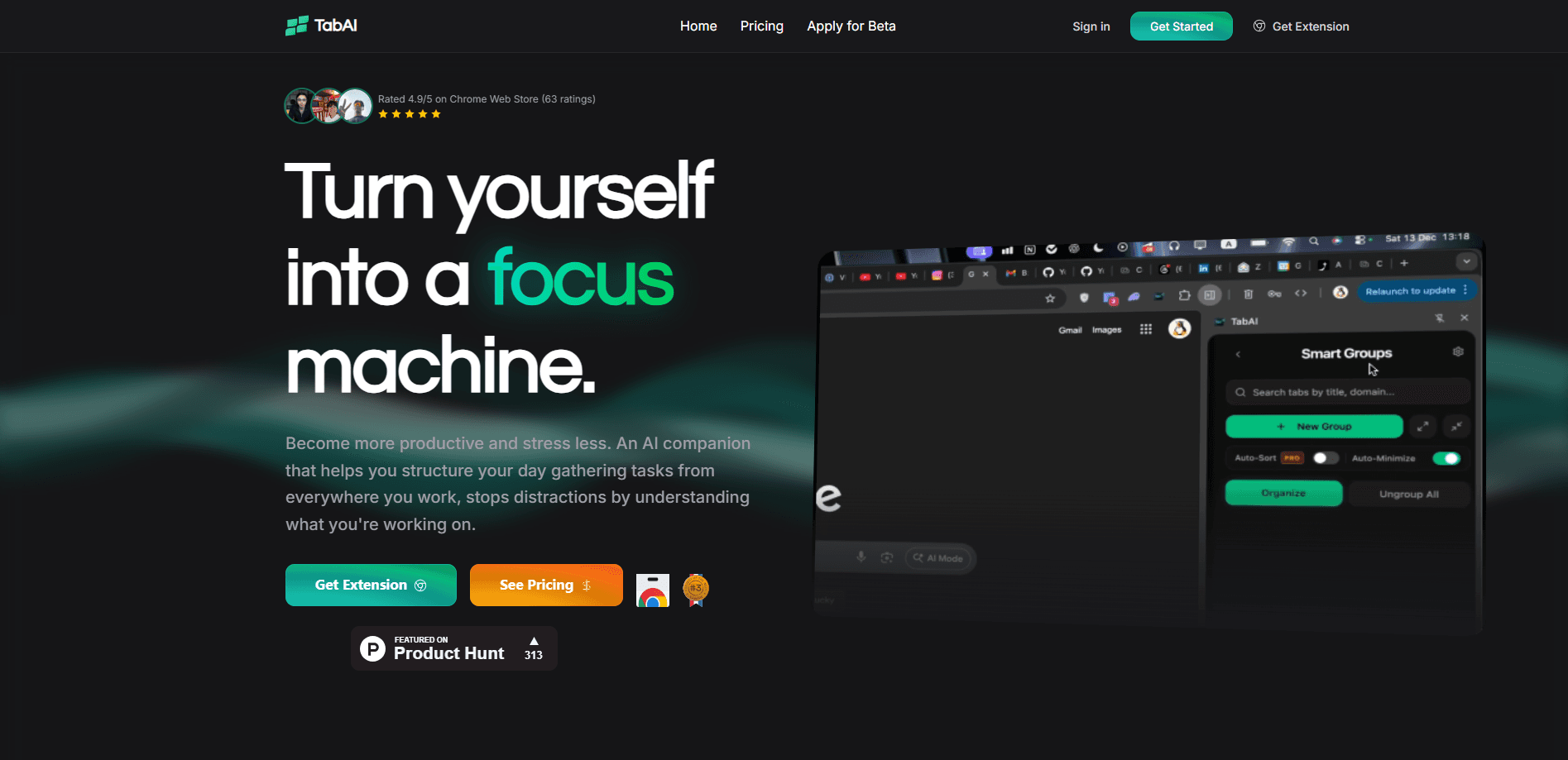
About TabAI
What Is TabAI
TabAI is an AI-powered browser extension that combines smart tab management, context-aware distraction blocking, and focus tracking in one workspace. Think of it as an AI tab manager. The tool watches what you're working on and adjusts your browser around that task, rather than making you organize tabs by hand.
It targets a problem most people underestimate. You open a page for a quick lookup, a second one for reference, a third because it looked interesting, and half an hour later you're hunting through a wall of tabs wondering what you were doing. TabAI treats that mess as its main job. That's the whole pitch.
The main limitation is reach. TabAI is a browser-based extension, so it only helps where you browse. It won't manage focus inside native desktop apps like your code editor or a standalone note app, and the AI features that drive the smarter blocking and analytics sit behind the paid tier.
Getting Started
- Install the TabAI extension from the official site and pin it to your browser toolbar.
- Sign in and let it scan your open tabs so it can group and label them by task.
- Set up your work context. List the sites you want blocked the moment you start focusing.
- Start a deep work session, and TabAI blocks distracting sites and tracks the timer automatically.
- Review your focus analytics at the end of the week to see where your hours went.
Product Information
A quick look at TabAI's pricing, supported platforms, and performance.
Best for
The users, tasks, and scenarios where this tool fits best.
Users
- Students juggling research, notes, and lecture pages
- Developers who keep docs, repos, and dashboards open all day
- Founders and freelancers tracking billable time
Tasks
- Clearing a browser session that has spiraled into 50+ tabs
- Starting a deep work block without willpower
- Reviewing where the week went
Scenarios
- A writing session where you need the browser to stay quiet
- A study night before an exam
- A remote workday with no manager watching
Key features
Smart Tab Management
TabAI watches how you use your tabs and sorts them into groups that match what you're working on. You don't build the groups by hand. Open a set of research pages for one project, and it clusters them, names them, and keeps them together when you come back later. For anyone who treats the browser as a workspace, that alone saves the daily ritual of re-finding lost pages. Small thing. Big payoff.
Context-Aware Distraction Blocking
This is the part that separates TabAI from a plain site blocker. It doesn't just block a fixed list around the clock. It reads your current context and shuts down distracting sites when you're in a focus session, then steps aside when you're off the clock. That means you can still open YouTube on a break without fighting your own settings.
Deep Work Timer
The timer pairs with the blocking so a focus session has a clear start and end. You set a block of time, the extension enforces it, and you can't casually wander off mid-session. No willpower required. The best part is what it does after: it logs how long you actually stayed focused, so the number is honest rather than what you hoped for.
Focus Analytics and Time Insights
TabAI tracks where your browsing time goes and tells you when you're most productive. Over a week you get a picture of which hours you spend in deep work and which ones leak into scrolling. It's the kind of feedback that's annoying to gather manually and genuinely useful once you have it.
AI Accountability Agent
The agent acts like a gentle watchdog. When you drift toward the sites you decided to avoid, it checks in and pushes you back on task. It's less about hard locks and more about a nudge at the right moment, which works better for people who resent tools that treat them like children.
Privacy-First AI
TabAI advertises a privacy-first approach to the data it processes. The AI work is pitched as focused on your productivity rather than on selling your browsing habits. If you're wary of extensions that quietly harvest everything you do, that stance is worth reading the official privacy details for.
Works Everywhere and Stays Light
The extension runs across Chrome and Chromium-based browsers, so it follows you between devices that share the same browser. Speed matters too. The team keeps the extension light enough that it doesn't slow down your browsing while it manages tabs in the background.
Pros and cons
Pros
- Combines tab management, distraction blocking, and focus tracking in one extension instead of three separate tools.
- Context-aware blocking is smarter than a fixed site list, since it adapts to what you're doing right now.
- Focus analytics give concrete numbers on where your time goes, which is hard to get otherwise.
- A free plan is available, and Pro comes in at $6.99/month, low enough for students.
- Works across Chrome and Chromium-based browsers, so it isn't tied to one device.
Cons
- It's browser-only, so it can't manage focus inside native desktop apps like your IDE or standalone editors.
- The smarter AI blocking and analytics sit behind the paid Pro tier, so the free plan is limited.
- The interface and settings take a little setup before the blocking rules feel tuned to your habits.
- Being a young product with a modest user base, the long-term track record is shorter than established productivity tools.
Frequently asked questions
TabAI is a browser extension that manages your open tabs, blocks distracting sites while you work, and tracks your focus time. Its selling point is that these features work together around your current task rather than as separate add-ons.
Related content
Explore related tools, skills, and articles for TabAI.
TabAI Alternatives

Swms
Swms AI · Writing · Productivity · BusinessSwms is an AI safety compliance tool that turns a plain description of a job into ready-to-use safety documents. Describe your project, trade, and known hazards, and it writes a safe work method statement, job hazard analysis, safe work procedure, RAMS, or safety data sheet in seconds. It also ships with Oscar, a chat assistant that answers workplace safety questions in any language. Teams in construction, mining, transport, and warehousing use it to cut the paperwork that usually eats into a workday.

Wordly AI Translation
Wordly · Voice & Language · ProductivityWordly AI Translation is a real-time AI translation and captioning platform built for meetings, conferences, and events. It delivers live translation, captions, transcripts, and summaries in more than 60 languages, and attendees join by scanning a QR code or opening a link instead of using dedicated headsets. The platform works with Zoom, Microsoft Teams, Google Meet, and Webex, and it's designed for organizations that want multilingual access without hiring human interpreters for every session. Simple as that.

Rows
Rows (Superhuman) · Productivity · BusinessRows is an AI spreadsheet and data analysis tool that imports live data from more than 50 sources, then lets you work with it using plain language instead of SQL queries or nested formulas. You can pull numbers out of PDFs, connect ad platforms, databases, and bank accounts, and ask the AI to build reports, merge datasets, or set up models that recalculate themselves. It runs in the browser, works like a spreadsheet, and now sits under the Superhuman umbrella.