
TalkPersona
TalkPersona · Video · Chatbot
TalkPersona is a free AI video chatbot that answers you as an animated talking face with lip sync. It runs in the browser and needs no sign-up.
About TalkPersona
What Is TalkPersona
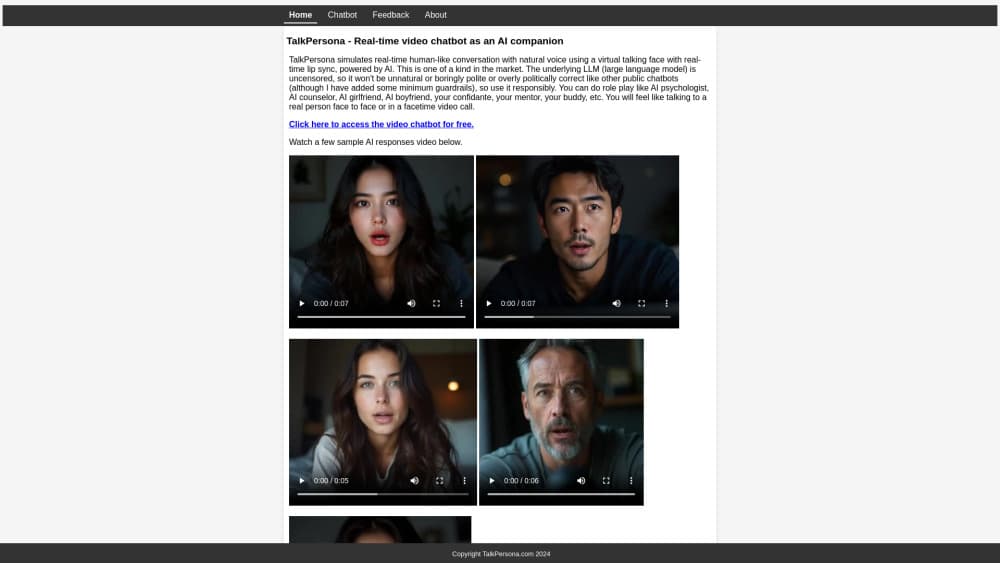
TalkPersona is a browser-based AI video chatbot, sold as talkpersona.com by a small independent team. You chat by text or voice, and an avatar answers you in video with a talking face and a natural voice. The site calls this a real-time live video call, and that framing holds up once a session is running.
Under the hood, a large language model drives the conversation and a set of neural networks handle the face, the voice, and the lip sync. Five networks fire for a single session, which is why the free version lets only one person talk at a time. You can set the AI's role, add background context, pick a face, and choose a language before you start.
Chats are anonymous. There's no account, no email, and no profile to fill in, so your identity stays private by default. The AI has no memory between sessions, and each of your free chats is a fresh start.
The pitch leans on companionship. TalkPersona positions the avatar as an AI therapist, psychologist, mentor, buddy, or even a girlfriend or boyfriend, and the demos play up how real the face feels. It isn't a work tool or a research assistant. It's a talking face you can confide in, and the limits follow from that, from the session cap to the occasional voice glitch.
Getting Started
- Open talkpersona.com in a browser. There's no app to install and no account to create.
- Wait for the availability check, then pick an AI role or leave it open for free-form chat.
- Add context if you want one, such as the AI's persona, a recap of past chats, or instructions to follow.
- Choose a face for the avatar and set the language for the voice and video.
- Start the chat by text or voice, and extend the session with a small PayPal payment if the free time runs out.
Product Information
A quick look at TalkPersona's pricing, supported platforms, and performance.
Best for
The users, tasks, and scenarios where this tool fits best.
Users
- People who feel lonely and want someone to talk to
- Users practicing a language
- Role-play fans
- Privacy-minded chatters
Tasks
- Talking by voice with a face
- Setting a character before you start
- Switching the language mid-setup
- Running a short free session
Scenarios
- Unwinding after a long day
- Trying a role-play scene
- Practicing a few phrases in another language
- Testing the tool before paying
Key features
Real-Time Video Chat With a Talking Face
The core of TalkPersona is a video reply, not a text bubble. You send a message by text or voice, and the avatar answers with a moving face and synced lips and a spoken voice. It behaves like a live call rather than a chatbot thread. The site notes the first frame may lag and that the stream smooths out after a moment. If you want speed over the face, you can turn video off and keep the voice.
Role and Context Control
Role and Context are two optional fields that shape the AI before the chat. Select AI Role gives the avatar a part, such as therapist, psychologist, counselor, mentor, buddy, girlfriend, boyfriend, or professor. Context carries the backstory and instructions, so you can write a short brief like "you are my psychologist Karen, I'm your patient Jeremy, answer concisely, suggest follow-ups." Leave both empty and the AI runs a free-form conversation instead.
Brain in a Box, Face on Top
TalkPersona pairs a large language model with five neural networks that render the face, the voice, and the lip movement. The language model handles what the AI says, and the other networks handle how it looks and sounds while saying it. That split explains both the realism and the cost, since a live talking face is heavier than a text-only reply.
Multilingual Voice and Video
The AI speaks and lip-syncs in several languages beyond English, including Spanish, French, German, Italian, Portuguese, Dutch, Chinese, Japanese, and Korean. You set the language before the chat, so the avatar answers in it rather than defaulting to English. The site points out that changing the language is a click you have to make yourself, so pick it before you start.
Anonymous, No-Sign-Up Access
There's no account, no email, and no password. You open the page and chat, and the site keeps your identity private. Nothing to verify and nothing to log in. The trade-off is the session cap and the single-user limit, since the free tier serves one person at a time.
Face Selection and Voice Input
You can pick a different AI avatar face and chat by voice instead of typing. The face list changes what the talking head looks like, and voice input lets you talk the way you would on a call. Both options speed up the setup when you already know the character you want.
Pros and cons
Pros
- A live talking face sets it apart from the text-only chatbots that dominate the category.
- No sign-up and no email keep the chat anonymous, which few AI companions offer by default.
- Voice and video work in ten languages, so non-English speakers get a reply they can follow.
- Role and Context fields turn a generic chat into a scripted scene with almost no setup.
- A free ten-minute session every two hours lets you test the whole flow before any payment.
Cons
- Only one person can chat at a time, so a busy moment leaves you waiting for the interface to appear.
- The free session caps at ten minutes and can drop to five when others are waiting, and the paid extension is charged per session rather than as a flat plan.
- The AI voice glitches on occasion, and the site admits it, since a live video chat has no post-editing pass.
- No memory carries between sessions, so you rebuild the role and context each time.
- There's no advertised API, which rules it out for anyone who wants to build the talking face into their own product.
Frequently asked questions
TalkPersona is a browser-based AI video chatbot from talkpersona.com. You chat by text or voice and an animated avatar answers in video with a talking face and a natural voice. It needs no sign-up, runs as a free session, and covers several languages.
Related content
Explore related tools, skills, and articles for TalkPersona.
TalkPersona Alternatives

Vadu AI
Vadu AI · Image · VideoVadu AI is a web-based AI video generator that turns written prompts or still images into short clips, and it can also generate images on its own. You type what you want, pick a model and style, and the platform renders the result in minutes. A free plan covers light testing, while paid tiers run from $9 to $77.40 per month based on how many credits you burn.

Mykaraoke Video
MyKaraoke Video · VideoMykaraoke Video is an online karaoke video maker and lyric video maker that turns any song into a finished, lyrics-synced video right in your browser. It handles the slow part for you. The AI pulls vocals out of the mix and locks the lyrics to the beat, then lets you customize background, fonts, and colors before exporting in 1080p MP4. If you make lyric videos for social media, party nights, or music promotion, it skips the software installs and manual timing work entirely. Want a karaoke video generator that doesn't eat your whole evening? That's the pitch here.

Finalframe
Finalframe · VideoFinalframe is a set of free, browser-based tools for grabbing exact frames out of a video clip. Its best-known feature, the Final Frame Extractor, lets you extract the last frame of any video so you can use it as the starting image for AI video tools like Luma Dream Machine, Runway, or Kling. Want to keep a clip going? That last frame is your starting point. The tool runs locally in your browser, needs no sign-up, and costs nothing. A separate paid AI video-generation app from the same team is currently offline while it's rebuilt.