

TapVid
TapVid · Video
TapVid is an AI explainer video generator that turns written content into a finished animated video. You describe what you want to explain, or paste an existing script, product page, or article, and the tool breaks it into a script, a storyboard, and motion before rendering the final clip. It targets people who need clear product or concept videos without touching After Effects or building a timeline from scratch. In short, text in, explainer out.
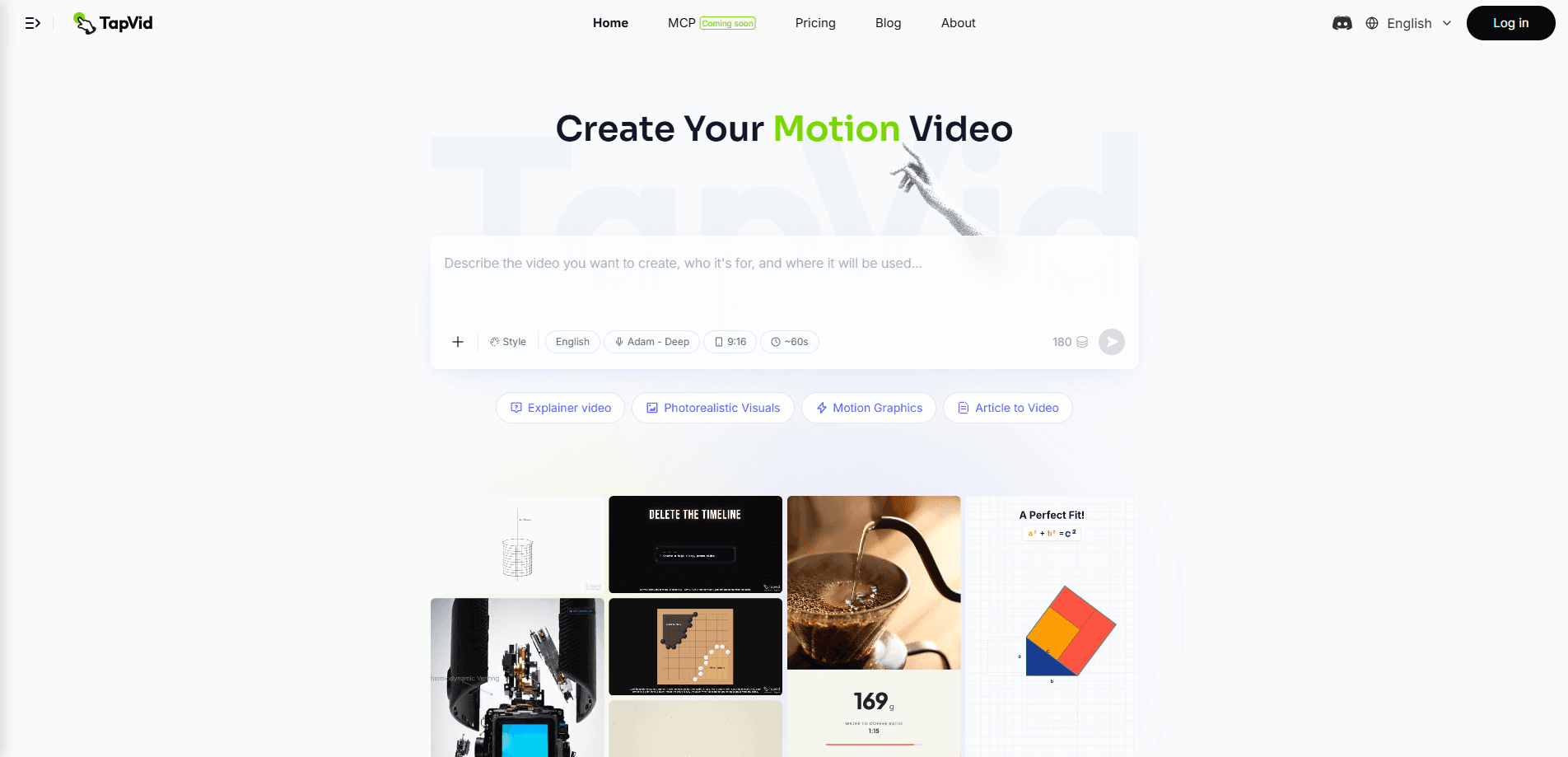
About TapVid
What Is TapVid
TapVid is a web-based AI video tool built for turning text into animated explainer videos. Instead of starting with a blank timeline, you hand it the material you already have, such as a product description, a PRD, a voiceover script, or a news article, and its agent reorganizes that text into scenes. Each scene gets a visual treatment and motion, so the output looks like a produced explainer rather than a slideshow.
The problem it solves is the gap between having something to explain and having a video that explains it. Most non-editors stall at the storyboard stage, then stall again at animation, then give up. TapVid compresses those steps into one flow and pushes out a draft in minutes. Speed is the whole pitch.
The main limitation is control. Because the agent decides the structure, you trade fine-grained editing for speed. If your brand has strict motion guidelines or you need frame-level timing, you'll likely rework the output or use a traditional editor instead. It's also a web tool. No mobile app.
Getting Started
- Create an account on the TapVid website and sign in to the workspace.
- Paste your source text, or upload the script, article, or product copy you want turned into a video.
- Set the basics such as length, tone, and format, then let the agent generate the script and storyboard.
- Review the scenes, adjust any shots or narration that miss the mark, and confirm the motion.
- Render and export the finished explainer video for your site, ads, or social channels.
Product Information
A quick look at TapVid's pricing, supported platforms, and performance.
Best for
The users, tasks, and scenarios where this tool fits best.
Users
- Product marketers
- Startup founders
- Content writers and SEO teams
Tasks
- Turning a product page into a short explainer
- Converting a script into an animated draft
- Repurposing a blog post or news article
Scenarios
- Shipping a launch video on a tight deadline
- Explaining a technical or abstract idea
- Feeding a steady content pipeline
Key features
Script to Storyboard Automation
TapVid's core move is taking raw text and splitting it into a script, then a scene-by-scene storyboard. It doesn't just summarize; it decides what each scene shows and how the narration maps to visuals. So you skip the whiteboard-and-sticky-notes phase. That phase usually eats the first day of an explainer project. Write the words, and the AI storyboard generator does the rest. For anyone who can write but can't storyboard, this removes the real blocker.
Agent-Driven Motion and Animation
Once the storyboard exists, the agent applies motion and animation to each scene. This is the part that separates an explainer video from a stack of static frames with a voiceover on top. You get transitions, element movement, and timing handled for you, which is exactly the work that scares off non-designers. Ready-made motion. The tradeoff is that the motion follows the agent's choices, so it looks consistent but not fully bespoke.
Text and Script Input Flexibility
The tool accepts more than one kind of input. You can paste a script, drop in a product description, or feed it a longer article, and it adapts the output to the material. This flexibility is why it fits both marketing and editorial workflows: the same tool handles a punchy ad script and a slower, denser educational piece that walks viewers through a concept step by step over several scenes. It also means the quality of your source text directly shapes the result. Garbage in, garbage out. So sloppy input still produces a sloppy video.
Multi-Scene Narrative Structure
Rather than generating one continuous clip, TapVid builds a sequence of scenes that carry a story from point A to point B. That structure matters for explainers, where the goal is comprehension, not spectacle. You can reorder or tweak scenes to fix pacing, which gives you a middle ground between full manual editing and a single fixed output. Why does that matter? Pacing is what keeps viewers watching.
Browser-Based Workflow
Everything runs in the browser, so there's nothing to install and no rendering farm to manage. You can start a project on one machine and pick it up on another, which suits freelancers and small teams working across devices. No downloads, no setup. The flip side is that heavy projects depend on your connection and the platform's rendering queue rather than local hardware.
Pros and cons
Pros
- Turns existing text into a storyboard, so non-editors can start without animation skills.
- Generates script, scenes, and motion in one flow instead of separate tools.
- Browser-based with no install, so it fits quick and remote workflows.
- Free plan lets you test output quality before paying.
- Handles multiple input types, from ad scripts to long articles.
Cons
- Limited fine control, so brand-strict teams will still need a traditional editor.
- Output quality leans heavily on the source text you provide.
- No mobile app and no confirmed API, which limits automation and on-the-go use.
Frequently asked questions
TapVid is an AI explainer video generator that converts written text into a fully animated explainer video. It reads your script or source content, builds a storyboard, applies motion, and renders the final clip, so you get a produced explainer without editing frame by frame.
Related content
Explore related tools, skills, and articles for TapVid.
TapVid Alternatives

ngram 2.0
ngram · Video · Marketingngram 2.0 is an AI video generator for teams. It turns a prompt, a screen recording, or a product URL into a narrated explainer, product demo, or AI avatar video, and every scene stays editable.

OpenScreen 2
OpenScreen (open-source project) · Video · ProductivityOpenScreen 2 is a free, open-source screen recorder and demo video editor for Windows, macOS, and Linux, with automatic zooms, styled frames, local captions, and agent edits.

Skreno
Skreno · Video · ProductivitySkreno is a browser screen recorder that captures a tab, a window or your whole display, then attaches AI transcripts, summaries and console logs to one share link.