

Telepati Mobile Application
Telepati · Chatbot
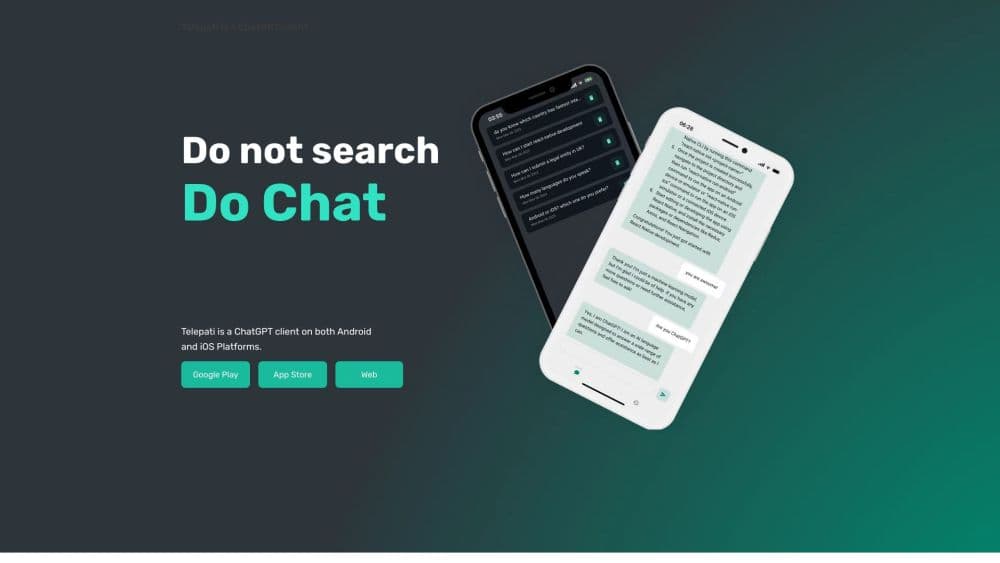
Telepati is a ChatGPT client app for iOS and Android that puts a multilingual AI chatbot in your pocket, with saved chat history and AI characters you can create and talk to.
About Telepati Mobile Application
What Is Telepati
Telepati is a mobile front end for ChatGPT. It doesn't train its own model. Your question goes to OpenAI's engine, and Telepati handles the screen, the login, and the message thread. That split matters when you judge the app: answer quality follows ChatGPT, while Telepati's own job is access, speed, and a lighter interface than a browser tab.
The marketing leans on variety. One day you ask it to explain a contract clause, the next you ask it to invent a character and stay in that persona for twenty messages. Both run on the same engine, and the second one is where the app feels different from a plain chat window.
Its limits are ordinary for this category. It needs a network connection, it depends on OpenAI staying up, and reply quality in smaller languages trails English. The free tier exists, with paid in-app purchases on top, and there is no public API for developers.
Getting Started
- Install Telepati from the App Store or Google Play, or open the web app in a browser. A Chrome extension is also listed.
- Create an account and sign in. The same login carries your chats between phone and browser.
- Type a question in the chat box, or switch to the character feature and describe the persona you want.
- Reopen any earlier conversation from the chat history list and keep going, or delete the threads you don't need.
Product Information
A quick look at Telepati Mobile Application's pricing, supported platforms, and performance.
Best for
The users, tasks, and scenarios where this tool fits best.
Users
- People who want ChatGPT on a phone without juggling the official app
- Students doing quick lookups between classes
- Creators who like persona play
Tasks
- Quick explanations and definitions
- Short writing jobs
- Language practice
Scenarios
- Commuting with one hand free
- Late-night idea capture
- Small business admin
Key features
ChatGPT Engine Inside
Telepati routes your prompts to OpenAI's ChatGPT and returns the answer in its own chat screen. You get the model's general knowledge, reasoning, and writing ability without a separate OpenAI account. The tradeoff is that you inherit ChatGPT's limits too, including its cutoff date and its habit of sounding confident when it's wrong.
AI Character Creation
The app lets you generate imaginary characters and talk to them in a dedicated thread. Some are invented celebrity-style personas, which is the use case the site pushes hardest. It works well for brainstorming dialogue or testing a tone of voice. Treat it as entertainment first, and don't take a character's claims as research.
Chat History You Can Reopen
Every conversation is saved until you delete it. You can scroll back, pick an older thread, and continue from the last message instead of retyping context. For project work that spans days, this is the feature that keeps the app useful. The catch is housekeeping: dozens of threads get messy fast, and the app rewards people who rename or prune them.
Multilingual Conversations
You can ask questions and get answers in your mother tongue, not just English. The interface stays simple, and the model switches language inside the same thread. Quality varies by language. Major European and East Asian languages hold up well, while smaller ones produce more awkward phrasing.
Mobile, Web, and Browser Extension Access
Telepati ships as an iOS app, an Android app, a web app, and a Chrome extension. The same account keeps your chats in sync, so a question started on the phone can be finished at a desk. This is the practical reason to pick it over a single-platform chatbot: fewer moments where your history is stranded on the wrong device.
Simple, Low-Clutter Chat Interface
The screen is mostly a message list and an input box. There are no prompt libraries, no model picker, and no settings maze to walk through. New users get an answer within seconds of opening the app. The absence of advanced controls is a real limit for tinkerers, and a relief for everyone else.
Pros and cons
Pros
- Works on iOS, Android, web, and Chrome from one account, so your chat history follows you between devices.
- Character chat gives the app a personality that a bare ChatGPT wrapper lacks, and it's genuinely fun for dialogue drafts.
- Chat history is persistent and easy to reopen, which makes multi-day projects practical on a phone.
- The interface stays out of the way: no model menus, no prompt engineering required to get a first answer.
- Multilingual replies mean you can work in your own language instead of translating questions into English first.
Cons
- No public API, so developers can't wire Telepati into their own tools.
- Answer quality depends entirely on OpenAI, and the app adds no citation layer, which means you still have to verify facts yourself.
- Free tier plus in-app purchases means the useful ceiling arrives sooner than you'd like, and pricing varies by store region.
- Character chats are entertainment, and treating their output as factual is an easy mistake for new users.
Frequently asked questions
It's a ChatGPT client for phones, so the main use is asking questions and getting written answers on the go. It also includes a character mode for invented personas.
Related content
Explore related tools, skills, and articles for Telepati Mobile Application.
Telepati Mobile Application Alternatives

Knocket
Knocket (Tencent RTC team) · Productivity · Business · ChatbotKnocket is a free live chat and contact page tool that lets visitors message you from your website, app, or a shareable link, with every reply handled from Telegram or one inbox.
Agibot
Agibot · Productivity · AI Assistant · ChatbotAgibot is a personal AI agent for Mac that keeps running after you close the window, runs routines on a schedule, and works from Telegram or Slack with your own API keys.

Melete
Melete · Productivity · AI Assistant · ChatbotMelete is an AI workspace for teams where agents research, draft, and act in Slack, Notion, Linear, and GitHub. Shared memory and approval gates keep people in control.