
TestMatic
TestMatic · Leaning
TestMatic is an AI test generator that turns your own notes, documents, audio, and video into custom quizzes, practice tests, and flashcards you can export and study from.
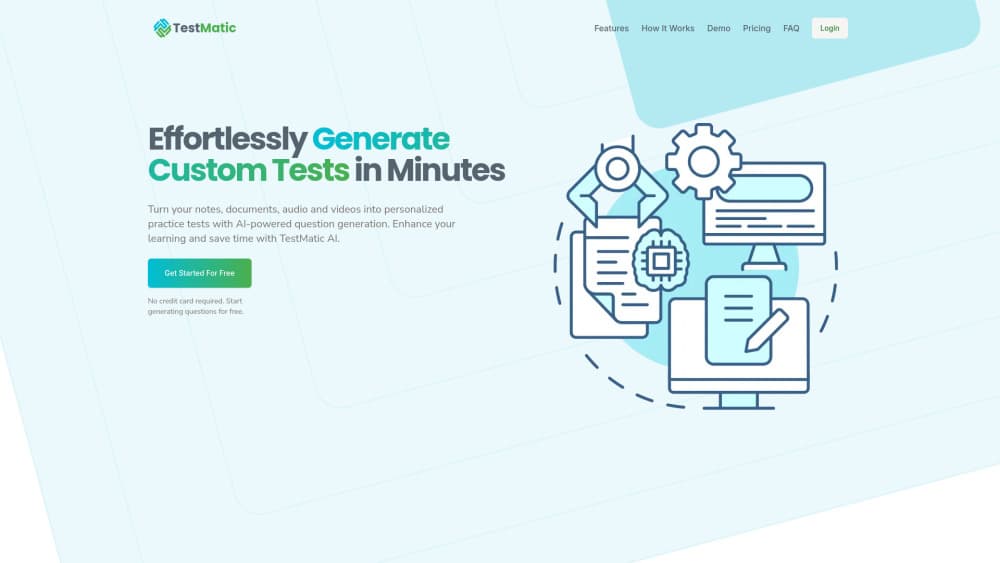
About TestMatic
What Is TestMatic
TestMatic is a study tool that builds test questions and flashcards from learning material you already have. It works as a quiz generator and a flashcard generator in one place: you give it notes, documents, audio, or video, and it returns a set of questions on that content. The pitch is narrow: stop writing practice questions by hand, generate test questions from your notes, and study from what comes back.
The problem it targets is real. Anyone preparing for a class, a language exam, or a certification usually spends more time authoring questions than answering them. TestMatic moves that step to the machine. You bring the source material, and the tool shapes it into something you can drill.
The limits matter here. TestMatic is not a tutoring system and it doesn't grade essays or explain wrong answers in depth. It generates questions; you still have to check them for accuracy and use them to study. As of late 2025 the original product site no longer resolves and is listed for sale, so new users can't sign up and should treat existing coverage as a snapshot rather than a live service.
Getting Started
- Create an account on the TestMatic site and sign in.
- Upload or paste your source material, whether that's a text file, a document, an audio clip, or a video.
- Choose the output you want, such as a quiz, a practice test, or a set of flashcards, and set the number of questions.
- Review the generated questions and fix or remove any that miss the mark.
- Export the set as PDF, DOCX, or another format, then print it or run through it on screen.
Product Information
A quick look at TestMatic's pricing, supported platforms, and performance.
Best for
The users, tasks, and scenarios where this tool fits best.
Users
- Students preparing for exams
- Teachers and tutors building practice sets
- Language learners drilling vocabulary
Tasks
- Turning class notes into a practice quiz
- Building flashcards from a lecture recording
- Making a printable test from a document
Scenarios
- Night-before revision when you have material but no questions
- Rote memorization of terms and dates
- Study material for a group
Key features
Questions From Your Own Material
TestMatic builds its output from what you give it, not from a fixed question bank. You upload notes, a document, audio, or video, and the questions come back tied to that content. This keeps the practice relevant to the specific chapter or recording you're studying, which is the main reason people reach for a generator over a static set.
Multiple Input Types
The tool accepts text, documents, audio, and video as source material. That range matters when your learning material isn't a clean text file. A recorded lecture or an interview clip works as an input, so you aren't stuck retyping anything by hand before you can study.
Quizzes, Practice Tests, and Flashcards
TestMatic can return a quiz, a longer practice test, or a deck of flashcards from the same source. Flashcard output suits memorization, while a practice test fits exam-style review. Having the choice in one tool means you don't switch apps between drilling terms and simulating a test.
Export to PDF, DOCX, and More
Generated questions can be exported in several formats, including PDF and DOCX. That makes the output portable, so you can print a test, drop it into a document, or share the file with classmates. It also means the content survives outside the app, which matters for a small tool with no long-term storage promise.
Adjustable Question Count
You can set how many questions the tool produces from a given input. Fewer questions give a quick check on one section, and more build a longer test. This control is what separates a generator from a fixed worksheet, since you can size the output to the time you have.
Pros and cons
Pros
- Builds questions from your own notes, documents, audio, and video, so output stays tied to the material you're studying.
- Returns quizzes, practice tests, and flashcards from one source, which saves switching between tools.
- Exports to PDF, DOCX, and other formats, so the sets are easy to print or share.
- Has a free tier, so you can test the workflow before paying anything.
- Handles audio and video input, which helps when your material isn't already text.
- You can't trust the generated questions blindly, since AI output needs a manual accuracy check before you study from it.
- The original product site no longer resolves and is listed for sale, so the service is not available to new users.
- There's no public information on an API, and the tool is built for individuals rather than classroom or team deployment.
- Long-term availability is uncertain given the site's status, so exported files are the safer way to keep your sets.
Frequently asked questions
TestMatic is an AI test generator for studying. You give it your notes, a document, audio, or video, and it returns quizzes, practice tests, or flashcards built from that material, which you then review and export.
Related content
Explore related tools, skills, and articles for TestMatic.
TestMatic Alternatives
Coddy
Coddy · Coding · LeaningCoddy is a gamified platform to learn to code through short interactive lessons in 20+ languages, with a browser editor, an AI tutor and free certificates.

Marv
Cameron (independent developer) · Coding · Productivity · LeaningMarv is an AI cursor companion for Windows and Mac. It sees your screen, answers out loud, and draws arrows and highlights that show you the next click.

Teachoo
iAsk AI · Leaning · ChatbotTeachoo is a free AI homework helper that walks students through math, science, writing and coding problems one step at a time, with photo input, hints and flashcards.