

Theysaid
TheySaid · Marketing
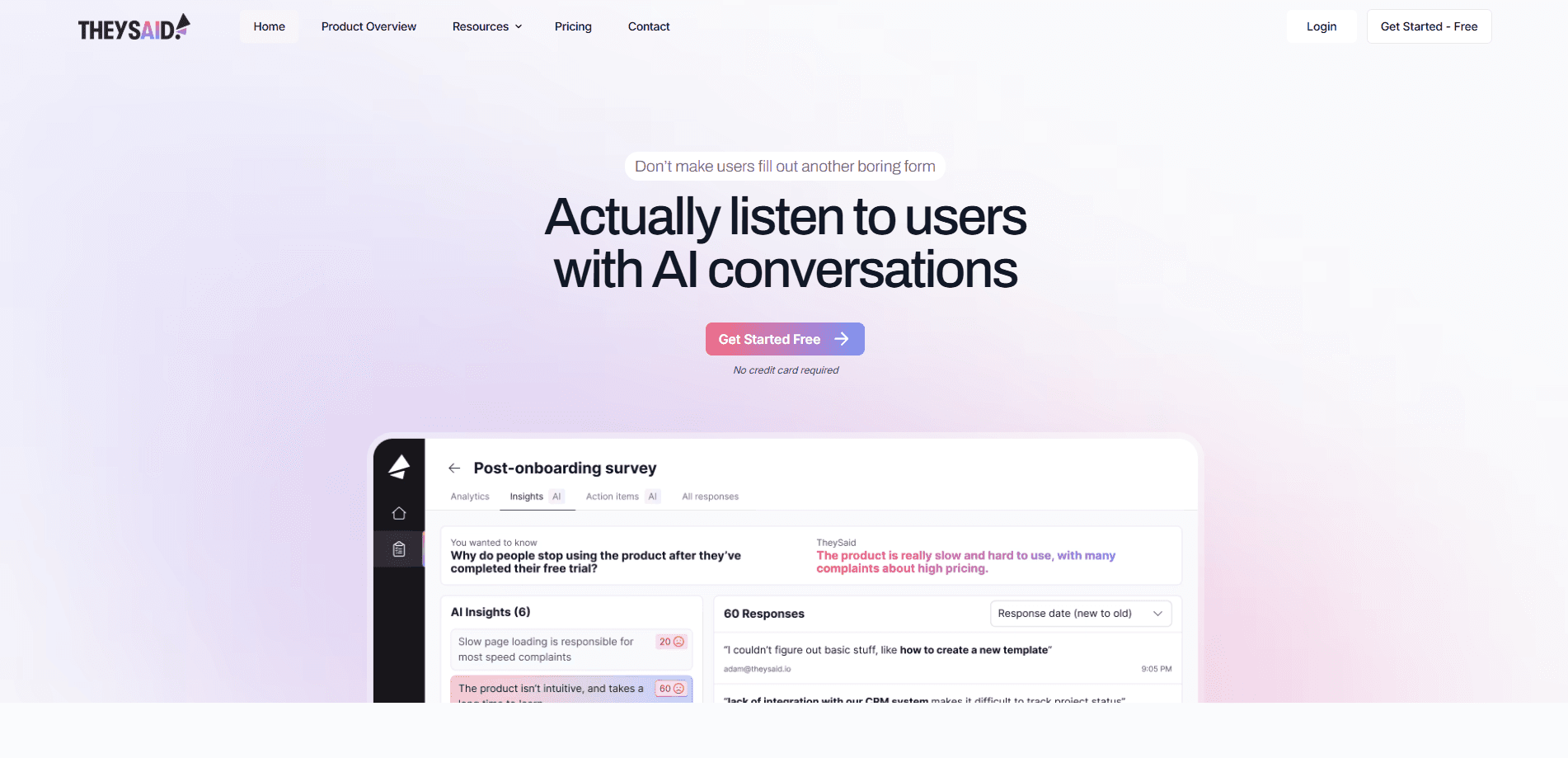
TheySaid is an AI user testing and survey platform that turns surveys, interviews and usability tests into guided conversations, then summarizes the feedback automatically.
About Theysaid
What Is TheySaid
TheySaid is a user feedback tool built around one idea: traditional research moves too slowly for teams that ship software every week. Instead of handing users a static form, it puts an AI moderator in the conversation. The AI asks follow-up questions, adapts the flow to each answer, and writes up what it heard, so a research cycle that used to take weeks can close in minutes.
Think of it as a customer insight platform rather than a form builder. It covers user testing, surveys, interviews, forms, polls and employee or customer pulses in one place. Feedback arrives through a shareable link, an in-app pop-up, a website embed, email or a QR code, so teams collect responses from their own users without a separate recruiting step.
The main limitation is scale. The free plan caps AI user tests and surveys, and it allows only one workspace and one active test, so larger teams have to move to Enterprise, which is quoted as custom annual pricing. Live AI moderation runs on every plan, even the free one, but access to the built-in participant panel with its demographic targeting sits behind the Enterprise tier.
Getting Started
- Create a free account at ai.theysaid.io and open your first workspace.
- Describe what you want to learn and let the AI project creator draft the study for you.
- Pick a feedback type, such as a user test, survey or interview, and adjust the questions.
- Share the project through a link, pop-up, embed, email or QR code and let the AI moderator run it.
- Review the automatic summary, highlight clips and recommendations, then send action items into your team tools.
Product Information
A quick look at Theysaid's pricing, supported platforms, and performance.
Best for
The users, tasks, and scenarios where this tool fits best.
Users
- Product managers
- UX researchers
- Founders and small teams
Tasks
- Usability testing
- Running surveys that people finish
- Win-loss and churn interviews
Scenarios
- Shipping a redesign and needing fast reactions
- Continuous discovery across a quarter
- Employee and customer pulse checks
Key features
AI User Testing
Users click a test link, share their screen and talk through tasks while an AI moderator watches and asks relevant follow-ups in real time. The session captures screen activity, voice feedback and behavioral timestamps. Once tasks are done, TheySaid generates task success rates, repeated-issue patterns and highlight clips without anyone editing footage.
AI Surveys and Polls
Instead of a flat form, TheySaid asks rating scale, multiple choice and ranking questions and then follows up on the answers. A poll captures the number and the reason behind it in the same pass. The AI summarizes responses as they come in, so a team can read a clear conclusion rather than a wall of open text.
AI Interviews and Forms
The AI leads interviews and adapts its questions to what the participant says, which is useful for win-loss research or customer discovery. Forms work the same way, so guided questions replace a rigid template. With two-way voice, users answer out loud and the AI reads questions back, which suits participants who would rather talk than type.
Project Creator and Teach AI
You describe the goal and the AI project creator builds the study, including question types and flow. Teach AI lets you upload context about your product, users and research goals so later questions stay on topic. This cuts the setup time on repeat studies and keeps a whole team working from the same briefing.
Analytics, Reporting and Ask AI
The AI analytics layer summarizes themes, learnings and recommendations on its own, then turns findings into action items you can push into connected tools. Ask AI answers questions across one project or several, so a stakeholder can ask what came up most often this quarter and get an answer tied to the actual responses.
Distribution and Localization
Projects reach users through a shareable link, in-app pop-up, website embed, email or QR code. TheySaid supports more than 70 languages, so global products can run the same study across markets. Templates cover the common feedback types, and conditional logic keeps branching simple while AI follow-ups stay in play.
Pros and cons
Pros
- Live AI moderation works on every plan, even the free one. Most rivals lock it to top tiers.
- Automatic summaries, clips and recommendations cut the manual tagging that slows qualitative research.
- Five feedback types plus email, pop-up, embed and QR distribution cover most research needs without extra tools.
- Support for 70+ languages makes it practical for teams testing across several markets.
Cons
- The free plan limits you to 5 AI user tests and 50 surveys a month with one workspace, so real volume needs Enterprise pricing.
- The 16M+ participant panel and cross-project insights are Enterprise-only, which matters if you do not already have your own user base.
- Enterprise pricing is quote-based, so you cannot estimate cost from the site before talking to sales.
- AI testers that act like human participants are still listed as coming soon.
Frequently asked questions
TheySaid is used to collect and analyze user feedback fast. Teams run AI-moderated user tests, surveys, interviews, forms and polls, then rely on automatic summaries to turn the raw responses into decisions.
Related content
Explore related tools, skills, and articles for Theysaid.
Theysaid Alternatives

Tractionwave
TractionWave · Image · MarketingTractionWave is an AI attention heatmap tool for static ads. Upload a PNG or JPG and it returns predicted attention, ranked hotspots, and fixes before you spend budget.

OpenSEO - AI Visibility
EveryApp · Coding · Marketing · BusinessOpenSEO is an open source SEO platform for keyword research, backlinks, rank tracking, site audits, and AI visibility, with usage-based pricing and MCP access for AI agents.

Plugins Radar
Plugins Radar · Marketing · BusinessPlugins Radar tracks where your ChatGPT plugin ranks in directory and in-chat search, which competitors outrank it and what changed, with hourly checks on 9,885 listings.