

ThumblifyAI
ThumblifyAI · Video
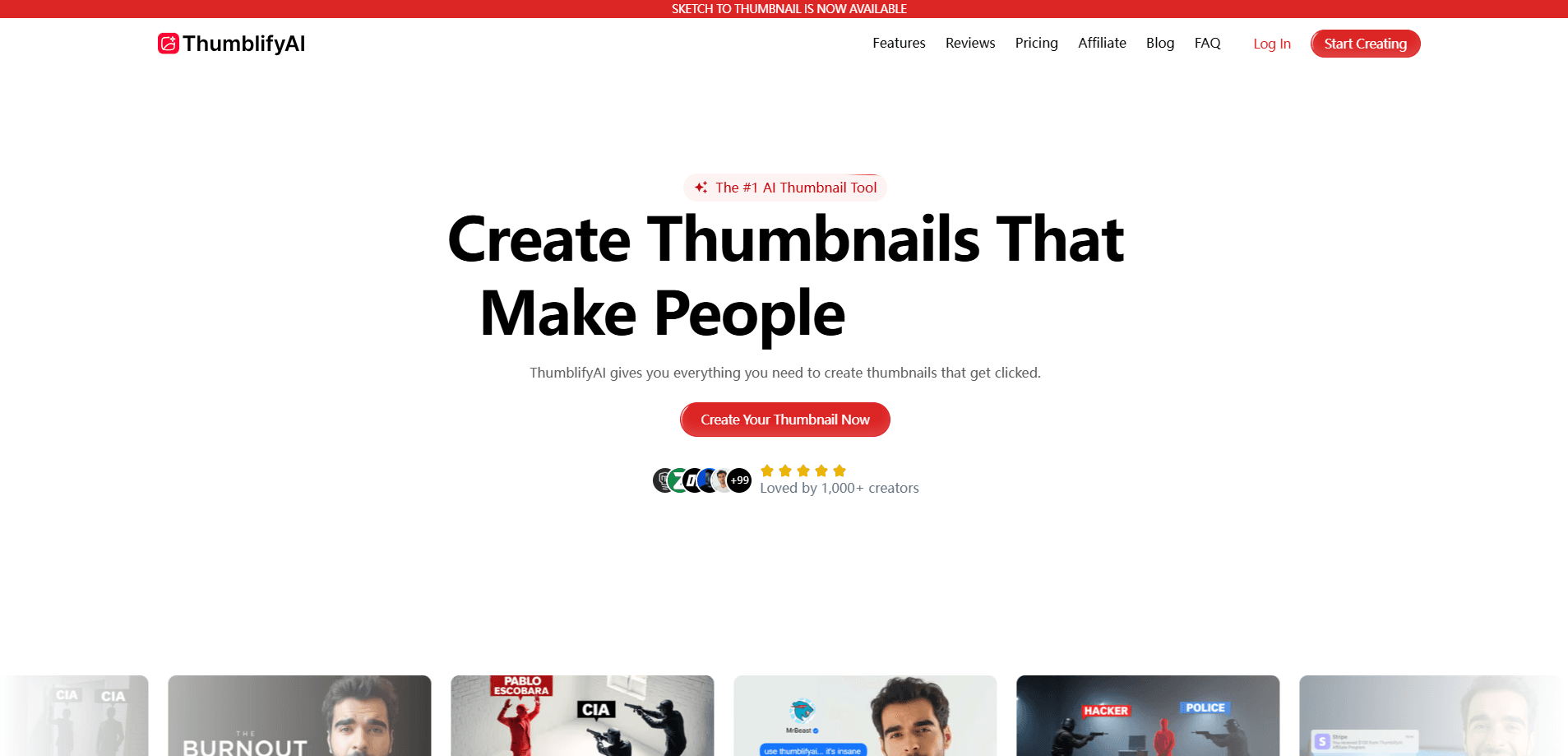
ThumblifyAI is an AI thumbnail generator built for YouTube creators who want a scroll-stopping thumbnail without opening Photoshop or hiring a freelancer. You type a prompt, pick a proven style, or upload a few photos of your face, and it returns a ready-to-test thumbnail in seconds rather than the hours a manual design session would take. No layers to wrestle with. It sits somewhere between a design tool and a packaging assistant, aimed at people who care more about click-through rate than about pixel-perfect layers. No design skills required. Speed matters here. It's a browser tool, so there's no phone app and no offline mode. Desktop only.
About ThumblifyAI
What Is ThumblifyAI
ThumblifyAI is a web app that generates YouTube thumbnails from a short text prompt or a reference image. The pitch is narrow on purpose: it handles thumbnails, not every kind of graphic you might need, and it leans on proven formats instead of asking you to invent a brand-new visual language from a blank canvas every time you sit down to package a video. That's deliberate.
The problem it targets is familiar to anyone running a channel. A single thumbnail from a freelancer runs anywhere from $40 to $150, revisions eat a week, and Canva sessions stretch past three hours for a result that still looks generic, which is a brutal trade for one image on a video you may publish three times a week. ThumblifyAI compresses that into a single prompt and a fast render.
The main limit is that it's a browser tool, so there's no phone app and no offline mode. Desktop only. You need an account to generate, and the deeper controls stay modest compared to a full editor. If you want to hand-tune every shadow, this isn't the tool for that.
Getting Started
- Create an account at thumblifyai.com using your email, or sign in if you already have one.
- Type the idea for your video into the prompt field, or paste a description of the scene and mood you want.
- Optionally upload three photos of your face so the AI learns your look and reuses it across thumbnails.
- Pick a proven thumbnail style or upload a reference thumbnail you want the layout, colors, and composition cloned from.
- Review the generated thumbnail, tweak the prompt if needed, and download the version you'll ship with your video.
Product Information
A quick look at ThumblifyAI's pricing, supported platforms, and performance.
Best for
The users, tasks, and scenarios where this tool fits best.
Users
- YouTube creators who upload regularly and need thumbnails fast
- Faceless and on-camera channels that reuse their own face
- Freelance thumbnail designers juggling several clients
Tasks
- Turning a rough video idea into a testable thumbnail
- Recreating a viral thumbnail's structure
- Producing multiple thumbnail variants for A/B testing
Scenarios
- A gaming creator uploading three videos a week who needs packaging done the same evening.
- A finance or tutorial channel experimenting with different headline placements before publishing.
- A team preparing a channel rebrand and wanting a consistent visual style across recent uploads.
Key features
Prompt-to-Thumbnail Generation
Type a sentence about your video and ThumblifyAI renders a thumbnail around it. This is the core flow, and it's built for speed: describe the subject, the setting, and the feeling, and you get a first draft you can refine. Not a finished asset. It works best when your prompt names a clear subject and a clear emotion. Vague themes give vague results.
Proven Thumbnail Inspirations
The tool ships with a set of styles drawn from thumbnails that already perform well on YouTube. Pick one and it generates your own version in that visual language, which shortcuts the guessing game about what tends to get clicked. Curated, then. The trade-off is that you're inside a curated set of looks rather than inventing from scratch.
Face-Consistent Generation
Upload three photos once and the AI learns your face, then reuses it across every thumbnail you make. For on-camera creators this removes the reshoot cycle, and for channels that appear in every video it keeps the branding recognizable. No reshoots. Accuracy depends on the quality and variety of the photos you provide.
Style Cloning From a Reference
Upload a thumbnail you like and ThumblifyAI copies its layout, color scheme, and composition, swapping in your content and text. It's a shortcut for matching a competitor's structure without reverse-engineering it by hand. So how does it avoid copying? It reproduces structure rather than pixels. Your output stays original while keeping the proven framing.
Viral Thumbnail Recreation
If you spot a thumbnail blowing up in your niche, you can recreate it with your own face and text while keeping the structure that drives clicks. This overlaps with style cloning but is framed around performance. The goal is to borrow a format that's already working. It's useful for trend-chasing. The catch: the result still depends on how well your idea fits the format.
Pros and cons
Pros
- Cuts thumbnail production from hours or freelance turnaround down to a single prompt and a fast render.
- Face-upload feature keeps a consistent on-camera look without repeated photoshoots.
- Style cloning and viral recreation let you borrow proven layouts instead of designing blind.
- Runs entirely in the browser, so there's nothing to install and it works across operating systems.
- Built specifically for YouTube thumbnails, so the styles and framing match the platform rather than general-purpose graphics.
Cons
- No mobile app, so you're tied to a desktop browser when you want to generate.
- You need an account before you can generate, which adds a step before you see a result.
- Being purpose-built for thumbnails means it won't replace a full editor for other channel graphics.
- Fine-grained manual control is limited, so creators who want to tweak every detail may end up frustrated. Real wall.
Frequently asked questions
It generates YouTube thumbnails from a text prompt, a chosen style, or your own face photos. You describe the video, the tool returns a thumbnail you can download and pair with your upload. In short, it's a YouTube thumbnail maker for people who don't want to design.
Related content
Explore related tools, skills, and articles for ThumblifyAI.
ThumblifyAI Alternatives

Vadu AI
Vadu AI · Image · VideoVadu AI is a web-based AI video generator that turns written prompts or still images into short clips, and it can also generate images on its own. You type what you want, pick a model and style, and the platform renders the result in minutes. A free plan covers light testing, while paid tiers run from $9 to $77.40 per month based on how many credits you burn.

Mykaraoke Video
MyKaraoke Video · VideoMykaraoke Video is an online karaoke video maker and lyric video maker that turns any song into a finished, lyrics-synced video right in your browser. It handles the slow part for you. The AI pulls vocals out of the mix and locks the lyrics to the beat, then lets you customize background, fonts, and colors before exporting in 1080p MP4. If you make lyric videos for social media, party nights, or music promotion, it skips the software installs and manual timing work entirely. Want a karaoke video generator that doesn't eat your whole evening? That's the pitch here.

Finalframe
Finalframe · VideoFinalframe is a set of free, browser-based tools for grabbing exact frames out of a video clip. Its best-known feature, the Final Frame Extractor, lets you extract the last frame of any video so you can use it as the starting image for AI video tools like Luma Dream Machine, Runway, or Kling. Want to keep a clip going? That last frame is your starting point. The tool runs locally in your browser, needs no sign-up, and costs nothing. A separate paid AI video-generation app from the same team is currently offline while it's rebuilt.