

Thumbmachine - Youtube Thumbnail Maker
Thumbmachine · Image · Video
Thumbmachine is an AI thumbnail generator for YouTube creators that runs in the browser. It turns a hero image, a backdrop, a color palette, and a title into several ready to use covers.
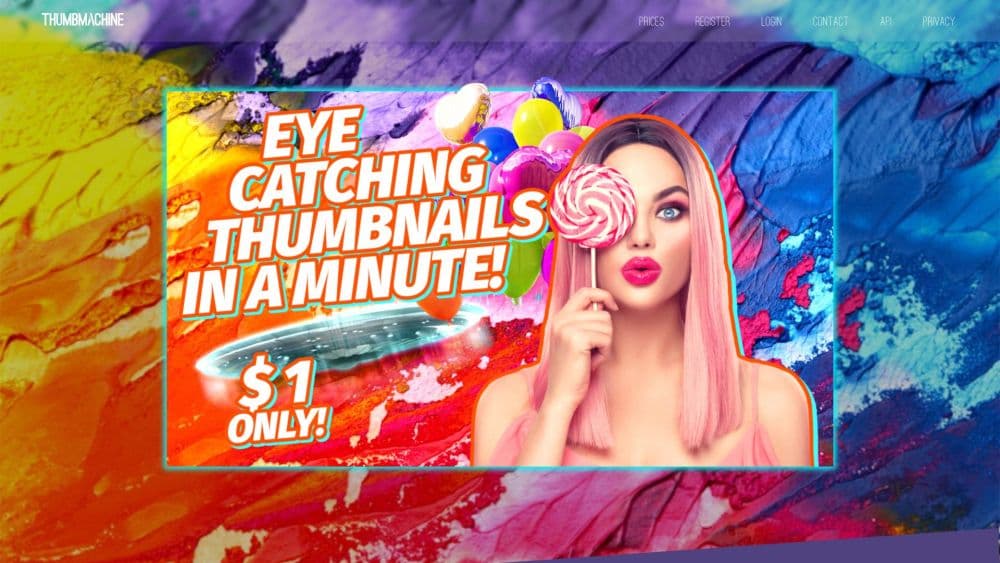
About Thumbmachine - Youtube Thumbnail Maker
What Is Thumbmachine
Thumbmachine is an online AI thumbnail design tool built around four inputs: a hero image, a background, a color palette, and a line of text. You pick or generate the hero, choose a backdrop or a gradient, accept or change the suggested colors, type your title, then flip through layout variations until one looks right. The site has been live since late 2022, and the whole editor stays in the browser.
The job it targets is the tedious half of thumbnail work. Forcing a long title into a rigid template, checking pixel widths, nudging a face two pixels left for twenty minutes. Thumbmachine generates the arrangement for you and keeps text inside a safe area, which matters because a cover that turns to mush at sidebar size loses the click no matter how good the video is.
Three services sit behind the editor. Hero images come from a customized Stability text-to-image model, a background remover cuts subjects out of your own photos, and an upscaling pass sharpens the render before export. Backdrops come from a library of more than three million royalty free photos. According to the company, finished renders carry full commercial rights.
Limits are worth knowing before you pay. There's no desktop app and no offline mode, so the editor needs a live connection. The layout is built for desktop and tablet screens, and phones work but feel cramped. HD exports are capped by plan, and a free trial account only gets a few of them. Most people arrive looking for a thumbnail maker for YouTube and stay because the same editor handles ad creatives and social posts.
Getting Started
- Sign up at thumbmachine.com with an email address or a Google or Facebook login. No card is needed to open the editor.
- Pick a plan when the trial caps run out. Basic carries 5 HD thumbnails and 50 AI images per month, and the tiers scale up from there.
- Add a hero image: describe a scene and let the AI render it, upload a photo from your phone, or search the stock library.
- Choose a background from the collection or a gradient, then keep or adjust the suggested palette.
- Type your title, check how it reads at small size, and export the version you like. Finished designs stay in your gallery so the style can be reused.
Product Information
A quick look at Thumbmachine - Youtube Thumbnail Maker's pricing, supported platforms, and performance.
Best for
The users, tasks, and scenarios where this tool fits best.
Users
- YouTube creators who publish weekly
- Marketers running paid social
- Small teams with no designer
- Beginners learning what a thumbnail needs
Tasks
- Building a thumbnail from a photo you already shot
- Testing two covers for one video
- Adapting one idea across formats
- Setting up a branded series
Scenarios
- An upload day with three videos queued
- A channel with no design budget
- A cold start in a new niche
Key features
Hero Image From a Prompt or Your Own Photos
Every thumbnail starts with the subject. Describe a scene and the customized Stability model renders it, upload a photo from your camera roll, or search a library of more than three million royalty free images. The AI route helps when you need a prop or a setting that isn't in your footage. The upload route keeps a real face in the frame, which usually wins on YouTube.
Instant Layout Variations
One click produces new arrangements of the same four elements: different text placement, different crops, different color pairings. You keep clicking until something works. This is the center of the product, and it's why the editor feels less like a design app and more like a machine that pays out in usable drafts.
Background Remover
The built-in background remover accepts PNG and JPG files up to 4000 by 4000 pixels and returns a cutout you can drop onto any backdrop. For thumbnails, that's the difference between a subject who pops and one who blends into a bedroom wall. No manual masking, no second subscription.
Upscaling Before Export
Renders get an upscale pass before download, which matters because the standard YouTube thumbnail size of 1280 by 720 pixels is still small on a phone. A soft source photo comes back cleaner, with edges that hold up in a crowded sidebar. The tool won't invent detail that isn't there, so a badly lit original stays a badly lit original.
Palette Generator and Color Control
Thumbmachine picks a color set that fits the hero image, then hands over the controls. You can lock a brand color, swap the accent, or start from a palette made in the separate free palette tool. Contrast is the number to watch. A title that disappears at 200 pixels wide is the most common thumbnail mistake, and the tool can't catch it for you.
Style Gallery and Reuse
Finished designs land in a gallery, and any saved style can be applied to a new hero and a new title. That turns a one off design into a template for a series. For a channel publishing every week without a designer on staff, it's the practical route to a consistent look.
Pros and cons
Pros
- Four inputs and one click return several usable layouts, which shortens the gap between a finished edit and a published video.
- The stock library is large and included at every tier, so backdrops don't cost extra.
- Background removal and upscaling live inside the editor, which saves two trips to other tools.
- Final renders come with full commercial rights, and the company states that artwork you render belongs to you.
- Free signup without a card lets you judge output quality before spending anything.
Cons
- Basic covers 5 HD thumbnails a month, so a channel posting twice a week runs dry and needs Standard or Plus.
- Layouts follow a house style, and deep control over type, spacing, or effects isn't available.
- Desktop and tablet screens are the intended target, and the editor is awkward on a phone.
- No public API is documented, so bulk or scheduled thumbnail production has to go through the browser by hand.
Frequently asked questions
It makes video thumbnails in a browser. You supply a hero image, a background, colors, and a title, and it returns finished layouts sized for YouTube. The same editor also produces ad creatives and images for social posts.
Related content
Explore related tools, skills, and articles for Thumbmachine - Youtube Thumbnail Maker.
Thumbmachine - Youtube Thumbnail Maker Alternatives

Tractionwave
TractionWave · Image · MarketingTractionWave is an AI attention heatmap tool for static ads. Upload a PNG or JPG and it returns predicted attention, ranked hotspots, and fixes before you spend budget.

Imejis.io
Imejis.io · Image · MarketingImejis.io is an AI design studio for agents and marketing teams. Describe an image in plain words, and it writes the copy, builds the layout, reflows it to every size, then exports a finished file.

Layoutr
Van Dijk Ontwikkeling · Image · China AILayoutr is a browser floor plan tool that scales your own plan, places furniture at true size, shows the room in 3D and renders it with AI.