

ThumbnailCreator.com
ThumbnailCreator.com · Video · Marketing
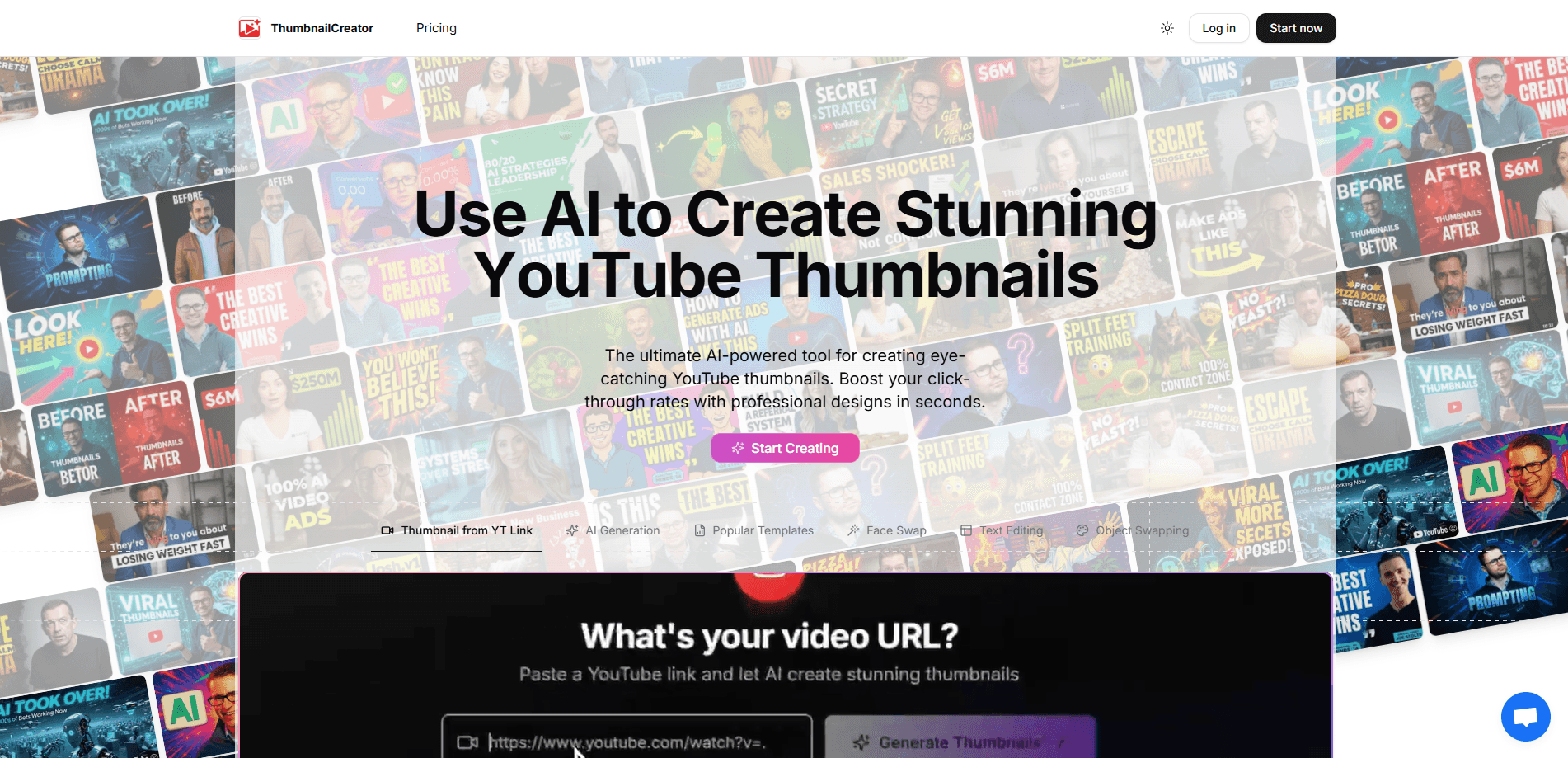
ThumbnailCreator.com is an AI YouTube thumbnail generator that turns a single video link into professional, click-worthy thumbnails in seconds. It watches the footage, reads the transcript, and pitches several concepts built around the faces and topics already in the video. Creators use it to skip hours of manual design in Photoshop or Canva. A separate feature, AI Viral Clips, pulls short-form clips from long uploads for TikTok, Shorts, and Reels.
About ThumbnailCreator.com
What Is ThumbnailCreator.com
ThumbnailCreator.com is a browser-based tool for YouTube creators who care about click-through rate. Instead of opening a design app and building a thumbnail by hand, you paste a video link and let the AI do the first pass. The platform analyzes frames, transcript, and context, then returns a few thumbnail concepts for you to pick from.
The pitch is speed and consistency. A thumbnail that used to eat one to three hours can come back in minutes, and the output stays on-brand because the AI can be trained on a creator's own face. That matters when a channel posts several times a week and every thumbnail needs to look like it belongs to the same crowd.
The main limitation is scope. This is a YouTube-first tool, so it isn't built for print, general social graphics, or heavy manual retouching. It's also a subscription product, with the cheapest tier starting at $29 per month billed annually, so casual creators should weigh it against the free tier of a general design app.
Getting Started
- Create an account and start the 7-day free trial, which includes 10 thumbnails.
- Paste a YouTube video link so the AI can read the transcript and scan key frames.
- Pick a concept from the generated options, or upload your own face photo for face-aware generation.
- Generate variations, tweak the headline text, and download the thumbnail ready for upload.
- On paid plans, submit a long video to AI Viral Clips to pull short-form clips automatically.
Product Information
A quick look at ThumbnailCreator.com's pricing, supported platforms, and performance.
Best for
The users, tasks, and scenarios where this tool fits best.
Users
- YouTube creators who post one to five videos a week and want a repeatable thumbnail workflow, ideally on the Starter or Creator plan
- Faceless and talking-head channels that need face-aware consistency across every upload
- Agencies and multi-channel networks managing several brands, using the Teams plan for batch variations and API access
Tasks
- Designing a scroll-stopping thumbnail from scratch when you only have the video itself to work with
- Cloning a visual style you already like and applying it to a fresh video
- Generating several variations of one thumbnail to A/B test headlines and framing
- Extracting a competitor's thumbnail to study what's working in your niche
- Cutting 30-second hooks out of a long video for Shorts, Reels, and TikTok
Scenarios
- Upload day crunch, when the video is edited and only the thumbnail is holding up publishing
- Running a channel where every thumbnail must match an established brand look
- Batch-processing a back catalog of older videos that never got a proper thumbnail
- Repurposing a three-hour stream into a week of short-form clips
Key features
AI Thumbnail Generator
Paste a video link and the AI watches every frame, reads the transcript, and engineers a set of thumbnail concepts. It returns a few options rather than one, so you can judge which framing fits the video's hook. The whole pass takes seconds, not the hours a manual design session usually costs.
Face-Aware Generation
The tool learns a creator's face and keeps it consistent across generations, so a new thumbnail looks like the same person your audience already recognizes. Paid tiers step this up with advanced face training, person swap, and expression morphing. That last set is what separates a generic AI image from a thumbnail that actually feels like your channel.
Variation Generator
One video rarely needs a single thumbnail. The Variation Generator produces multiple takes on the same concept so you can test different headlines and crops. Testing is how most creators find the version that moves click-through rate, and doing it by hand is slow.
YouTube Thumbnail Extractor
Drop in a competitor's video and pull its thumbnail out for study. It's a quick way to reverse-engineer what's working in your niche without screenshotting and cropping by hand. Higher tiers remove the extraction limits.
Automatic Thumbnail Tuning
This feature reviews a finished thumbnail and suggests fixes for contrast, text size, and readability at small sizes. Most thumbnails fail on a phone screen, where the design you loved on a desktop monitor turns into mush.
Style Cloning
Point the AI at a thumbnail style you like and it applies that look to your own video. The result keeps your subject recognizable while borrowing the composition that drew you in. Creators often use this to stay consistent with a format that already performs for them.
AI Viral Clips
Beyond thumbnails, the platform takes a long video and finds the 30-second hooks most likely to travel on TikTok, Shorts, and Reels. It transcribes the footage, scores the hooks, and cuts the clips. It's a different job from thumbnails, but it fits the same repurposing workflow.
Team and API Access
The Teams plan adds multiple face training, batch variations, and API access, along with unlimited team members. For agencies juggling several channels, that turns thumbnail production into something closer to a pipeline than a one-off task.
Pros and cons
Pros
- Turns a video link into several finished thumbnail concepts in seconds, cutting a task that often took hours
- Face-aware generation keeps a creator recognizable, which is exactly what a returning audience looks for
- Bundles thumbnail generation, extraction, style cloning, and short-form clip cutting in one place
- Clear per-post pricing tiers with a 7-day free trial and 10 thumbnails to test
- API access on the Teams plan suits agencies and multi-channel operations
Cons
- Annual billing is the default, so the advertised $29/mo becomes $174 up front for the Starter tier
- It's YouTube-focused, so creators who also need Instagram, X, or blog graphics still need another tool
- Automated output often needs a manual pass on text sizing and framing, which eats into the time you saved
- Pricing runs high for hobbyist creators who only post occasionally
Frequently asked questions
It's a YouTube thumbnail maker that works from a video link, then helps you refine the results with variations, style cloning, and face-aware generation. It also cuts short-form clips from long videos. It isn't a general graphic design app.
Related content
Explore related tools, skills, and articles for ThumbnailCreator.com.
ThumbnailCreator.com Alternatives

ngram 2.0
ngram · Video · Marketingngram 2.0 is an AI video generator for teams. It turns a prompt, a screen recording, or a product URL into a narrated explainer, product demo, or AI avatar video, and every scene stays editable.

OpenScreen 2
OpenScreen (open-source project) · Video · ProductivityOpenScreen 2 is a free, open-source screen recorder and demo video editor for Windows, macOS, and Linux, with automatic zooms, styled frames, local captions, and agent edits.

Skreno
Skreno · Video · ProductivitySkreno is a browser screen recorder that captures a tab, a window or your whole display, then attaches AI transcripts, summaries and console logs to one share link.