

Thumio
Thumio · Image · Marketing
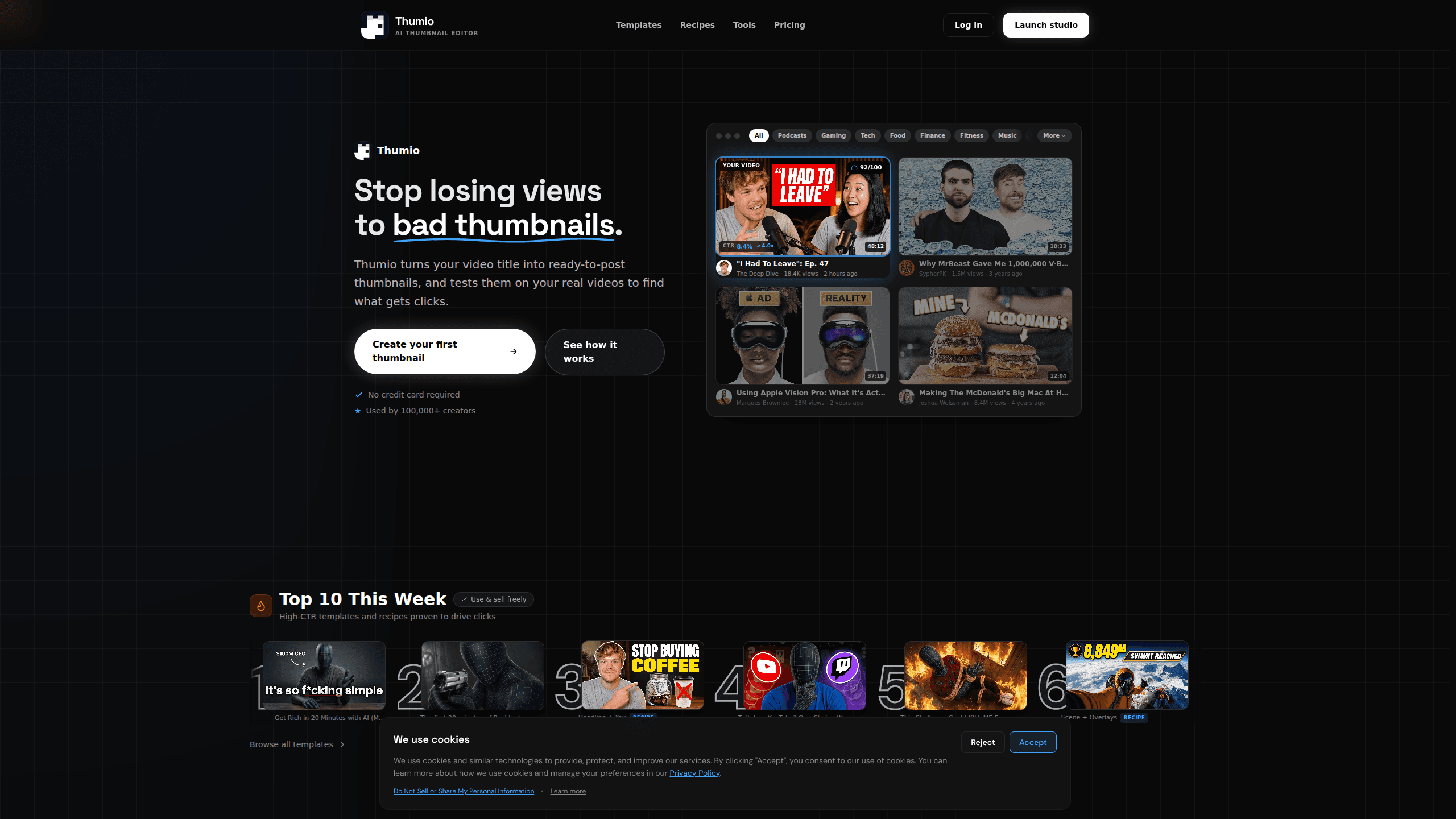
Thumio is an AI-powered YouTube thumbnail maker and editor built for creators who treat thumbnails as part of a weekly growth loop rather than a one-off design task. You upload an existing thumbnail or start from a prompt, ask for the change you want, and Thumio reshoots, restyles, or refines the image in seconds. It skips the usual template-and-layers grind of a traditional editor, which makes it a reasonable fit for small channels and solo creators. It's not a full graphic design suite, so anyone expecting pixel-level manual control will hit limits fast.
About Thumio
What Is Thumio
Thumio is a web-based thumbnail editor that leans on AI for almost everything. Instead of opening a layered canvas and moving text boxes around, you describe the change you want in plain language: swap the background, restyle the subject, clean up a messy cutout, or turn a rough sketch into a finished design. The tool is aimed squarely at YouTube thumbnail work, not general image editing. That's the whole scope.
The appeal is speed. Most creators lose an hour or more to a single thumbnail. Thumio compresses that into a short back-and-forth. You still make the final call. The heavy lifting, like composition, restyling, and background cleanup, happens on its side. It works as an AI thumbnail generator, not a full design app.
The main limits are scope and control.
That's the trade-off. Thumio is built around thumbnail sets and fast iteration rather than deep manual editing, so fine adjustments that a designer would reach for in Photoshop aren't really the point here. Pricing sits behind a free tier, and the paid upgrade is aimed at creators who export often enough that the free plan stops being enough. Fair enough.
Getting Started
- Sign up for a free Thumio account on the website, no card required to start.
- Upload an existing thumbnail or describe the video you want a thumbnail for.
- Type the change you want in plain language, such as a new background, a restyled subject, or cleaner contrast.
- Review the generated variations and pick the one that reads best at small size.
- Export the finished thumbnail and publish it to YouTube.
Product Information
A quick look at Thumio's pricing, supported platforms, and performance.
Best for
The users, tasks, and scenarios where this tool fits best.
Users
- Solo YouTubers
- Small channels on a tight budget
- Faceless channel operators
Tasks
- Restyling an old thumbnail
- Cleaning up a messy cutout
- Turning a sketch into a design
- Producing a thumbnail set
Scenarios
- Weekly upload schedules
- Testing which thumbnail wins
- Rapid concept sketches
Key features
Plain-language editing
The core move is describing what you want instead of building it. Upload a thumbnail and type something like "swap the background and make the subject pop more." Thumio then reshoots or restyles the image. It reads more like directing than designing. That's the whole point for creators who never learned a design tool.
AI reshooting and restyling
Thumio can regenerate the subject and scene from a reference, then apply a style so the result fits a niche. Why does that matter? A gaming thumbnail and a finance thumbnail need very different visual rules. The tool lets you push a concept toward either without starting over.
Background cleanup
Bad backgrounds are one of the most common thumbnail problems. Webcam and phone shots make it worse. Thumio isolates the subject and rebuilds the scene behind it. That saves the tedious masking work that eats time in a standard editor.
Sketch-to-design
If you can draw a rough layout, Thumio can turn it into a finished thumbnail. That's useful for creators who know the composition they want but can't execute it. The human stays in charge of the idea. The AI handles polish.
Thumbnail sets
Thumio is built around producing multiple thumbnails, not just one. You can generate a set for an upcoming batch of videos, keep them visually consistent, and export them together, which saves you from treating every single upload as a fresh project that starts from zero.
Fast export
The workflow ends in a publish-ready file rather than a project you still need to flatten. That shortens the gap between finishing a video and actually posting it. Momentum matters here. That gap is where a lot of creators lose it.
Comparison for A/B testing
Thumio lets you put concepts side by side before you commit. Testing which thumbnail wins is one of the best habits on YouTube. Having that comparison built into the editor makes it far less of a chore.
Pros and cons
Pros
- Cuts thumbnail production from an hour to minutes for creators without design skills.
- Plain-language editing means you don't need to learn a layered canvas.
- The free tier lets you test the workflow before paying.
- Background cleanup handles the most annoying part of thumbnail work.
- Built around thumbnail sets, which suits a weekly upload rhythm.
Cons
- It's a thumbnail tool, not a general image editor, so deep manual control isn't there.
- Creators who want pixel-level precision will find the AI-first approach limiting.
- Pricing and plan details aren't fully documented on the site, so cost is hard to pin down in advance.
Frequently asked questions
Thumio is an AI thumbnail editor for YouTube creators. You upload or describe a thumbnail, ask for changes in plain language, and it reshoots, restyles, or refines the image so you can publish faster.
Related content
Explore related tools, skills, and articles for Thumio.
Thumio Alternatives

X Ray Interpreter
X-ray Interpreter · ImageX Ray Interpreter is a web-based AI radiology tool that turns X-rays, CT scans, MRI, ultrasound, and PET images into plain-language reports. You upload a scan, get a preliminary X-ray interpretation in moments, then ask follow-up questions if something needs explaining. It works as a second opinion and a learning aid, not as a medical diagnosis.

Aieasypic
AIEasyPic · ImageAIEasyPic is an AI image generator that turns plain text prompts into finished artwork in seconds. You can also train custom models on your own photos, swap faces in existing images, and create short video clips from text, all from a browser. It suits casual creators who want quick visuals and hobbyists who want to build a personal model without touching any code.

Chargen
Chargen · ImageChargen is an AI character generator and worldbuilding toolkit built for Dungeons & Dragons and other tabletop RPGs. It turns a one-line idea into a painted character portrait, spins up NPCs, monsters, maps and encounters from the same session, and keeps every creature's details close at hand. The tabletop RPG art side runs on a credit system called Gold, while the text generators stay free for everyone.