

Ticketdesk AI
Ticketdesk AI · Productivity · Marketing
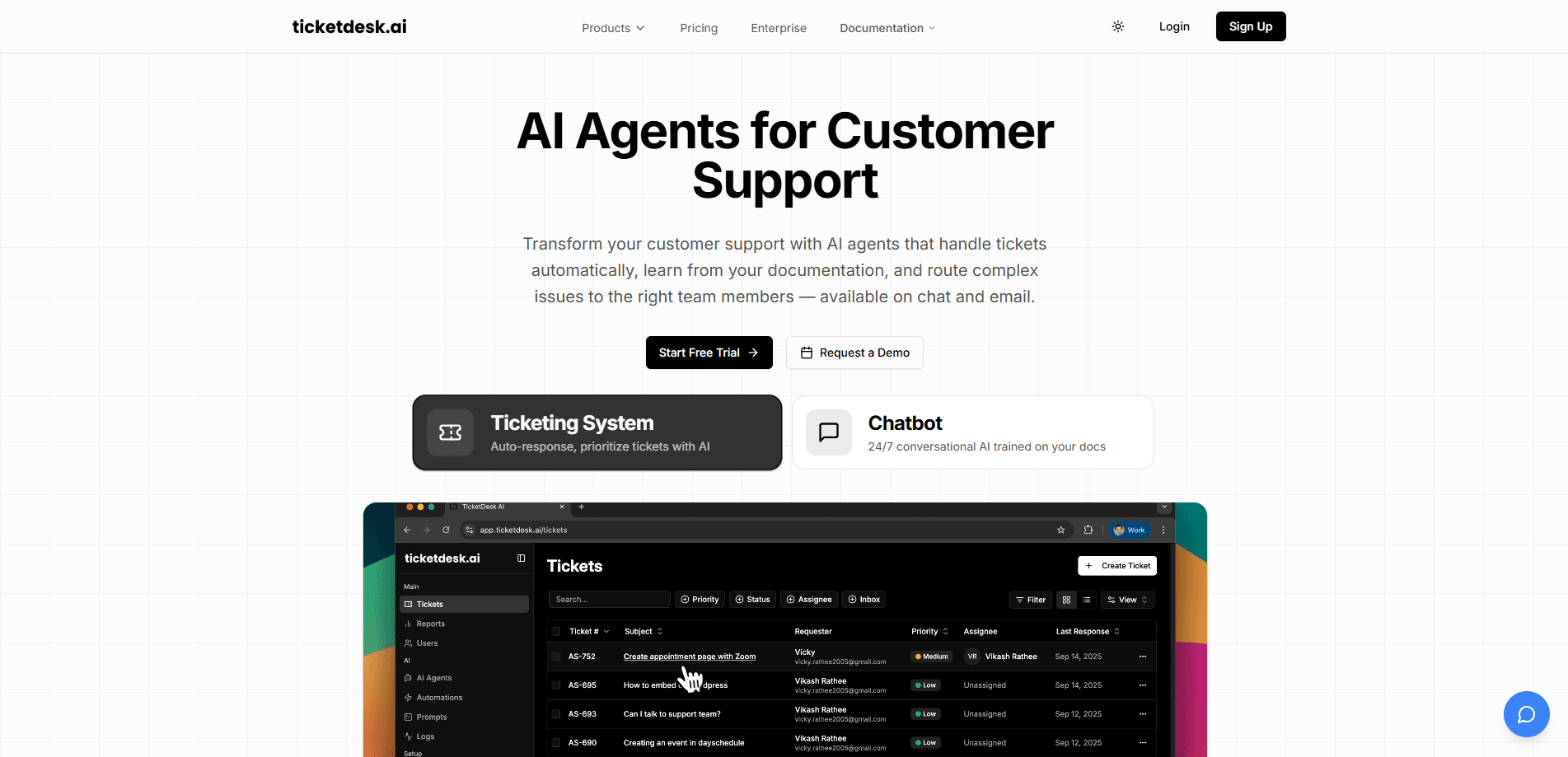
Ticketdesk AI is an AI-powered helpdesk, and it answers customer tickets for you across email and chat. It learns from your help docs and past conversations, drafts replies in your tone of voice, routes tricky issues to the right person, and hands off to a human when a case needs one. Think of it as customer support automation run by an AI agent, not a lookup table. Teams use it to cut first-response times without hiring a bigger support crew.
About Ticketdesk AI
What Is Ticketdesk AI
Ticketdesk AI is a customer support platform built around AI agents rather than human-only inboxes. You connect your email and chat channels, feed it your documentation, and the AI starts drafting and sending replies on its own. The pitch is simple: handle more tickets with the same team.
It targets small and mid-sized support teams that get buried in repetitive questions like password resets, order status, and "how do I do X" messages. The product claims it can resolve up to 70% of tickets without a human handoff, and it's trained on your help docs, old tickets, and tone of voice so replies don't sound robotic. That's a bold claim. Real numbers depend on your setup.
The main catch is setup. The AI is only as good as the material it learns from, so if your docs are thin or outdated, response quality drops fast. Pricing also scales by AI credits and agents, which matters once ticket volume grows. If you're shopping for helpdesk software, that scaling is worth a closer look before you commit.
Getting Started
- Sign up at app.ticketdesk.ai and pick a plan, starting with the 3-day free trial.
- Connect your support channels, such as your email inbox and chat widget, so tickets flow into Ticketdesk AI.
- Upload training sources like help articles, FAQs, and past tickets, then set your tone of voice and automation rules.
- Review the AI's drafted replies, adjust the rules, and let it start resolving routine tickets on its own.
- Check the reporting dashboard to see resolution rates and handoffs, then tune escalation settings.
Product Information
A quick look at Ticketdesk AI's pricing, supported platforms, and performance.
Best for
The users, tasks, and scenarios where this tool fits best.
Users
- Small support teams drowning in repeat questions
- Solopreneurs running a store or SaaS
- Business owners who want fast replies without a big payroll
Tasks
- Drafting and sending ticket replies from your help docs
- Routing complex issues to the right team
- Escalating to humans when a case stalls
Scenarios
- A weekend surge in chat questions with no agent on duty
- Onboarding a new help doc set
- Cutting first-response time on a high-volume email inbox
Key features
AI ticket replies learned from your docs
The core engine reads your help articles, past tickets, and tone of voice, then writes replies that match how your team already talks. It resolves routine questions on its own and flags the ones it shouldn't touch. No templates to fill. For most teams, this is where the time savings show up first.
Email inbox built for AI agents
Ticketdesk AI gives you an email inbox designed for AI agents, not retrofitted from a human queue. Tickets arrive, the AI drafts or sends a response, and anything unresolved moves to a person. It's the main channel the product is sold around. An AI agent for support lives or dies by this inbox.
Multi-channel support with chat and API
Beyond email, Ticketdesk AI covers chat and offers API access so you can wire it into the tools your team already uses. That matters if your customers reach out on a website widget or an internal system rather than plain email. One inbox isn't enough for most teams.
Smart routing and human escalation
Automation rules decide where a ticket goes and when a person needs to step in. The AI routes issues to the right team and escalates complex cases with the conversation history attached. Customers don't have to start over, and agents get context up front. That's the difference between a fast reply and a useful one.
24/7 availability with automation rules
The AI runs around the clock, which is the whole point for small teams that can't staff every hour. Plans include a set number of automation rules, from 5 on the starter tier up to 20 on the higher tiers, so you can tune how much runs hands-free. Nights and weekends included.
Reporting and insights
Every plan bundles a reporting dashboard that tracks resolution rates, handoffs, and ticket volume. It's how you tell whether the AI is actually pulling its weight or just adding a layer on top of your inbox. Numbers don't lie.
Bring your own AI model on the top tier
The $249/mo plan lets you bring your own AI model, which appeals to teams with strict data or compliance rules. Lower tiers use the built-in model, so most buyers won't touch this unless they have a specific reason. Nice to have, not a must.
MCP Server and API access
Ticketdesk AI lists an MCP Server alongside API access, aimed at teams that want the support agent to plug into other AI tooling and internal workflows. It's a developer-facing feature rather than something a typical support lead will configure. Skip it if you're not technical.
Pros and cons
Pros
- Setup is guided and the 3-day free trial lets you test quality before paying.
- Email, chat, and API are covered, so you're not locked to a single channel.
- The AI learns from your own docs, which keeps replies on-brand instead of generic.
- Human escalation with full context means customers don't repeat themselves.
- The starter plan at $29/mo with 5,000 AI credits is cheap to try at small scale.
Cons
- Response quality depends on your documentation, so thin or outdated docs produce weak answers.
- Pricing scales by AI credits and agents, so heavy ticket volume can push you into a higher tier quickly.
- The custom AI model and white labeling sit on the $249/mo plan, out of reach for very small teams.
Frequently asked questions
It's an AI helpdesk that answers customer tickets across email and chat. The AI drafts and sends replies based on your help docs, routes issues to the right team, and escalates to a person when a case needs one.
Related content
Explore related tools, skills, and articles for Ticketdesk AI.
Ticketdesk AI Alternatives

Swms
Swms AI · Writing · Productivity · BusinessSwms is an AI safety compliance tool that turns a plain description of a job into ready-to-use safety documents. Describe your project, trade, and known hazards, and it writes a safe work method statement, job hazard analysis, safe work procedure, RAMS, or safety data sheet in seconds. It also ships with Oscar, a chat assistant that answers workplace safety questions in any language. Teams in construction, mining, transport, and warehousing use it to cut the paperwork that usually eats into a workday.

Wordly AI Translation
Wordly · Voice & Language · ProductivityWordly AI Translation is a real-time AI translation and captioning platform built for meetings, conferences, and events. It delivers live translation, captions, transcripts, and summaries in more than 60 languages, and attendees join by scanning a QR code or opening a link instead of using dedicated headsets. The platform works with Zoom, Microsoft Teams, Google Meet, and Webex, and it's designed for organizations that want multilingual access without hiring human interpreters for every session. Simple as that.

Rows
Rows (Superhuman) · Productivity · BusinessRows is an AI spreadsheet and data analysis tool that imports live data from more than 50 sources, then lets you work with it using plain language instead of SQL queries or nested formulas. You can pull numbers out of PDFs, connect ad platforms, databases, and bank accounts, and ask the AI to build reports, merge datasets, or set up models that recalculate themselves. It runs in the browser, works like a spreadsheet, and now sits under the Superhuman umbrella.