

Tight Studio
Tight Studio · Video
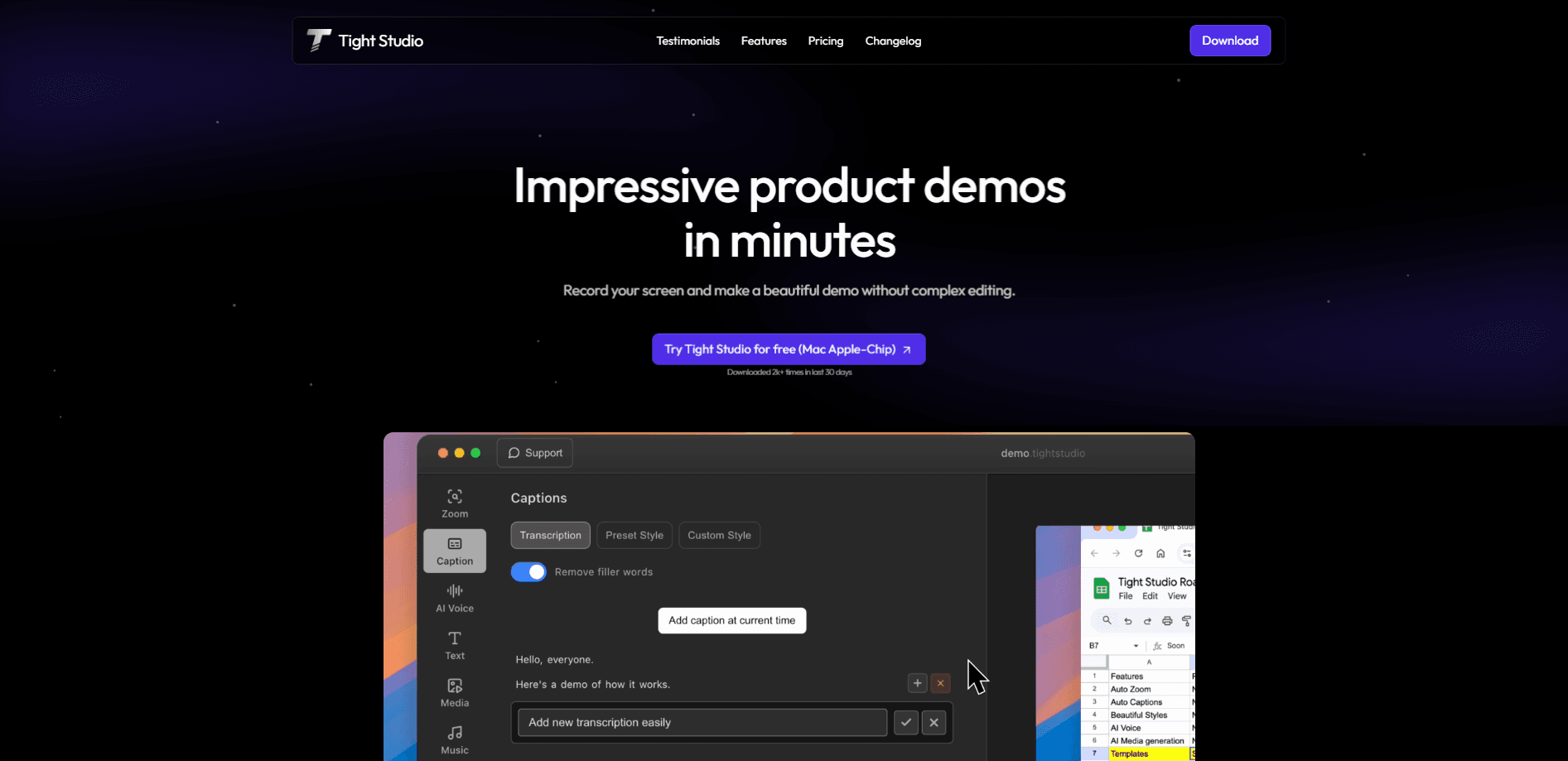
Tight Studio is a Mac screen recorder and video editor that turns raw screen captures into polished product demo videos, tutorials, and social clips. It handles auto zoom, cursor smoothing, multi-clip recording, video captions, and AI voiceovers in one app, so you don't have to export your footage into a separate editor. It runs natively on Apple silicon Macs. It's free right now.
About Tight Studio
What Is Tight Studio
Tight Studio is a free screen recording app for macOS that doubles as a lightweight video editor. Founded in 2025 by Ethan Jiang, it targets the exact moment after you finish recording a demo: the part where most people export to another tool and spend an hour keyframing zooms and trimming dead air. Tight Studio folds that work back into the recorder. That's the whole pitch.
The company's pitch is narrow on purpose. It builds for Apple silicon Macs only. There's no Windows or web version, so the app can lean on fast local media processing instead of cloud rendering. That keeps exports quick. It also locks out anyone on an older Intel Mac.
The biggest limit is scope. Tight Studio is built for screen-based content like product walkthroughs and onboarding guides. So who is it not for? Anyone who needs heavy color grading, multicam editing, or cinematic footage. That's a different job, and it needs a different tool.
Getting Started
- Download the app from the official site and install it on an Apple silicon Mac running a recent version of macOS.
- Launch Tight Studio and grant screen recording and microphone permissions in System Settings when prompted.
- Pick a capture source, then record your screen, webcam, or iPhone and iPad screen alongside your Mac desktop.
- Trim and arrange your takes, then add zooms, captions, AI narration, and backgrounds in the editing view.
- Export the finished video or share it through a link.
Product Information
A quick look at Tight Studio's pricing, supported platforms, and performance.
Best for
The users, tasks, and scenarios where this tool fits best.
Users
- Founders and product marketers
- Sales and support teams
- Educators and creators
Tasks
- Recording product demos
- Making tutorial videos
- Adding AI narration
Scenarios
- Explaining a new feature to customers
- Onboarding a new hire
- Posting a social clip
Key features
Automatic Zoom and Smooth Cursors
Tight Studio frames every click with a zoom that eases in and out, and it smooths cursor movement so shaky takes look deliberate, which means a rushed recording still reads as intentional to your viewer. You get professional motion without touching a single keyframe. No keyframing at all. That's the feature that saves the most time on a typical demo.
Multi-Clip Recording
Record several takes back to back and arrange them in a single project. Trim what doesn't work. Stitch the rest together. For anyone who stumbles over their words on camera, this removes most of the pressure of a one-shot recording.
Mobile Device Recording
The app can capture your iPhone or iPad screen alongside your Mac display. That's useful for mobile app demos or dual-screen walkthroughs where you need to show a companion app and the desktop at the same time.
AI Narration and Voice Cloning
A library of natural AI voices covers the times you'd rather not talk into a mic. You can also record a short 20-second sample once, then narrate any future script in your own voice. Re-recording becomes a text edit. Bad take? Fix the typo instead.
Editable Captions
Pre-designed caption styles drop in with one click, and you can adjust fonts, colors, motion, and position to match your brand. Captions are edited like text. Fixing a misspelled word takes seconds, not another render.
Layouts, Annotations, and Backgrounds
Switch between picture-in-picture, split-screen, camera-only, and screen-only layouts for different parts of a video, so a talking-head intro can give way to a full-screen walkthrough without a second project. Add arrows, highlights, and animated title cards. Place your screen over branded backgrounds or looping video instead of a bare desktop. Small stuff, but it adds up.
Background Music Library
A curated music library covers a range of moods, from warm to high-energy, or you can import your own track. It's a small touch. It still saves a separate trip to a stock music site.
Pros and cons
Pros
- Free to use right now, with no watermark on exports and no credit card required to start.
- Recording and editing live in one app, so you skip the export-into-another-tool step that slows most demo workflows.
- Auto zoom and cursor smoothing remove the keyframing grunt work that makes demo videos tedious.
- AI narration and voice cloning let you fix a script by editing text instead of recording again.
Cons
- Mac only, and specifically Apple silicon, so Intel Mac and Windows users can't run it at all.
- The free tier means pricing could change later; there's no paid roadmap published yet, so you can't plan costs around a stable tier.
- It's built for screen content, not general editing, so cinematic footage and multicam work need a different app.
- No public API, which rules out automating video creation from a script or pipeline.
Frequently asked questions
Yes. As of now, Tight Studio runs at $0 per month with no watermark and no credit card required. Since the company hasn't published a paid plan yet, treat free access as the current state rather than a guaranteed forever price.
Related content
Explore related tools, skills, and articles for Tight Studio.
Tight Studio Alternatives

Vadu AI
Vadu AI · Image · VideoVadu AI is a web-based AI video generator that turns written prompts or still images into short clips, and it can also generate images on its own. You type what you want, pick a model and style, and the platform renders the result in minutes. A free plan covers light testing, while paid tiers run from $9 to $77.40 per month based on how many credits you burn.

Mykaraoke Video
MyKaraoke Video · VideoMykaraoke Video is an online karaoke video maker and lyric video maker that turns any song into a finished, lyrics-synced video right in your browser. It handles the slow part for you. The AI pulls vocals out of the mix and locks the lyrics to the beat, then lets you customize background, fonts, and colors before exporting in 1080p MP4. If you make lyric videos for social media, party nights, or music promotion, it skips the software installs and manual timing work entirely. Want a karaoke video generator that doesn't eat your whole evening? That's the pitch here.

Finalframe
Finalframe · VideoFinalframe is a set of free, browser-based tools for grabbing exact frames out of a video clip. Its best-known feature, the Final Frame Extractor, lets you extract the last frame of any video so you can use it as the starting image for AI video tools like Luma Dream Machine, Runway, or Kling. Want to keep a clip going? That last frame is your starting point. The tool runs locally in your browser, needs no sign-up, and costs nothing. A separate paid AI video-generation app from the same team is currently offline while it's rebuilt.