

TimeAlign
Mister Juicy Lemons LLC · Productivity
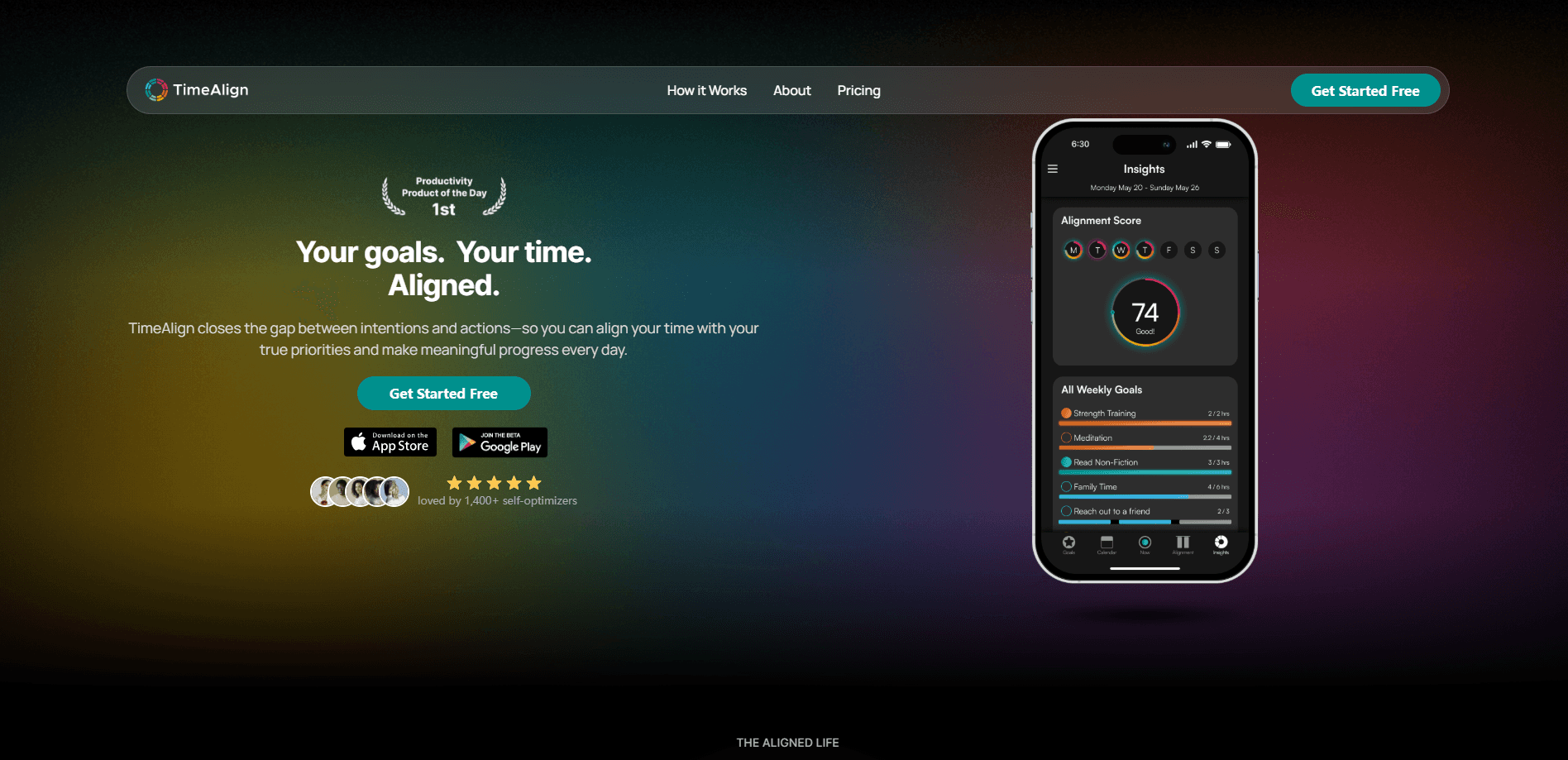
TimeAlign is an AI time management app that turns your goals into a weekly plan and then shows you, minute by minute, whether you stuck to it. It connects Apple and Google calendars, Apple Health, and wearables into one system, tracks what you actually do with a single tap, and closes the gap between intention and action with weekly reports and an Alignment Score. It's built for people who plan carefully but can't figure out where the hours disappear. Think of it as a productivity app with a memory.
About TimeAlign
What Is TimeAlign
TimeAlign is a time tracking and goal planning app that treats your week like a route rather than a blank page. You connect the tools you already use, define the priorities that matter across work, health, people, growth, and rest, and drag those goals into a weekly calendar. From there the app keeps score honestly.
The calendar integration app side is what makes it stick. Your existing events flow in, so you're not rebuilding your life from scratch.
The idea sounds simple and blunt. Most people don't have a discipline problem. They have a measurement problem. Traditional planners capture what you meant to do and stay silent on what you actually did. TimeAlign tracks both sides on separate rails, so the distance between them becomes visible. Visibility, the founders argue, is the only way to close it.
The company behind TimeAlign is Mister Juicy Lemons LLC, founded by Jordan Dominguez. The app came out of a personal story about grief and ADHD, and that shows in the design. Heavy manual logging is the main limitation to know about. Timed sessions need a tap to start and stop. If you forget to track, your record has holes, and the weekly picture is only as good as the data you feed it.
Getting Started
- Download TimeAlign from the App Store and create your account.
- Connect your calendars and Apple Health so existing events and workouts flow in automatically.
- Define your goals and the time targets for each life area, then drag them onto the weekly calendar as blocks.
- Tap Start in the Tracking view when you begin an activity, and switch tasks from your phone or wrist as the day changes.
- Review your Alignment Score and Weekly Report each Sunday, then adjust next week's plan based on what drifted.
Product Information
A quick look at TimeAlign's pricing, supported platforms, and performance.
Best for
The users, tasks, and scenarios where this tool fits best.
Users
- Professionals juggling meeting overload and distraction creep
- Students balancing classes, study, fitness, and a social life
- Entrepreneurs and creators chasing ambitious milestones
- People with ADHD who've bounced off rigid planners
Tasks
- Weekly planning around priorities
- Tracking what actually happens
- Reviewing plan versus reality
- Spotting behavior patterns over time
Scenarios
- Sunday planning sessions
- Mid-week course correction
- Quarter-end reflection
- Fitness and work balance
Key features
Goal-Driven Weekly Planning
TimeAlign starts with your priorities, not your inbox. You set time and habit targets for each life area, then drag those goals into a weekly calendar. The result is a schedule built around what you decided matters, rather than a list of meetings with gaps around them. Blocks are deliberate and easy to reshape as the week unfolds, which matters more than it sounds once a project runs long and one afternoon has to absorb the overflow.
One-Tap Tracking With Wearable Input
Tracking is where every other tool turns into a chore. Nobody keeps it up. TimeAlign makes the record cheap to hold: hit Start in the Tracking view and the session logs itself. Apple Health workouts sync in on their own, and calendar events round out the picture. You can also switch activities from your phone or wrist in a second when the day changes course.
Plan Versus Actual Comparison
The app keeps two rails: what you scheduled and what you tracked. Seeing them side by side is the whole point. You get an honest record of the day as it actually happened, without the guesswork that makes most time logs unreliable. When the two rails drift apart, you can see it before the week is gone. That early warning is the difference between a small correction and a lost month.
Alignment Score and Weekly Reports
Every Sunday, TimeAlign shows your Alignment Score and a Weekly Report on how the hours landed against your intentions. The score is a single number on follow-through. Progress becomes measurable, not a feeling. Over weeks it compounds into a clear trend line you can act on.
AI Clarity Coach
The AI Clarity Coach answers questions about your own patterns. Ask why certain weeks fall apart. Ask which activities eat the most unplanned time. It responds with observations drawn from your tracked data, and the answers come from what you actually logged rather than from generic productivity advice you could find anywhere else.
Calendar and Health Integrations
TimeAlign syncs two ways with Apple and Google Calendar, pulls in Apple Health workouts, and works with wearables. Your plan lives in one place instead of spread across four apps. The integrations are also what make tracking sustainable. Much of the record fills itself in without any input from you.
Privacy-First Data Handling
The app states that your data is encrypted, never sold, and always exportable. Think about it. This tool records where nearly every hour of your life goes. That matters more than it would for a simple to-do app. Export support also means you're not locked in if you decide to leave.
Pros and cons
Pros
- Combines planning and tracking in one loop, so you see intention and reality together.
- One-tap capture plus automatic health and calendar sync keeps logging light.
- Weekly Alignment Score turns follow-through into a number you can track.
- Two-way Apple and Google Calendar sync fits tools you already use.
- Data is exportable and the app says it's never sold.
Cons
- iOS and Apple Watch only, with no Android or web app, so it's out for non-Apple users.
- Requires consistent tapping. Missed taps leave gaps in the record.
- Free plan is limited to a few goals, so serious use means a Pro subscription.
- AI Clarity Coach quality depends entirely on how much data you've logged, which is a real constraint in your first couple of weeks with the app.
Frequently asked questions
It plans your week around your priorities, tracks what you really do with one tap, and shows the gap between the two. The weekly Alignment Score and reports turn that gap into something you can fix. That's the whole loop.
Related content
Explore related tools, skills, and articles for TimeAlign.
TimeAlign Alternatives

Swms
Swms AI · Writing · Productivity · BusinessSwms is an AI safety compliance tool that turns a plain description of a job into ready-to-use safety documents. Describe your project, trade, and known hazards, and it writes a safe work method statement, job hazard analysis, safe work procedure, RAMS, or safety data sheet in seconds. It also ships with Oscar, a chat assistant that answers workplace safety questions in any language. Teams in construction, mining, transport, and warehousing use it to cut the paperwork that usually eats into a workday.

Wordly AI Translation
Wordly · Voice & Language · ProductivityWordly AI Translation is a real-time AI translation and captioning platform built for meetings, conferences, and events. It delivers live translation, captions, transcripts, and summaries in more than 60 languages, and attendees join by scanning a QR code or opening a link instead of using dedicated headsets. The platform works with Zoom, Microsoft Teams, Google Meet, and Webex, and it's designed for organizations that want multilingual access without hiring human interpreters for every session. Simple as that.

Rows
Rows (Superhuman) · Productivity · BusinessRows is an AI spreadsheet and data analysis tool that imports live data from more than 50 sources, then lets you work with it using plain language instead of SQL queries or nested formulas. You can pull numbers out of PDFs, connect ad platforms, databases, and bank accounts, and ask the AI to build reports, merge datasets, or set up models that recalculate themselves. It runs in the browser, works like a spreadsheet, and now sits under the Superhuman umbrella.