

Todoist
Doist · Productivity
Todoist is a task management app that turns scattered to-dos into one organized system for work and life. Built by Doist and used by more than 50 million people, it pairs fast natural language input with list, board, and calendar views, plus AI helpers for scheduling. It suits individuals who want a clean personal to-do list and any task manager for teams that needs a shared space without heavy project management software.
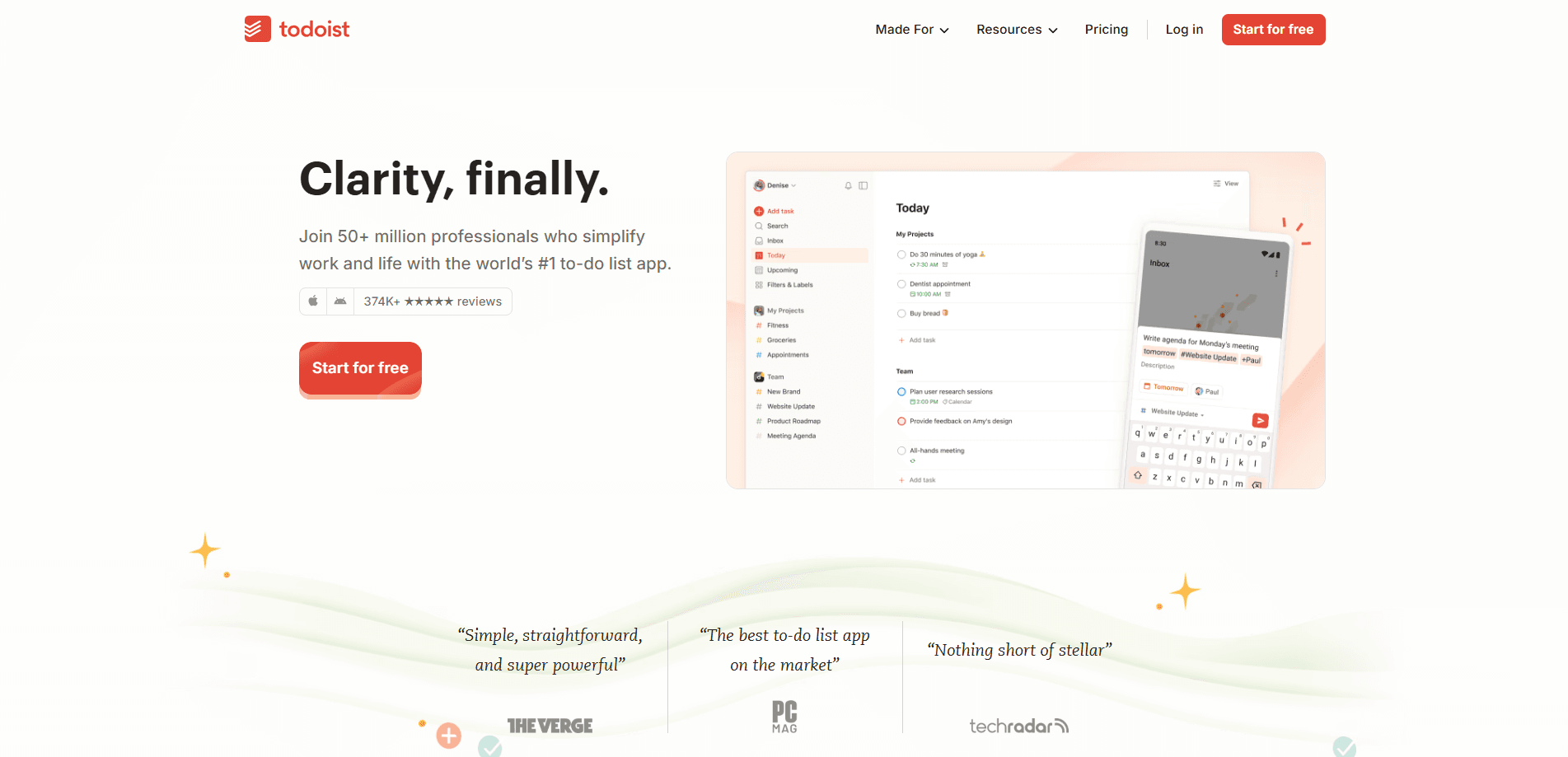
About Todoist
What Is Todoist
Todoist is a to-do list app designed around speed. You type something like "Send email to Bob tomorrow at 4 pm" and the app parses the date, time, and project for you. Everything lands in Today, Upcoming, or a custom filter so you see only what matters right now.
It grew from a simple task list into a broader productivity app. Projects, sub-tasks, recurring due dates, calendar view, and reminders all live in one place. Doist has run the company for close to two decades and states it will never sell to the highest bidder, which matters if you plan to keep years of tasks somewhere.
What it doesn't do is replace full project management software. It has no gantt chart, no time tracking, and no real file storage. Your team needs dependency mapping or budget tracking? Todoist won't cover it.
Getting Started
- Create a free account on the Todoist website or install the app on your phone or desktop.
- Add a first task in the quick-add bar, typing dates and times in plain language.
- Group related tasks into a project, then add labels or filters to sort them later.
- Set reminders and due dates, and switch between list, board, and calendar views to plan your week.
- Invite teammates to a shared project if you want a team workspace.
Product Information
A quick look at Todoist's pricing, supported platforms, and performance.
Best for
The users, tasks, and scenarios where this tool fits best.
Users
- Individual planners who want a fast to-do list app that captures tasks in seconds, with the free plan enough for five personal projects.
- Small teams that need a shared workspace but don't want the overhead of enterprise project management software.
- Students and freelancers juggling deadlines, where recurring tasks and calendar view keep a week visible at a glance.
Tasks
- Capturing tasks by voice or typed sentence and letting the app set the date and project automatically.
- Breaking bigger goals into sub-tasks and tracking them across board or list views.
- Setting recurring routines, like a weekly review every Friday, so habits don't get dropped.
- Coordinating a shared project with comments, assigned tasks, and a team activity log.
Scenarios
- Running a personal GTD-style system where inbox clearing and next-action filters drive the day.
- Managing a freelance client list across several projects with separate labels per client.
- Planning a team launch with a shared project, role permissions, and a central billing seat.
Key features
Natural Language Input
You type or speak a task the way you'd say it out loud, and Todoist picks out the date, time, project, and label. "Draft team report every third Tuesday starting Aug 29" becomes a recurring task with no menu digging. Fast. It's the quickest capture flow of any mainstream task management app that I've tried, and it's why people stick with it.
Three Task Views
List, board, and calendar layouts share the same tasks, so you can plan in one and review in another. Board view works well for stages like To do, Doing, and Done, while calendar view shows how a week actually fills up after you schedule due dates and recurring tasks. Pro unlocks the calendar layout. The free plan sticks to list and limited board views.
Projects, Labels, and Filters
Tasks live inside projects, and labels cut across them. Custom filters let you build saved queries like "high priority due this week," with 3 filters on the free plan and 150 on Pro. For a personal to-do list app that's plenty of structure. Heavy users push filters hard.
Recurring Tasks and Reminders
Set a task to repeat daily, weekly, or on custom patterns, and add a reminder at a specific time. Pro adds duration fields and customizable reminders, which helps when you block time rather than just check boxes. Reminders sync across every device. Nothing silently disappears on one platform.
Todoist Assist
Todoist ships AI helpers under the Assist banner: Filter Assist, Task Assist, Email Assist, and Ramble, a voice tool that turns spoken thoughts into organized tasks. The free plan gets a few Assist sessions. Pro removes most of those caps. Messy notes in, clean list out. It's a real time saver.
Cross-Platform Sync
Todoist runs on web, iOS, Android, macOS, Windows, and Linux, with offline access and real-time sync. Add a task on your phone at a red light. It's on your desktop before you sit down. The sync endpoint behind the official apps also powers the API, so third-party tools stay current.
Developer Platform and API
The API is free with any Todoist account, and Doist ships official Python and TypeScript SDKs, a command-line tool, webhooks, and a hosted MCP server. That MCP server connects Claude, ChatGPT, Cursor, and VS Code to your tasks over OAuth. If you want your AI assistant to read and write your to-do list, this is the hook.
Team Workspace
Business plans add a shared team workspace that stays separate from your personal projects. You get up to 500 team projects, granular activity logs, shared templates, roles and permissions, and centralized billing. It's collaboration for small teams, not a full project management suite.
Pros and cons
Pros
- Fast natural language input that turns a sentence into a fully scheduled task.
- Free plan is genuinely usable, with 5 projects and core features, not a crippled demo.
- Runs on every major platform, so the same list follows you across devices.
- Free API plus official SDKs and an MCP server make AI and custom integrations easy.
- Clean interface that stays out of the way, which makes daily use feel light.
Cons
- No gantt charts, time tracking, or workload planning, so it falls short for complex projects.
- Free plan caps you at 5 projects and 3 filters, which bites once you organize by area of life.
- File attachments are small, 5 MB on the free plan and 100 MB on paid, so it's not a document store.
- Some AI features throttle on the free tier, so heavy Ramble or Assist users need Pro.
Frequently asked questions
Todoist is used to capture and organize tasks across work and personal life. It combines a fast to-do list with projects, due dates, reminders, and views, and it syncs across every device you use.
Related content
Explore related tools, skills, and articles for Todoist.
Todoist Alternatives

Swms
Swms AI · Writing · Productivity · BusinessSwms is an AI safety compliance tool that turns a plain description of a job into ready-to-use safety documents. Describe your project, trade, and known hazards, and it writes a safe work method statement, job hazard analysis, safe work procedure, RAMS, or safety data sheet in seconds. It also ships with Oscar, a chat assistant that answers workplace safety questions in any language. Teams in construction, mining, transport, and warehousing use it to cut the paperwork that usually eats into a workday.

Wordly AI Translation
Wordly · Voice & Language · ProductivityWordly AI Translation is a real-time AI translation and captioning platform built for meetings, conferences, and events. It delivers live translation, captions, transcripts, and summaries in more than 60 languages, and attendees join by scanning a QR code or opening a link instead of using dedicated headsets. The platform works with Zoom, Microsoft Teams, Google Meet, and Webex, and it's designed for organizations that want multilingual access without hiring human interpreters for every session. Simple as that.

Rows
Rows (Superhuman) · Productivity · BusinessRows is an AI spreadsheet and data analysis tool that imports live data from more than 50 sources, then lets you work with it using plain language instead of SQL queries or nested formulas. You can pull numbers out of PDFs, connect ad platforms, databases, and bank accounts, and ask the AI to build reports, merge datasets, or set up models that recalculate themselves. It runs in the browser, works like a spreadsheet, and now sits under the Superhuman umbrella.