

TogetherLens
TogetherLens · Image
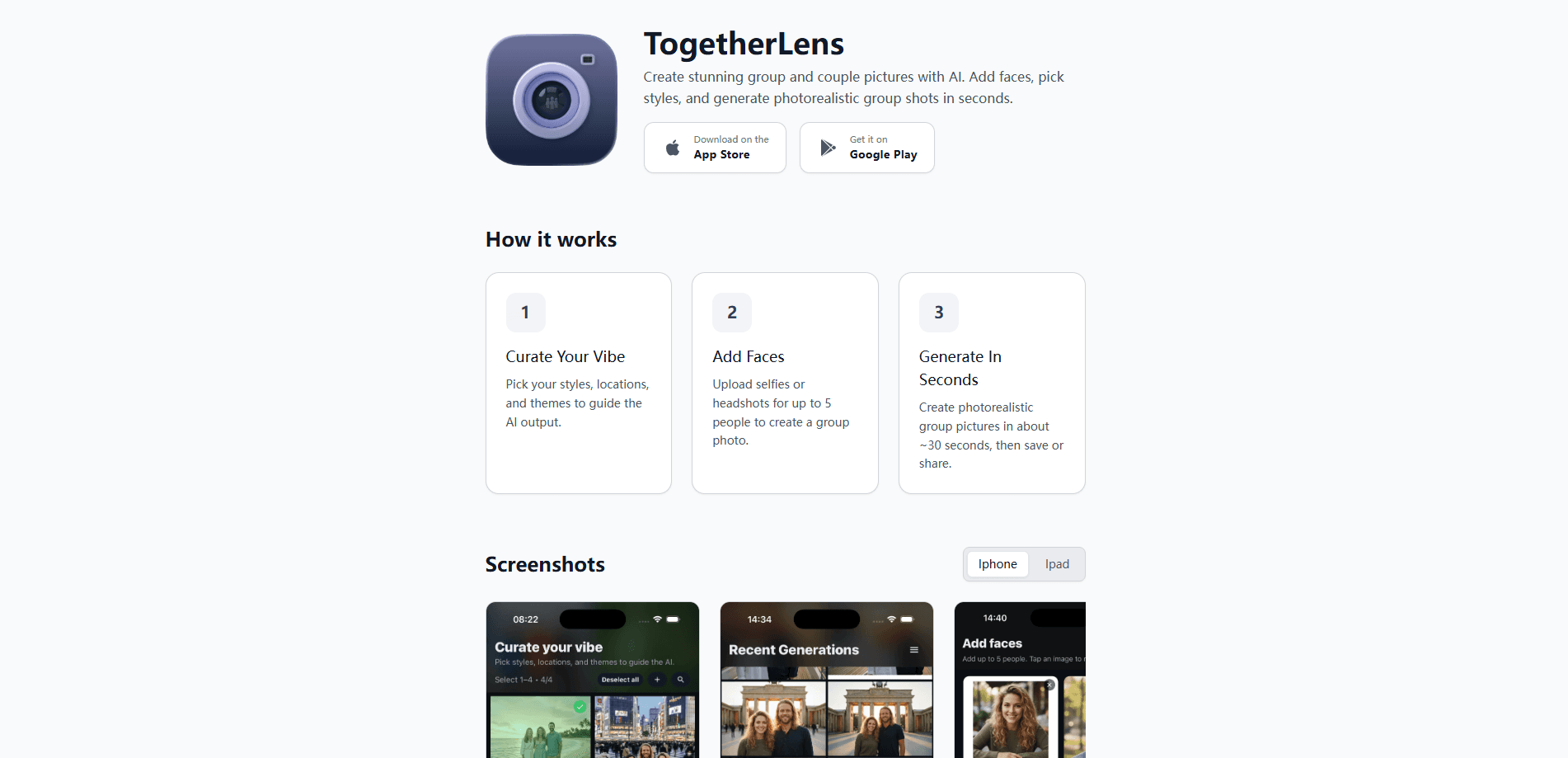
TogetherLens is an AI group photo app that builds one realistic couple or group portrait from separate selfies, so nobody has to stand in the same room. It takes two to five clear portraits and places them into a new still scene, and it works even when the original moment never happened. The app is free to install, image generation costs paid tokens, and an optional Premium plan adds more tokens and scenes.
About TogetherLens
What Is TogetherLens
TogetherLens is an AI photo generator built for one job: putting real people into one believable still image when a shared photo doesn't exist. You add a clear head-and-shoulders picture of each person and pick a place, season, or occasion. The app composes a new group portrait. It handles two to five people. That covers couples, small families, friend groups, and coworkers who live in different cities.
The appeal is distance and timing. Long-distance partners, scattered families, and friends who missed the same trip can end up in one photo without a photographer, a tripod, or a green screen. A private invitation link lets another person contribute their own portrait. That link expires, so you're not passing around a shared album.
The main limit is image quality at the source. TogetherLens asks for centered faces, even light, and one person per photo. Sunglasses, heavy filters, and tight group crops make it harder to keep a face recognizable. Generated images can also carry small artifacts in hands and fine details, so review each result before saving, sharing, or printing.
Getting Started
- Install TogetherLens from your app store and open it. Installation is free.
- Add one clear, front-facing portrait for each person, from two up to five people. Ask everyone's permission before you upload.
- Pick the moment: a place, season, or occasion that sets the mood for the scene.
- Generate the image, then inspect faces, hands, and other details before you save or share it. Each generation uses tokens.
- If you want more scenes or full-quality portraits, buy a one-time token pack or start the optional Premium plan inside the app.
Product Information
A quick look at TogetherLens's pricing, supported platforms, and performance.
Best for
The users, tasks, and scenarios where this tool fits best.
Users
- Long-distance couples
- Scattered families and friend groups
- People building a themed set of photos
Tasks
- Combining selfies into one photo
- Creating a couple photo without a shared shot
- Collecting a portrait from someone else
- Checking photo quality first
Scenarios
- Anniversaries and long-distance milestones
- Group gifts and event invites
- Recreating a missed moment
Key features
Group portraits from separate photos
Wondering how to combine selfies into one photo? TogetherLens does it for two to five real people by placing them into one new still scene from individual portraits. That covers the couple case and the small-group case in one flow, so you don't need everyone in the same place or the same picture.
100+ scenes and styles
The app ships a library of more than 100 still scenes built around shared moments for couples, families, friends, and events. You choose a place, season, or occasion, and TogetherLens uses that mood to compose the group naturally.
Private contribution link
Instead of collecting photos by chat, you can invite someone through a private link that expires. It lets another person add their own portrait on their own device, which keeps the process tidy and time-limited.
Portrait readiness checker
Before you spend tokens, a free checker reviews whether a photo is likely to work. It nudges you toward centered faces and even light and away from sunglasses, extreme angles, and heavy filters that make faces harder to keep recognizable.
Token-based generation with optional Premium
TogetherLens is free to install, and each generated image costs tokens. You can buy a one-time image pack or subscribe to Premium, which renews automatically and includes tokens. Your app store shows the local price, token allowance, and renewal terms before you confirm.
Local history and short-lived processing
Original uploads are used for processing and aren't kept by TogetherLens beyond generation. Reusable face crops and your generation history may stay on your device until you clear them, and temporary AI-processing media expires within seven days.
Pros and cons
Pros
- Solves a real gap: it makes a believable couple or group portrait when no shared photo exists.
- Handles groups of two to five people, not just pairs.
- A private, expiring invite link is cleaner than trading photos in a group chat.
- The portrait readiness checker helps you avoid wasting tokens on bad source photos.
- Clear consent framing and a short seven-day expiry on temporary processing media.
Cons
- Every generation costs tokens, so experimenting freely adds up; the free install doesn't mean free images.
- Quality depends on your source portraits, and covered faces or heavy filters can weaken results.
- Generated images can show small artifacts in hands and fine details, so you need to review each one.
Frequently asked questions
TogetherLens creates one realistic group or couple portrait from separate photos of real people. It's aimed at anyone who wants a shared photo without everyone being in the same place or the same original image.
Related content
Explore related tools, skills, and articles for TogetherLens.
TogetherLens Alternatives

X Ray Interpreter
X-ray Interpreter · ImageX Ray Interpreter is a web-based AI radiology tool that turns X-rays, CT scans, MRI, ultrasound, and PET images into plain-language reports. You upload a scan, get a preliminary X-ray interpretation in moments, then ask follow-up questions if something needs explaining. It works as a second opinion and a learning aid, not as a medical diagnosis.

Aieasypic
AIEasyPic · ImageAIEasyPic is an AI image generator that turns plain text prompts into finished artwork in seconds. You can also train custom models on your own photos, swap faces in existing images, and create short video clips from text, all from a browser. It suits casual creators who want quick visuals and hobbyists who want to build a personal model without touching any code.

Chargen
Chargen · ImageChargen is an AI character generator and worldbuilding toolkit built for Dungeons & Dragons and other tabletop RPGs. It turns a one-line idea into a painted character portrait, spins up NPCs, monsters, maps and encounters from the same session, and keeps every creature's details close at hand. The tabletop RPG art side runs on a credit system called Gold, while the text generators stay free for everyone.