
ToonCrafter
Tencent AI Lab, The Chinese University of Hong Kong, City University of Hong Kong · Video
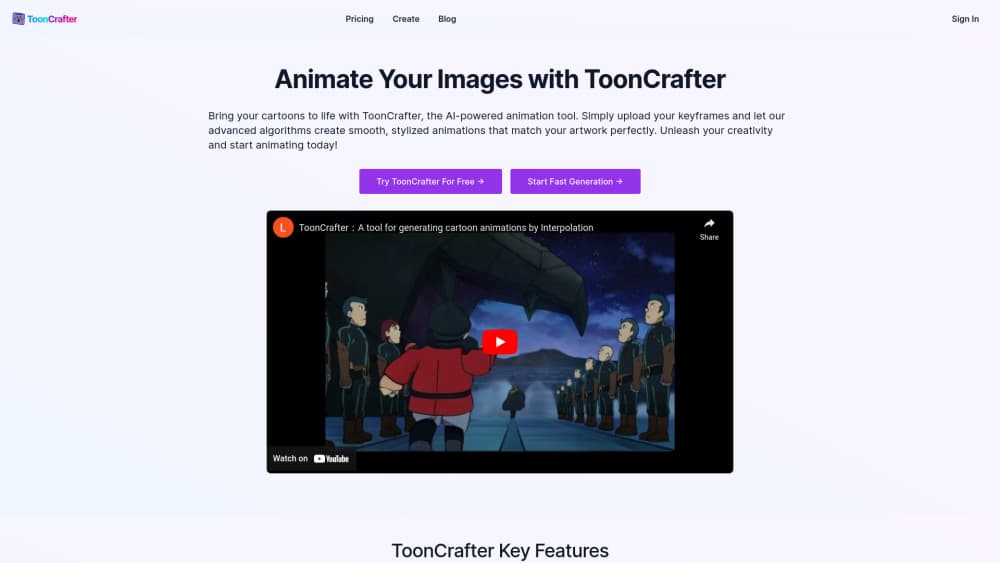
ToonCrafter is a free, open-source model from Tencent AI Lab and CUHK that generates cartoon in-between frames from two keyframes, turning start and end drawings into a short clip.
About ToonCrafter
What Is ToonCrafter
ToonCrafter is a research release for 2D animation, not a subscription studio tool. Tencent AI Lab built it with researchers from the Chinese University of Hong Kong and City University of Hong Kong, and the work landed in SIGGRAPH Asia 2024 as a journal track paper. The code and model weights came out on May 29, 2024, and anyone can download them.
The problem it targets is in-betweening. A 2D animator draws the key poses, then somebody has to draw everything between them so the motion reads. Generic video interpolation models assume motion runs in straight lines between frames, which is the wrong assumption for cartoons. Characters stretch, squash, and pass in front of each other, and those cases break older tools. ToonCrafter learns motion from cartoon footage instead of forcing linear correspondence, so an AI in-between frame can follow a wide swing or a sudden jump.
Limits matter as much as features here. A single run produces at most 16 frames at 512x320, which is roughly two seconds at 8 fps. The full checkpoint wants about 24GB of GPU memory, and the authors say success isn't guaranteed on every shot. Treat it as a drafting tool that saves pencil hours, not as a replacement for an animation department.
Getting Started
- Clone the repository and create a Python 3.8.5 environment, then install the listed requirements.
- Download the ToonCrafter_512 checkpoint and place model.ckpt inside checkpoints/tooncrafter_512_interp_v1/.
- Start the Gradio interface with gradio_app.py, or run the shell script for command line batches. ComfyUI and Colab builds exist if you prefer a node graph.
- Load your first and last frames at the same aspect ratio, set the frame count and fps, then optionally add a text prompt or a sketch to steer the motion.
- Review the output frames, then assemble them in your editor of choice.
Product Information
A quick look at ToonCrafter's pricing, supported platforms, and performance.
Best for
The users, tasks, and scenarios where this tool fits best.
Users
- 2D animators handling in-between work
- Independent creators and game artists
- Students and AI researchers
Tasks
- Filling the gap between two poses of the same character
- Coloring rough line drawings
- Motion tests before committing budget
- Sprite sheet production for prototypes
Scenarios
- Previsualizing a scene for a client pitch
- Building a ComfyUI pipeline that mixes this model with other AI tools
- Reproducing a paper result for a class or a lab report
Key features
Generative Cartoon Interpolation
The core function is AI cartoon interpolation between two still images. You supply a starting frame and an ending frame, and the model synthesizes the frames in between as a continuous sequence. It doesn't need a video to start from, which separates it from frame interpolation filters that only work on existing footage. That's why people reach for it as a cartoon animation generator rather than a cleanup filter.
Cartoon Tuned Motion Prior
The base is an image-to-video diffusion model trained on real footage, then corrected on cartoon data. That correction keeps the stable motion the original model learned while bending it toward drawn physics. In practice, exaggerated poses and fast arcs survive better than they do with generic interpolation.
Dual Reference 3D Decoder
A second decoder pulls detail from both input images and injects it back into the generated frames. Thin line work and flat color areas are the first things to smear in compressed latent space, and this path is what keeps outlines from turning to mush. Faces and small props hold up noticeably better because of it.
Sketch-Guided Animation
A sketch encoder lets you draw the motion you want and have the model follow it. This is what makes sketch-guided animation practical without a rig or a graph editor. Because the encoder works per frame, you can add guidance on a few frames or on many, depending on how much control the shot needs. This is the feature that turns a guessing game into direction, and it's the main reason studios bother with the local install.
Line Art Colorization
Beyond interpolation, ToonCrafter handles line art colorization when you pair a sketch with a color reference. The model transfers palette and shading style onto the drawing instead of flat filling regions. It's useful for testing color scripts before a real paint pass.
Local and Node Based Deployment
Everything runs on your own machine. There's a Gradio app for quick tests, a command line path for batches, a ComfyUI wrapper, and community builds for Windows and Colab. A pruned fp16 checkpoint from the community cuts memory to about 12GB, which puts the tool within reach of a single consumer card.
Pros and cons
Pros
- Free weights and code, with no account, credit system, or per render fee.
- Handles cartoon motion, occlusion, and exaggeration that trip up standard video interpolation.
- Sketch guidance gives frame level control over where a character moves.
- Runs on one GPU, and the community fp16 build lowers the bar to roughly 12GB of memory.
- Fits into ComfyUI, so it can sit next to upscalers and other AI nodes in one graph.
Cons
- Capped at 16 frames and 512x320 per run, so longer shots need several passes stitched together.
- The official build asks for about 24GB of GPU memory, and a clip takes around 24 seconds on an A100 at 50 steps.
- There's no official API or hosted service. Paid sites using the name aren't from the authors, and the repository warns about them.
- Quality depends on the two inputs matching in style and framing. Mismatched images produce drifting features and random transitions.
Frequently asked questions
It generates the frames between two cartoon key drawings, which is the task animators call in-betweening. It also colors line art and produces short motion tests. The output is a short clip, not a full scene.
Related content
Explore related tools, skills, and articles for ToonCrafter.
ToonCrafter Alternatives

ngram 2.0
ngram · Video · Marketingngram 2.0 is an AI video generator for teams. It turns a prompt, a screen recording, or a product URL into a narrated explainer, product demo, or AI avatar video, and every scene stays editable.

OpenScreen 2
OpenScreen (open-source project) · Video · ProductivityOpenScreen 2 is a free, open-source screen recorder and demo video editor for Windows, macOS, and Linux, with automatic zooms, styled frames, local captions, and agent edits.

Skreno
Skreno · Video · ProductivitySkreno is a browser screen recorder that captures a tab, a window or your whole display, then attaches AI transcripts, summaries and console logs to one share link.