

touch grass
Rhys Kentish · Marketing · AI Assistant
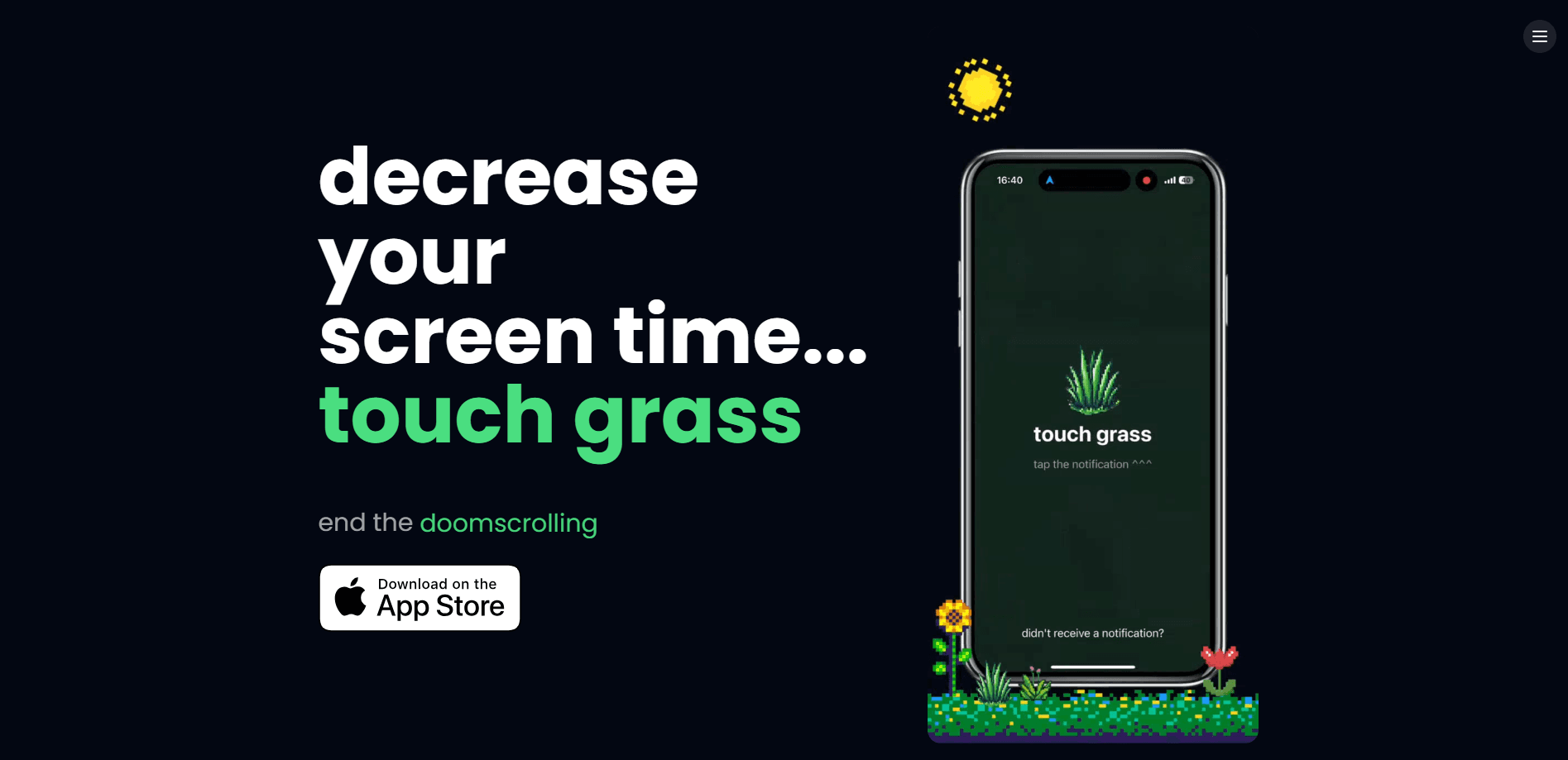
touch grass is an iPhone app that blocks your most distracting apps until you photograph real grass. It turns a slang joke into a screen time limit, and part of its skip profits funds UK rewilding.
About touch grass
What Is touch grass
touch grass is a screen time app built on a simple trade: you want to open a blocked app, you go outside and photograph an actual patch of grass first. The name comes from the internet slang for logging off and rejoining the real world, and the app takes that literally. It uses computer vision to check that the photo really shows grass, so a picture of your carpet or a stock image won't unlock anything.
The problem it targets is the reflex scroll. You pick the apps that eat your day, and they stay locked until you step outside and prove you touched grass. For anyone fighting phone addiction, that extra trip is the whole point. Every unblock lasts a set window, so you get your app back for a while and then the lock returns on its own. A monthly free skip exists for the days you genuinely can't get outside.
Two things are worth knowing before you install. It's iPhone only, for iOS 17 and later, and there's no Android version. The free tier covers the core loop, but unlimited app blocking, screen time history and deeper usage insights sit behind a paid plan.
Getting Started
- Download touch grass from the App Store and open it on an iPhone running iOS 17 or later
- Choose the apps and categories you want to block, and grant Apple's Screen Time permission so the app can lock them
- When you want a blocked app, tap for an unlock and take a photo of real grass so the computer vision can verify it
- Enjoy the app for your chosen unblock duration, then let the shield go back up when the timer ends
Product Information
A quick look at touch grass's pricing, supported platforms, and performance.
Best for
The users, tasks, and scenarios where this tool fits best.
Users
- Chronic scrollers
- Students
- Digital wellbeing skeptics
- Parents setting an example
Tasks
- Blocking distracting apps
- Verifying a real-world break
- Tracking screen time progress
- Choosing unblock durations
- Taking a free skip
Scenarios
- A doomscroll at 11pm
- Studying for an exam
- A lunch break outside
- A rainy week indoors
- A slow habit change
Key features
Grass Photo Unlock
The core mechanic is blunt. A blocked app only opens after you photograph real grass, and the app decides whether the photo counts. You can't type a password or tap a button to get around it, so the only path back to the app runs through the door and into the daylight. Each unlock lasts a limited window you set, and the shield returns when that window ends.
Computer Vision Grass Detection
touch grass uses computer vision to tell real grass from everything that isn't. A photo of your floor, a printed picture or a screen won't pass, which closes the obvious loopholes people find in ordinary app blockers. The detection runs on the photo you take in the moment, so the proof has to match the walk.
Flexible Unblock Durations
Not every trip outside should buy the same amount of time. You choose how long an app stays open after a verified photo, from a short window that keeps you honest to a longer one for a genuine break. The duration is a setting you control, so the app fits your routine instead of forcing one strict rule on everyone.
Screen Time Progress Tracking
The app tracks your screen time, so you can watch the habit shift. Once the lock sits between you and the scroll, the numbers show if you're spending less time in the apps you chose to block. It's the difference between hoping you're scrolling less and knowing it. If the goal is to reduce screen time, this is the data that tells you it's working.
Monthly Free Skip
A strict blocker breaks the first time you can't go outside, so touch grass includes a free skip every month. You spend it when weather, travel or a tight schedule makes a grass photo impossible, and it keeps the app usable instead of something you delete in frustration. It's a small release valve, not an unlimited pass.
Paid Impact on UK Rewilding
Half of the profits from skip purchases go to UK rewilding projects, so the money you spend to unlock an app supports habitat restoration. It links the screen time habit to an environmental result rather than a purely personal one. The claim is specific about the split: 50 percent of skip purchase profits, not all revenue.
Premium Insights and Unlimited Blocks
The free tier covers the basic loop, while premium opens unlimited app and category blocking, a full screen time history and deeper insights into your usage patterns. Those additions matter if you want to block broadly rather than pick a couple of apps, or if you want the data to see which categories are pulling you off course.
Pros and cons
Pros
- Turns a well-known internet joke into a real mechanism for cutting screen time
- Computer vision stops the fake-photo loopholes that weaken ordinary app blockers
- Free tier covers the core loop, so you can test the idea before paying
- Skip profits fund UK rewilding, so the habit carries an environmental side effect
- Photo proof forces a genuine outdoor break rather than a tap-through prompt
Cons
- iPhone only, with no Android version, so most phone owners can't use it
- Unlimited blocking, screen time history and deeper insights sit behind a paid plan
- The monthly free skip is limited, and heavy use means buying extra skip credits
- Requires iOS 17 or later, which leaves older iPhones out
Frequently asked questions
touch grass is an iPhone app that blocks the apps you choose until you photograph real grass. You pick the distracting apps and categories, and they stay locked until a computer vision check confirms you stepped outside and took a genuine photo. It turns the slang phrase into a working screen time limit.
Related content
Explore related tools, skills, and articles for touch grass.
touch grass Alternatives

Tractionwave
TractionWave · Image · MarketingTractionWave is an AI attention heatmap tool for static ads. Upload a PNG or JPG and it returns predicted attention, ranked hotspots, and fixes before you spend budget.

OpenSEO - AI Visibility
EveryApp · Coding · Marketing · BusinessOpenSEO is an open source SEO platform for keyword research, backlinks, rank tracking, site audits, and AI visibility, with usage-based pricing and MCP access for AI agents.

Plugins Radar
Plugins Radar · Marketing · BusinessPlugins Radar tracks where your ChatGPT plugin ranks in directory and in-chat search, which competitors outrank it and what changed, with hourly checks on 9,885 listings.