

Transvribe
Zahid Mahmood (zaarheed) · Video · Productivity
Transvribe is an AI tool that let you ask questions about any YouTube video and answered from its transcript. The service itself is offline now.
About Transvribe
What Is Transvribe
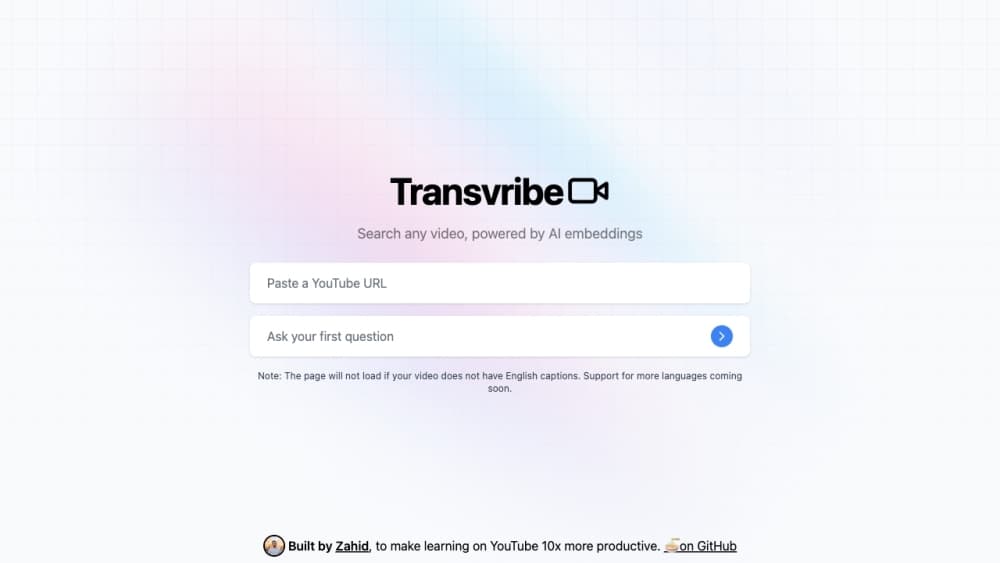
Transvribe is a web app that turned a YouTube video into something you could question. You pasted a link, and the tool pulled the video's transcript, split it into pieces, and stored each piece as an AI embedding so it could find the passages that matched whatever you typed. Then you asked a question in plain language and got an answer built from those passages.
The problem it went after is real. A two hour lecture or podcast holds a few useful minutes, and scrubbing the timeline to find them wastes the whole afternoon. Searching inside a YouTube transcript helps only when the right words appear in the caption track. Semantic search over AI embeddings finds the idea even when the wording differs.
The catch is that the whole approach sat on YouTube's internal caption endpoint, which the site doesn't publish or support. In November 2025 that endpoint started demanding session tokens tied to an IP address and browser fingerprint, so the author took the site down and left the code on GitHub. Anyone landing on transvribe.com today sees a note explaining why. The YouTube transcript search service is history now, not something you can sign up for.
Getting Started
- This is how the app worked while it was live: paste a YouTube link into the box on the homepage, or pick one of the popular videos listed underneath.
- Wait for the video to load. The app read the caption track, broke the text into chunks, and built the embedding index that made video transcript search possible.
- Type a question about the content. "What does the speaker say about pricing?" or "Where does he explain the setup?" both worked, and the answer came back as chat text with the relevant passages behind it.
- Keep asking. Follow-up questions used the previous exchange as context, so you could dig into one section without restarting.
- Leave if the video was long and the free messages ran out. The app then asked for your own OpenAI API key or a one day Pro pass.
Product Information
A quick look at Transvribe's pricing, supported platforms, and performance.
Best for
The users, tasks, and scenarios where this tool fits best.
Users
- Students working through recorded lectures
- Researchers and writers pulling quotes
- Podcast and interview listeners trying to recall one detail
- Developers studying the codebase
Tasks
- Checking whether a video covers a topic before watching
- Grabbing a definition or number from a talk
- Studying for an exam with a course playlist
- Building your own video Q&A tool
Scenarios
- Researching a niche subject where the only sources are conference talks
- Replying to a thread with a timestamped argument
- Evaluating video Q&A for a product idea
Key features
Ask Questions About Any YouTube Video
The core loop is short. Paste a link, wait a moment, then type a question in ordinary language. There's no keyword syntax to learn and no need to scroll the transcript first. Answers come back as chat messages, so a session reads like a conversation about the video.
Transcript Search Built on AI Embeddings
Instead of matching literal words, Transvribe converted the transcript into vector embeddings and searched by meaning. That's why "how do I get the price down" could surface a passage where the speaker said "cost reduction" several minutes in. Keyword search on the same transcript would miss it.
Follow-Up Questions With Context
Each new question carried the previous exchange along, so pronouns and shorthand still made sense. You could ask what a term meant, then ask for an example, then ask whether it applied to a case you cared about, without re-explaining the topic each time.
Popular Videos Without the Research Step
The homepage listed videos people had already processed and kept an index for. Opening one skipped the wait and dropped you straight into the chat. It was a small touch, but it made the tool useful for browsing instead of only for links you brought yourself.
Playlist Handling
A playlist URL was recognized and split into its individual videos rather than treated as one long transcript. That mattered for course series and conference tracks, where the useful answer often sits in video four of nine. Each part stayed separately question-able.
Open Source Codebase Under MIT
The repository is public, written in Next.js with LangChain, Postgres, and HNSWLib for the vector index, and OpenAI for both embeddings and answers. Payments ran through Stripe. Anyone can fork it, point it at a different caption source, or read it to learn how transcript retrieval is assembled.
Pros and cons
Pros
- Answers cite the transcript rather than inventing content, which keeps a session checkable.
- Semantic matching beats in-video keyword search when you don't remember the exact wording.
- Follow-up context means one session can cover a whole argument rather than a single lookup.
- The MIT licensed code is a compact end-to-end reference for transcript retrieval, with chunking, embedding, storage, and chat all visible.
- No install and no account was needed to try a video while the site was running.
Cons
- The hosted service is offline. Anyone reading this looking for a working video Q&A site has to run the code themselves or pick a replacement.
- It depended on an undocumented YouTube endpoint, so it broke the moment YouTube changed its validation. Any fork faces the same fragility.
- Free questions were capped, and going further meant supplying an OpenAI key or buying a day pass for $0.99.
- There was no export for answers or transcripts, and no way to batch process a channel.
Frequently asked questions
No. The hosted site has been offline since late 2025, and transvribe.com now shows a single notice explaining why. YouTube changed the transcript endpoint to require per session tokens tied to a browser and IP, and the author decided the workaround wasn't reliable enough to keep running.
Related content
Explore related tools, skills, and articles for Transvribe.
Transvribe Alternatives

Vadu AI
Vadu AI · Image · VideoVadu AI is a web-based AI video generator that turns written prompts or still images into short clips, and it can also generate images on its own. You type what you want, pick a model and style, and the platform renders the result in minutes. A free plan covers light testing, while paid tiers run from $9 to $77.40 per month based on how many credits you burn.

Mykaraoke Video
MyKaraoke Video · VideoMykaraoke Video is an online karaoke video maker and lyric video maker that turns any song into a finished, lyrics-synced video right in your browser. It handles the slow part for you. The AI pulls vocals out of the mix and locks the lyrics to the beat, then lets you customize background, fonts, and colors before exporting in 1080p MP4. If you make lyric videos for social media, party nights, or music promotion, it skips the software installs and manual timing work entirely. Want a karaoke video generator that doesn't eat your whole evening? That's the pitch here.

Finalframe
Finalframe · VideoFinalframe is a set of free, browser-based tools for grabbing exact frames out of a video clip. Its best-known feature, the Final Frame Extractor, lets you extract the last frame of any video so you can use it as the starting image for AI video tools like Luma Dream Machine, Runway, or Kling. Want to keep a clip going? That last frame is your starting point. The tool runs locally in your browser, needs no sign-up, and costs nothing. A separate paid AI video-generation app from the same team is currently offline while it's rebuilt.