

Pulse
Pulse · Productivity
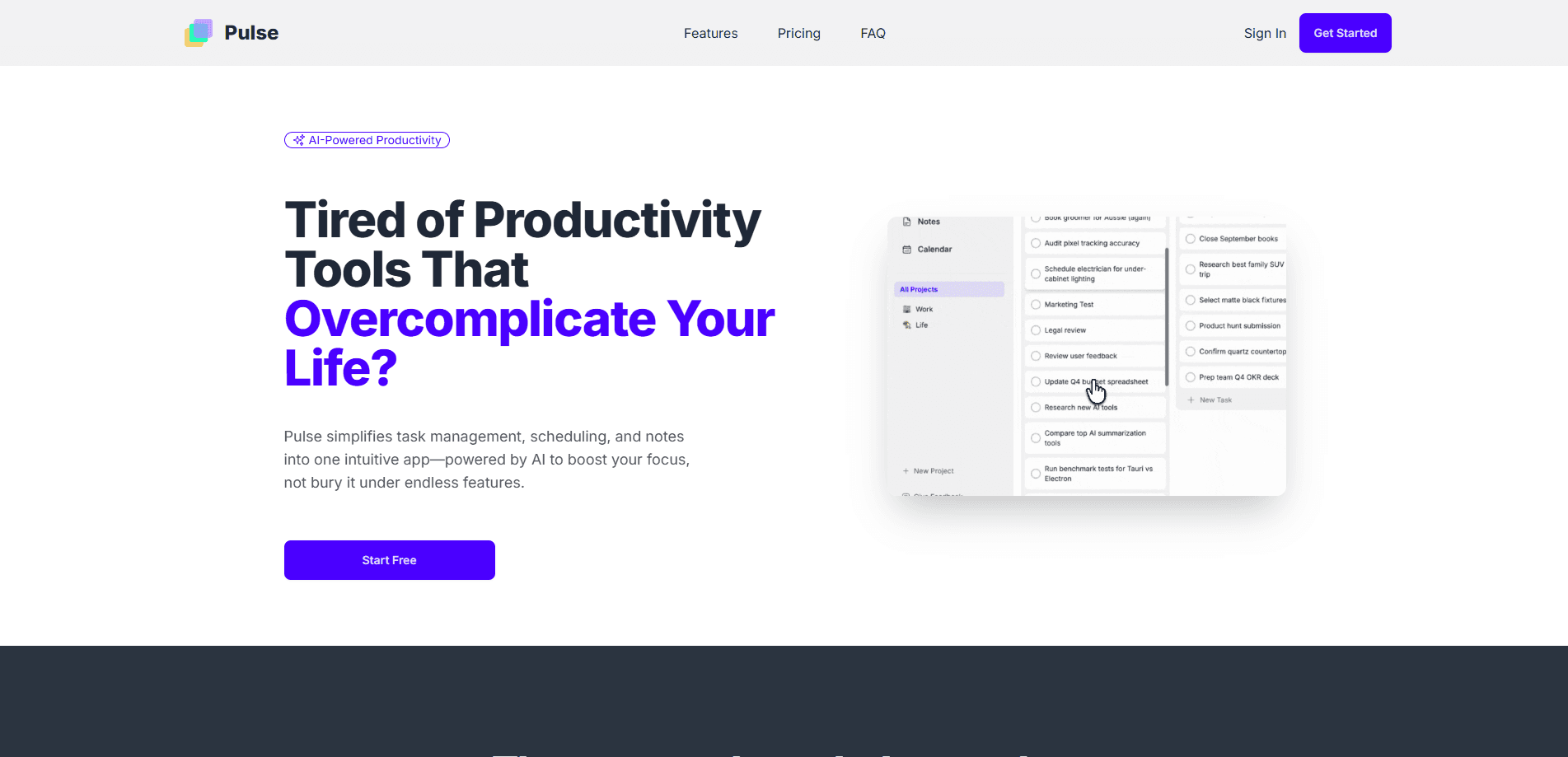
Pulse is an AI productivity app that folds task management, scheduling, and note-taking into a single workspace. Instead of splitting your day across a to-do list, a calendar, and a notes app, you plan everything in one place and let the AI assistant prioritize and schedule the work for you. The free plan covers the basics, while Pro ($9 a month) unlocks the AI assistant and smart task scheduling.
About Pulse
What Is Pulse
Pulse is a productivity workspace built around one idea: less switching, more focus. Most knowledge workers keep tasks in one app, their calendar in another, and notes scattered across a dozen tabs. Pulse puts all three together and layers an AI assistant on top so the app does some of the organizing for you.
The app is aimed at students, freelancers, and knowledge workers who feel buried by their own tooling. It learns how you tend to work, then categorizes, schedules, and reminds you about tasks based on your habits and deadlines. That's the pitch, and unlike a lot of AI claims, it maps to a concrete habit: you dump tasks in, and Pulse decides when they should happen.
The main limits are worth knowing up front. Pulse is a web-based app, so there's no native desktop or mobile build to download, and there's no public API for wiring it into your own tools. Advanced features like the AI assistant and multi-calendar sync sit behind the Pro plan, and the free tier holds four core modules only.
Getting Started
- Sign up for a free account at trypulse.app and land in your workspace.
- Add your first tasks in the task manager, or drop notes into the notes module.
- Connect a calendar so Pulse can see your existing commitments and free time.
- Open the Today View to see what the app has lined up for the day.
- Upgrade to Pro if you want the AI assistant and smart task scheduling switched on.
Product Information
A quick look at Pulse's pricing, supported platforms, and performance.
Best for
The users, tasks, and scenarios where this tool fits best.
Users
- Students juggling assignments and class schedules
- Freelancers running several projects at once
- Knowledge workers drowning in tabs
Tasks
- Daily planning
- Note-taking during meetings
- Deadline tracking
Scenarios
- Managing a week that mixes meetings and deep work
- Reconciling a personal and a work calendar
- Getting through a backlog after a busy stretch
Key features
AI Task Prioritization
Pulse watches how you work and reorders your task list accordingly. It weighs deadlines and your past habits, then pushes the items most likely to matter to the top. The goal is simple. Stop burning your first hour deciding what to do first. For anyone who treats Pulse as a focus app, this is the feature that earns its keep.
Smart Task Scheduling
On Pro, Pulse builds a schedule rather than just a list. It looks at your calendar, finds open blocks, and places tasks where they fit. You still review and adjust. But the blank-slate problem goes away.
Unified Calendar Sync
The Pro plan syncs multiple calendars into a single view. If your work and personal commitments live in different accounts, you get one honest picture of the day instead of two conflicting ones. That single-timeline view is what makes the scheduling suggestions trustworthy, because Pulse can only plan around the commitments it can actually see instead of the ones you forgot to mention.
Task Manager and Today View
The core task manager is a straightforward list you can organize by project, priority, or due date. The Today View then narrows everything to what's due now. That's the screen you'll actually live in.
Notes Module
Notes sit inside the same workspace as tasks and calendar entries. That matters more than it sounds: meeting notes stay attached to the work they describe, so context doesn't evaporate the moment you close a doc. When you come back to a task a week later, the reason you wrote it down in the first place is still sitting right there next to it, waiting for you.
Free Plan Access
The free tier includes the Today View, task manager, notes, and calendar at no cost. It's a complete setup for solo planning. The AI features are what you pay for, not the basics. Not a bad deal.
Pros and cons
Pros
- Combines task management, scheduling, and notes in one web app, which cuts down on app-switching.
- AI prioritization and smart scheduling turn a messy task list into an ordered plan.
- A genuinely usable free plan covers the four core modules for solo planning.
- Pro is priced at $9 a month or $67 a year, which is cheap next to most productivity suites.
- Multi-calendar sync on Pro pulls work and personal schedules into one timeline.
Cons
- There's no native desktop or mobile app, so you're tied to a browser tab.
- The AI assistant and smart scheduling are Pro-only, which limits the free tier to manual planning.
- With no documented API, you can't wire Pulse into custom workflows or other tools you already use.
Frequently asked questions
Pulse combines task management, calendar scheduling, and note-taking into one AI-powered workspace. You add tasks and notes, connect a calendar, and the app helps prioritize and schedule your day so you spend less time organizing and more time working.
Related content
Explore related tools, skills, and articles for Pulse.
Pulse Alternatives

Swms
Swms AI · Writing · Productivity · BusinessSwms is an AI safety compliance tool that turns a plain description of a job into ready-to-use safety documents. Describe your project, trade, and known hazards, and it writes a safe work method statement, job hazard analysis, safe work procedure, RAMS, or safety data sheet in seconds. It also ships with Oscar, a chat assistant that answers workplace safety questions in any language. Teams in construction, mining, transport, and warehousing use it to cut the paperwork that usually eats into a workday.

Wordly AI Translation
Wordly · Voice & Language · ProductivityWordly AI Translation is a real-time AI translation and captioning platform built for meetings, conferences, and events. It delivers live translation, captions, transcripts, and summaries in more than 60 languages, and attendees join by scanning a QR code or opening a link instead of using dedicated headsets. The platform works with Zoom, Microsoft Teams, Google Meet, and Webex, and it's designed for organizations that want multilingual access without hiring human interpreters for every session. Simple as that.

Rows
Rows (Superhuman) · Productivity · BusinessRows is an AI spreadsheet and data analysis tool that imports live data from more than 50 sources, then lets you work with it using plain language instead of SQL queries or nested formulas. You can pull numbers out of PDFs, connect ad platforms, databases, and bank accounts, and ask the AI to build reports, merge datasets, or set up models that recalculate themselves. It runs in the browser, works like a spreadsheet, and now sits under the Superhuman umbrella.