
Tube Memo
TubeMemo · Productivity · Marketing
TubeMemo is an AI YouTube summarizer that turns long videos into notes, mind maps, and flashcards in seconds. Think of it as AI note taking for people who learn from video.
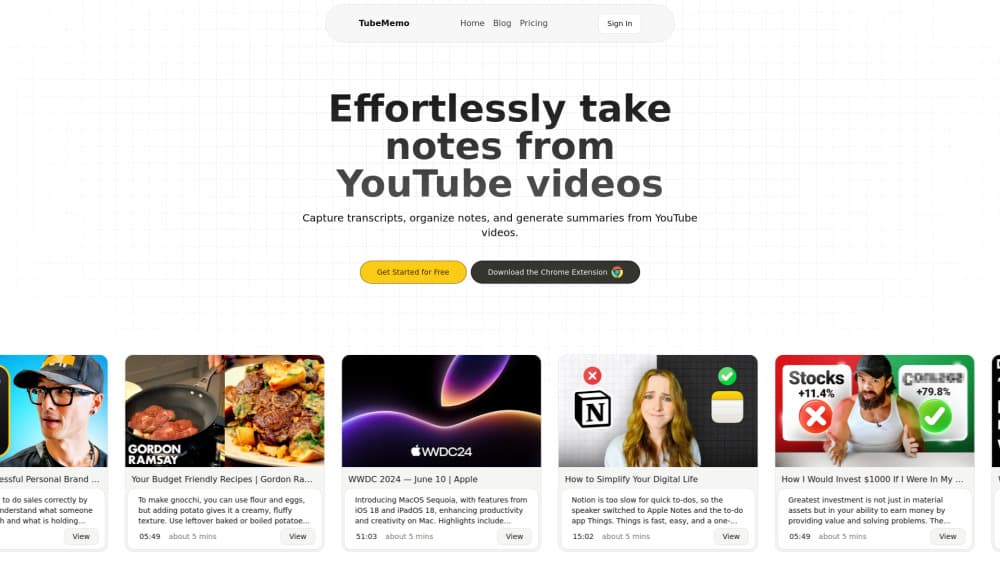
About Tube Memo
What Is TubeMemo
TubeMemo is a browser extension and web tool that pulls the transcript from a YouTube video and rewrites it as something you can actually use, which matters more than it sounds because rewatching an hour of footage to find one useful idea is a miserable way to spend an afternoon. Instead you get a structured summary, highlighted key points, and a set of notes you can edit. It runs in Chrome and Firefox, so it sits right next to the video you're already watching.
The tool targets people who treat YouTube as a learning source rather than pure entertainment. Students turn lectures into study kits, and researchers pull quotes without rewatching footage. If your watch-later list keeps growing and never shrinks, that's the exact problem TubeMemo is built for.
Sound familiar?
The main limit is scope. TubeMemo only handles YouTube videos, so podcasts on other platforms or local MP4 files are out of reach. The free tier is also tight: 40 credits and 3 video hours a week. Heavy users will hit that ceiling fast. Then they pay.
Getting Started
- Install the extension from the Chrome Web Store or Firefox Add-ons.
- Open any YouTube video and click the TubeMemo icon in your toolbar.
- Pick what you want from the transcript: a summary, key highlights, a mind map, or flashcards.
- Edit the generated notes, or export them as a blog draft, tweet, or study sheet.
That's the whole loop. No setup, no manual copy-paste.
Product Information
A quick look at Tube Memo's pricing, supported platforms, and performance.
Best for
The users, tasks, and scenarios where this tool fits best.
Users
- Students
- Researchers and journalists
- Content creators
Tasks
- Turning a one-hour lecture into a study kit
- Writing a blog post from a video
- Skimming before you commit
Scenarios
- Catching up on several videos in one sitting
- Studying for an exam across multiple lectures
- Researching a topic across languages
Key features
AI Summaries
TubeMemo is a YouTube summary generator at heart: it condenses a long video into a clear, structured set of takeaways. You get the main points in a scannable form instead of a wall of transcript text, and that difference between a two-minute read and an hour-long watch is the whole reason most people install the extension in the first place.
Smart Transcript and Highlights
The transcript view lets you highlight lines, add your own notes, and save everything into organized memos. Highlights stay attached to the video they came from, so you can retrace where an idea originated. It's close to annotating a document. Just with a YouTube video as the source.
Mind Maps
For videos that cover several connected ideas, TubeMemo acts as a mind map generator. You can see how topics relate and spot recurring themes at a glance. This works better than a linear summary when the video jumps around, because a list flattens connections that a map preserves.
Flashcards
Key points can be turned into flashcards from videos automatically, then reviewed with spaced repetition. That's the feature that makes TubeMemo more than a reading aid, because it feeds directly into how you remember what you watched. Quizlet can't do this from a video on its own.
Multi-Language Support
TubeMemo works across languages, so videos in Spanish, Japanese, or anything else are fair game, and that matters if the best explanation of a topic you're studying happens to be in a language you read slowly or not at all. Your learning material doesn't have to be in English.
Draft Content Generation
You can turn a summary into a blog draft, tweet, or study note without starting from a blank page, which is handy when the notes already exist and you just need to reshape them into something you can publish or send to a colleague without another hour of writing. The drafts are rough, and you'll want to rewrite them. Still, they beat staring at an empty document.
Pros and cons
Pros
- Turns a long video into notes, a summary, and flashcards in one pass, so one install covers several jobs.
- Free tier needs no credit card, which lets you test the summary quality before paying.
- Mind maps and flashcards go beyond plain summarization and support actual learning, not just skimming.
- Works on both Chrome and Firefox, and handles videos in multiple languages.
Cons
- YouTube only. Podcasts, Zoom recordings, and local video files aren't supported, so it won't help if your material lives elsewhere.
- The free plan caps you at 3 video hours a week, which a serious student can burn through in a day or two.
- No public API, so you can't wire TubeMemo into your own workflow or app.
Frequently asked questions
It reads a YouTube video's transcript and turns it into a summary, key highlights, a mind map, or flashcards. You install it as a browser extension and use it directly on the video page.
Related content
Explore related tools, skills, and articles for Tube Memo.
Tube Memo Alternatives

Swms
Swms AI · Writing · Productivity · BusinessSwms is an AI safety compliance tool that turns a plain description of a job into ready-to-use safety documents. Describe your project, trade, and known hazards, and it writes a safe work method statement, job hazard analysis, safe work procedure, RAMS, or safety data sheet in seconds. It also ships with Oscar, a chat assistant that answers workplace safety questions in any language. Teams in construction, mining, transport, and warehousing use it to cut the paperwork that usually eats into a workday.

Wordly AI Translation
Wordly · Voice & Language · ProductivityWordly AI Translation is a real-time AI translation and captioning platform built for meetings, conferences, and events. It delivers live translation, captions, transcripts, and summaries in more than 60 languages, and attendees join by scanning a QR code or opening a link instead of using dedicated headsets. The platform works with Zoom, Microsoft Teams, Google Meet, and Webex, and it's designed for organizations that want multilingual access without hiring human interpreters for every session. Simple as that.

Rows
Rows (Superhuman) · Productivity · BusinessRows is an AI spreadsheet and data analysis tool that imports live data from more than 50 sources, then lets you work with it using plain language instead of SQL queries or nested formulas. You can pull numbers out of PDFs, connect ad platforms, databases, and bank accounts, and ask the AI to build reports, merge datasets, or set up models that recalculate themselves. It runs in the browser, works like a spreadsheet, and now sits under the Superhuman umbrella.