

Turbo AI - Notetaker
Turbo AI · Productivity · Leaning
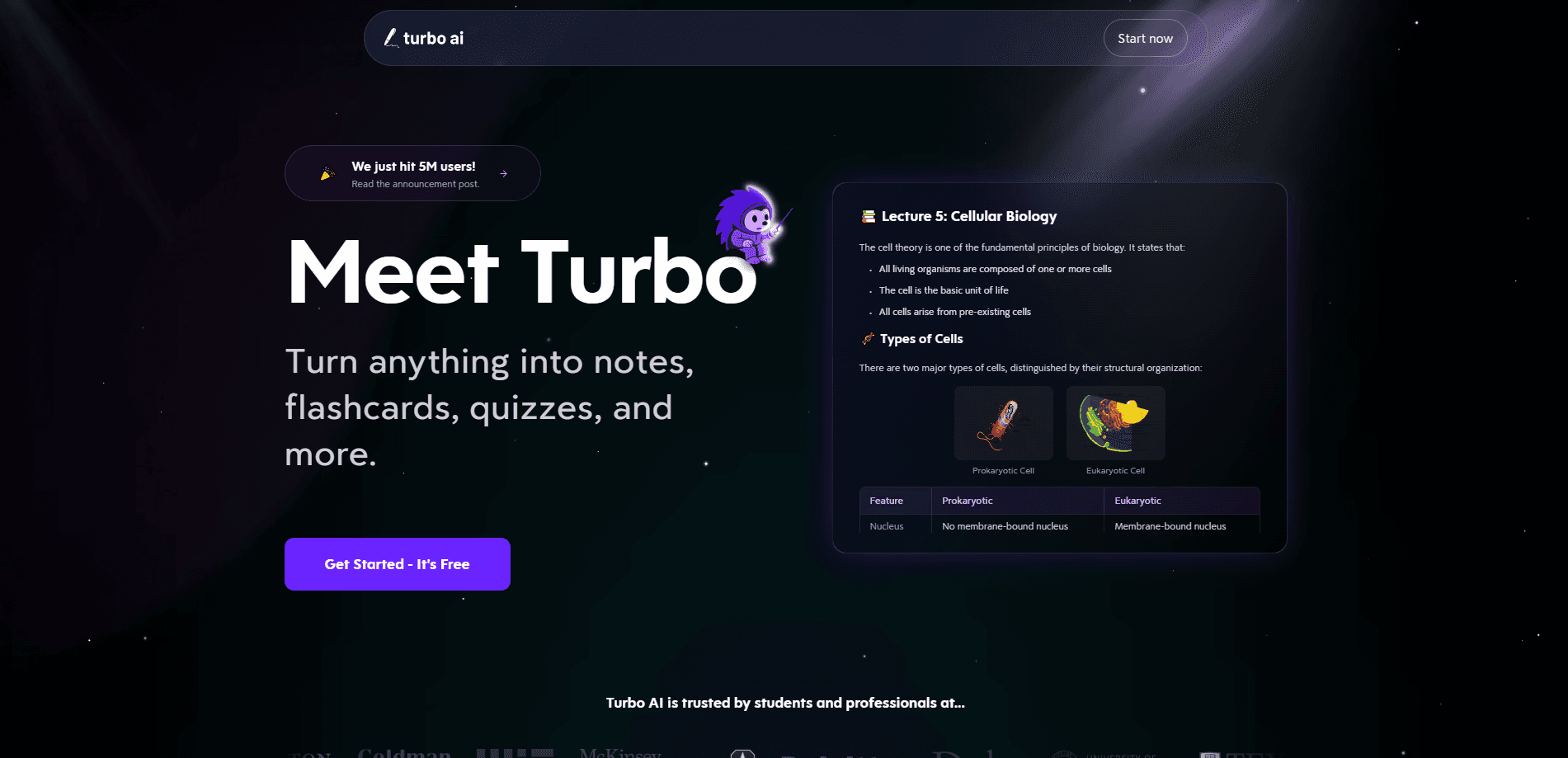
Turbo AI - Notetaker is an AI study app that turns messy source material into clean, ready-to-review notes. Feed it a lecture recording, a PDF, a YouTube video, or plain text, and it builds structured notes, flashcards, quizzes, and even a podcast version of the material. It's built for students and professionals who want to understand content faster instead of retyping it. The app runs on iOS, Android, and the web. Start on a phone. Finish on a laptop.
About Turbo AI - Notetaker
What Is Turbo AI - Notetaker
Turbo AI - Notetaker (formerly TurboLearn) is an AI note taker aimed at the classroom and the desk. The core promise is simple: you hand it raw content, and it hands back study material you can actually use. That means notes with tables, diagrams, and equations, plus flashcards, quizzes, and audio recaps generated from the same source.
It solves a real problem. Most people can't listen to a lecture and take thorough notes at the same time, and when they try to do both, the result is usually a fragmentary set of bullet points that nobody wants to study from. Something gets lost either way. Turbo AI takes over the writing so you can pay attention, then review a polished version later.
The main limits are worth knowing upfront. The best output depends on clean source audio or readable files, so a noisy recording still hurts quality even when everything else about the workflow is working in your favor. Free usage is capped, and full access runs through a subscription. There's no public developer API, which matters if you wanted to wire it into your own tools.
Getting Started
- Create an account on turbo.ai or install the mobile app on iOS or Android.
- Start a new note and upload your source: an audio recording, a PDF, a slide deck, a YouTube link, or pasted text.
- Pick what you want generated, such as notes, flashcards, a quiz, or an audio podcast.
- Review the results and edit anything the AI got wrong, then chat with your notes to dig into specific points.
- File everything into folders so related material stays together for exam review.
Product Information
A quick look at Turbo AI - Notetaker's pricing, supported platforms, and performance.
Best for
The users, tasks, and scenarios where this tool fits best.
Users
- Students
- Lifelong learners
- Professionals
Tasks
- Building a lecture notes app workflow
- Generating quizzes before an exam
- Making an audio recap
Scenarios
- The night before a midterm when three weeks of slides need to become flashcards fast.
- A busy week when you attend five talks and want summaries you can skim instead of rewatching each one.
- Language or reading practice where an AI podcast generator gives you the same content in audio form.
Key features
Rich Notes From Any Source
The app accepts audio, video, PDFs, slide decks, and pasted text. It then formats the result as notes with headings, tables, diagrams, and equations. Full stop. That structure matters for STEM material, where a wall of plain text is hard to study from.
Flashcard Generation
One click turns your notes into flashcards for spaced review. A flashcards generator like this one builds a set tied to the exact source you uploaded. That's faster than writing them by hand and less error-prone than pulling them from memory.
Quiz Builder
The quiz generator produces practice questions from the same content, so you can test recall instead of just rereading. It's fast. It's also a quick way to find gaps before an exam rather than after.
AI Podcast Generator
Long content gets converted into a conversational audio summary. This turns a study session into something you can do hands-free. Commute. Gym. A walk. That's the point.
Chat With Your Notes
What if you could ask your own lecture a question? You can. Turbo AI answers queries grounded in the material you uploaded, not the whole internet. It works like a tutor that has read the exact lecture you're studying.
Folders and Real-Time Sync
Notes live in folders. They sync across the app and the website. Start on your phone during class and pick up the same notes on a laptop without exporting or emailing anything.
Editing and Formatting
Every generated note is editable. You can fix a garbled term or clean up a diagram. Manual correction is part of the workflow, not an afterthought.
Pre-Made Study Guides
Beyond your own uploads, the platform offers ready-made study guides. You can also study with friends. That helps when you want a starting point instead of building everything from scratch.
Pros and cons
Pros
- Accepts almost any format, so you don't have to convert files before uploading.
- Generates notes, flashcards, quizzes, and audio from a single source in one pass, which saves the time you'd otherwise spend rebuilding the same material in four different tools.
- Notes are editable, and that detail matters more than it sounds, because auto-generated output almost always needs a quick pass to catch misheard names or scrambled equations.
- Syncs across iOS, Android, and web without manual exports.
- Strong ratings on both app stores, with a large pool of reviews behind the score.
Cons
- No free API, so you can't integrate the output into your own apps or scripts.
- Output quality drops with poor audio or low-quality scans, and fixing those errors by hand can eat into the time you were trying to save in the first place.
- The free tier is limited enough that regular use pushes you toward a paid plan.
- Pricing sits in the same range as general-purpose AI note tools, so it's not the cheapest option.
Frequently asked questions
There's a free plan with limits on how much you can generate. Light use is fine. Heavy use, like a full semester of lectures, needs the paid subscription, which runs up to about $20 per month.
Related content
Explore related tools, skills, and articles for Turbo AI - Notetaker.
Turbo AI - Notetaker Alternatives

Swms
Swms AI · Writing · Productivity · BusinessSwms is an AI safety compliance tool that turns a plain description of a job into ready-to-use safety documents. Describe your project, trade, and known hazards, and it writes a safe work method statement, job hazard analysis, safe work procedure, RAMS, or safety data sheet in seconds. It also ships with Oscar, a chat assistant that answers workplace safety questions in any language. Teams in construction, mining, transport, and warehousing use it to cut the paperwork that usually eats into a workday.

Wordly AI Translation
Wordly · Voice & Language · ProductivityWordly AI Translation is a real-time AI translation and captioning platform built for meetings, conferences, and events. It delivers live translation, captions, transcripts, and summaries in more than 60 languages, and attendees join by scanning a QR code or opening a link instead of using dedicated headsets. The platform works with Zoom, Microsoft Teams, Google Meet, and Webex, and it's designed for organizations that want multilingual access without hiring human interpreters for every session. Simple as that.

Rows
Rows (Superhuman) · Productivity · BusinessRows is an AI spreadsheet and data analysis tool that imports live data from more than 50 sources, then lets you work with it using plain language instead of SQL queries or nested formulas. You can pull numbers out of PDFs, connect ad platforms, databases, and bank accounts, and ask the AI to build reports, merge datasets, or set up models that recalculate themselves. It runs in the browser, works like a spreadsheet, and now sits under the Superhuman umbrella.