

Turn
Lee Martin · Video
Turn is a web-based spinning disc video maker that turns a piece of artwork and an audio file into a rotating vinyl-style video you can post on Instagram, TikTok and YouTube.
About Turn
What Is Turn
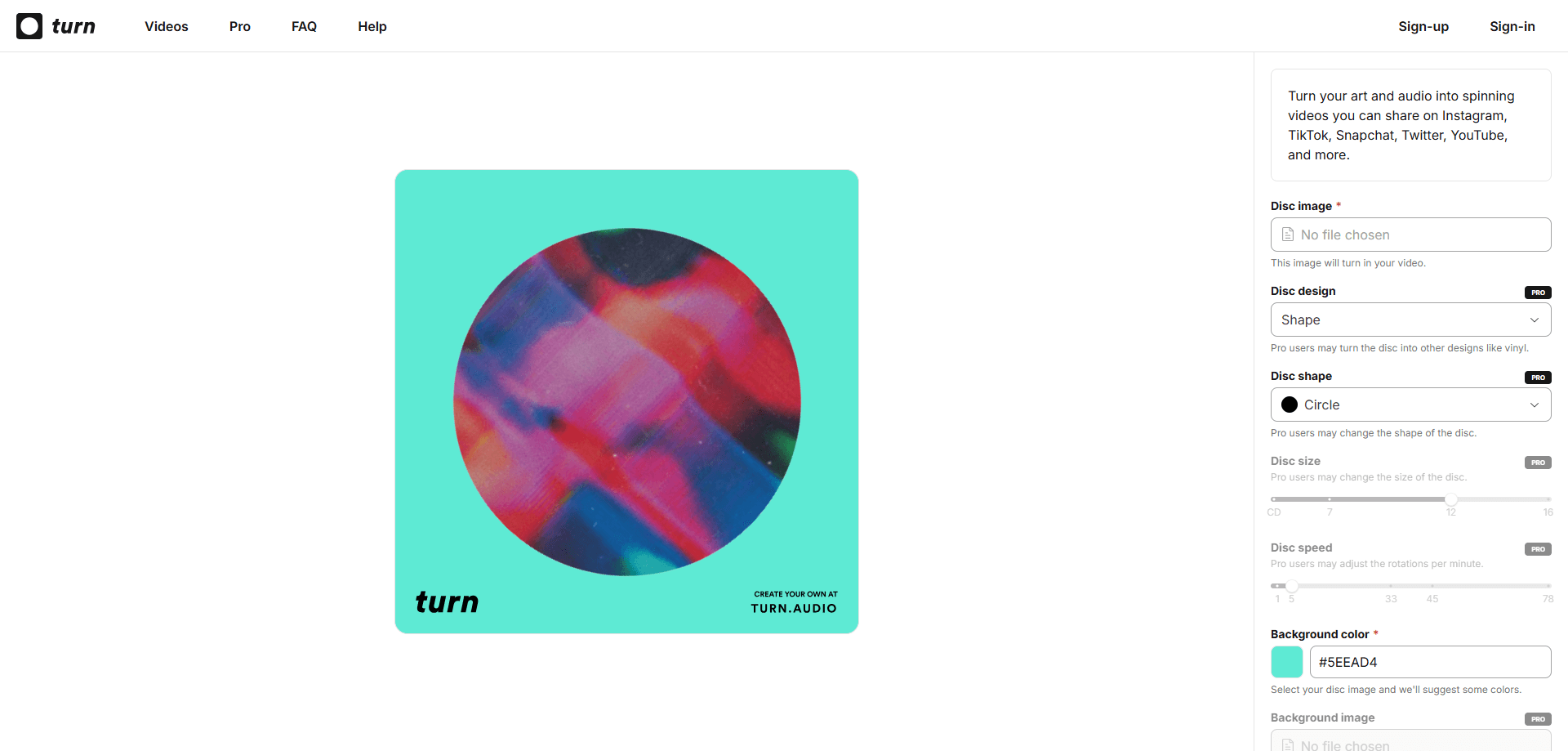
Turn is a free video maker that runs in the browser, built for makers who want a moving cover for their music. You upload a square image and an audio file, and it renders a video where the artwork spins on a record-style disc while the track plays. There's nothing to install. You open the site, drop in two files and get a clip back by email.
The problem it solves is small but common. Musicians, podcasters and indie labels need a visual to attach to a track, and editing one in a full video suite takes hours. Turn strips that down to a single screen of sliders and dropdowns. It's made for quick social posts, not for a cinematic release.
Two limits matter from the start. The free version caps audio at 60 seconds and stamps a Turn watermark on every export. Anything longer than that, or clean enough to look professional, means paying for Pro.
Getting Started
- Open turn.audio in your browser and create a free account with your email
- Upload a square image for the disc and pick an audio file for the track
- Pick a disc design, background color and any trim points for the audio
- Export the video and Turn emails it to your inbox a few minutes later
Product Information
A quick look at Turn's pricing, supported platforms, and performance.
Best for
The users, tasks, and scenarios where this tool fits best.
Users
- Musicians and producers
- Podcasters
- Indie labels and small teams
- Social media managers
Tasks
- Making a spinning disc video
- Building an audio visualizer video
- Trimming a track to a clip
- Exporting for a platform
- Customizing a cover
Scenarios
- A single drops on a Friday
- A podcaster records a trailer
- A small label ships a batch of tracks
- A track is heading to TikTok
Key features
Spinning Disc Video Rendering
The core feature takes your art and audio and builds a video where the image rotates on a record-style disc. You choose between a shape or a vinyl look, and the disc keeps spinning for the length of the track. It's the one job the tool exists to do, and it does it without a timeline or a layer panel.
Disc and Vinyl Customization
Pro users can change the disc shape, size, zoom and rotation speed. The vinyl option adds the classic record look, and there are more than 400 colors to pick from so the disc matches a release palette. Free users get the standard shape and speed, which is enough to test the idea before upgrading.
Background and Foreground Layers
You can set a background color, and Turn suggests a few based on the art you upload. On Pro you can also drop in a background image and place a foreground image on top, which is where a logo, a track title or a label mark goes. This is what turns a plain spinner into something that looks like a designed cover.
Audio Trimming and Duration
Turn accepts a track and lets you trim it before export. The free tier allows up to 60 seconds, and Pro stretches that to 10 minutes, which is enough for a full song or a short mix. Trimming happens in the same screen, so you don't need to cut the audio elsewhere first.
Flexible Export Sizes
Free exports come out square. Pro unlocks widescreen at 16:9 and portrait at 9:16, so the same video fits a YouTube upload, an Instagram reel maker slot or a TikTok story without reframing. Picking the right ratio up front saves you from re-exporting after the first post.
Watermark-Free Delivery by Email
Turn sends the finished video to your inbox rather than holding it in a dashboard. Pro removes the Turn watermark, which matters if the clip is going on a professional profile or a paid campaign. You keep the rights to your content, and the site states it claims none of them.
Pros and cons
Pros
- Runs entirely in the browser, so there's no app to install on any device
- Free tier is usable right away and only needs an email address to start
- Pro is a flat $10 per month, which is cheap next to a full video editor subscription
- 400+ vinyl colors and custom background and foreground images give covers a finished look
- Portrait and widescreen exports cover the main social formats without extra tools
Cons
- The free plan caps audio at 60 seconds, which cuts off most full songs
- Every free export carries a Turn watermark, so a clean cover requires Pro
- There's no API or bulk pipeline for a music video maker, so shipping many clips means running each one by hand
- Output arrives by email rather than an editing workspace, which slows down revisions
Frequently asked questions
Turn turns an image and an audio file into a video of a spinning record-style disc. You upload the art and the track, tweak a few sliders and get back a clip sized for social media.
Related content
Explore related tools, skills, and articles for Turn.
Turn Alternatives

Vadu AI
Vadu AI · Image · VideoVadu AI is a web-based AI video generator that turns written prompts or still images into short clips, and it can also generate images on its own. You type what you want, pick a model and style, and the platform renders the result in minutes. A free plan covers light testing, while paid tiers run from $9 to $77.40 per month based on how many credits you burn.

Mykaraoke Video
MyKaraoke Video · VideoMykaraoke Video is an online karaoke video maker and lyric video maker that turns any song into a finished, lyrics-synced video right in your browser. It handles the slow part for you. The AI pulls vocals out of the mix and locks the lyrics to the beat, then lets you customize background, fonts, and colors before exporting in 1080p MP4. If you make lyric videos for social media, party nights, or music promotion, it skips the software installs and manual timing work entirely. Want a karaoke video generator that doesn't eat your whole evening? That's the pitch here.

Finalframe
Finalframe · VideoFinalframe is a set of free, browser-based tools for grabbing exact frames out of a video clip. Its best-known feature, the Final Frame Extractor, lets you extract the last frame of any video so you can use it as the starting image for AI video tools like Luma Dream Machine, Runway, or Kling. Want to keep a clip going? That last frame is your starting point. The tool runs locally in your browser, needs no sign-up, and costs nothing. A separate paid AI video-generation app from the same team is currently offline while it's rebuilt.