
Wondershare UniConverter
Wondershare · Video · China AI
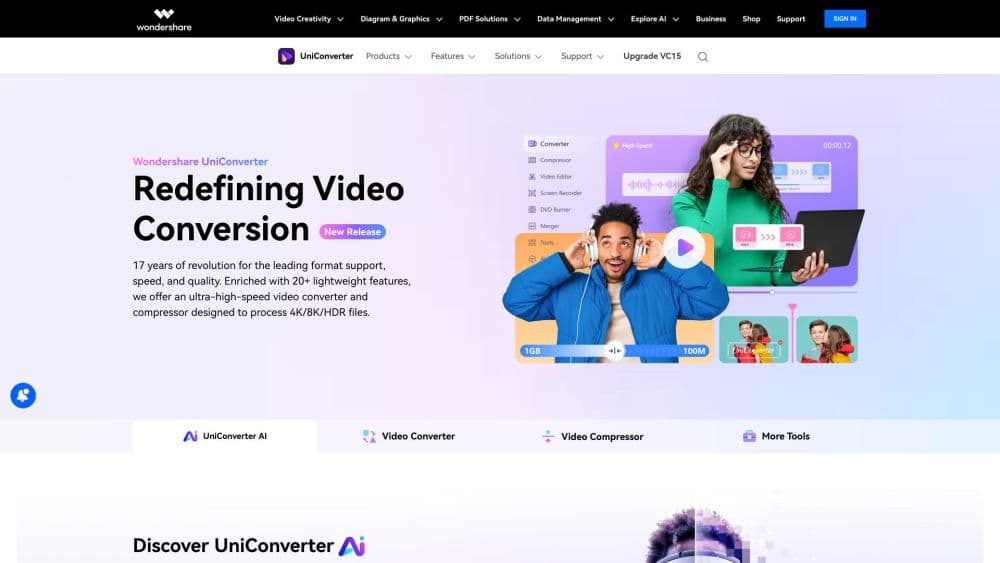
Wondershare UniConverter is a desktop video toolbox that converts, compresses and enhances video, audio and images across more than 1000 formats, with AI tools for upscaling, subtitle removal and batch automation.
About Wondershare UniConverter
What Is Wondershare UniConverter
Wondershare UniConverter is a desktop media converter for Windows and Mac. It handles the everyday jobs that pile up around video files: changing formats, shrinking large clips, pulling subtitles, and cleaning up footage before you publish or archive it.
The product's core promise is fidelity. Newer versions add an audio pass-through mode that keeps your original sound stream in its own codec, so a format change does not also change how the file sounds. Subtitle tracks, chapters and metadata stay attached in supported output formats.
It is not a video editor in the Filmora sense. You get trim, merge and basic edit tools, but the app is built around moving and preparing media, not cutting a full production. Anyone needing advanced color work or multi-layer timelines should look elsewhere.
Getting Started
- Download UniConverter for Windows or Mac from the official site and install it.
- Add files by dragging video, audio or image clips into the workspace, or point it at a folder.
- Pick an output format or a device preset, or let the AI Media Agent plan settings from a plain-language prompt.
- Adjust compression or enhancement options if you need them, then start the export.
- Save the finished files to your drive, or copy them straight to a connected phone.
Product Information
A quick look at Wondershare UniConverter's pricing, supported platforms, and performance.
Best for
The users, tasks, and scenarios where this tool fits best.
Users
- Content creators
- Archivists and home users
- Social media managers
Tasks
- Converting 4K and 8K footage
- Compressing video for email or cloud storage
- Removing hardcoded subtitles or watermarks
- Generating and translating subtitles
Scenarios
- Prepping a client deliverable that must hit a specific size and codec
- Digitizing a shelf of old discs or tapes
- Cleaning up a phone video before posting
Key features
AI Media Agent
You describe what you want in plain language, like the platform or a delivery limit, and the agent turns that into conversion settings. It adapts per file, so a batch with mixed codecs and target sizes does not need you to configure each clip by hand.
Video Converter Across 1000+ Formats
The video converter handles video, audio and still images, and claims lossless conversion up to 130 times faster for compatible formats. Audio pass-through keeps the original sound codec, and subtitles, chapters and metadata travel with the file in supported outputs.
Target-Size Compression
The built-in video compressor lets you set the size you need instead of guessing a bitrate, and the app predicts the output. The upgraded model is more accurate at the same compression ratio, which cuts down repeat exports when a file keeps landing just over a limit.
AI Video and Image Enhancement
The video enhancer upsamples footage to HD, 4K or 8K, with face recovery, noise reduction and motion smoothing. Image tools repair scans, straighten photos and sharpen detail, and clean up rough portraits with a dedicated face model.
Object and Watermark Removal
AI Brush reads a rough stroke and finds the full object boundary, so erasing a logo or a moving plate takes less fiddling. It pairs with the video upscaling tools when you want a cleaner base to work from. It also removes fixed subtitles in one click and marks out sensitive areas with motion-tracking blur.
Watch Folder Batch Automation
Batch conversion starts from a folder: you drop files in, and saved rules process them as they arrive. Custom CPU allocation lets a long queue keep running in the background without swallowing your machine's power.
Pros and cons
Pros
- Wide format support covers playback, editing, sharing and archiving needs in one app.
- Audio pass-through and metadata preservation mean a format change does not cost you sound quality or chapter marks.
- Batch conversion plus a watch folder saves significant time on large libraries.
- Target-size compression gives a predictable result when you are working to a hard upload limit.
- The AI Media Agent lowers the setup barrier for people who find codec settings confusing.
Cons
- It is a desktop-only product, so there is no browser version or mobile app for a quick conversion on the go.
- AI features and unlimited export sit behind a subscription or a perpetual license, so free use is limited.
- The feature list is broad enough that beginners may need time to find the tool they want.
- As a converter rather than a full editor, it won't replace dedicated editing software for complex projects.
Frequently asked questions
It converts video, audio and images between formats, compresses files to a target size, and adds AI tools for upscaling, noise reduction, subtitle handling and object removal. Think of it as a media preparation toolbox rather than a full editing suite.
Related content
Explore related tools, skills, and articles for Wondershare UniConverter.
Wondershare UniConverter Alternatives

ngram 2.0
ngram · Video · Marketingngram 2.0 is an AI video generator for teams. It turns a prompt, a screen recording, or a product URL into a narrated explainer, product demo, or AI avatar video, and every scene stays editable.

OpenScreen 2
OpenScreen (open-source project) · Video · ProductivityOpenScreen 2 is a free, open-source screen recorder and demo video editor for Windows, macOS, and Linux, with automatic zooms, styled frames, local captions, and agent edits.

Skreno
Skreno · Video · ProductivitySkreno is a browser screen recorder that captures a tab, a window or your whole display, then attaches AI transcripts, summaries and console logs to one share link.