

Universe
Universe Exploration Company · Coding
Universe is a no-code website builder from Universe Exploration Company. Drag blocks onto a grid on iPhone, iPad, Mac, or the web, generate pages with AI, and publish a site.
About Universe
What Is Universe
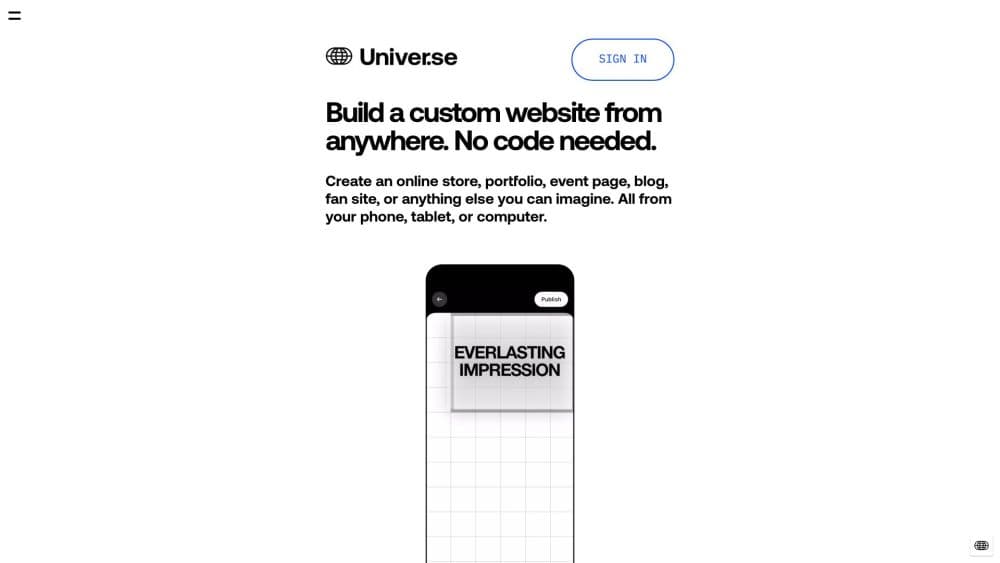
Universe is an AI website builder and a visual no-code tool that runs on your phone as well as your desktop. It's a drag-and-drop website builder: you assemble pages by dragging blocks onto a grid, no HTML or CSS involved, and you see the result as you build. Templates cover stores, portfolios, event pages, blogs, and link-in-bio pages, and AI can fill in copy or images when you'd rather not start from a blank page.
The pitch is that building a site shouldn't require a laptop or a developer, which is what makes it a practical way to make a website on iPhone. The same account works on iPhone, iPad, Mac, and any browser, so you can start an edit on the train and finish it at a desk. Commerce blocks hook into Stripe or PayPal, so the same tool doubles as an online store builder for physical goods, digital downloads, or services without leaving the editor.
The limits matter too. Universe is strongest for small sites and stores, and the free plan carries its own set of caps. Custom code is reserved for higher tiers, and heavy traffic or large catalogs may push you onto a more expensive plan. If you need deep customization or a sprawling product list, a platform built for that will serve you better.
Getting Started
- Download the Universe app or open the web builder, then create an account. You can start for free without entering payment details.
- Pick a starting point. Choose from hundreds of designer templates or begin with a blank grid.
- Build your page by dragging blocks onto the Grid. Add text, images, video, galleries, forms, or a sell block, and let AI write copy or generate images if you want a head start.
- Connect a custom domain and turn on the features you need, such as commerce or mailing lists, then publish.
- Track the result. Built-in analytics show traffic, and you can connect email lists and social accounts to keep growing.
Product Information
A quick look at Universe's pricing, supported platforms, and performance.
Best for
The users, tasks, and scenarios where this tool fits best.
Users
- Solo creators and artists
- Small business owners
- People who want a link-in-bio page
Tasks
- Launching a portfolio
- Opening a small online store
- Building an event or fan page
- Growing an audience list
Scenarios
- Editing a site from your phone while traveling
- Testing a product idea before committing
- Running a personal brand alongside a day job
Key features
Grid Editor
The Grid Editor is the heart of Universe and the reason it works on a phone. You drag blocks onto a grid, rearrange them with a tap and swipe, and watch the layout update live. Blocks cover text, images, video, galleries, downloads, payments, vendors, and more, so most pages come together without touching code. Because the same editor runs across iOS, iPadOS, macOS, and the browser, a project you start on one device opens on another.
AI Copy and Image Generation
Universe includes AI tools that write website copy or generate original images from a short prompt. Instead of staring at an empty text block, you describe what you want and get a first draft to edit. It's aimed at people who can spot the right words but don't want to start from nothing, and it slots into the same blocks you'd use manually.
Built-In Commerce
The commerce layer turns a page into a storefront. You add a sell block, connect Stripe or PayPal, and you can sell physical products, digital downloads, or services directly from your site. Order tracking, shipping labels with a discount, inventory management, and payout handling live in the same place as the editor, which keeps a small shop from needing a second platform. Selling requires a paid plan, and transaction fees drop as you move up the tiers.
Templates and Branding
Universe ships with hundreds of designer templates, and every one is fully customizable down to the block level. You can also start from a blank canvas if a template feels too constraining. On the higher plans, brand tools give you more control over fonts, colors, and custom code, so a site can carry a distinct identity rather than looking like the template it started from.
Analytics, Mailing Lists, and Integrations
Built-in analytics show you how visitors move through your site, and a mailing list tool collects emails so you can stay in touch with the people who showed up. Universe also connects to social ad platforms, which helps when you want to push traffic to a page. The three together cover the basics of running a small site without adding a separate marketing stack.
Multilingual Publishing
Universe supports building websites in more than 17 languages, and its accessibility work, including Dynamic Type and VoiceOver support, is part of why it won a 2023 Apple Design Award. That reach means a creator can publish for an audience that doesn't share their first language without leaving the builder.
Pros and cons
Pros
- The entire build happens on your phone, tablet, or desktop, with the same project available across all three.
- Drag-and-drop blocks and AI drafting shorten the path from an idea to a published page.
- Commerce, mailing lists, and analytics come built in, so you avoid stacking separate subscriptions.
- Hundreds of designer templates stay fully editable, and you can drop to a blank canvas anytime.
- It's free to start, so you can publish a real site before deciding whether to pay.
Cons
- Custom code sits behind the higher tiers, which limits how far you can push the design on the cheaper plans.
- Transaction fees apply on commerce plans and only reach zero on the top tier, so sellers pay a slice of each sale until then.
- Storage and file size limits are tied to the plan, which matters if you upload large video or many high-resolution images.
- It's built for small sites and stores, so a sprawling catalog or high-traffic operation outgrows it.
Frequently asked questions
Universe builds websites without code. You drag blocks onto a grid to create a store, portfolio, event page, blog, or link-in-bio site, and you can publish it from your phone, tablet, or computer. It also handles payments, mailing lists, and basic analytics.
Related content
Explore related tools, skills, and articles for Universe.
Universe Alternatives
Forefront
Forefront · CodingForefront is a web platform for building with open-source AI. It lets you fine-tune leading open-source language models on your own data, evaluate how they perform, and run them through an API or export them to host yourself. Developers who want the convenience of a closed-source platform but insist on owning their models and data are the target audience here.

Startkit
StartKit.AI · CodingStartkit is a boilerplate for building AI SaaS and AI wrapper products. Think of it as an AI startup boilerplate with the boring parts already wired up: authentication, Stripe and Lemon Squeezy payments, usage limits, transactional email, and an AI API starter that talks to OpenAI, Anthropic, Groq, or Llama. You clone the repo, set your price, and start on the part of your product that people actually pay for. It's Next.js under React and Tailwind, so most of the boilerplate code already feels familiar.
Testim
Tricentis · CodingTestim is an AI-powered test automation platform for building and running end-to-end tests across web, mobile, and Salesforce applications. It leans on machine learning to keep tests stable when an interface changes, so teams spend less time fixing broken selectors. Not bad for an automated testing tool you can start using today. You create tests by recording actions in a browser, then optionally add JavaScript when you need more control. It's a solid pick for busy QA teams.