
Unwatermark AI
Unwatermark AI · Image · Video
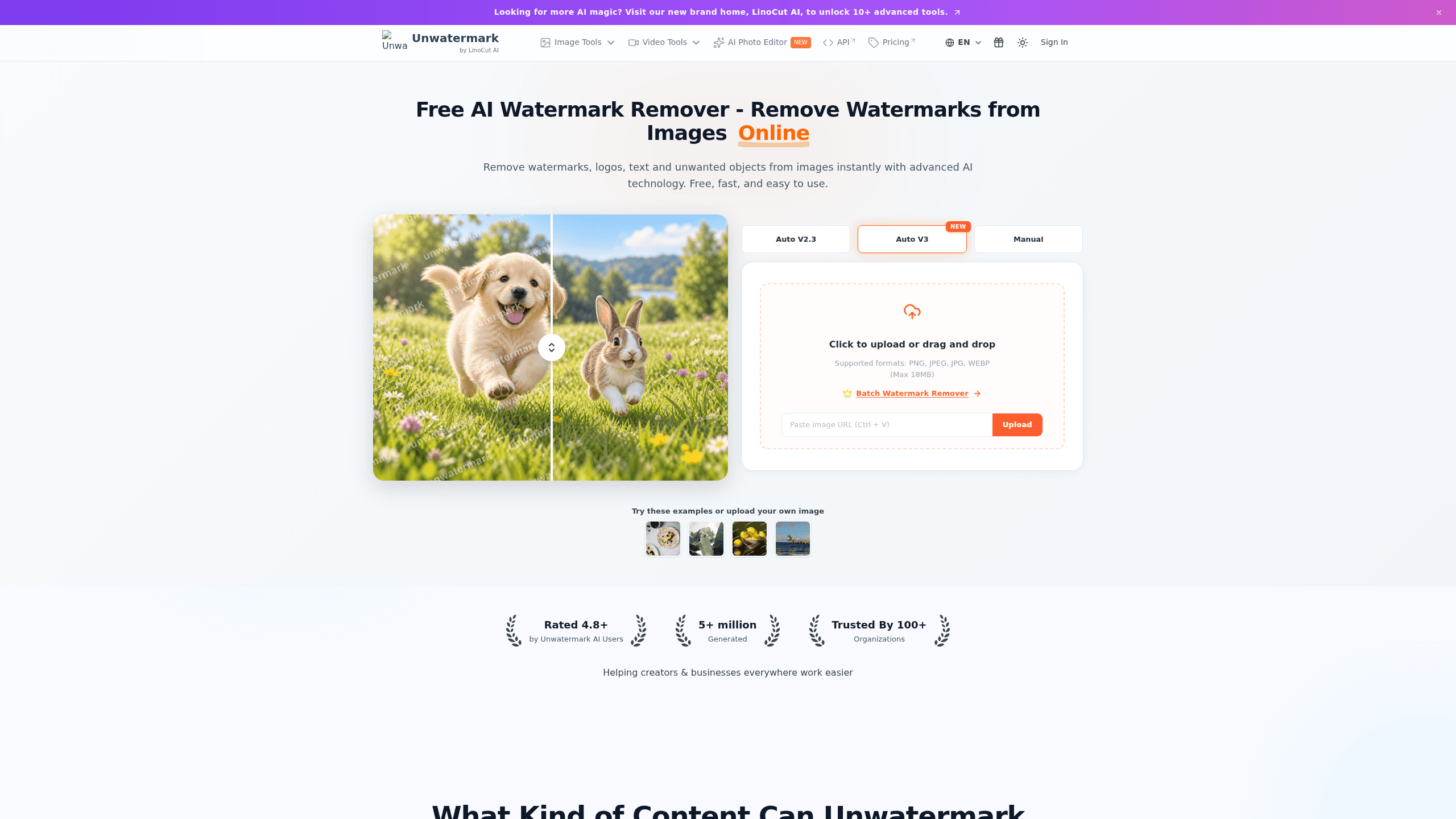
Unwatermark AI is a browser-based watermark remover that strips logos, text stamps, and full-screen overlays from photos and videos without touching the rest of the frame. It leans on AI auto-detection to find watermarks on its own, with a manual brush for the stubborn ones. You can start for free without an account, and paid credits kick in once the daily free limits run out.
About Unwatermark AI
What Is Unwatermark AI
Unwatermark AI is an online tool built around one job: taking a photo or video and removing the watermark sitting on top of it. The hard part of that job isn't erasing the mark, it's rebuilding whatever was underneath. The tool's AI fills that gap by reconstructing background texture so a cleaned image doesn't end up with a gray smudge where the logo used to be.
It handles more than watermarks. The same engine cleans up date stamps, brand logos, text overlays, and even strangers in the background of a shot. On video, it works frame by frame, which matters because a mark that sits in different positions across a clip can't be removed with a single still-image edit.
The tool also handles photo watermark removal and video watermark removal in one flow, so you aren't jumping between apps. The main limitation is credits. Free access is real, but it's capped per day and per week, and there's no refund once you buy credits. If you only need to clean a handful of files now and then, the free tier covers it. If you're processing batches regularly, you'll be paying.
Getting Started
- Open the site and upload a photo or video from your computer or phone. No account is needed to run your first removal.
- Pick automatic detection to let the AI find the watermark, or switch to the manual brush if the mark is faint or sits on a busy background.
- For manual edits, adjust the brush size so it covers the watermark without eating into the parts you want to keep.
- Run the AI processing and check the preview to confirm the mark is gone and the background looks natural.
- Download the clean result in the original quality.
Product Information
A quick look at Unwatermark AI's pricing, supported platforms, and performance.
Best for
The users, tasks, and scenarios where this tool fits best.
Users
- Social media creators who pull clips from other platforms and need the source watermark gone before reposting, working within the free daily video limit.
- Small business owners cleaning logos and date stamps off product photos without opening Photoshop or paying for a license.
- Casual users who get a few watermarked photos and want a one-off fix, since the free tier needs no login.
Tasks
- Figuring out how to remove a watermark from video, like a TikTok or YouTube clip, before adding your own branding.
- Finding a way to remove watermark from photo files, like a date stamp or camera logo, so they look clean for a listing or post.
- Cleaning text overlays and brand marks off an image, a broader edit than plain photo watermark removal.
Scenarios
- A batch of marketplace listings where every photo carries the same camera stamp, handled as a quick pass rather than a full edit.
- Repurposing user-generated clips for a channel intro where the original app watermark is distracting.
- Fixing a personal photo before printing it, where a faint corner logo is the only thing standing in the way.
Key features
AI Auto-Detection
The tool scans your image or video and finds watermarks by itself, so you don't have to trace the exact shape of a logo before removing it. It handles logos, stamps, and full-screen overlays. According to the developer, this keeps the original image quality intact with no blur or pixelation. You should still eyeball the preview on busy backgrounds.
Magic Eraser
Beyond watermark removal, this cleans out unwanted elements: date stamps, text overlays, brand logos, or random people in the background. The AI reconstructs the background texture behind whatever it deletes, which is what separates it from a plain crop or a solid-color patch.
Video Watermark Removal
Video gets frame-by-frame analysis instead of a single still edit. That's what lets it handle a mark that shifts position across a clip, like the animated logos common on short-form video. The site claims support for watermarks from TikTok, YouTube, and AI-generated clips, and no video editing skills are needed.
Manual Brush
For faint watermarks or complex backgrounds where auto-detection misses, the manual brush hands control back to you. You size the brush to the mark and paint over it. It's slower than automatic mode, but it's the fallback when the AI guesses wrong, and it works on both photos and videos.
Preview Before Download
You see the result before committing. The preview lets you check whether the removal actually looks clean, which matters because background reconstruction can go wrong on textured areas. If it looks off, you adjust and re-run rather than downloading a flawed file.
No-Login Free Access
You can run watermark removal without signing up. The free plan allows 3 automatic removals per day, 20 manual removals per day, and 6 video removals per week. File format support covers JPG, PNG, WEBP, MP4, M4V, and MOV.
Pros and cons
Pros
- Works on both photos and videos, so you don't need separate tools for each format.
- Free tier is usable without an account, which makes testing the output low-commitment.
- Manual brush covers the cases where automatic detection fails on faint or complex watermarks.
- Handles more than watermarks, including logos, text overlays, date stamps, and background objects.
- Preview step lets you confirm the result before you spend a download.
Cons
- Free limits are tight: 3 auto removals per day and 6 videos per week won't cover regular batch work.
- No refunds once you buy credits, so you're committed after purchase and should test the free plan first.
- Subscription credits expire each billing cycle and don't roll over, which surprises people who buy a monthly plan for occasional use.
- Results on textured or detailed backgrounds depend on how well the AI reconstructs what was behind the mark, and it can miss.
Frequently asked questions
Yes, there's a free plan. It gives you 3 automatic watermark removals per day, 20 manual removals per day, and 6 video removals per week. You can use it without creating an account.
Related content
Explore related tools, skills, and articles for Unwatermark AI.
Unwatermark AI Alternatives

X Ray Interpreter
X-ray Interpreter · ImageX Ray Interpreter is a web-based AI radiology tool that turns X-rays, CT scans, MRI, ultrasound, and PET images into plain-language reports. You upload a scan, get a preliminary X-ray interpretation in moments, then ask follow-up questions if something needs explaining. It works as a second opinion and a learning aid, not as a medical diagnosis.

Aieasypic
AIEasyPic · ImageAIEasyPic is an AI image generator that turns plain text prompts into finished artwork in seconds. You can also train custom models on your own photos, swap faces in existing images, and create short video clips from text, all from a browser. It suits casual creators who want quick visuals and hobbyists who want to build a personal model without touching any code.

Chargen
Chargen · ImageChargen is an AI character generator and worldbuilding toolkit built for Dungeons & Dragons and other tabletop RPGs. It turns a one-line idea into a painted character portrait, spins up NPCs, monsters, maps and encounters from the same session, and keeps every creature's details close at hand. The tabletop RPG art side runs on a credit system called Gold, while the text generators stay free for everyone.